Shared Hosting vs VPS: Two Fundamentally Different Hosting Architectures
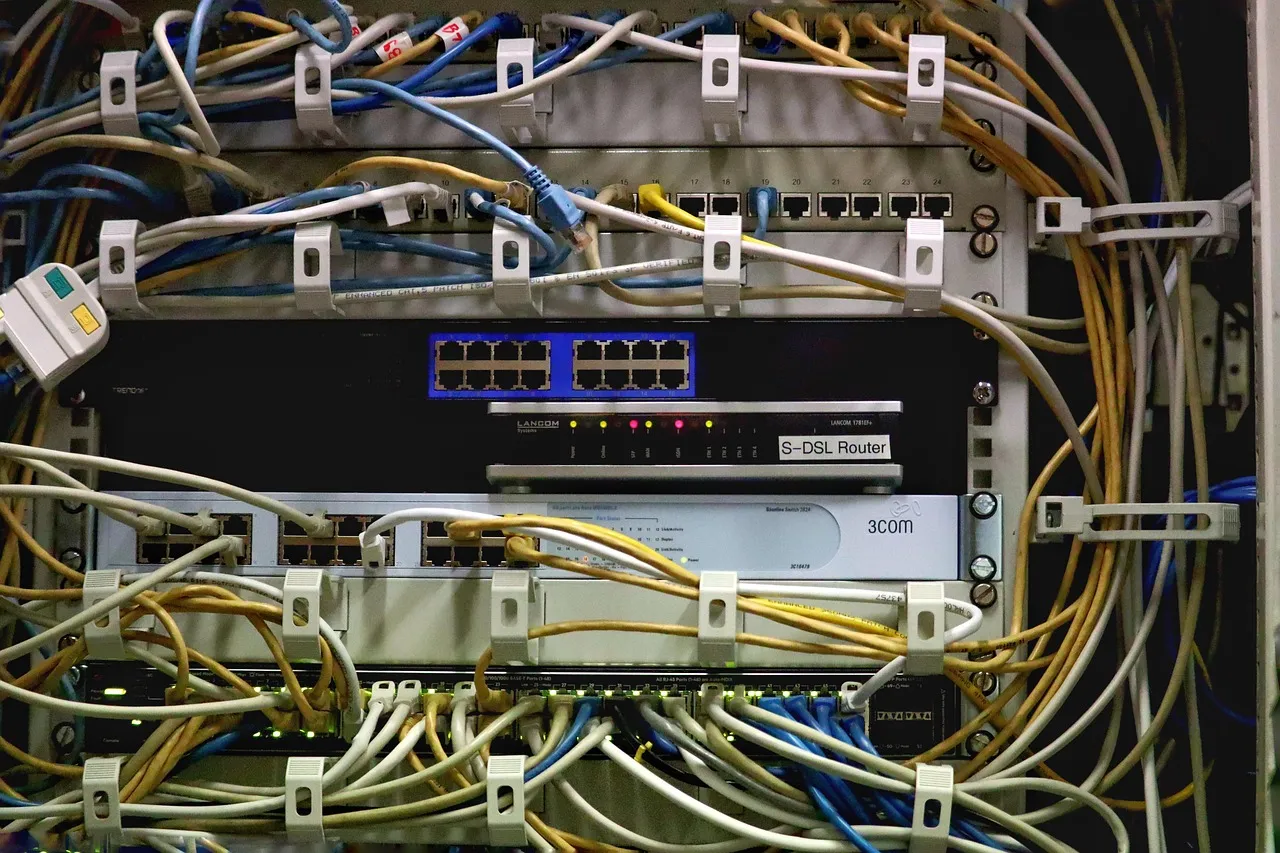
The decision between shared hosting and VPS hosting is the single most common and consequential infrastructure choice facing website owners whose sites have outgrown the entry-level hosting tier but have not yet reached the scale that requires a dedicated physical server. The distinction between these two hosting models is not a matter of marketing positioning or pricing tiers — it is a fundamental architectural difference that affects resource guarantees, configuration control, security isolation, scalability, and the division of operational responsibility between the hosting provider and the site owner. Shared hosting operates on a multi-tenant model where dozens to thousands of hosting accounts share a single physical server's CPU cores, RAM modules, NVMe drives, and network interface, with resource isolation enforced through kernel-level mechanisms like CloudLinux LVE that impose soft and hard limits on each account's resource consumption. VPS hosting operates on a virtualized server model where a physical server is partitioned into a smaller number of virtual machines — typically 10 to 50 per physical host — each receiving a dedicated allocation of CPU cores, RAM, and storage that are guaranteed to that virtual machine and cannot be consumed by neighboring tenants. The shared hosting vs vps comparison is fundamentally a comparison between a resource-constrained but fully managed environment where the provider handles server administration, and a resource-guaranteed environment where you receive root access and configuration control in exchange for accepting a greater share of operational responsibility.
The shared hosting model's defining operational characteristic is managed simplicity: the hosting provider installs, configures, patches, monitors, and secures every layer of the software stack — the operating system kernel, the web server (Apache, LiteSpeed, Nginx), the PHP runtime with all extensions, the MySQL or MariaDB database server, the email infrastructure (Exim, Dovecot), the DNS server, the firewall (CSF or iptables), the malware scanner, the backup system, the control panel (cPanel, DirectAdmin), and the one-click application installer. The site owner's operational surface is intentionally limited to the control panel interface: uploading files through a file manager or FTP, managing databases through phpMyAdmin, creating email accounts, installing applications through Softaculous, and viewing resource usage statistics. This managed simplicity is the shared hosting model's core value proposition and the reason it remains the dominant hosting tier for first-time site owners, small businesses, and personal websites — the provider's engineering team absorbs the operational complexity so that the customer does not have to. The trade-off is that this managed simplicity comes with resource ceilings: CPU allocation measured in percentage of a core rather than dedicated cores, memory limits typically 1 GB to 4 GB, I/O throughput shared across hundreds of tenants on the same physical NVMe drives, and software configuration controlled by the provider's standardized environment rather than by the customer's specific requirements. For a comprehensive walkthrough of shared hosting architecture and capabilities, our complete guide to shared hosting provides the detailed technical foundation for understanding the resource model that VPS hosting improves upon.
Resource Allocation: Shared Limits vs. Guaranteed Dedicated Resources
CPU: Percentage-Based Allocation vs. Dedicated Cores
The CPU allocation model is the most operationally significant difference between shared hosting and VPS hosting, directly affecting your site's ability to handle traffic spikes, process form submissions, execute cron jobs, and serve uncached dynamic content without performance degradation. On shared hosting, CPU resources are allocated as a percentage of a single processor core — typically 100% of one core on entry-level plans, 200% of one core on mid-tier plans — measured in hertz-seconds by the Linux kernel's scheduler. This percentage represents a ceiling, not a floor: your account can consume up to its allocated percentage, but during periods when other tenants on the same server are consuming their own allocations, the physical CPU cores are fully utilized and your processes compete with all other processes for scheduler time. The practical consequence is that a shared hosting account's CPU performance is variable — your site might compile PHP pages in 200 ms during low-load periods and in 800 ms during high-load periods when all tenants are active — and this variability is invisible in the control panel's resource usage graphs because the throttling occurs at the kernel scheduler level, not at the account level.
VPS hosting allocates CPU resources as dedicated virtual CPU cores — typically 1 to 8 vCPUs on entry-level and mid-tier VPS plans — that map to specific physical cores or hardware threads on the host server's processor, with the hypervisor (KVM, VMware, Xen) guaranteeing that those vCPUs are available to your virtual machine regardless of what other VPS tenants on the same physical server are doing. A 4-vCPU VPS allocation means that your server can simultaneously execute four threads at full clock speed, and those cores are not shared with neighboring VPS instances — the hypervisor's CPU scheduler ensures that every vCPU receives its proportional share of physical CPU time, with modern hypervisors achieving over 99% of bare-metal CPU performance through hardware virtualization extensions (Intel VT-x, AMD-V). The practical consequence for a WordPress site is that a VPS can maintain consistent PHP execution times — the same page compiles in 300 ms whether it is 3 AM or 3 PM on a weekday — because the CPU resources are guaranteed rather than best-effort. This consistency is particularly valuable for e-commerce sites where page load time during peak shopping hours directly affects conversion rate, and for membership sites where logged-in users generate uncacheable dynamic requests that cannot be served from the page cache and must execute PHP regardless of traffic level.
Memory: Shared RAM vs. Dedicated RAM
Memory allocation follows the same shared-versus-dedicated pattern as CPU allocation, with consequences that are even more immediate because memory exhaustion on a Linux system triggers the Out-Of-Memory killer, which terminates processes — potentially including your database server or PHP-FPM pool — to prevent a full system crash. On shared hosting, RAM is allocated as a soft limit enforced by CloudLinux LVE's memory manager: your account can consume up to its allocated memory ceiling (typically 1 GB to 4 GB), but when physical RAM is exhausted across all tenants, the kernel begins terminating processes belonging to the accounts that have exceeded their allocation, not waiting for a warning or a graceful degradation. The memory consumed by your site's processes — PHP-FPM children, MySQL connections, cron job executions, email filters — competes directly with the memory consumed by every other tenant's processes, and a memory spike on a neighboring account (a poorly optimized plugin loading a large dataset into memory, a backup script compressing a large file) can trigger OOM conditions that affect all tenants simultaneously.
VPS hosting allocates a fixed amount of RAM — 2 GB, 4 GB, 8 GB, 16 GB — that is dedicated to your virtual machine and cannot be consumed by neighboring tenants regardless of their memory usage. The hypervisor enforces this allocation at the hardware level through memory management unit virtualization (Intel EPT, AMD NPT), ensuring that the physical pages allocated to your VPS are exclusively available to your virtual machine and that memory pressure from other VPS tenants never spills into your allocation. The operational advantage extends beyond burst protection: on a VPS, you can consciously allocate your dedicated RAM across the services running on your server — for example, dedicating 512 MB to the operating system, 1 GB to MySQL's InnoDB buffer pool, 512 MB to PHP-FPM's shared OPcache, and 1 GB to Redis for object caching — and these allocations remain stable and predictable regardless of what other tenants on the physical host are doing. HostingCaptain's VPS hosting plans specify exact RAM allocations with no oversubscription, meaning that the physical RAM on the host server is sufficient to satisfy every tenant's allocation simultaneously — a configuration choice that costs more in hardware but eliminates the performance degradation that memory oversubscription introduces.
Illustration: Shared Hosting vs VPS Hosting: Which One Do You Actually Need?Configuration Control: Provider-Managed vs. Root Access
The boundary between provider-managed configuration and customer-controlled configuration is where the shared hosting vs VPS decision most directly affects day-to-day operations and long-term growth trajectories. Shared hosting environments are standardized: the provider selects the operating system version (typically CloudLinux 8 or 9), the web server software and its configuration (LiteSpeed or Apache with specific modules loaded), the PHP version and its enabled extensions, the MySQL version and its buffer pool sizes and connection limits, the email server configuration, and the firewall rules. The customer controls website content — files, databases, email accounts, DNS records within the allowed zone editor — but cannot install custom PHP extensions, modify the web server configuration beyond .htaccess directives that the provider permits, change the database server's query cache size, install Redis or Varnish for advanced caching, or run background processes that continue executing after an HTTP request completes. This standardization is simultaneously the shared hosting model's greatest strength (eliminating the need for server administration expertise) and its greatest limitation (preventing custom configurations that would optimize performance for a specific application's access patterns).
VPS hosting grants root access — the administrative superuser account on Linux systems — which provides unrestricted control over every aspect of the server's software configuration. With root access, you can: install any PHP version and any PHP extension, compile custom PHP modules, configure the web server's worker processes and caching behavior at the server level rather than through .htaccess, tune MySQL's InnoDB buffer pool to match your database's working set size, install Redis for object caching that reduces database load by an order of magnitude for frequently accessed data, install Elasticsearch for full-text search that outperforms WordPress's default MySQL-based search, deploy Varnish as a reverse proxy cache that serves cached pages without touching PHP or the web server, install Node.js alongside PHP to run real-time features like WebSocket notifications, configure automated server-level backups with fine-grained retention policies, and implement security hardening — custom firewall rules, fail2ban intrusion prevention, two-factor authentication for SSH access, kernel hardening parameters — that go beyond the standardized security measures on shared hosting. The corollary of this configuration freedom is configuration responsibility: on an unmanaged VPS, you are responsible for applying operating system security patches, updating the web server and database software, monitoring for intrusion attempts, configuring the firewall correctly, and troubleshooting any issue that arises from the software stack you assembled. A single misconfigured iptables rule can lock you out of your server; a forgotten MySQL root password can require single-user mode recovery; an unpatched kernel vulnerability can expose your server to privilege escalation attacks. Managed VPS plans — where the provider handles operating system updates, security patching, server monitoring, and basic firewall configuration while still granting root access — occupy the middle ground between shared hosting's fully managed environment and the total control of an unmanaged VPS, and they are the appropriate choice for site owners who need VPS-level resources and custom configuration capabilities but do not have the time or expertise to handle full server administration. Our complete guide to VPS hosting explains managed versus unmanaged VPS in detail, including the specific responsibilities and risks that accompany each model.
Performance: Measurable Differences in Speed, Concurrency, and Consistency
The performance differences between shared hosting and VPS hosting are measurable and predictable, and they cluster around three dimensions: peak throughput (how many requests per second your site can serve), consistency (whether performance degrades during high server load), and concurrency (how many simultaneous dynamic requests your site can handle). A well-optimized WordPress site on mid-tier shared hosting with LiteSpeed Web Server, LSCache page caching, Cloudflare CDN, and a lightweight theme can serve cached pages with Time to First Byte values of 80 ms to 200 ms and handle 50 to 150 concurrent uncached requests — performance that is entirely adequate for the vast majority of content-driven sites with moderate traffic. A 4 GB VPS with the same optimization, dedicated CPU cores, and tuned database and caching configurations can serve cached pages with TTFB values of 40 ms to 100 ms and handle 100 to 300 concurrent uncached requests, with the critical difference being that the VPS's performance ceiling is determined by its dedicated resources rather than by the aggregate load on a shared server — making the VPS's performance predictably consistent rather than variably best-effort.
The dimension where VPS performance most decisively separates from shared hosting is in handling uncacheable dynamic traffic — logged-in user sessions, e-commerce transactions, search queries, form submissions, membership dashboard pages — because these requests bypass the page cache entirely and must execute PHP, query the database, and assemble HTML on every request. On shared hosting, the PHP-FPM pool and MySQL connection limits (typically 15–25 PHP workers and 25–50 MySQL connections) create a hard ceiling on concurrent dynamic request handling. On a VPS, you can configure the PHP-FPM pool to match your dedicated RAM allocation — a site with 4 GB of RAM can allocate 2 GB to PHP-FPM, accommodating 30 to 50 PHP workers depending on per-process memory consumption — and configure MySQL's connection limit to 100 to 200, more than sufficient for any site that has not yet grown to the dedicated-server tier. The practical consequence is that an e-commerce site during a flash sale, a membership site during a content launch, or a community forum during a viral discussion can handle the burst of authenticated traffic on a VPS without the 503 errors that would result from exhausting a shared hosting plan's PHP workers and MySQL connections during the same event. For site owners managing nonprofit and community organizations with limited budgets, shared hosting can still be the appropriate platform — our guide to shared hosting for nonprofits explains how resource-limited organizations can maximize shared hosting value — but understanding the traffic thresholds at which VPS-level resources become necessary prevents the site slowdowns and outages that damage audience trust and search rankings.
Security Isolation and the Noisy Neighbor Problem
Security isolation is the dimension of the shared hosting vs VPS comparison where the architectural differences have the most severe potential consequences — a security vulnerability that is contained within a VPS's virtualized environment can, on shared hosting, potentially compromise neighboring accounts on the same physical server. Shared hosting's security model relies on kernel-level isolation technologies: CageFS encapsulates each user in a virtualized filesystem that prevents them from seeing other users' directories, processes, or configuration files; PHP runs under each user's UID through PHP-FPM pools or suPHP (not as a shared nobody or www-data user); and the operating system's discretionary access control (DAC) permissions prevent one user from reading another user's files. These protections are effective against accidental cross-account access and against low-sophistication attacks, but they operate within a shared kernel — a kernel vulnerability that allows privilege escalation from a user account to root access compromises every account on the server simultaneously because there is only one kernel serving all tenants.
VPS hosting provides hardware-level virtualization isolation through the hypervisor: each virtual machine has its own kernel, its own operating system instance, its own userspace, and its own network stack. A kernel vulnerability exploited within one VPS affects only that VPS — the attacker gains root access within the virtual machine but cannot access other virtual machines on the same physical host because the hypervisor prevents cross-VM memory access, storage access, and network traffic interception. This isolation extends to resource attacks: a DDoS attack targeting one VPS cannot consume the physical server's entire bandwidth if the hypervisor enforces per-VM network rate limiting; a fork bomb that spawns thousands of processes within one VPS exhausts only that VPS's process table, not the physical server's; a disk-filling attack that writes gigabytes of junk data fills only that VPS's virtual disk, not the physical NVMe drive shared by all tenants. The security isolation of VPS hosting is the primary reason that applications handling sensitive data — financial transactions, healthcare information, legal documents, personally identifiable information — should operate on VPS or dedicated infrastructure rather than shared hosting, and it is the reason that PCI DSS compliance for credit card processing mandates dedicated or virtualized environments with documented isolation from other tenants. The Mozilla Developer Network's web server guide provides foundational context on how web servers handle requests and maintain session isolation — the same mechanisms that must be secured at every hosting tier.
Cost Evolution: Short-Term Savings vs. Long-Term Value
The cost comparison between shared hosting and VPS hosting is more nuanced than the headline monthly prices suggest, because the total cost of ownership includes factors that emerge over months and years: the cost of performance degradation during traffic growth, the cost of downtime when shared resource limits are exceeded, the cost of migration when a shared plan is outgrown, and the operational cost (in time or in managed service fees) of administering a VPS if you choose an unmanaged plan. Entry-level shared hosting in 2026 costs $2.99 to $6.99 per month on introductory terms, renewing at $8.99 to $14.99 per month. Entry-level unmanaged VPS hosting costs $5 to $15 per month, renewing at similar or identical rates because VPS pricing is typically not structured around loss-leader introductory discounts. Managed VPS hosting — where the provider handles server administration, security patching, and monitoring — costs $30 to $80 per month, reflecting the labor cost of the system administration services bundled into the plan. The direct cost comparison suggests that shared hosting is cheaper than managed VPS hosting, which is true in dollar terms but incomplete in value terms: if your site has outgrown shared hosting's resource ceilings and is experiencing performance degradation or intermittent outages, the revenue lost to visitor abandonment, reduced search rankings, and customer frustration exceeds the difference between shared hosting and managed VPS pricing by orders of magnitude.
The cost of inaction — delaying a VPS migration beyond the point where shared hosting resources are consistently exceeded — manifests in ways that are difficult to quantify but operationally real: Google's crawlers encountering 503 errors reduce the crawl rate for your site, slowing the indexing of new content; visitors encountering slow page loads during traffic spikes abandon your site before it renders, increasing bounce rate signals that further depress search rankings; and the accumulated technical debt of operating a site at the edge of its hosting capacity creates fragility that makes any traffic spike or software update a potential outage event. The economically rational approach is to monitor your shared hosting account's resource usage through the control panel's CPU, memory, I/O, and concurrent connection graphs and to initiate a VPS migration when any of these metrics consistently approaches 70% to 80% of your plan's limit, rather than waiting for the first resource-exhaustion outage to force an emergency migration under duress. HostingCaptain's shared hosting plans include resource usage monitoring with configurable alerts that notify you when CPU, memory, or I/O utilization approaches the plan's ceiling, providing the early-warning data that enables planned, non-disruptive infrastructure upgrades. For bloggers evaluating the right hosting tier for their content, our guide to shared hosting for personal blogs provides traffic-level benchmarks that help determine whether shared hosting or VPS is the appropriate starting point.
Frequently Asked Questions
At what traffic level should I migrate from shared hosting to a VPS?
The migration trigger is not a single traffic number but a combination of metrics: consistent CPU throttling events visible in your control panel's resource usage logs, memory exhaustion errors in PHP logs, database connection refusals during traffic peaks, and the proportion of uncacheable traffic (logged-in users, form submissions, search queries). A site with 50,000 monthly visitors that is almost entirely cached traffic — anonymous visitors reading blog posts — can operate comfortably on shared hosting. A site with 15,000 monthly visitors where 30% are logged in, viewing personalized dashboards, or adding items to carts may exceed shared hosting resource ceilings and require VPS resources. Monitoring your account's resource usage, not your total visitor count, is the reliable method for determining when a VPS becomes necessary. The specific thresholds at which HostingCaptain's shared plans approach their resource ceilings are documented in each plan's technical specifications, and our support team can review your account's resource usage history to provide a data-driven migration recommendation.
Is an unmanaged VPS realistic for someone without Linux administration experience?
An unmanaged VPS — where you receive root access and the provider handles only hardware and network infrastructure — requires Linux system administration skills including command-line proficiency, package management with apt or yum, firewall configuration with iptables or ufw, web server configuration, database server tuning, SSH key management, and security patching discipline. Without these skills, an unmanaged VPS becomes a liability: an unpatched server can be compromised within hours of being connected to the internet, and a misconfigured service can cause outages that you lack the diagnostic skills to resolve. For site owners without Linux administration experience, managed VPS plans — where the provider handles operating system updates, security patching, server monitoring, and basic configuration while granting root access — provide the resource guarantees and configuration flexibility of a VPS without the operational burden of full server administration. Managed VPS plans cost more than unmanaged plans ($30 to $80 per month vs $5 to $15 per month) but dramatically less than the cost of a security breach, extended downtime, or the consulting fees for an emergency system administrator.
Can I start on shared hosting and easily move to VPS hosting later?
Yes — migration from shared hosting to a VPS is a well-understood, highly automated process in 2026, and it is the standard upgrade path for growing websites. The migration involves generating a full account backup on the shared host, provisioning the VPS with a control panel (cPanel, DirectAdmin) if you want the same graphical interface, restoring the backup archive on the VPS, updating DNS records to point to the new server's IP address, and waiting for DNS propagation. Most control panels include account transfer tools that package files, databases, email accounts, DNS zones, and SSL certificates into a single portable archive that can be restored in minutes on the destination server. The key preparation step is reducing your DNS TTL to 300 seconds a day before migration, which minimizes the propagation window during which visitors might reach the old server after content has been updated on the new one. HostingCaptain provides migration support for customers upgrading from shared hosting to VPS, including backup generation, transfer, and DNS configuration assistance to ensure a seamless transition with minimal or zero downtime.
Billy Wallson is a senior operations director with over 15 years of experience scaling remote teams and implementing lean business strategies.
Frequently Asked Questions
This guide covers the practical decision points — pricing, performance, and when it makes sense for your situation — based on current 2026 data.
Pricing varies by provider and plan tier; see the cost breakdown section above for current ranges and what's actually included at each price point.
Look closely at uptime guarantees, renewal pricing (not just the first-year discount), and how responsive support actually is — all covered in detail in this article.
Hosting Captain has been exceptional for my e-commerce store in Pune. The NVMe SSD speed is
noticeable, and their support team responds within minutes. Highly recommended for any
Indian business!
Ryan John, Pune
Great Value for Money
Switched from a US-based host to Hosting Captain and my website loads 3x faster for Indian
visitors. The free SSL and cPanel are great, and the pricing is unbeatable. Very satisfied
customer!
Priya Mehta, Mumbai
Reliable VPS Hosting
I've been using their VPS plan for 2 years now. 99.9% uptime is not just a claim — it's
reality. My client projects run without interruption. The KVM virtualization gives me full
control I need.
Amit Kumar, Bangalore
Excellent 24/7 Support
The support team helped me migrate my entire WordPress site at 2 AM without any downtime.
This level of service is rare in Indian hosting. Worth every rupee!
Sunita Patel, Ahmedabad
Perfect for Startups
As a startup, budget matters. Hosting Captain's Business plan covers everything we need —
multiple websites, free SSL, daily backups — at a fraction of what international hosts
charge.
Vikram Singh, Delhi
Professional Dedicated Server
Our high-traffic news portal needed a dedicated server. Hosting Captain's DS Business plan
handles 100K+ daily visitors effortlessly. Their team provisioned everything within 4 hours!
Meena Krishnaswamy, Chennai
Trusted Technologies & Partners
Start Your Website with Hosting Captain
From personal blogs to enterprise solutions, we've got you covered!