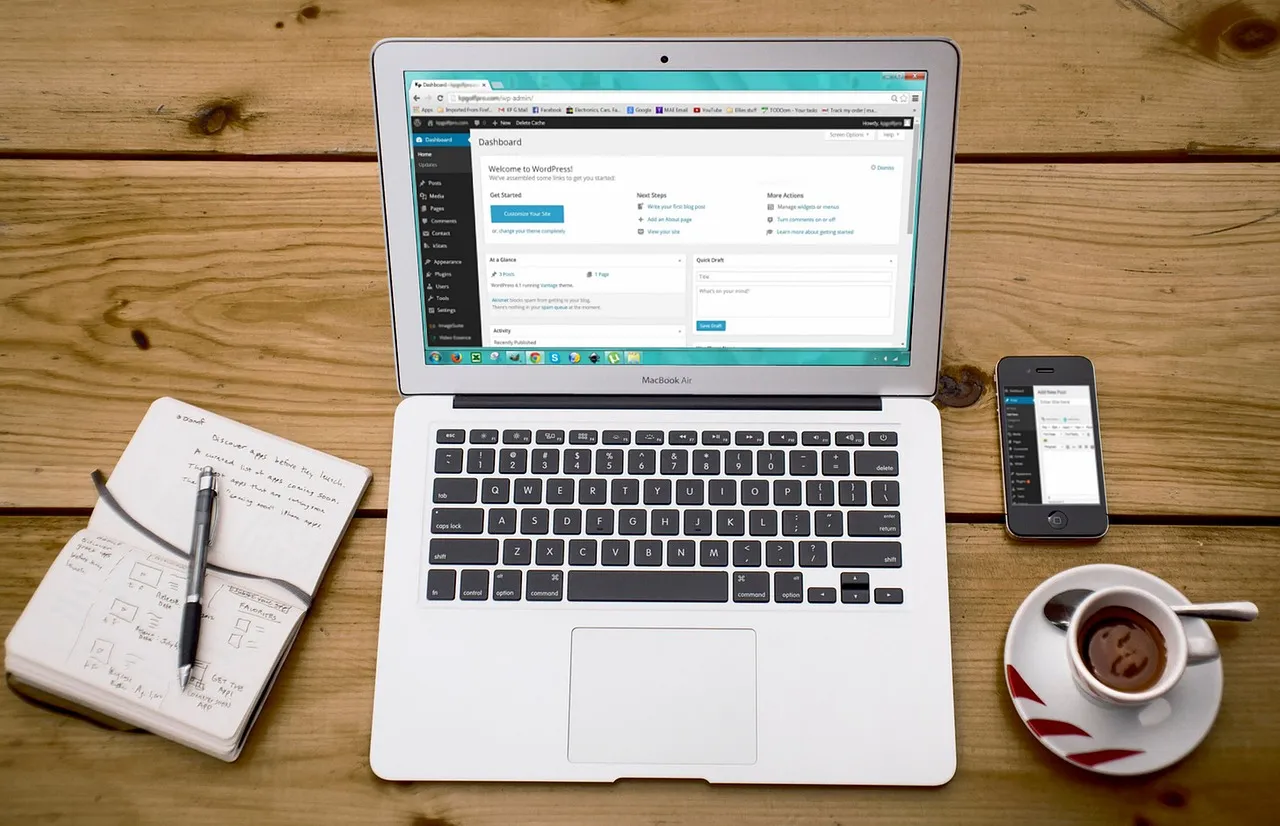
How WordPress Themes Affect Hosting Performance: The Connection Most Site Owners Miss
When a WordPress site loads slowly, the instinctive reaction is to blame the hosting provider. Upgrading to a higher-tier plan, switching to a different host, or adding more server resources feels like the logical fix. But at Hosting Captain, our diagnostic data across thousands of performance audits reveals a less obvious culprit that often exerts more influence over page speed than the hosting tier itself: the WordPress theme. A theme is not merely a visual skin draped over your content. It is an active participant in every page generation cycle, executing PHP, loading CSS and JavaScript files, querying the database for styling settings and layout metadata, and dictating the structure of the HTML that the server must assemble before delivering it to the browser. The interplay between your theme's architecture and your hosting environment's capabilities determines whether your site loads in under a second or struggles past the three-second threshold where visitor abandonment rates spike dramatically. Understanding wordpress theme hosting requirements means recognizing that your theme choice is not just a design decision — it is a hosting decision that carries direct consequences for server load, page generation time, and the hosting resources you will need to allocate to achieve acceptable performance.
The relationship between themes and hosting unfolds across every layer of the request-response cycle. When a visitor lands on your site, the hosting server receives an HTTP request and hands it to a PHP worker, which loads WordPress core, then your active theme's functions.php file and template hierarchy, then every active plugin, then queries the database for content and theme settings, then assembles the final HTML document with all its linked assets. A lightweight theme contributes perhaps 20 to 40 milliseconds of PHP execution time to this cycle and requests a handful of database queries for essential settings. A bloated theme can contribute 200 to 600 milliseconds of PHP execution and trigger dozens of additional database queries for typography settings, color schemes, layout presets, demo content metadata, and conditional loading logic — all before generating the HTML that the browser can begin parsing. On a hosting plan with generous CPU, memory, and PHP worker allocation, these extra milliseconds might be absorbed without visible impact. On a shared hosting plan with 3 to 5 PHP workers, limited CPU time, and a MySQL server shared with hundreds of other accounts, those extra milliseconds compound across every uncached request, every concurrent visitor, and every admin dashboard interaction until the site crosses the threshold where performance becomes a competitive liability. The WordPress.org platform provides the foundation, but the theme you layer on top of it determines how much of your hosting capacity is consumed by design versus available for serving your actual content to visitors.
The hosting cost implications of theme choice are direct and measurable. A site running a well-coded lightweight theme on a mid-tier shared hosting plan with 256 MB of PHP memory and 5 to 8 PHP workers can serve thousands of daily visitors with sub-second page loads when caching is properly configured. That same site, with the same hosting plan, running a feature-heavy page builder theme with bundled sliders, animation frameworks, and multiple CSS and JS libraries, may experience PHP memory exhaustion errors, database connection failures during traffic peaks, and page load times that drift into the 3-to-6-second range where bounce rates climb above 50%. The solution is not necessarily a hosting upgrade — though heavier themes do demand more capable hosting — but rather an understanding that your wordpress theme hosting requirements are defined at the intersection of your theme's technical architecture and your hosting environment's resource allocation. Choosing a theme without considering its hosting implications is like selecting an engine without checking whether your vehicle's chassis and fuel system can support it. The result may technically run, but it will never perform as intended, and the frustration of constant troubleshooting will erode the satisfaction that a well-matched theme-and-hosting combination delivers from day one.
Bloated Themes: The Hidden Cost of Feature-Heavy Design
A bloated WordPress theme is one that includes functionality far beyond what your site actually needs, and the performance penalty of that excess falls squarely on your hosting environment. The most common form of bloat is the "kitchen sink" theme — a product marketed as an all-in-one solution that bundles sliders, page builders, portfolio modules, testimonial widgets, pricing table generators, mega menu systems, animation frameworks, icon libraries, and Google Fonts collections regardless of whether your site uses any of those features. Every bundled component adds PHP code that must be parsed on every uncached request, CSS and JavaScript files that must be enqueued or at minimum discovered and skipped during page assembly, and database options rows that must be queried to determine whether each feature is enabled. The cumulative effect is a theme that carries the server-side computational weight of a full application suite while your site may only need a blog layout, a header, a footer, and the ability to display posts and pages. Hosting Captain's performance audits consistently show that switching from a bloated multipurpose theme to a focused lightweight alternative reduces server response time by 40 to 70 percent on identical hosting infrastructure, a gain that would otherwise require a significant hosting upgrade to achieve through hardware alone.
Excessive HTTP requests are the front-end manifestation of theme bloat that directly punishes your hosting server. Every CSS file, JavaScript file, icon font, and web font loaded by your theme generates an HTTP request from each visitor's browser to your server. A bloated theme might enqueue 15 to 30 CSS files and 20 to 40 JavaScript files on every page, even pages that do not use the features those files support. On a single visit, this overhead is manageable. But when dozens of simultaneous visitors each generate 50 to 70 HTTP requests for theme assets — multiplied across the uncached logged-in sessions, AJAX calls, and REST API requests that characterize real WordPress traffic patterns — the cumulative load on your server's network stack, I/O subsystem, and CPU can become substantial. A hosting plan with limited concurrent connection capacity or aggressive I/O throttling will slow every one of those asset requests, increasing the time-to-first-byte for HTML and the download time for every CSS, JS, and font file that follows. The result is a page that progressively slows down as the server struggles to keep pace with the request volume generated by the theme's architecture. This is the dynamic that explains why the web hosting you choose must account for the theme you intend to run, not just the traffic you expect to receive. A theme that doubles your server's request load effectively halves the visitor capacity of your hosting plan before traffic even becomes a factor.
Render-blocking resources represent the most damaging category of theme bloat because they prevent the browser from displaying anything to the visitor until the blocking resource has been downloaded, parsed, and executed. When a theme enqueues CSS files in the document head without media="print" or onload attributes, and JavaScript files without defer or async attributes, the browser must pause all rendering to process those files before it can paint the first pixel of content on the screen. A lightweight theme typically loads 1 to 3 render-blocking CSS files and 1 to 2 deferred JavaScript files, allowing the browser to begin rendering within 200 to 400 milliseconds of receiving the HTML. A bloated theme can present 8 to 15 render-blocking CSS files and 6 to 12 render-blocking JavaScript files, delaying first paint to 1.5 to 3 seconds even if the server delivered the HTML in under 200 milliseconds. This is the cruel reality of render-blocking resources: they can negate the benefit of fast hosting by introducing a front-end bottleneck that no amount of server-side optimization can bypass. Google's Core Web Vitals measurement of Largest Contentful Paint (LCP) is directly sensitive to render-blocking resource behavior, and a theme that forces the browser to wait for multiple blocking files before rendering any content will produce LCP scores that fail Google's recommended thresholds regardless of hosting quality. The theme's front-end architecture and your hosting's backend performance are not independent variables — they multiply each other's effects, and a weakness in either dimension drags down the total page experience that visitors and search engines evaluate together.
Illustration: WordPress Theme Hosting Requirements: What Slows Sites DownWhat to Look for in a Lightweight WordPress Theme
Identifying a lightweight theme before installing it requires evaluating characteristics that are not always visible in theme marketplaces or demo sites, and knowing what to look for prevents the cycle of installing, testing, and abandoning themes that fail to meet your performance standards. The single most reliable indicator of a lightweight theme is its uncompressed size on disk: a theme zip file under 1 MB and a total installed size under 3 MB almost always correlates with focused, efficient code, while themes exceeding 10 MB or 20 MB typically contain bundled plugins, demo content, and extensive asset libraries that will burden your hosting environment regardless of which features you activate. The theme's plugin dependency list is equally revealing — a theme that requires 5 to 10 bundled plugins to achieve its advertised functionality is essentially distributing a full application stack under the label of a theme, and every one of those plugins contributes to your server's PHP execution time, database query volume, and memory consumption. A genuinely lightweight theme ships with zero required plugins, functioning fully with only WordPress core, and offers optional plugin integrations that you activate only if your site requires the associated functionality.
The HTTP request footprint of a theme on a default WordPress installation provides direct visibility into its asset loading discipline. Install the theme on a fresh WordPress site with no content and no plugins, visit the homepage with browser developer tools open to the Network tab, and count the number of CSS and JavaScript files loaded by the theme itself. A lightweight theme loads 1 to 3 CSS files (typically a main stylesheet and possibly a responsive or editor stylesheet) and 1 to 2 JavaScript files (typically for navigation toggling and possibly a lightweight enhancement). Themes loading 10, 20, or more CSS and JS files on an empty site are loading assets indiscriminately across every page regardless of whether those assets are needed, and every one of those unnecessary requests consumes server capacity and delays page rendering. The theme's Google Fonts strategy is a specific area of scrutiny: a lightweight theme loads 1 to 2 font families with a limited set of weights via a single request, while a bloated theme might load 6 to 10 font families across multiple requests with entire weight ranges that your site's typography never uses. Each unnecessary font file adds an HTTP request that must traverse from your server to the visitor's browser, and on hosting with I/O limits or limited concurrent connection capacity, that overhead compounds across every page visit. For sites evaluating the broader platform decision between content management systems and the hosting implications, our WordPress vs Shopify comparison examines how theme and app ecosystems differ across platforms and what those differences mean for hosting cost and complexity.
PHP execution discipline is the backend characteristic that most directly determines how a theme affects your hosting resource consumption, and evaluating it requires a tool like Query Monitor or the WordPress Debug Bar. A lightweight theme executes its PHP efficiently: the functions.php file and template files contain conditional logic that avoids loading code paths your site is not using, database queries are limited to the specific settings the theme needs for the current page, and the total PHP execution time added by the theme on a cached page is typically under 30 milliseconds. A bloated theme executes PHP indiscriminately: functions.php loads hundreds of feature files regardless of activation status, database queries pull entire option arrays even for features that are disabled, and the theme contributes 150 to 600 milliseconds of PHP execution to every uncached page generation. This PHP execution overhead is what exhausts PHP worker capacity on shared hosting plans, because every worker spends proportionally more time processing theme code and less time available for the next visitor's request. A theme that adds 300 milliseconds of PHP execution effectively reduces your PHP worker throughput by 15 to 20 percent compared to a lightweight theme on the same hosting plan, meaning your site reaches its concurrent visitor ceiling at a lower traffic threshold. The interaction between theme PHP efficiency and hosting PHP worker allocation is one of the most important variables in the wordpress theme hosting requirements equation, and it explains why theme choice and hosting tier cannot be evaluated independently.
Hosting Requirements for Theme-Heavy WordPress Sites
When your site depends on a feature-rich theme — whether because the design requirements demand it, the client has already invested in a particular theme ecosystem, or the functionality genuinely adds value — your hosting infrastructure must be provisioned to accommodate the additional resource consumption that the theme introduces. The PHP memory allocation is the first and most frequently exhausted resource: while a lightweight theme operates comfortably within 128 MB to 256 MB of PHP memory, a page builder theme with multiple active add-ons can consume 384 MB to 512 MB or more during backend editing sessions and uncached front-end page generation. Hosting plans that cap PHP memory at 128 MB or 256 MB will produce white-screen errors and partial page renders when the theme's memory demands exceed those limits, failures that appear as broken pages to visitors and non-functional editing interfaces to site administrators. The safe baseline for a theme-heavy WordPress site in 2026 is 512 MB of PHP memory, with 768 MB or 1 GB recommended for sites running complex page builders alongside e-commerce, membership, or LMS plugins that further increase the memory footprint of each request. A hosting provider that does not allow PHP memory limit adjustments or that caps the limit at a value below what your theme requires is fundamentally incompatible with your site's operational needs, regardless of how competitive the plan's headline price appears.
PHP worker allocation becomes the critical performance constraint for theme-heavy sites because the extended PHP execution time introduced by the theme means each worker is occupied for longer on every request. If a lightweight theme allows a PHP worker to process a page request in 150 milliseconds, a theme-heavy site might require 400 to 800 milliseconds for the same request, meaning each worker can process roughly one-third to one-half as many requests per second. A hosting plan with 5 PHP workers that comfortably handles a lightweight site with moderate traffic will struggle with a theme-heavy site at one-third the visitor volume, because the workers are busy for longer and queueing delays accumulate faster. Managed WordPress hosting plans with 10 to 20 PHP workers, or VPS plans where you can configure PHP-FPM pool settings to allocate additional workers, become the practical minimum for theme-heavy sites that expect concurrent visitor traffic. The I/O throughput of your hosting storage is another dimension that theme-heavy sites stress more aggressively: a theme that loads 30 CSS and JS files, serves multiple web fonts, and includes inline background images is performing significantly more filesystem reads per page request than a lightweight theme loading 5 to 8 assets, and hosting with mechanical hard drives or throttled SSD I/O will see response times degrade proportionally as request volume increases. NVMe storage, which provides substantially higher I/O operations per second than traditional SSDs, delivers the most noticeable performance improvement for theme-heavy sites because it reduces the latency of every individual asset read across the hundreds or thousands of filesystem operations that occur during page generation.
The database layer bears a disproportionate burden from theme-heavy installations because page builders and multipurpose themes store layout data, styling configurations, responsive breakpoint settings, and conditional visibility rules in the WordPress postmeta table — the same table that WordPress core uses for post metadata, that plugins use for their settings, and that grows rapidly as content is added and edited. A typical page built with a page builder theme can generate 100 to 500 postmeta rows for a single page, and a site with 100 pages can accumulate 50,000 postmeta rows from theme data alone. This volume of metadata makes the autoloaded data query — the single query that WordPress executes on every uncached page request to load all options and settings marked for autoloading — significantly more expensive, because the themes' settings join the autoloaded payload and increase the query's result size from perhaps 100 KB to 500 KB or more. Hosting environments with adequate MySQL buffer pool allocation, query caching, and object caching via Redis or Memcached absorb this additional database load effectively; hosting environments where MySQL is shared across hundreds of accounts with minimal buffer pool allocation and no object caching see query response times increase from single-digit milliseconds to hundreds of milliseconds as the theme-generated metadata volume grows. Choosing hosting that provisions dedicated or semi-dedicated database resources rather than massively shared MySQL instances is the single most effective way to ensure that your theme-heavy site's database requirements do not become the bottleneck that limits its scalability and reliability.
Testing Theme Speed Before Committing to a Hosting Plan
Testing a theme's performance characteristics before committing to a long-term hosting arrangement prevents the most common scenario Hosting Captain encounters: site owners who migrate to a new host, install their chosen theme, and discover that the theme's resource demands exceed what the new hosting plan can deliver. The testing workflow starts with a local development environment or a staging site where you can measure the theme's behavior in isolation without production traffic obscuring the results. Install the theme on a fresh WordPress installation with no plugins, import a representative set of demo content if the theme provides it, and run a baseline performance measurement using Google PageSpeed Insights, GTmetrix, or WebPageTest. Record the server response time (time-to-first-byte), the total page weight, the number of HTTP requests, and the Largest Contentful Paint score. These baseline numbers reveal the theme's minimum performance burden — the load it imposes on your hosting environment before any plugins, customizations, or traffic are added — and they establish the floor from which your real-world performance will only degrade as complexity increases.
Gradually introducing your intended plugin set into the testing environment reveals how the theme interacts with the full WordPress stack under realistic conditions. Add your page builder (if not already bundled), your SEO plugin, your caching plugin, your security plugin, and any other plugins your site requires, then re-run the same performance tests. The delta between the baseline theme-only measurements and the full-plugin-set measurements quantifies the additional hosting capacity your specific configuration requires, and it frequently reveals plugin-theme conflicts that produce disproportionate performance penalties. A theme that loads a legacy version of jQuery or enqueues its own copy of a library that your plugins also load creates duplicate asset downloads and conflicting JavaScript execution that can slow page rendering by hundreds of milliseconds. A theme that registers excessive REST API endpoints or AJAX handlers multiplies the PHP worker load during admin sessions and front-end interactions, consuming the hosting resources that your plugins need for their own operations. Testing the full combination — theme, plugins, representative content, and the specific PHP version your hosting provider runs — reveals incompatibilities and performance problems that are invisible when evaluating the theme in isolation. For sites considering an architectural shift, our guide to headless WordPress vs traditional WordPress explores how decoupling the front-end from WordPress changes the hosting requirements calculus and whether that pattern justifies its additional complexity for your specific use case.
Load testing under simulated concurrent traffic is the testing step that most directly predicts whether your hosting plan and theme combination will survive real visitor volumes. Tools like Loader.io, k6, or Apache JMeter can simulate 10, 20, or 50 simultaneous visitors accessing your site, and the response time distribution across those concurrent sessions reveals whether your hosting environment is allocating sufficient PHP workers, CPU, and database capacity to handle theme-heavy page generation at scale. A theme that performs well under single-visitor testing — delivering 800-millisecond page loads with a clean waterfall chart — may crumble under 20 simultaneous visitors, producing 8-second response times and 503 errors as PHP workers queue, MySQL connections exhaust, and CPU steal from neighboring accounts compounds the load. This degradation pattern is the signature of a theme that exceeds the hosting plan's practical capacity, and it is far better to discover it during pre-launch load testing than during a marketing campaign, product launch, or traffic spike from a successful piece of content. The load testing results provide the objective data you need to decide whether to optimize the theme (by removing unused features, deferring non-critical assets, and implementing aggressive caching), upgrade the hosting plan, or select a different theme that matches the hosting resources you have budgeted for. At Hosting Captain, our staging environments include load testing tooling specifically because we have seen too many site launches derailed by the unexpected interaction between theme complexity and hosting capacity — a preventable failure that a 30-minute testing session would have identified and resolved before visitors ever encountered it.
Optimizing Theme Performance Without Sacrificing Design
Optimizing a theme's performance does not require stripping it down to a bare-bones skeleton that eliminates the design elements that attracted you to it in the first place. The most effective optimizations target the waste that most themes include by default — assets, code paths, and database queries that serve features your site does not use — rather than the features themselves. The single highest-impact optimization is asset deactivation: identifying every CSS and JavaScript file that your theme enqueues, determining which of those files are necessary for the pages your site actually serves, and using WordPress's wp_dequeue_style() and wp_dequeue_script() functions to prevent unnecessary assets from loading. A theme that loads a FlexSlider CSS and JS file on every page, but your site uses no sliders, can have those assets removed with two lines of code in a child theme's functions.php, eliminating 4 to 8 HTTP requests and 50 to 200 KB of download weight from every page. A theme that loads Font Awesome's entire icon library (1,500+ icons across multiple weights) when your site uses five specific icons can be optimized by subsetting the icon font to only the glyphs you need, reducing the font file from 80 KB to under 5 KB. These optimizations compound: eliminating unnecessary assets reduces HTTP requests (which reduces server load and speeds up page rendering), reduces total page weight (which improves load times on mobile connections), and reduces the browser's CSS and JavaScript parsing workload (which improves First Input Delay and Interaction to Next Paint metrics).
Server-level caching configured specifically for your theme's asset delivery patterns produces performance improvements that no amount of code optimization can match because caching prevents the server from doing work it has already done. A properly configured caching layer — whether LiteSpeed Cache on a LiteSpeed server, Nginx FastCGI cache, or a CDN with edge caching — stores fully rendered HTML pages, CSS files, JavaScript files, and images so that subsequent requests for those same resources are served from cache memory or edge nodes rather than triggering the full WordPress PHP-and-database cycle. For theme-heavy sites, where each page generation involves substantial PHP execution and database querying, the performance difference between a cached page load (served in 50 to 200 milliseconds) and an uncached page load (generated in 800 to 2,500 milliseconds) can be a factor of 10x to 50x. The caching configuration should account for your theme's specific behavior: if your theme uses query string version parameters for cache busting, the CDN must be configured to respect those parameters. If your theme generates different HTML for mobile and desktop visitors, the caching layer must be aware of user-agent variation to avoid serving mobile-cached pages to desktop visitors. If your theme includes dynamic elements that cannot be cached (shopping carts, logged-in user greetings, real-time data), those elements must be loaded via AJAX after the cached page shell has been delivered, a pattern called "hole-punching" that preserves caching benefits while maintaining dynamic functionality. These caching configurations are where managed WordPress hosting demonstrates its value: the provider has already optimized their caching layer for common theme patterns and can advise on the specific configuration your theme requires, whereas on unmanaged hosting, you must identify and implement these optimizations yourself — a task that requires technical knowledge most site owners do not have and should not need to acquire. The WordPress vs builders comparison highlights how Wix and Squarespace abstract this entire caching layer away from the user, handling it at the platform level so that theme-equivalent templates never create the performance problems that self-hosted WordPress themes can introduce on inadequately configured hosting.
Image optimization is the other high-leverage optimization that bridges theme performance and hosting efficiency. Many feature-heavy themes bundle large, unoptimized demo images, background textures, and hero graphics that consume significant bandwidth and server I/O on every page load. Converting these images to WebP format reduces their file size by 25 to 35 percent compared to JPEG with no visible quality loss, and implementing responsive image delivery via WordPress's built-in srcset and sizes attributes ensures that mobile visitors download appropriately sized images rather than the full-resolution desktop versions. Lazy loading, which defers the loading of below-the-fold images until the visitor scrolls them into view, reduces the initial page weight and HTTP request count by preventing the browser from downloading images the visitor may never see. WordPress has included native lazy loading since version 5.5 via the loading="lazy" attribute, and ensuring your theme does not override this behavior with a conflicting custom lazy loading implementation preserves the performance benefit without adding JavaScript overhead. For sites with large media libraries and theme-generated thumbnail sizes that multiply storage consumption, hosting with adequate inode limits and fast storage I/O becomes essential — a theme that generates 15 thumbnail sizes for every uploaded image can turn a 50-image gallery into 750 stored files, and hosting that restricts inodes to 100,000 or 150,000 will eventually force difficult choices between media retention and account compliance.
Best Lightweight WordPress Themes for Hosting Efficiency in 2026
The 2026 WordPress theme landscape includes a category of performance-first themes that prioritize hosting efficiency alongside design quality, and selecting from this category eliminates most of the wordpress theme hosting requirements challenges that heavier themes introduce. GeneratePress remains the benchmark for lightweight theme architecture: its default installation adds approximately 10 KB of CSS and less than 2 KB of JavaScript to a page, executes minimal PHP, and achieves near-perfect Core Web Vitals scores on adequately provisioned hosting. The theme's modular design philosophy — every feature is opt-in via its premium plugin rather than bundled by default — ensures that disabled features contribute zero bytes to page weight and zero milliseconds to PHP execution. GeneratePress's compatibility with the block editor and major page builders means you are not sacrificing design flexibility for performance, but rather choosing a foundation that does not impose the performance debt that multipurpose themes accumulate through their bundled-everything architecture. For sites that want a block editor-first experience, the official WordPress block themes like Twenty Twenty-Five and the Ollie theme demonstrate that the block editor's output can be lean and fast when the theme does not layer additional frameworks and asset libraries on top of the native blocks.
Kadence and Blocksy represent the next tier of lightweight themes that integrate advanced design features while maintaining hosting-friendly performance characteristics. Kadence's header and footer builder, conditional content display, and WooCommerce integration are implemented through efficient PHP and minimal JavaScript rather than the draggable-element frameworks that generate dozens of additional assets per page. Tests on baseline hosting configurations show Kadence adding 30 to 60 KB of CSS and 15 to 25 KB of JavaScript on a typical page — a fraction of the 300 KB to 1 MB of assets that bloated themes routinely deliver. Blocksy follows a similar philosophy, with its customization options stored as CSS variables rather than individual style rules that repeat across multiple selectors, keeping the generated CSS lean and cacheable. Both themes perform well on shared hosting with 256 MB of PHP memory and 5 to 8 PHP workers, making them accessible entry points for site owners who want design flexibility without the hosting upgrade that heavier page builder themes demand. For developers and agencies building client sites, the Bricks Builder theme — which integrates its page builder directly into the theme rather than loading it as a separate plugin — achieves a tighter integration that reduces duplicate asset loading and simplifies the caching configuration compared to theme-plus-page-builder combinations where the two components are developed independently and tested together only incidentally.
Astra and OceanWP, formerly lightweight leaders that have grown heavier as their feature sets expanded, remain viable options when their modular activation is properly configured. Both themes now load their feature modules on-demand rather than unconditionally, but verifying this behavior requires testing — activating only the specific modules your site needs and confirming via Query Monitor that unused modules are not loading their PHP, CSS, and JS payloads in the background. A misconfigured Astra installation can load 15 to 20 CSS files and 8 to 12 JavaScript files from modules you never activated, transforming a potentially lightweight theme into a bloated one through default settings that prioritize feature availability over performance. The same caution applies to themes that offer demo import functionality: demo content often includes sample pages built with page builders, slider plugins, and form plugins that install their own dependencies, and importing demo content without auditing and removing the unused components can leave your site with a heavier asset footprint than the theme itself requires. A clean installation — building your site's design from the theme's core rather than importing and modifying demo content — almost always produces a leaner, faster, and more hosting-efficient result.
The Round-Trip Cost of Theme-Heavy Sites on Budget Hosting
The financial equation that governs theme-hosting compatibility is straightforward but often ignored in the excitement of selecting a visually impressive theme. A theme that adds 300 milliseconds of server-side processing and 40 HTTP requests to every page load consumes hosting resources that you pay for, whether through a higher-tier hosting plan that accommodates the extra load or through the downstream costs of slow performance — lost visitors, abandoned carts, diminished search rankings, and the erosion of trust that accompanies every extra second of page load time. Budget shared hosting at $3 to $6 per month is provisioned for lightweight WordPress sites with efficient themes and aggressive caching, and deploying a theme-heavy site on that infrastructure guarantees a degraded experience that will push you toward a hosting upgrade within months of launch. The alternative — selecting a hosting plan that matches your theme's resource requirements from the start — may cost $15 to $30 per month for managed WordPress hosting or a capable VPS, but that $10 to $24 monthly premium eliminates the performance ceiling that constrains theme-heavy sites on budget plans and prevents the SEO and conversion damage that accumulates silently under slow page loads.
The theme-first approach to hosting selection — choose your theme, test its resource consumption, and then select hosting that meets or exceeds the measured requirements — produces the most reliable outcomes because it bases the hosting decision on empirical data rather than marketing claims or price comparisons. This approach reverses the common but flawed sequence of purchasing hosting first and then discovering that the chosen theme exceeds the plan's capacity, a sequence that leads to performance complaints, hosting provider blame, and eventual migration costs that dwarf the initial hosting savings. At Hosting Captain, our most successful WordPress clients are those who treat theme selection and hosting selection as a single integrated decision rather than sequential purchases, recognizing that the wordpress theme hosting requirements equation has two variables that cannot be optimized independently. A $60 premium theme on $25-per-month hosting that delivers consistent sub-second page loads is a far better investment than a free bloated theme on $5-per-month hosting that produces 4-second page loads and the slow erosion of visitor trust and search visibility. The theme cost is paid once; the hosting cost is paid monthly; and the performance outcome is experienced by every visitor on every page load for the entire lifetime of the site. This temporal scale difference — one-time theme cost versus recurring hosting fees versus perpetual performance impact — is the framework that reveals the true economics of theme and hosting decisions, and it is the framework that Hosting Captain uses to guide clients toward combinations that produce excellent performance within budgets they can sustain.
Frequently Asked Questions
Can a theme really be the reason my WordPress site is slow, even on good hosting?
Yes — and this is one of the most common misdiagnoses Hosting Captain encounters in performance audits. A theme that loads excessive CSS and JavaScript files, executes inefficient PHP, triggers numerous database queries, and bundles unused functionality adds server-side processing time and client-side rendering time that no amount of hosting quality can eliminate. The hosting server delivers what the theme generates; if the theme generates a bloated page with render-blocking resources, the server delivers a bloated page faster than a slow server would, but the browser still must process all of that bloat before the page becomes usable. A well-coded lightweight theme on mid-tier hosting will consistently outperform a bloated theme on premium hosting because the theme's architecture determines the workload that the hosting environment must handle. The hosting quality sets the ceiling on how fast your theme can be served; the theme quality determines how close to that ceiling your actual performance reaches.
How do I test whether my theme is the bottleneck without switching themes?
Switch your site to a default WordPress theme like Twenty Twenty-Five temporarily — ideally on a staging environment rather than your live site — and run the same performance tests (PageSpeed Insights, GTmetrix, WebPageTest) that you ran on your production theme. If the server response time drops from 800 milliseconds to 200 milliseconds, the number of HTTP requests drops from 60 to 15, and the Largest Contentful Paint improves from 3.5 seconds to 1.2 seconds, your theme is unequivocally the bottleneck. The magnitude of the improvement quantifies the performance penalty your current theme imposes, and that data informs whether the theme can be optimized sufficiently or whether replacement is the more economical path. If the server response time remains high even on the default theme, your hosting environment is the primary constraint, and a theme change alone will not resolve the performance problem.
What is the minimum hosting requirement for a theme-heavy WordPress site?
For a site running a page builder theme with 15 to 25 active plugins and moderate traffic, the minimum hosting configuration that Hosting Captain recommends is: PHP 8.1 or higher with 512 MB of memory limit, 10 to 15 PHP workers, MySQL 8.0 or MariaDB 10.6 with adequate buffer pool allocation, NVMe SSD storage, server-level full-page caching (LiteSpeed Cache, Nginx FastCGI, or Varnish), and Redis or Memcached object caching. This configuration is typically available on managed WordPress hosting plans starting at $20 to $30 per month or on a VPS with 2 to 4 CPU cores and 4 to 8 GB of RAM at a similar price point. Attempting to run a theme-heavy site on shared hosting with 256 MB of PHP memory, 3 to 5 PHP workers, and no server-level caching guarantees that you will encounter the performance and reliability problems described throughout this article during normal traffic conditions, not just during spikes.
Are free WordPress themes always slower than premium ones?
No — the correlation between theme price and performance is weak and inconsistent. Some free themes in the WordPress.org directory, particularly those developed as demonstration themes by hosting companies or core contributors, are among the most performance-efficient themes available because they are built to showcase WordPress's capabilities without unnecessary extras. Conversely, some premium themes sold on commercial marketplaces are among the most bloated because their commercial model incentivizes feature accumulation — more bundled sliders, page builders, and demo imports create a perception of value that justifies a higher price, even if those features degrade performance. The theme's code quality, asset discipline, and PHP efficiency determine its hosting impact, not its price tag. Evaluate every theme — free or premium — using the performance testing methodology described in this article rather than assuming that payment implies quality or that free implies compromise.
How do page builders like Elementor and Divi affect hosting requirements compared to block themes?
Page builders and block themes represent fundamentally different approaches to WordPress design with significantly different hosting implications. Page builders like Elementor and Divi operate as plugins that layer their own rendering engine on top of WordPress's template system, generating HTML through their own PHP code, storing layout data in their own database structures, and loading their own CSS and JavaScript frameworks. This architecture adds substantial server-side processing: a page built with Elementor can trigger 400 to 800 milliseconds of PHP execution, 50 to 150 database queries, and the loading of 500 KB to 1.5 MB of CSS and JavaScript, all before the browser can begin rendering. Block themes and the native block editor, by contrast, are built into WordPress core and generate HTML that requires no additional rendering engines, with CSS loaded through WordPress's native styles system and JavaScript limited to the specific blocks used on each page. A block theme page with comparable design complexity typically generates 25 to 40 percent of the PHP execution time and 30 to 50 percent of the asset weight of an equivalent page builder page, translating directly to lower hosting resource requirements and faster page loads on any given hosting tier. The trade-off is that block themes currently offer less design flexibility than mature page builders, though the gap is narrowing with each WordPress release. The hosting implication is clear: if your design requirements can be met with block themes, your hosting costs and performance outcomes will be materially better than if you require a page builder, and that differential should factor into both your theme and hosting decisions.
When should I upgrade hosting instead of changing themes?
Upgrade hosting when your theme serves essential business functions that a lighter theme cannot replicate — a WooCommerce product page builder that drives revenue, a membership site theme with integrated gating logic, or an LMS theme with course delivery features that your business depends on. In these cases, the theme's functionality generates value that exceeds the hosting premium required to run it effectively, and the correct decision is to provision adequate hosting rather than sacrifice revenue-generating features. Upgrade hosting when you have already optimized your current theme by removing unused assets, deferring non-critical JavaScript, implementing caching, optimizing images, and minimizing plugin conflicts, and the site still fails to meet performance targets under normal traffic. Upgrade hosting when the cost of the hosting upgrade is less than the cost of rebuilding your site on a different theme — a calculation that includes theme purchase cost, developer time for the rebuild, content migration effort, and the SEO risk of changing your site's HTML structure. And upgrade hosting when your traffic growth is the primary driver of performance degradation rather than theme bloat, because a site that is attracting more visitors is generating more revenue or influence, and provisioning adequate hosting to serve that growing audience is an investment with a calculable positive return rather than an expense to be minimized. The decision is not between a faster theme and better hosting but rather between the combination of theme and hosting that delivers the performance your site requires at a total cost your budget can sustain.
Emma Larsson is a lead systems developer and virtualization specialist with a decade of expertise in kernel configurations and hypervisor scaling.
Frequently Asked Questions
This guide covers the practical decision points — pricing, performance, and when it makes sense for your situation — based on current 2026 data.
Pricing varies by provider and plan tier; see the cost breakdown section above for current ranges and what's actually included at each price point.
Look closely at uptime guarantees, renewal pricing (not just the first-year discount), and how responsive support actually is — all covered in detail in this article.
Hosting Captain has been exceptional for my e-commerce store in Pune. The NVMe SSD speed is
noticeable, and their support team responds within minutes. Highly recommended for any
Indian business!
Ryan John, Pune
Great Value for Money
Switched from a US-based host to Hosting Captain and my website loads 3x faster for Indian
visitors. The free SSL and cPanel are great, and the pricing is unbeatable. Very satisfied
customer!
Priya Mehta, Mumbai
Reliable VPS Hosting
I've been using their VPS plan for 2 years now. 99.9% uptime is not just a claim — it's
reality. My client projects run without interruption. The KVM virtualization gives me full
control I need.
Amit Kumar, Bangalore
Excellent 24/7 Support
The support team helped me migrate my entire WordPress site at 2 AM without any downtime.
This level of service is rare in Indian hosting. Worth every rupee!
Sunita Patel, Ahmedabad
Perfect for Startups
As a startup, budget matters. Hosting Captain's Business plan covers everything we need —
multiple websites, free SSL, daily backups — at a fraction of what international hosts
charge.
Vikram Singh, Delhi
Professional Dedicated Server
Our high-traffic news portal needed a dedicated server. Hosting Captain's DS Business plan
handles 100K+ daily visitors effortlessly. Their team provisioned everything within 4 hours!
Meena Krishnaswamy, Chennai
Trusted Technologies & Partners
Start Your Website with Hosting Captain
From personal blogs to enterprise solutions, we've got you covered!