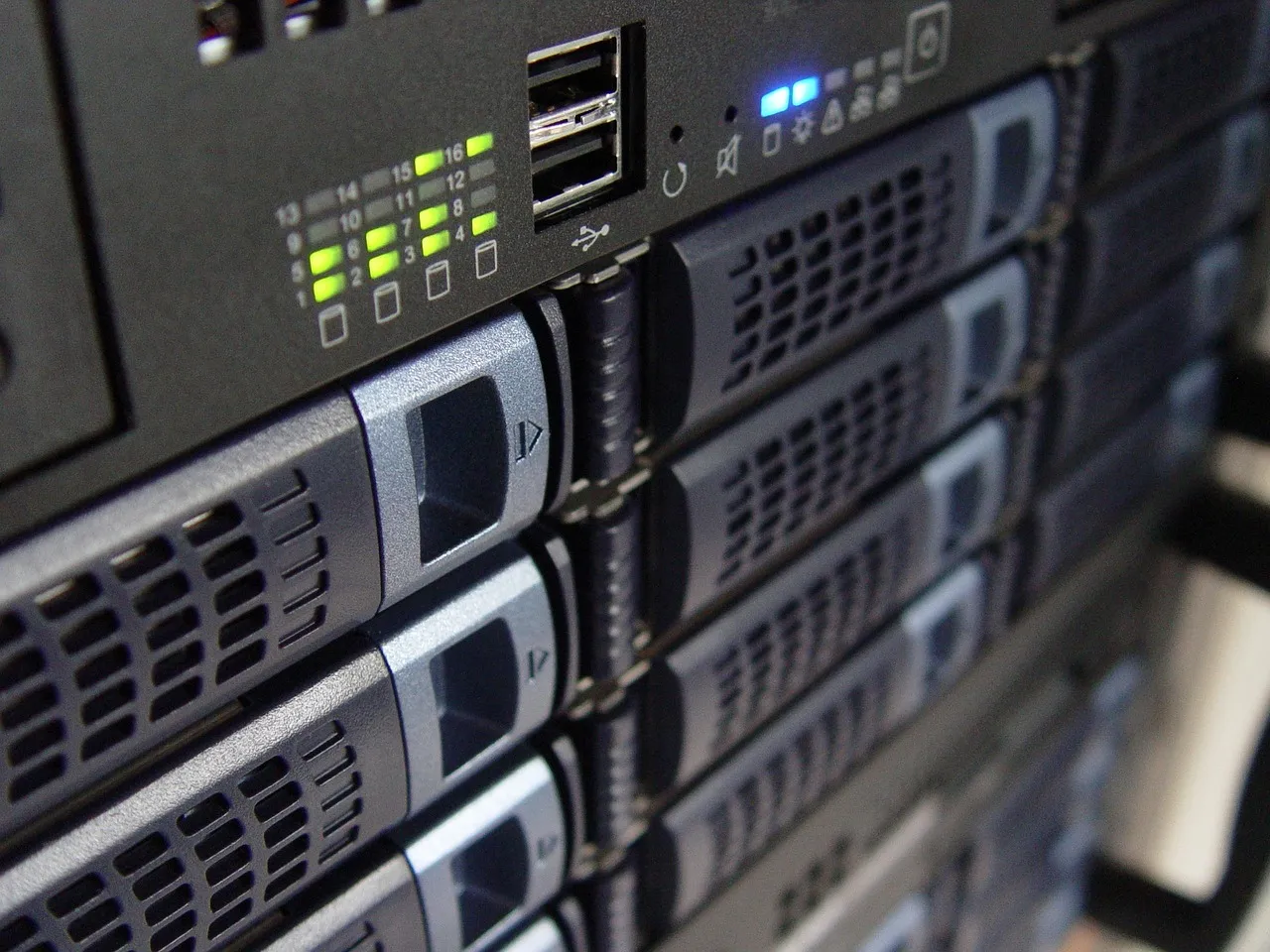
Why Database-Heavy Applications Demand Dedicated Server Infrastructure
Database-heavy applications operate under resource constraints that shared hosting and VPS environments cannot reliably satisfy. A MySQL instance serving a busy WooCommerce store with 50,000 products, a PostgreSQL cluster powering a SaaS analytics dashboard with hundreds of concurrent query executions per second, or a MongoDB deployment handling millions of document operations per hour — these workloads consume CPU cycles, memory bandwidth, and storage I/O at sustained intensities that cause resource contention, unpredictable latency, and outright failures when forced to share hardware with other tenants. The "noisy neighbor" problem that is merely inconvenient for a static website becomes catastrophic for a database server: a single co-tenant saturating a shared NVMe backplane can increase your query response times from 2 milliseconds to 200 milliseconds, turning a snappy application into one that users abandon. A dedicated server database sizing approach eliminates this entire class of failure by guaranteeing exclusive access to every CPU core, every gigabyte of RAM, every NVMe I/O operation, and every bit of network bandwidth — resources that your database engine can consume without asking permission from a hypervisor scheduler or competing with tenants you will never meet.
The architectural reasons that make dedicated servers the correct infrastructure choice for database workloads go deeper than resource isolation. Database engines — MySQL with InnoDB, PostgreSQL, MongoDB with WiredTiger, and ClickHouse with its MergeTree family — are designed around assumptions about hardware that virtualization invalidates. InnoDB's adaptive hash index and buffer pool assume direct, predictable access to physical memory; when a hypervisor's balloon driver reclaims 4 GB of RAM from the guest VM to satisfy another tenant's memory pressure, the InnoDB buffer pool hit rate can drop from 99.8% to 92% within seconds, triggering a cascade of disk reads that increase page load times by 10x or more. PostgreSQL's query planner makes cost-based decisions that depend on accurate estimates of sequential versus random page access costs — estimates that become meaningless when the storage I/O path traverses a virtualized block device with latency variance measured in hundreds of microseconds rather than tens. For readers building their understanding of dedicated server infrastructure from the ground up, our foundational guide covers the hardware specifications, management responsibilities, and operational tradeoffs that inform every sizing decision discussed throughout this article.
Database workloads also exhibit I/O patterns that are qualitatively distinct from those of web servers, and this distinction is what makes storage configuration the single most consequential sizing decision for a database server. A web server primarily reads static files — HTML, CSS, JavaScript, images — in a pattern that is read-heavy, cache-friendly, and forgiving of latency variance because browsers request resources asynchronously and CDNs absorb much of the load. A database server performs mixed read-write operations at high concurrency: an e-commerce checkout transaction writes to the orders, order_items, inventory, payment_transactions, and session tables in rapid succession, while simultaneously dozens of other users browse product listings that trigger complex JOIN queries across categories, attributes, pricing tiers, and stock levels. This mixed workload punishes storage media with high latency variance and rewards configurations that deliver consistent, low-latency I/O under sustained pressure — exactly the capability that dedicated NVMe storage with properly configured RAID provides and that shared cloud block storage, with its network traversal, replication overhead, and noisy neighbor variability, cannot reliably guarantee. The storage discussion receives deeper quantitative treatment later in this article, and the broader infrastructure comparison between dedicated and cloud environments is examined in our dedicated vs cloud performance analysis, which includes specific I/O consistency benchmarks under database workloads.
CPU Sizing: Cores, Clock Speed, and Database Engine Architecture
CPU selection for a database server is not a simple exercise of choosing the highest core count within budget — it requires understanding how each database engine schedules work across cores and which operations benefit from more cores versus higher per-core clock speeds. The two dominant CPU architectures in the dedicated server market — Intel Xeon Scalable and AMD EPYC — present different tradeoffs that map differently to database workloads. Xeon processors, particularly the 4th and 5th generation Scalable lines (Sapphire Rapids and Emerald Rapids), emphasize strong single-threaded performance with high boost clocks reaching 4.0 GHz or higher, large per-core L2 caches, and mature AVX-512 acceleration that benefits specific database operations like checksum calculations and compression. EPYC processors, especially the 9004 (Genoa) and 9005 (Turin) series, deliver substantially higher core counts per socket — 64 to 128 cores in a single processor — with PCIe 5.0 support and larger L3 caches (up to 384 MB per socket) that reduce cache-miss penalties during large table scans and aggregation queries. The right choice depends on which database engine you are running and the specific query patterns your application generates.
MySQL and MariaDB CPU Recommendations
MySQL and MariaDB with the InnoDB storage engine are predominantly single-query-threaded in their execution model: each client connection is assigned to a single thread, and while multiple connections execute concurrently across available cores, an individual complex query — a multi-table JOIN with subqueries, sorting, and aggregation — executes on a single core. This architecture means that MySQL benefits more from higher clock speeds than from higher core counts once you have enough cores to handle your peak concurrent connection count. For a dedicated server running MySQL or MariaDB, the CPU specification should prioritize base and boost clock speeds above 3.0 GHz, with 8 to 16 physical cores sufficient for most production workloads handling 50 to 200 concurrent connections. Above 200 concurrent connections — typical of high-traffic e-commerce platforms or SaaS applications with hundreds of simultaneous users — 16 to 32 physical cores become necessary, but clock speed should still be the primary selection criterion within that core-count range. MySQL 8.0's introduction of histogram statistics, hash joins (replacing block nested-loop joins for certain query patterns), and improved parallel read threads for clustered index scans does leverage additional cores for specific operations, but the single-threaded execution model for the critical path of most queries means that a 16-core server at 3.5 GHz will outperform a 32-core server at 2.5 GHz for the MySQL workloads that dominate web hosting and e-commerce.
PostgreSQL CPU Recommendations
PostgreSQL's CPU requirements differ significantly from MySQL's because PostgreSQL has invested heavily in parallel query execution since version 9.6, with each major release through version 16 expanding the set of operations that can be parallelized. PostgreSQL can execute parallel sequential scans, parallel hash joins, parallel aggregation, and (as of version 16) parallel full and right outer joins, distributing work across multiple worker processes up to the max_parallel_workers_per_gather limit. For analytical PostgreSQL deployments — running complex reporting queries, materialized view refreshes, and ETL transformations — this parallelism capability directly translates core count into query completion time: a 32-core server with max_parallel_workers_per_gather = 16 can scan and aggregate a 500 GB table approximately 10x to 14x faster than a 4-core server on equivalent storage hardware. For OLTP (transaction processing) workloads — the rapid-fire INSERT, UPDATE, and simple SELECT operations that characterize e-commerce and SaaS applications — parallelism is less beneficial because individual transactions are short and latency-sensitive, making per-core clock speed the dominant performance factor. The practical CPU recommendation for a dedicated PostgreSQL server is 16 to 32 physical cores at base clocks of 2.8 GHz or higher for mixed OLTP and analytical workloads, with the balance shifted toward core count for analytics-heavy deployments and toward clock speed for OLTP-heavy deployments.
MongoDB CPU Recommendations
MongoDB's WiredTiger storage engine uses a multi-threaded architecture where read and write operations are distributed across available cores through a ticket-based concurrency control system. WiredTiger's document-level concurrency control allows multiple read and write operations to execute simultaneously on different documents, making MongoDB significantly more parallel than MySQL for write-heavy workloads. A dedicated server for MongoDB should provide 16 to 32 physical cores at moderate to high clock speeds (2.5 GHz base or higher), with the higher end of this range necessary for deployments handling 10,000 or more operations per second. MongoDB's aggregation pipeline — used for complex data transformations, reporting, and analytics — can leverage multiple cores when processing large datasets, particularly for $group, $sort, and $lookup (join) stages that are computationally intensive. Additionally, MongoDB's index builds are CPU-intensive operations that scale well with additional cores: a foreground index build on a large collection can saturate every available core during the sorting phase, and faster completion of index builds directly reduces the maintenance window duration and the performance impact on production traffic. For MongoDB deployments larger than 500 GB, 32 physical cores provide the headroom necessary to handle index builds, replication catch-up, and peak query load simultaneously without performance degradation.
ClickHouse CPU Recommendations
ClickHouse presents the most CPU-intensive profile among the databases discussed in this guide because its vectorized query execution engine compiles queries to SIMD-optimized machine code that can — and will — consume every available CPU cycle on the server during analytical query execution. A single ClickHouse query scanning a billion-row table with multiple aggregation functions and window operations will saturate 100% of every core, and when dozens of such queries arrive concurrently from dashboards and scheduled reports, the server must have enough cores to prevent query queuing. The CPU recommendation for a dedicated ClickHouse server starts at 32 physical cores and scales up to 64 or more for deployments serving concurrent analytical workloads. Clock speed matters enormously because ClickHouse's vectorized execution benefits directly from faster per-core execution of SIMD instructions: a server with 32 cores at 3.5 GHz base clock will complete a typical analytical query 40% to 60% faster than a server with 32 cores at 2.5 GHz, even though both have identical core counts. AMD EPYC processors with their large L3 caches (256 MB to 384 MB per socket) provide a measurable advantage for ClickHouse because aggregation hash tables and columnar data blocks that would overflow smaller L3 caches remain on-die, avoiding the DRAM latency penalty that consumes 40% to 60% of query execution time in cache-starved configurations. HostingCaptain's provisioning team profiles each client's specific query patterns before recommending a CPU family, because the difference between an appropriately spec'd ClickHouse server and one with the wrong CPU architecture can be measured in query completion times that differ by 3x to 5x.
Illustration: Dedicated Server for Database-Heavy Applications: Sizing GuideRAM Sizing: How Much Memory Does Your Database Really Need
RAM is the single most consequential resource for database performance because every database engine is fundamentally a memory manager with a persistence layer attached. MySQL's InnoDB buffer pool, PostgreSQL's shared_buffers and page cache, MongoDB's WiredTiger cache, and ClickHouse's uncompressed block cache all serve the same purpose: keeping frequently accessed data in memory so that queries can be satisfied from RAM rather than from disk. The performance gap between a memory-resident query and a disk-bound query is not incremental — it is exponential. A query that reads data from DDR5 RAM completes in nanoseconds to microseconds, while the same data read from even the fastest NVMe drive completes in tens to hundreds of microseconds — a 100x to 1,000x latency penalty. When a database's working set exceeds available RAM and queries must read from disk, the buffer pool hit rate drops, the storage subsystem becomes the bottleneck, and application response times spike from acceptable to unacceptable. The table below summarizes the RAM sizing guidelines for each database engine based on data volume and query volume, providing the framework that HostingCaptain uses when provisioning dedicated servers for client database workloads.
For MySQL and MariaDB, the InnoDB buffer pool should be sized to accommodate the entire working data set — the actively queried rows and indexes — plus 20% to 30% headroom for growth. The buffer pool size is configured via innodb_buffer_pool_size, which can be set to 70% to 80% of total system RAM on a dedicated database server. For a WooCommerce store with 100 GB of product, order, and customer data where 80% of queries target the most recent 30 days of transactions (approximately 30 GB), a buffer pool of 40 GB to 50 GB ensures that nearly all production queries never touch disk. For PostgreSQL, the memory architecture is more nuanced: shared_buffers should be set to 25% to 40% of system RAM on an analytics-oriented server, while the operating system page cache handles the remainder of data caching through PostgreSQL's dual-buffering design. The work_mem parameter controls memory allocation per query operation (sorts, hash tables, bitmap index scans) and should be sized based on the peak concurrent query count — setting work_mem = 256 MB on a server handling 50 concurrent analytical queries means PostgreSQL may allocate up to 12.8 GB for query operations alone, which must be accounted for in the total RAM provisioning.
MongoDB's WiredTiger cache size, configured via storage.wiredTiger.engineConfig.cacheSizeGB, should be set to 50% to 70% of system RAM, with the default being 50% of available memory minus 1 GB. For a MongoDB deployment with a 200 GB working set, provisioning 128 GB to 256 GB of RAM ensures that indexes and frequently accessed documents remain memory-resident. MongoDB's aggregation pipeline operations — $group, $sort, and $lookup — can consume significant memory beyond the WiredTiger cache during query execution, and large aggregation jobs that exceed the allowDiskUse threshold will spill to disk with catastrophic performance degradation. ClickHouse's memory requirements scale with the cardinality of aggregation keys: a query performing a GROUP BY across a billion-row table with 10 million unique keys needs memory proportional to 10 million hash table entries, which can consume 10 GB to 50 GB of RAM per query depending on key and value sizes. A ClickHouse server handling concurrent analytical users should provision 128 GB to 512 GB of RAM, with the higher end necessary for high-cardinality workloads. Across all database engines, every gigabyte on a dedicated server should be ECC (Error-Correcting Code) memory, which HostingCaptain includes as standard on every dedicated server deployment — silent data corruption from non-ECC memory is a database integrity risk that no production system should accept.
The practical RAM sizing approach that HostingCaptain recommends starts with monitoring the current production database (or a representative staging instance) using the database engine's native instrumentation: MySQL's SHOW ENGINE INNODB STATUS reveals buffer pool hit rates and read requests, PostgreSQL's pg_stat_bgwriter and pg_statio_user_tables show cache hit ratios and disk read counts, MongoDB's serverStatus exposes WiredTiger cache statistics and page fault counts, and ClickHouse's system.metrics and system.events tables track cache hit rates and disk read volumes. A buffer pool or cache hit rate below 99% for OLTP workloads (or below 95% for analytical workloads) indicates that additional RAM will directly improve query performance. When sizing a new server, the rule of thumb is: provision RAM equal to 1.5x to 2x the expected working set size at launch, with the headroom allocated to growth over the server's expected three-year lifecycle. Undersizing RAM at provisioning time and upgrading later is operationally disruptive on a dedicated server — physical DIMM installation requires scheduled downtime — while oversizing by a reasonable margin (an additional 64 GB or 128 GB of DDR5 ECC RAM, adding $80 to $200 to the monthly server cost) is inexpensive compared to the cost of a database migration or hardware upgrade mid-lifecycle.
Storage Architecture: NVMe vs SSD and RAID Configuration for Databases
Storage configuration is where dedicated server database sizing decisions most directly translate to application performance, and the two dimensions of storage architecture — media type and RAID topology — must be decided together because they interact in ways that affect both performance and data durability. The storage subsystem must simultaneously satisfy three requirements that are in tension: read throughput (how fast queries can scan data), write throughput and latency (how fast transactions can commit), and data durability (the ability to survive one or more drive failures without data loss or extended downtime). Balancing these requirements requires understanding the performance characteristics of each storage media type and the fault-tolerance and performance implications of each RAID level, then selecting the combination that meets the database engine's specific I/O patterns.
NVMe vs SATA SSD for Database Performance
The choice between NVMe and SATA SSD for database storage is not a marginal performance optimization — it is the hardware decision with the single largest impact on query latency and transaction throughput. Enterprise NVMe drives (Samsung PM9A3, Intel P5520, Kioxia CD8, or Micron 7450 series) connected via PCIe 4.0 deliver sequential read throughput of 6,000 to 7,000 MB/s and random read performance of 500,000 to 1,000,000 IOPS at queue depths that keep database engines saturated. SATA SSDs, limited by the SATA III interface ceiling of 600 MB/s, deliver sequential throughput of 500 to 550 MB/s and random read performance of 80,000 to 100,000 IOPS — a 5x to 10x reduction in throughput and IOPS compared to NVMe. For database workloads, where every query generates dozens or hundreds of small random reads and writes, the IOPS difference is the metric that matters most: an NVMe drive can service 500,000 read operations per second, keeping query queues short and response times low, while a SATA SSD servicing 80,000 reads per second will accumulate query backlogs during traffic spikes and cause response-time degradation that users perceive as a slow application. For a deeper exploration of storage technologies beyond the database context, our guide to dedicated server setup covers storage selection alongside the full hardware specification process for first-time buyers.
The cost differential between NVMe and SATA SSD has narrowed to the point where NVMe is the clear baseline for production database servers in 2026. Enterprise NVMe drives at write-intensive endurance ratings (1 to 3 drive writes per day) cost $0.15 to $0.25 per GB, while enterprise SATA SSDs cost $0.08 to $0.12 per GB. For a 4 TB storage deployment — sufficient for a PostgreSQL or MySQL database of 1 TB to 2 TB with RAID overhead and growth headroom — the NVMe premium is $280 to $520 in one-time hardware cost, or approximately $5 to $15 per month on a typical dedicated server lease. This incremental cost is dwarfed by the value of the engineering time saved by queries that complete in seconds rather than minutes, the revenue protected by transaction throughput that scales with traffic spikes rather than collapsing under them, and the user satisfaction retained by application response times that remain consistent under load. HostingCaptain's standard dedicated server configurations for database workloads provision NVMe storage exclusively — SATA SSDs are reserved for backup volumes, log archival directories, and cold storage tiers where multi-second latency is acceptable because the data is infrequently accessed.
Within the NVMe category, the distinction between consumer-grade and enterprise-grade drives is critical for database deployments. Consumer NVMe drives (Samsung 990 Pro, WD Black SN850X) deliver impressive peak performance figures but lack three features that are non-negotiable for database servers: power-loss protection (PLP) capacitors that ensure in-flight writes are committed to NAND during a power failure rather than being lost or corrupted, consistent latency profiles under sustained write pressure (consumer drives exhibit latency spikes during garbage collection that enterprise drives avoid through over-provisioning and advanced controller firmware), and write endurance ratings measured in drive writes per day (consumer drives typically endure 0.1 to 0.3 DWPD, while enterprise drives endure 1 to 3 DWPD). A database server performing 500 GB of writes per day on a consumer NVMe drive rated for 0.3 DWPD on a 2 TB drive (600 GB/day) will exhaust the drive's rated endurance within two to three years — precisely the timeframe when the server's hardware lifecycle should be delivering peak reliability, not approaching end-of-life. Enterprise NVMe drives with PLP and high write endurance are a standard requirement, not an optional upgrade, for any production database deployment, and HostingCaptain provisions enterprise-grade NVMe storage as the default on all dedicated database servers.
RAID Configuration for Database Servers
RAID configuration for databases requires balancing three factors — read performance, write performance, and fault tolerance — and the optimal RAID level differs between database engines and workload types. RAID 10 (striping over mirrored pairs) is the recommended configuration for OLTP database workloads (MySQL, PostgreSQL, MongoDB with high transaction volumes) because it delivers strong read and write performance — writes go to both drives in a mirror pair, and reads can be satisfied from either drive — while surviving the failure of any single drive and, depending on which drives fail, up to half the drives in the array without data loss. RAID 10's write performance is particularly important for transaction-heavy workloads because every INSERT, UPDATE, and DELETE must be written to the storage subsystem and acknowledged before the transaction commits; the write penalty of parity-based RAID levels (RAID 5, RAID 6), where every write requires reading existing data and parity, computing new parity, and writing both the new data and new parity, adds latency to every transaction and reduces write throughput by 50% to 70% compared to RAID 10.
RAID 5 and RAID 6, which use distributed parity for fault tolerance, are appropriate for read-heavy analytical workloads (ClickHouse, analytical PostgreSQL with materialized views) where write throughput is less critical and storage capacity efficiency is prioritized. RAID 5 survives a single drive failure with one drive's worth of capacity consumed by parity (a 4-drive array of 4 TB drives yields 12 TB usable), while RAID 6 survives two simultaneous drive failures with two drives' worth of parity (yielding 8 TB usable from the same 4-drive array). The write penalty of RAID 5 and RAID 6 — the "read-modify-write" cycle for every write operation — makes them unsuitable for OLTP databases where transaction commit latency is a user-facing metric, but for analytical databases where writes are predominantly bulk loads during ETL windows and reads dominate the production workload, the capacity efficiency of RAID 6 provides an acceptable tradeoff. For the operating system and database software binaries, a separate pair of smaller NVMe drives (480 GB to 960 GB) in RAID 1 is sufficient and should be physically separate from the database data drives to prevent OS-level I/O from competing with database I/O.
A critical consideration for RAID configuration on dedicated database servers is the RAID controller hardware versus software RAID decision. Hardware RAID controllers (Broadcom MegaRAID, Microchip Adaptec) offload RAID calculations from the CPU and include battery-backed or flash-backed write caches that absorb write bursts, improve write latency, and protect in-flight writes during power loss. Software RAID (Linux MD RAID, ZFS) runs on the server's CPU and offers greater flexibility — ZFS's checksumming, snapshots, compression, and self-healing capabilities are transformative for database storage — but consumes CPU cycles and memory that would otherwise be available to the database engine. The recommendation for most dedicated database servers provisioned by HostingCaptain is ZFS-based software RAID for the data volume, configured as a pool of mirrored vdevs (equivalent to RAID 10) with compression enabled (LZ4 or ZSTD, which reduces database storage footprint by 2x to 5x for compressible data with negligible CPU overhead on modern processors) and regular snapshots providing a first line of defense against logical data corruption and operator errors. ZFS's native checksumming detects and corrects silent data corruption — a phenomenon that occurs far more frequently than most administrators assume — by verifying checksums on every read and automatically repairing corrupted blocks from redundant copies. This capability, which no hardware RAID controller provides at the filesystem level, makes ZFS the preferred storage platform for database deployments where data integrity is non-negotiable.
Memory and Caching Strategies for Database Performance
Memory architecture on a dedicated database server extends beyond the database engine's internal buffer pool to encompass the operating system page cache, external caching layers like Redis and Memcached, and the interaction between these caching tiers. The Linux kernel's page cache — the OS-level cache that stores recently read file data in otherwise-unused RAM — is a critical but often overlooked component of database performance because it provides a second layer of caching beyond the database engine's own buffer pool. For PostgreSQL, which relies on the OS page cache as part of its dual-buffering architecture (shared_buffers caches frequently accessed data in the database process's address space, while the page cache caches everything else), the amount of memory available for page caching directly affects query performance for data that does not fit within shared_buffers. For MySQL and MariaDB with innodb_flush_method = O_DIRECT (which bypasses the OS page cache for data file I/O, preventing double-buffering), the page cache primarily benefits log files, temporary tables, and non-InnoDB operations.
Redis serves as an external caching layer that adds performance headroom beyond what the database engine's internal buffer pool can provide. For applications where the same queries are executed repeatedly — product listings on an e-commerce site, user profile lookups, session data retrieval — Redis stores the query results in memory, serving subsequent identical requests without involving the database at all. On a dedicated database server with 128 GB of RAM, allocating 16 GB to 32 GB to Redis for query result caching, session storage, and full-page HTML caching reduces database query volume by 60% to 90% for cache-friendly workloads, freeing the database engine's buffer pool to serve the queries that cannot be cached. Redis should be configured with an appropriate eviction policy — allkeys-lru for general caching workloads, or volatile-lru when mixing cached data with persistent keys — and the maxmemory setting should leave sufficient headroom for the database buffer pool, OS page cache, and application processes. The interaction between the database buffer pool and Redis cache is not additive in the way that naive memory sizing assumes: a query result cached in Redis means the database never sees that query, so the database buffer pool can allocate its memory to the uncached working set, effectively increasing the total effective cache size beyond what either Redis or the buffer pool could provide alone.
For deployments where even Redis-level caching is insufficient and the database working set exceeds available RAM, tiered storage strategies become necessary. Linux's bcache and dm-cache provide block-level caching that uses a fast NVMe device as a cache for a larger, slower storage volume — useful for PostgreSQL tablespaces where infrequently accessed historical data resides on high-capacity SATA SSDs while hot data is promoted to NVMe automatically. MongoDB's --wiredTigerCacheSizeGB parameter and ClickHouse's uncompressed_cache_size setting allow explicit configuration of how much memory each engine uses for caching, and tuning these parameters based on monitored hit rates is an ongoing process, not a one-time configuration step. The network speed of your dedicated server also influences caching strategy effectiveness: on a 1 Gbps connection, serving a cached query result from Redis consumes negligible bandwidth, but on a 10 Gbps connection serving hundreds of concurrent users, the aggregate bandwidth of cache-hit responses can saturate the network interface, making port speed as relevant to caching architecture as memory capacity.
Connection Pooling: Why It Matters and How to Configure It
Connection pooling is the most impactful database performance optimization that does not involve spending money on hardware, and its absence is the most common cause of database server overload that HostingCaptain's support team encounters during performance incident investigations. Every database connection consumes resources on the server: memory for connection buffers and session state, CPU cycles for authentication and session management, and — critically — one thread or process within the database engine that can become a concurrency bottleneck. MySQL's default max_connections of 151 is sufficient for a development server but catastrophic for a production application that opens a new database connection per HTTP request: a PHP-FPM pool with 100 worker processes, each opening its own MySQL connection, consumes 100 connections continuously, and a traffic spike that causes PHP-FPM to spawn additional workers can exhaust the connection limit within seconds, causing new requests to fail with "Too many connections" errors. Connection pooling solves this by maintaining a pool of persistent database connections that application threads share, reusing connections across requests rather than creating and destroying them on every page load.
For MySQL and MariaDB deployments, ProxySQL is the recommended connection pooling and query routing layer for production workloads. ProxySQL sits between the application and the database server, maintaining a pool of persistent backend connections, multiplexing client requests across those connections, and providing additional capabilities — query caching, query rewriting (redirecting read queries to replica servers while sending writes to the primary), and connection throttling — that transform MySQL from a single-server database into a scalable, resilient data tier. ProxySQL should be configured with a connection pool size based on the application's peak concurrency: mysql-max_connections in ProxySQL controls how many connections ProxySQL maintains to the backend MySQL server, and this number should be set to match the MySQL server's max_connections setting, typically 200 to 500 for a production server with 64 GB to 128 GB of RAM. The frontend side — application connections to ProxySQL — can be set much higher (1,000 to 10,000), because ProxySQL multiplexes frontend requests across the smaller pool of backend connections efficiently.
For PostgreSQL, PgBouncer is the standard connection pooler, and it supports three pooling modes that map to different workload profiles. Session pooling assigns a server connection to a client for the duration of the client's session, which preserves session state (prepared statements, temporary tables, session variables) at the cost of lower connection efficiency. Transaction pooling assigns a server connection to a client only for the duration of a single transaction, releasing the connection back to the pool between transactions — this mode supports dramatically higher client counts (thousands of concurrent application connections multiplexed across tens of database connections) but does not support session-level features like prepared statements. Statement pooling, the most aggressive mode, assigns a server connection for the duration of a single statement, maximizing connection reuse at the cost of the most session-state incompatibility. For web applications using frameworks like Django, Rails, or Laravel, transaction pooling provides the optimal balance of connection efficiency and application compatibility. PgBouncer should be installed on the same dedicated server as PostgreSQL, communicating over Unix sockets for minimal latency, and configured to maintain 50 to 200 server connections (matching the PostgreSQL max_connections setting) while accepting 500 to 5,000 client connections from the application layer.
MongoDB's connection pooling is handled at the driver level through the official MongoDB drivers for each language (pymongo, node-mongodb-native, mongo-java-driver), which implement connection pools with configurable minimum and maximum pool sizes. The default pool size of 100 connections per application process is appropriate for most deployments, but applications running on a dedicated server with multiple worker processes or containerized application instances should calculate the total connection count across all processes and ensure it does not exceed MongoDB's net.maxIncomingConnections limit (default 65,536 on modern versions, but practically constrained by available file descriptors and memory). Connection pooling configuration should be verified during load testing before production deployment: simulate peak traffic and monitor the database engine's connection count, query latency, and error rate to confirm that the connection pool absorbs traffic spikes without exhausting server connections or introducing queuing delays that defeat the purpose of pooling.
Backup Strategy for Database Servers
A database backup strategy that has never been tested with a full restoration is not a strategy — it is a hope dressed in a cron job, and production databases are too valuable to be protected by hope. Database backups differ fundamentally from file-level backups because databases are stateful, mutable, and typically too large for naive approaches like daily mysqldump to complete within available maintenance windows. A database server with 500 GB of data cannot be dumped and restored on a timeframe that meets recovery time objectives (RTOs) of under one hour without employing backup tools designed for physical, hot backups that capture the database's binary state rather than reconstructing it from SQL statements. The backup strategy must address three dimensions: backup type (logical versus physical), backup frequency (full, incremental, and continuous), and backup destination (on-server, off-server, and off-site), with each dimension's choices determined by the recovery point objective (RPO) — how much data loss is acceptable — and the RTO — how quickly the database must be back online after a failure.
For MySQL and MariaDB, Percona XtraBackup and its MariaDB fork Mariabackup provide hot physical backups that copy the InnoDB data files while the database continues to process transactions, creating a consistent point-in-time snapshot without locking tables. XtraBackup is dramatically faster than mysqldump for databases larger than 10 GB: a physical backup of a 200 GB database completes in 15 to 30 minutes on NVMe storage (limited by sequential read speed), while a mysqldump of the same database can take 2 to 6 hours and creates a backup file larger than the original data (SQL text is less compact than InnoDB's binary page format). The backup schedule should include a weekly full backup with daily incremental backups (capturing only pages changed since the last full backup), and binary log archiving for point-in-time recovery to any second within the retention window. Binary logs should be shipped to off-server storage every 5 to 15 minutes, ensuring that in a catastrophic server failure, the maximum data loss is limited to the interval between binary log flushes. The retention policy should maintain at least 30 days of full and incremental backups, with older backups archived to cold storage (object storage services like Backblaze B2, Wasabi, or AWS S3 Glacier) for compliance and audit requirements.
PostgreSQL backups are best handled by pgBackRest, which supports full, differential, and incremental backups at the page level, parallel backup and restore operations that scale with core count, and automatic backup verification. pgBackRest can back up a 1 TB PostgreSQL database in under 30 minutes using parallel processing (8 to 16 workers, each handling a portion of the data), and the restore process is equally parallelized, reducing RTO from hours to minutes. PostgreSQL's WAL (Write-Ahead Log) archiving, configured via the archive_command parameter, should ship WAL segments to the backup repository continuously, enabling point-in-time recovery. MongoDB backups for standalone instances and replica sets use mongodump for logical backups or filesystem snapshots (leveraging ZFS snapshots on the dedicated server) for physical backups. For MongoDB replica sets, the recommended backup approach is to perform backups from a secondary node to avoid impacting primary write performance, using filesystem snapshots of the data directory on the secondary while it is in a consistent state. ClickHouse backup strategies leverage the ALTER TABLE ... FREEZE command, which creates hard links to the table's data parts in a shadow directory that can then be copied to backup storage without affecting query performance — a consequence of ClickHouse's immutable data part design that makes backups conceptually simpler than for mutable database engines. For all database engines, every backup archive must be encrypted before it leaves the server — gpg with AES-256 or restic/borgbackup with built-in encryption — and the encryption keys must be stored separately from the backup archives, ideally in a hardware security module or a secrets management service, so that a compromise of the backup storage does not also compromise the backup contents.
The single most important backup practice is verified restoration testing, performed on a quarterly schedule. HostingCaptain's managed database services include automated quarterly restoration drills: the backup archive is restored to an isolated environment, the database is started, integrity checks are run (mysqlcheck, pg_verify_checksums, MongoDB's validate), and a representative set of application queries is executed against the restored database to confirm functional completeness. A backup that cannot be restored is worse than no backup at all because it creates a false sense of security that delays the discovery of data loss until it is irreversible. The restoration procedure — including all commands, their expected output, and troubleshooting steps for common failure modes — must be documented, and that documentation must be stored both on the server and in a separate, accessible location (a cloud storage bucket, a Git repository, a team wiki) so that it is available even when the server is unreachable. For a broader perspective on how cloud infrastructure principles influence backup architecture and disaster recovery planning, the Cloudflare cloud computing guide provides useful context, though dedicated server backup strategies differ fundamentally in that you control the entire hardware stack and bear the responsibility for off-site redundancy that cloud providers handle transparently.
Monitoring Your Database Server: Metrics That Actually Matter
Database monitoring on a dedicated server must answer three questions continuously: Is the database running and accepting connections? Is query performance within acceptable thresholds? Are resource utilization trends indicating that the server will reach capacity before the next budget cycle? The monitoring stack should collect metrics across four layers — operating system resources, database engine internals, query performance, and replication lag — and surface alerts before metrics cross thresholds that affect user experience. The open-source monitoring landscape offers several mature tools for database monitoring, and for a dedicated server deployment, the Prometheus ecosystem with purpose-built database exporters provides the most comprehensive observability without vendor lock-in or per-server licensing costs.
At the operating system layer, the Prometheus Node Exporter collects CPU utilization (per-core and aggregate), memory usage (total, available, cached, and swap), disk I/O (read and write throughput, IOPS, I/O latency and latency percentiles, and disk utilization percentage for each mounted filesystem), and network throughput. These metrics provide the context for database-level anomalies: a spike in query latency accompanied by a spike in disk I/O latency strongly implicates storage as the bottleneck, while the same query latency spike accompanied by 100% CPU utilization suggests a need for query optimization or additional cores. Disk utilization monitoring deserves special attention on a database server because a database that fills its data volume will stop accepting writes entirely, causing an application outage that can last hours while data is archived or storage is expanded. Alerts should fire at 80% disk utilization (warning, with several days to respond) and 90% (critical, requiring immediate action).
At the database engine layer, purpose-built Prometheus exporters provide deep visibility into internal database metrics. The mysqld_exporter exposes hundreds of MySQL metrics including buffer pool hit rate, InnoDB row operations (reads, inserts, updates, deletes per second), connection count and connection error rate, query throughput (queries per second), slow query count, table lock wait time, and replication lag in seconds. The postgres_exporter provides equivalent visibility for PostgreSQL: cache hit ratios, transaction commit and rollback rates, tuple operations (fetched, returned, inserted, updated, deleted), checkpoint frequency and duration, WAL generation rate, replication lag, and the number of waiting queries and their wait event types. The mongodb_exporter surfaces WiredTiger cache statistics, operation counters, connection counts, replication lag and oplog window, and assertion and error rates. The clickhouse_exporter (or ClickHouse's built-in Prometheus endpoint via <prometheus> configuration) exposes query throughput, merge speed, replication lag, memory allocations, and cache hit rates. Each of these exporters should be configured with alerting rules that fire when metrics deviate from baseline: a buffer pool hit rate dropping below 99% on a MySQL OLTP server, a sudden increase in slow queries per minute, or replication lag exceeding 10 seconds are all conditions that demand immediate investigation.
Query performance monitoring — identifying which specific queries are consuming the most resources and executing the slowest — requires database-engine-specific tooling. MySQL's Performance Schema and sys schema provide views like sys.statement_analysis and sys.x$statements_with_full_table_scans that identify expensive queries and missing indexes. PostgreSQL's pg_stat_statements extension tracks query execution statistics including total time, mean time, rows returned, and buffer hits, making it straightforward to identify queries that are candidates for optimization or indexing. MongoDB's Database Profiler and explain() output show query execution plans and execution times at the individual query level. ClickHouse's system.query_log table records every query executed with its duration, memory consumption, and rows read — essential data for identifying queries that scan more data than expected or consume memory disproportionate to their result size. These tools should be integrated into a dashboard (Grafana, connected to Prometheus and the database's native monitoring data sources) that provides a single pane of glass from OS-level metrics through database-level counters to individual query performance, allowing the on-call engineer to move from "the database is slow" to "this specific query type is causing table scans on the orders table because an index is missing" within seconds rather than minutes.
Monitoring must also extend beyond the technical metrics to cover data integrity and business-level validation. A database that is accepting connections and returning queries in under 2 milliseconds can still be silently corrupting data — a condition that no amount of performance monitoring will detect but that a periodic integrity check (CHECKSUM TABLE on MySQL, ZFS scrub on PostgreSQL data volumes, db.collection.validate() on MongoDB) will catch. Schedule automated integrity checks during low-traffic windows and alert on any reported corruption. Additionally, application-level health checks that query core business data — SELECT COUNT(*) FROM orders WHERE order_date = CURRENT_DATE — and compare the result against expected ranges provide a defense against "the database is up but returning wrong results" failure modes that technical monitoring cannot detect. For a deeper look at how monitoring connects to the broader server management workflow, our setup checklist covers monitoring configuration alongside the full server provisioning and hardening process, and the same monitoring principles apply whether you are setting up your first dedicated server or maintaining a fleet of database servers in production.
Recommended Dedicated Server Configurations by Database Size and Query Volume
Translating the sizing principles from the preceding sections into specific server configurations requires balancing the three resource dimensions — CPU, RAM, and storage — against the two workload dimensions of database size and query volume. The configurations below represent the reference architectures that HostingCaptain recommends based on production deployment data and benchmark testing across MySQL, PostgreSQL, MongoDB, and ClickHouse workloads at 2026 hardware pricing. These configurations assume Linux-based deployments (Ubuntu 24.04 LTS or Rocky Linux 9), enterprise NVMe storage with ZFS-based software RAID, DDR5 ECC RAM, and out-of-band management (iDRAC Enterprise or iLO Advanced) included as standard. The configurations are sized with 50% headroom for growth, meaning a server provisioned for a 100 GB database today will accommodate 150 GB of data growth over its lifecycle without requiring hardware upgrades.
Small Database Servers — Under 50 GB, Up to 50 Concurrent Queries
Small database servers serve startups, small e-commerce sites, internal business applications, and development or staging environments where the database is under 50 GB and query concurrency is modest. The recommended configuration is a single-socket AMD EPYC 4564P (16 cores, 32 threads, 4.5 GHz base, 5.7 GHz boost, 64 MB L3 cache) or Intel Xeon E-2488 (8 cores, 16 threads, 3.2 GHz base, 5.6 GHz boost, 24 MB L3 cache), paired with 64 GB to 128 GB of DDR5-4800 ECC RAM (leaving ample headroom for a database buffer pool of 40 GB to 90 GB), dual 1.92 TB enterprise NVMe drives (Samsung PM9A3 or equivalent) in ZFS mirror for the database data directory (1.6 TB to 1.7 TB usable after mirroring and 80% capacity headroom), a separate 480 GB NVMe boot drive, and a 1 Gbps network interface with 20 TB to 50 TB of monthly transfer. This configuration, available from HostingCaptain and comparable dedicated server providers at $150 to $300 per month, can comfortably run a MySQL or PostgreSQL instance with a 30 GB to 50 GB working set entirely in RAM, a MongoDB deployment handling 2,000 to 5,000 operations per second, or a ClickHouse instance serving 5 to 10 concurrent dashboard users querying up to 1 TB of compressed data. The single-socket design eliminates NUMA complexity, and the ZFS mirror configuration provides fault tolerance plus compression and snapshot capabilities without the write penalty of RAID 5 or RAID 6 that would constrain OLTP transaction throughput.
Medium Database Servers — 50 GB to 500 GB, Up to 200 Concurrent Queries
Medium database servers are the workhorse tier for production applications — e-commerce platforms processing hundreds of orders per day, SaaS applications with thousands of active users, content management systems serving millions of page views per month, and multi-tenant applications where database performance directly drives user satisfaction and revenue. The recommended configuration is a single-socket AMD EPYC 9554 (64 cores, 128 threads, 3.1 GHz base, 3.75 GHz boost, 256 MB L3 cache, Zen 4 architecture) or dual-socket Intel Xeon Gold 6438Y+ (32 cores per socket, 64 cores total, 2.0 GHz base, 4.0 GHz boost, 60 MB L3 cache per socket), paired with 256 GB to 512 GB of DDR5-4800 ECC RAM (enabling a buffer pool of 180 GB to 400 GB), quad 3.84 TB enterprise NVMe drives in ZFS RAID 10 (striped mirrors, 7 TB to 7.6 TB usable, sufficient for a 500 GB database with three years of growth at 50% year-over-year), a separate pair of 480 GB NVMe drives in ZFS mirror for the OS, dual 10 Gbps or 25 Gbps network interfaces bonded for throughput and redundancy, and redundant hot-swappable power supplies. This configuration, priced between $500 and $900 per month, provides the resource headroom to keep a 300 GB to 500 GB database working set memory-resident, serve 100 to 200 concurrent analytical queries with sub-second response times, and maintain write throughput of 50,000 to 100,000 IOPS during peak transaction loads. The EPYC processor's 256 MB of L3 cache provides a measurable advantage for databases performing large aggregation queries (the hash tables for high-cardinality GROUP BY operations that fit within L3 execute 3x to 5x faster than when they overflow to DRAM), making it the preferred choice for PostgreSQL and ClickHouse analytical workloads, while the Xeon's higher per-core boost clock benefits MySQL OLTP workloads where individual query latency is dominated by single-threaded execution speed.
Large Database Servers — 500 GB to 5 TB, 200+ Concurrent Queries
Large database servers address deployments where the database has outgrown a single mid-range server — data warehouses, high-volume transactional systems, distributed database clusters, and analytics platforms where query concurrency, data volume, or both exceed the headroom of the mid-range configuration. For single-node databases in this size range (a 2 TB PostgreSQL instance serving a data-intensive SaaS platform, a 3 TB MongoDB cluster's primary node, or a 5 TB ClickHouse node serving complex analytical queries), the recommended configuration is a dual-socket AMD EPYC 9654 (96 cores per socket, 192 cores total, 384 threads, 2.4 GHz base, 3.7 GHz boost, 384 MB L3 cache per socket) paired with 512 GB to 1 TB of DDR5-4800 ECC RAM, quad to eight 7.68 TB enterprise NVMe drives in ZFS RAID 10, dual 25 Gbps or 100 Gbps network interfaces, and redundant 2,000W+ hot-swappable power supplies. At 1 TB of RAM, the buffer pool can accommodate a working set of 700 GB to 800 GB, ensuring that the vast majority of queries — even complex analytical queries scanning hundreds of gigabytes of data — are satisfied from memory rather than requiring disk I/O that would increase query times by orders of magnitude.
This configuration, priced between $1,200 and $2,500 per month, crosses into the territory where the economic case for dedicated over cloud becomes compelling: a cloud instance with comparable RAM, NVMe storage, and network throughput would cost $5,000 to $15,000 per month, and the 36-month total cost of ownership comparison typically favors dedicated by a factor of 2x to 4x. The storage configuration at this tier benefits from ZFS's ability to aggregate multiple NVMe drives into a pool with aggregate throughput that scales nearly linearly with the number of vdevs: eight NVMe drives in four mirrored vdevs (RAID 10 equivalent) deliver approximately 28 GB/s of sequential read throughput and 2,000,000+ random read IOPS, sufficient to keep a 192-core server's query executors saturated without the storage subsystem becoming the bottleneck. For deployments that exceed even this configuration — databases larger than 5 TB or query concurrency exceeding what a single server can handle — the architecture shifts from vertical scaling (a larger single server) to horizontal scaling (a cluster of servers), which is architecturally supported by all four database engines discussed in this guide: MySQL InnoDB Cluster or Galera Cluster, PostgreSQL with logical replication and declarative partitioning, MongoDB sharded clusters, and ClickHouse's distributed query engine. The AI hosting landscape intersects with large database infrastructure when vector databases, embedding storage, and model inference data pipelines require the same high-throughput, low-latency storage and memory architecture discussed here, and the infrastructure patterns are increasingly converging as AI workloads become mainstream data center tenants alongside traditional databases.
Frequently Asked Questions
How do I know if my application needs a dedicated server versus a cloud database service?
The breakpoint is typically when the monthly cost of a managed cloud database (AWS RDS, Google Cloud SQL, or MongoDB Atlas) at your required instance size exceeds the monthly cost of a dedicated server with equivalent or better hardware plus the operational overhead of self-management. For databases under 100 GB with standard query patterns, managed cloud services provide convenience — automated backups, point-in-time recovery, and minor version upgrades — that justifies their premium. For databases above 200 GB, where cloud instance pricing scales linearly with storage and RAM while dedicated server costs grow sub-linearly for additional capacity, the economics shift decisively toward dedicated. Additionally, workloads with consistent, high throughput (sustained 50,000+ IOPS, or continuous 5 Gbps+ of database traffic) benefit from dedicated servers because cloud providers impose throughput limits on managed database instances that constrain performance below what the provisioned hardware can deliver, while dedicated servers provide the full rated performance of every component without artificial throttling.
Can I run multiple database engines on a single dedicated server?
Yes, a single dedicated server can host multiple database engines — for example, MySQL for the application's transactional data and ClickHouse for analytics on the same data — provided the server's resources are partitioned to prevent contention. The critical requirement is memory isolation: each database engine's buffer pool or cache must be explicitly sized so that the sum of their allocations plus OS overhead does not exceed physical RAM, preventing swap-induced performance collapse. CPU isolation can be achieved through cgroups or systemd slices that limit each engine's CPU share, ensuring that a runaway analytical query on ClickHouse does not starve the MySQL instance of CPU cycles needed for transaction processing. Storage isolation requires separate ZFS datasets or mount points for each engine's data directory with appropriate recordsize tuning (16K for InnoDB, 8K for PostgreSQL, 128K for ClickHouse) to match the engine's I/O pattern. HostingCaptain's deployment engineers can pre-configure multi-engine dedicated servers with appropriate resource partitioning based on your workload profile.
What RAID level is best for a database server?
RAID 10 (striped mirrors) is the recommended configuration for OLTP database workloads — MySQL, PostgreSQL, and MongoDB handling transaction-heavy applications — because it provides the best balance of read performance, write performance, and fault tolerance. RAID 10 writes go to both drives in a mirror pair without the read-modify-write penalty of parity RAID, keeping transaction commit latency low. For read-heavy analytical databases (ClickHouse, analytical PostgreSQL), RAID 5 or RAID 6 can be acceptable because write throughput is less critical, but the capacity efficiency gain (33% to 50% more usable capacity than RAID 10 from the same raw drive count) must be weighed against the longer rebuild times and higher risk of a second drive failure during rebuild. If using ZFS, a pool of mirrored vdevs provides the equivalent of RAID 10 with the additional benefits of checksumming, compression, snapshots, and self-healing — capabilities that no hardware RAID controller provides and that directly protect database integrity.
How much faster is NVMe than SATA SSD for database workloads?
NVMe delivers 5x to 10x more throughput and IOPS than SATA SSD for database workloads, and the performance difference is most pronounced under the random, small-block read and write patterns that characterize database I/O. An enterprise NVMe drive handles 500,000 to 1,000,000 random read IOPS, while a SATA SSD handles 80,000 to 100,000 — a 5x to 12x difference. For a database server under concurrent query load, the higher IOPS capacity means NVMe can service more simultaneous queries without accumulating I/O wait, keeping query response times low and predictable. The practical impact: a MySQL server running on NVMe storage can handle 5x more concurrent queries at the same response time compared to the same server on SATA SSD storage, or deliver the same query throughput with 80% lower query latency. The cost premium for NVMe in 2026 has narrowed to the point where the performance improvement far exceeds the price difference, making NVMe the de facto standard for any production database server where performance matters.
How does HostingCaptain provision dedicated servers for database workloads?
HostingCaptain provisions dedicated database servers with enterprise NVMe storage, DDR5 ECC RAM, and your choice of CPU architecture (AMD EPYC or Intel Xeon) pre-configured with the operating system, database engine, connection pooler, monitoring stack, and backup automation based on a workload profiling session that identifies your specific database size, query patterns, growth trajectory, and performance requirements. Every server includes out-of-band management (iDRAC Enterprise or iLO Advanced), redundant power supplies, and a minimum 99.9% uptime SLA. Our managed database service tier adds proactive monitoring with 24/7 alert response, quarterly backup restoration testing, performance tuning, and version upgrades — handling the operational responsibilities so your team can focus on building applications rather than maintaining database infrastructure. For teams that prefer to self-manage, our unmanaged dedicated servers provide full root access with the hardware configured to your specifications and no software restrictions beyond what you choose to impose.
Arjun Mehta is a cloud infrastructure consultant specializing in bare-metal architectures, network routing, and high-traffic database clustering.
Frequently Asked Questions
This guide covers the practical decision points — pricing, performance, and when it makes sense for your situation — based on current 2026 data.
Pricing varies by provider and plan tier; see the cost breakdown section above for current ranges and what's actually included at each price point.
Look closely at uptime guarantees, renewal pricing (not just the first-year discount), and how responsive support actually is — all covered in detail in this article.
Hosting Captain has been exceptional for my e-commerce store in Pune. The NVMe SSD speed is
noticeable, and their support team responds within minutes. Highly recommended for any
Indian business!
Ryan John, Pune
Great Value for Money
Switched from a US-based host to Hosting Captain and my website loads 3x faster for Indian
visitors. The free SSL and cPanel are great, and the pricing is unbeatable. Very satisfied
customer!
Priya Mehta, Mumbai
Reliable VPS Hosting
I've been using their VPS plan for 2 years now. 99.9% uptime is not just a claim — it's
reality. My client projects run without interruption. The KVM virtualization gives me full
control I need.
Amit Kumar, Bangalore
Excellent 24/7 Support
The support team helped me migrate my entire WordPress site at 2 AM without any downtime.
This level of service is rare in Indian hosting. Worth every rupee!
Sunita Patel, Ahmedabad
Perfect for Startups
As a startup, budget matters. Hosting Captain's Business plan covers everything we need —
multiple websites, free SSL, daily backups — at a fraction of what international hosts
charge.
Vikram Singh, Delhi
Professional Dedicated Server
Our high-traffic news portal needed a dedicated server. Hosting Captain's DS Business plan
handles 100K+ daily visitors effortlessly. Their team provisioned everything within 4 hours!
Meena Krishnaswamy, Chennai
Trusted Technologies & Partners
Start Your Website with Hosting Captain
From personal blogs to enterprise solutions, we've got you covered!