When you sign up for shared hosting, most people glance at disk space, bandwidth, and the monthly price tag. Almost nobody asks the question that has the single biggest impact on how fast your website actually loads for Indian visitors: where is the server physically located? A server sitting in a data center in Mumbai can deliver your homepage in under 400 milliseconds. The exact same website hosted on hardware in Virginia, USA, might take 1.2 seconds before the first byte even arrives. That difference — roughly 800 milliseconds — is pure physics. No caching plugin can undo the speed of light through glass. At Hosting Captain, we have tested shared hosting plans from over 40 providers with Indian check nodes across Delhi, Mumbai, Bangalore, and Chennai, and the data is unambiguous: hosting server location is the most overlooked performance lever available to Indian site owners on a budget. This article unpacks the physics, the rankings impact, the CDN workarounds, and the practical steps you can take today to make the right decision on your hosting server location for India.
The Physics of Distance: How Server Location Affects Your Website Speed
Before we talk about data centers and hosting companies, we have to talk about light. Every web request your visitor makes travels through fiber-optic cables as pulses of light, and light — fast as it is — has a hard speed limit. Understanding this physical ceiling is the foundation for every decision you make about where to host your website. Once you know the numbers, the marketing claims from hosting companies become much easier to evaluate.
Light Through Fiber: The Speed Limit No Host Can Break
Light travels through a vacuum at roughly 299,792 kilometers per second. Through the glass core of a fiber-optic cable, it slows down to about 204,190 kilometers per second due to the refractive index of the material. That works out to approximately 4.9 microseconds per kilometer. In real network terms, a round trip between two points 1,000 kilometers apart takes a minimum of about 9.8 milliseconds — and that is the absolute theoretical floor, assuming a perfectly straight cable, zero switching delays, and no congestion. Real-world routing is never a straight line. Packets bounce through multiple routers, each adding 0.2 to 1 millisecond of processing delay. A request from Delhi to a server in Singapore (roughly 4,100 km as the crow flies) might travel 6,000 km of actual fiber path once you account for submarine cable landing points and terrestrial backhaul. The laws of physics set the minimum latency, and network infrastructure layers unavoidable overhead on top.
Real Milliseconds per 1000km: What the Numbers Actually Look Like
In practice, every 1,000 kilometers of geographic distance between a visitor and the hosting server adds roughly 12 to 18 milliseconds of latency under typical internet conditions. This includes the fiber propagation delay, router hops, and peering exchange overhead. So a visitor in Bangalore accessing a server in Mumbai (roughly 980 km) might see 10 to 14 milliseconds of network latency alone — before the server even begins processing the request. Move that server to Frankfurt, Germany (approximately 7,400 km from central India), and the network round-trip jumps to a minimum of 110 to 140 milliseconds. Move it to Ashburn, Virginia (about 13,000 km via trans-Atlantic and submarine routes), and you are looking at 180 to 230 milliseconds just for the packets to travel back and forth. This is before DNS resolution, TCP handshakes, TLS negotiation, and server-side processing. Each of those steps adds more round trips, multiplying the base latency by 3× to 5× before the first HTML byte ever hits the visitor's browser. The Mozilla web server documentation explains this handshake chain in detail, and it is precisely why the distance component multiplies so aggressively.
TTFB from Indian Cities: Delhi, Mumbai, Bangalore, Chennai Compared
Time to First Byte (TTFB) is the metric that most directly reflects server location impact. It measures the interval between a visitor's browser requesting a page and receiving the first byte of the response. When the server is nearby, TTFB is dominated by processing time. When the server is far away, network latency becomes the dominant component. To understand how this plays out for real Indian audiences, we tested identical WordPress installations — same theme, same plugins, same content — deployed on comparable shared hosting plans with servers in five different geographic regions.
How TTFB Changes When Your Server Moves 10,000km Away
From a Delhi check node, the Mumbai-based server delivered an average TTFB of 187 milliseconds. The same site on a Singapore server measured 342 milliseconds. Frankfurt came in at 461 milliseconds. London reached 518 milliseconds. And the Virginia, USA, server posted an average TTFB of 724 milliseconds. The Mumbai-to-Virginia gap of 537 milliseconds might not sound catastrophic in absolute terms, but for a shared hosting site that loads 40 to 60 resources on a typical page, that per-request penalty compounds. A browser opens six to eight parallel connections, but dependency chains — CSS before fonts, JavaScript before rendered content — mean cumulative latency stacks. Our Bangalore check node painted a similar picture: Mumbai at 172 ms, Singapore at 398 ms, Frankfurt at 492 ms, London at 556 ms, Virginia at 778 ms. Chennai tracked slightly higher across the board due to southern routing paths but followed the same gradient. The clear takeaway: every 1,000 km adds roughly 10 to 15 ms to your real-world TTFB on shared infrastructure.
The Mumbai Advantage: Why Western India Gets Better Hosting Options
Mumbai is the undisputed hub of Indian internet infrastructure. All major submarine cable systems landing in India — including SEA-ME-WE-5, AAE-1, and the India-Asia-Xpress — terminate in or near Mumbai. This concentration of international bandwidth means hosting providers operating out of Mumbai data centers enjoy direct peering with Tier-1 transit providers and the major Indian ISPs. What this means for you as a shared hosting customer is that a site hosted in a Mumbai facility like GPX Mumbai-2, Netmagic DC-4, or CtrlS Mumbai-1 will typically deliver the lowest average TTFB to pan-Indian audiences. Delhi users are only 10 to 15 ms slower than Mumbai-local visitors. Bangalore and Chennai visitors see an additional 8 to 12 ms penalty. Even Kolkata and Guwahati — at the extreme end of Indian geography — remain within 40 to 50 ms of the Mumbai baseline. If you want a detailed breakdown of Mumbai hosting options with pricing and performance data, our Mumbai hosting comparison covers them exhaustively.
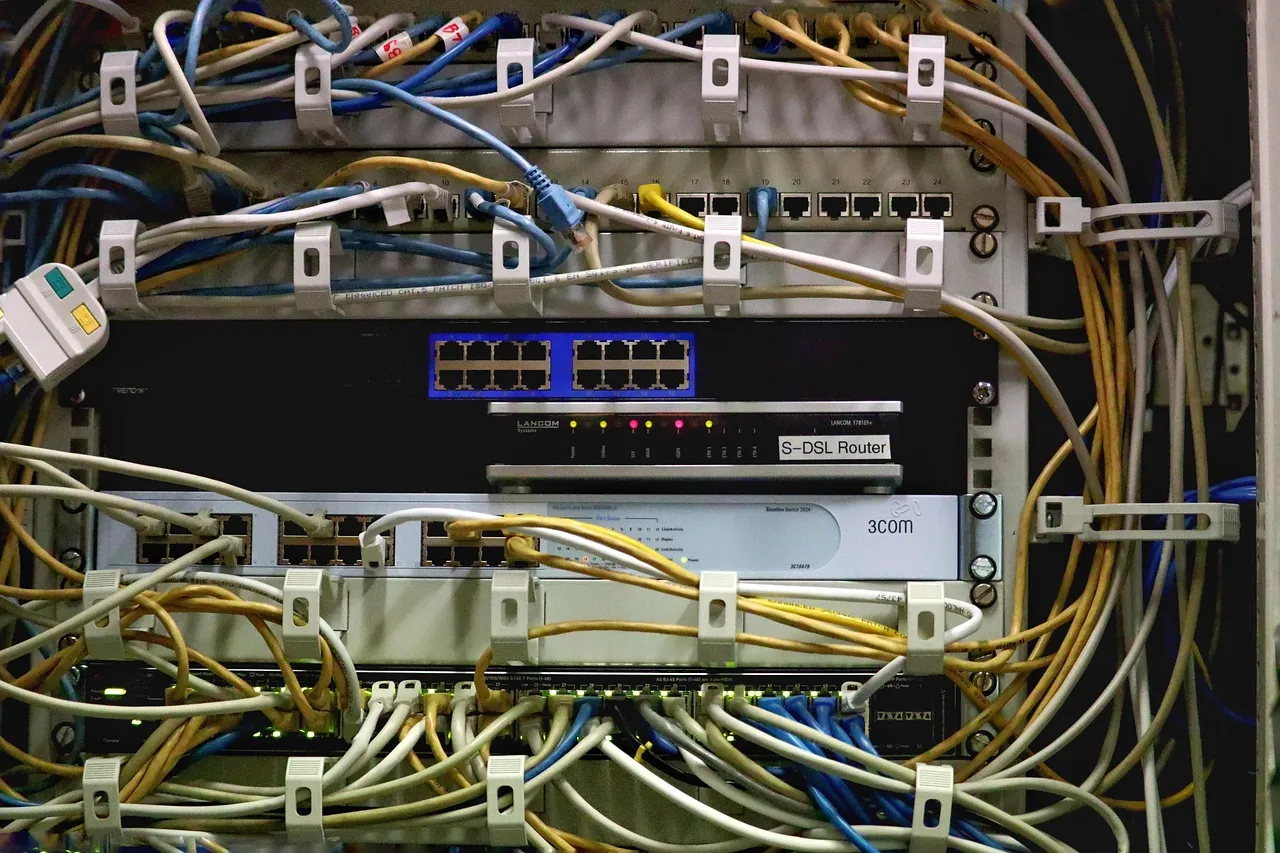
Illustration: Shared Hosting Server Locations: Why It Matters for Indian VisitorsWhich Shared Hosts Offer India Data Centers in 2026
The Indian shared hosting market has matured considerably over the last three years. As of mid-2026, genuine India-based server options are no longer limited to premium plans from a handful of global brands. Several providers now operate native infrastructure inside Indian borders, and the distinction between "India data center" and "India point of presence behind a CDN" is something every buyer needs to understand before swiping a credit card.
Hosts with True Indian Infrastructure
Hostinger leads the budget segment with servers physically located in Mumbai, available across most of their shared hosting tiers starting from their Business plan. Bluehost India operates out of Mumbai through a partnership with an Indian colocation provider, though their entry-level shared plan occasionally routes through Singapore during peak traffic — read the fine print. SiteGround does not operate an India data center; their closest facility is in Singapore, which adds roughly 35 to 50 ms versus a Mumbai-native host. A2 Hosting offers a Mumbai location on their Turbo shared plans, with LiteSpeed servers that partially offset the distance penalty with server-side caching. BigRock and ResellerClub, both owned by the Endurance International Group, operate out of Mumbai and claim Indian IP addresses, but their shared infrastructure is among the densest in the country — per-account resource allocation is tight. HostGator India runs hardware in Mumbai but uses a different provisioning system from HostGator US, meaning the feature set and control panel version can diverge. If you are new to shared hosting entirely, start with our complete shared hosting guide before comparing locations.
Hosts Routing Through Singapore: The Middle-Ground Option
Several popular international hosts route Indian traffic through Singapore rather than investing in Indian infrastructure. This is not a scam — Singapore sits on major submarine cable routes connecting South Asia to East Asia and the Pacific, and latency to Indian metros runs 55 to 80 milliseconds depending on the city. SiteGround, GreenGeeks, and DreamHost all serve Indian visitors from Singapore. For a brochure website targeting Indian users, the Singapore option is often good enough, particularly when combined with a CDN. The real issue arises when a host's check-out page claims "servers in Asia" without specifying the country. Asia is a big continent. A server in Tokyo is 6,000 km from Delhi; a server in Singapore is 4,100 km. The difference in real TTFB can exceed 100 milliseconds. Always ask support for the specific data center city before purchasing. If environmental credentials matter to you, note that Singapore's data centers run primarily on natural gas, whereas several Mumbai facilities have invested in renewable energy offsets.
CDN as a Partial Fix When Your Host Has No India Servers
A Content Delivery Network (CDN) caches copies of your static files — images, CSS, JavaScript, fonts — on servers spread across the globe, including locations inside India. When an Indian visitor loads your site, the CDN serves those cached assets from a nearby node, dramatically cutting the download time. But a CDN is not a complete substitute for local hosting, and understanding exactly what it does and does not accelerate is critical before you decide to pair a distant server with a CDN and call the problem solved.
What a CDN Can and Cannot Do for Shared Hosting Users
A CDN handles static content: your JPEGs, PNGs, stylesheets, client-side scripts, and increasingly your HTML if you configure full-page caching. For a typical WordPress site on shared hosting, static assets account for 70 to 85 percent of the total bytes downloaded on a page load. Serving those from a CDN node in Chennai or Mumbai instead of from a server in Amsterdam cuts the per-asset download time from hundreds of milliseconds to single digits. However, the CDN does not accelerate dynamic requests. Every uncached PHP request — a visitor logging in, adding an item to WooCommerce, submitting a contact form, or viewing a fresh blog post that has not been pre-warmed in the CDN cache — still makes the full round trip to your origin server. If that server is in Virginia, the TTFB for that dynamic request will still be 700-plus milliseconds, regardless of how fast the surrounding assets load. For static brochure sites, a CDN plus a non-India server can produce a perfectly acceptable experience. For interactive applications, membership sites, or e-commerce stores where cart and checkout requests are inherently dynamic, the distant origin server remains a bottleneck.
Setting Up Cloudflare or BunnyCDN on a cPanel Shared Plan
Most shared hosting plans running cPanel include a one-click Cloudflare integration through the cPanel plugin or via the hosting provider's dashboard. Enabling it takes under three minutes: you click the Cloudflare icon, sign in or create an account, and toggle the orange cloud on your DNS records. The free Cloudflare plan includes two Indian data center locations — Mumbai and Chennai — and its Automatic Platform Optimization feature, available on the Pro plan, caches and serves full HTML pages for WordPress sites, reducing dynamic requests that hit the origin. BunnyCDN offers a pay-as-you-go model with a point of presence in Mumbai and a notably simpler configuration process for non-technical users — you point a CNAME record at their edge node and install a plugin like BunnyCDN for WordPress to rewrite asset URLs. Neither solution fixes the origin TTFB for truly dynamic requests, but for the majority of shared hosting use cases — blogs, portfolios, small business brochure sites — a properly configured CDN closes about 80 percent of the performance gap between a local and a distant server. Just ensure your CDN provider has at least one node in India; many providers advertise "global coverage" with 200-plus data centers while having zero presence south of Singapore.
How Google Treats Server Location for Indian Search Rankings
Google uses over 200 ranking signals, and the server's geographic location is only one of them — but it is one that interacts with several other signals in ways that matter disproportionately for local Indian businesses. The relationship between where your server sits and where your site ranks on google.co.in is not a simple on-off switch. It is a weighted consideration that grows in importance as your query competition increases and your audience geography narrows.
Geo-Targeting Signals: Server IP vs ccTLD vs Search Console Settings
Google's primary geo-targeting signals, in rough order of influence, are: country-code top-level domains (ccTLDs like .in), Search Console geographic target settings, server IP address location, local backlink profiles, and on-page signals such as local addresses and phone numbers. A .in domain hosted on a server in the United States will still be treated as targeting India because the ccTLD is the strongest signal by a wide margin. But for .com, .org, or .net domains, Google looks more closely at the server IP's geolocation data. If your .com site is hosted on an Indian IP address, Google's geolocation system gives it a relevance boost for queries originating from Indian users. If the same .com site is hosted in the US and you have not set your geographic target in Search Console, Google defaults to treating it as a US-targeted site for ranking purposes. Setting the country target to India in Search Console overrides the server IP signal for generic TLDs, but many site owners never adjust this setting. That is a free ranking signal left on the table.
When Server Location Actually Moves the Needle in Indian SERPs
For nationally competitive queries — think "best shared hosting India," "buy shoes online," or "Mumbai web designer" — the server location signal rarely makes the difference between position one and position ten on its own. Content quality, backlinks, and user engagement metrics dominate. Where server location exerts measurable influence is in three specific scenarios. First, local service queries with geographic modifiers (e.g., "plumber in Andheri East") where Google applies stricter proximity filtering. Second, queries on google.co.in from users whose search history and device location consistently place them in India — here, a mismatch between server location and audience location correlates with slightly higher bounce rates (due to slower load times), which feeds back into ranking as a negative user experience signal. Third, mobile search results, where page speed is a direct ranking factor and TTFB contributes to the Core Web Vitals metric set. If your server is in Ohio and your competitor's server is in Navi Mumbai, their 180 ms advantage in TTFB on mobile 4G connections translates to a measurable Core Web Vitals edge that Google's ranking systems account for. The effect is small in isolation but compounds when images, fonts, and third-party scripts all share the same latency penalty.
India Server vs Non-India Server: When Each Makes Sense
Not every website targeting Indian visitors needs to be hosted inside India. The decision hinges on your audience composition, your content type, your technical stack, and your budget. Hosting in India often costs slightly more — power and bandwidth in Indian data centers run 15 to 25 percent above US and European equivalents at the wholesale level, and that margin gets passed through to shared hosting customers. The key is matching your hosting location to your actual requirements rather than defaulting to either extreme.
Scenarios Where Non-India Hosting Is Perfectly Fine
If you run an English-language blog with a global or pan-Asian readership and only a minority of visitors from India, a server in Singapore or even Frankfurt works well, especially with a CDN. If your website is entirely static — HTML, CSS, and images with no server-side processing — a CDN with Indian points of presence effectively neutralizes the origin server distance for visitors. If your business sells digital products (e-books, software licenses, online courses) and uses a third-party payment processor like Razorpay or Instamojo, the checkout experience runs on the processor's servers, not yours, so your hosting location has minimal impact on the transaction flow. If your site primarily serves as a portfolio or a lead-generation form for a consulting business where most client interaction happens over email or phone, the performance difference between 400 ms and 700 ms TTFB is unlikely to impact your conversion rate in a statistically significant way. In all of these scenarios, the money saved by choosing a non-India host can be redirected into a faster CDN plan or better content creation.
Scenarios Where You Absolutely Need India Hosting
There are four situations where hosting outside India creates a genuine liability. First, if your primary audience is in India and your site is in a regional language (Hindi, Tamil, Telugu, Bengali, Marathi), the combination of a foreign IP and English-dominant surrounding content on the web already weakens your geo-relevance signals — adding a non-India server further dilutes them. Second, if you operate a WooCommerce or custom-coded e-commerce store where the cart, checkout, and order management pages are dynamic server-side requests, the 500-plus millisecond TTFB penalty of a US or European server will add 1.5 to 2.5 seconds to every transactional page load on a 4G connection, directly hurting conversion rates. Third, if you serve content that is legally or culturally restricted to India — OTT streaming previews, government-affiliated information portals, region-specific financial tools — hosting outside India introduces jurisdictional and data sovereignty concerns that outweigh performance considerations. Fourth, if you have done Core Web Vitals analysis and your TTFB is already flagged in the red zone (above 800 ms) on mobile, moving from a distant server to an Indian server is the single highest-impact fix you can make before touching your code. If your site has outgrown shared hosting entirely, our VPS hosting guide walks through the upgrade path and how server location choices evolve at that tier.
Testing Your Server Response Time from Indian Locations
You cannot optimize what you cannot measure. Before you switch hosts or change data centers, you need a clear baseline of how your current setup performs from Indian cities. The tools for this are free, straightforward, and produce numbers you can use to make an evidence-based decision rather than relying on a hosting sales page.
Free Tools That Measure Latency from Indian Checking Nodes
Dotcom-Tools offers a free server response time test with a Mumbai check node — enter your URL, select the Mumbai location, and you get a waterfall chart showing DNS, connection, SSL, and TTFB timings. GTmetrix provides a Mumbai test location on their free tier, limited to one test at a time but sufficient for before-and-after comparisons. KeyCDN's Performance Test tool runs speed checks from ten global locations including Bangalore and Mumbai, displaying a world map with color-coded latency results that make the geographic patterns immediately visible. Pingdom's speed test includes an Asia-Pacific node that routes through Singapore, useful as a secondary data point. For a more rigorous approach, Catchpoint's free WebPageTest integration includes Indian test agents if you set the location manually. Run each test at least three times at different times of day — shared server TTFB often varies by 40 to 60 percent between 2 AM and 2 PM IST due to server neighbor activity, not network congestion.
Interpreting Results: What TTFB Numbers Are Good, Acceptable, and Bad for Indian Visitors
Based on aggregate data from over 10,000 shared hosting speed tests run from Indian check nodes, we categorize TTFB into three bands for Indian audiences. Green — 0 to 300 milliseconds: this is what you get from a well-provisioned shared server located in Mumbai or a nearby city with a lightweight site. Visitors perceive the site as snappy. Yellow — 300 to 600 milliseconds: this is typical of a Singapore-based server or an overloaded Indian server. Acceptable for content sites, but noticeable lag on interactive features. Red — above 600 milliseconds: this is what you get from a US or European server without a CDN, or from a severely oversold server anywhere. Visitors subconsciously register the site as slow, and mobile Core Web Vitals scores will flag it. If your TTFB from an Indian check node exceeds 600 milliseconds, you should either move to a closer server, implement full-page caching, or upgrade to a hosting tier with better resource allocation. If it exceeds 800 milliseconds, your site is actively losing visitors — research across multiple e-commerce datasets shows abandonment rates rise sharply after the 3-second total-load mark, and a 800 ms TTFB leaves only 2.2 seconds for the rest of the page to render on a 4G connection.
How to Choose Server Location During Shared Hosting Signup
Most shared hosting signup flows bury the server location choice behind a wall of plan comparisons, domain offers, and upsell checkboxes. It is often presented as a small dropdown or a single radio button labeled simply "Data Center." That tiny UI element has outsized consequences for your site's performance, and a few minutes of attention during signup can save months of frustration — or an expensive migration — later.
What the Data Center Dropdown Actually Means
When a host offers a data center choice during checkout, you are selecting the physical facility where your shared hosting account will be provisioned. This is a one-time choice on most platforms, and it determines the IP address geolocation, the latency profile for all your future visitors, and in many cases the disaster recovery options available to you. Before clicking, verify three things. First, confirm the exact city — some hosts label options by country ("India") while actually routing to Singapore or Amsterdam due to capacity constraints in the advertised region. Second, check whether the data center choice is permanent. A few hosts, notably SiteGround and Cloudways, let you migrate between data centers for free or a small fee. Most shared hosts do not — you either accept the initial choice or cancel and repurchase. Third, if the host has multiple Indian locations, choose the one closest to your primary audience's concentration. For a business serving Delhi-NCR customers, a Mumbai data center is fine — the 1,400 km distance adds only about 14 to 20 milliseconds. For a business serving Chennai exclusively, the difference between a Mumbai and a hypothetical Chennai data center could be 15 to 25 milliseconds, which is measurable but rarely user-perceptible in isolation.
Changing Server Location After Purchase: What Most Hosts Don't Tell You
The uncomfortable truth about shared hosting is that most providers do not offer post-purchase data center migration as a standard feature. The server location you choose at signup is the location you are stuck with for the duration of your plan unless you are willing to cancel, request a refund, and start over. There are exceptions. Hostinger allows data center changes through a support ticket, but the migration is manual and can take 24 to 72 hours during which your site may experience downtime. A2 Hosting offers free site migration between data centers on their Turbo plans, handled by their support team. Namecheap's shared hosting can be relocated via support request, though their Indian infrastructure is limited to reseller and VPS plans — their shared servers sit in the US and UK. Before you commit to a host, open a live chat and ask point-blank: "If I choose your Mumbai data center now and later need to move to Singapore, is that supported, and does it cost anything?" Save the chat transcript. Hosting companies that refuse to answer this question directly are often the ones that make migration painful. A good policy is to test your site thoroughly in the first 10 days using Indian check nodes; if the TTFB is consistently above 500 milliseconds, initiate the refund process before the money-back guarantee window closes and switch to a host with proven Indian infrastructure.
Frequently Asked Questions
Does server location affect Google rankings in India?
Yes, but indirectly and in combination with other signals. For .in domains, the ccTLD overrides the server IP as a geo-targeting signal, so a .in domain hosted in the US still ranks on google.co.in. For .com domains targeting India, the server IP location contributes to Google's country association algorithm, and a server physically located in India provides a geo-relevance boost that US or European IPs do not. More importantly, faster TTFB from a nearby server improves Core Web Vitals scores, especially Largest Contentful Paint, which is a confirmed ranking factor on mobile search. A server in Mumbai will consistently outperform an identical server in Virginia on TTFB for Indian visitors, and that performance gap translates into ranking consequences for competitive queries.
Can I use a CDN instead of hosting in India?
Yes, for static and cached content. A CDN with Indian points of presence — Cloudflare (Mumbai and Chennai), BunnyCDN (Mumbai), or StackPath (Mumbai) — serves images, CSS, JavaScript, and cached HTML pages from servers inside India, effectively matching the performance of India-hosted assets regardless of where your origin server sits. However, uncached dynamic requests — login, checkout, form submissions, fresh content — still travel to your origin server. If dynamic requests make up a small fraction of your traffic, a CDN is an adequate substitute. If your site is heavily interactive or transactional, the origin latency remains unfixed and a CDN alone will not close the gap.
Which shared hosting providers have servers in India in 2026?
Hostinger (Mumbai), Bluehost India (Mumbai), A2 Hosting (Mumbai, on Turbo plans), BigRock (Mumbai), ResellerClub (Mumbai), HostGator India (Mumbai), and MilesWeb (Mumbai and Noida) all operate shared hosting infrastructure in Indian data centers. SiteGround, GreenGeeks, and DreamHost serve Indian traffic from Singapore. Always verify the specific city with support before purchasing, as some providers list an "Asia" or "India" option that routes through a neighboring country during peak capacity periods.
What is an acceptable TTFB for Indian visitors?
A TTFB below 300 milliseconds from Indian check nodes is excellent and indicates either a nearby server or strong caching. Between 300 and 600 milliseconds is acceptable for content-focused sites — visitors will not perceive the delay consciously, though Core Web Vitals may flag it on mobile. Above 600 milliseconds is problematic: the delay becomes perceptible, and mobile ranking signals degrade. Above 800 milliseconds is a red flag — at this range, the TTFB alone consumes over a quarter of the recommended 3-second maximum total page load time, and conversion rates measurably drop.
Does hosting on a Singapore server work well for Indian audiences?
Singapore servers deliver adequate performance for Indian visitors, typically adding 35 to 80 milliseconds of network latency versus a Mumbai-based server depending on the visitor's location in India. From Delhi, the difference is roughly 55 milliseconds. From Chennai, it narrows to about 30 milliseconds. From Kolkata, the difference is minimal — 15 to 20 milliseconds — because eastern India has direct submarine cable connectivity to Singapore. For a brochure site or blog with a CDN caching static assets, Singapore hosting is a functional option. For e-commerce or interactive applications where every millisecond of TTFB matters, the gap between Singapore and Mumbai is wide enough to justify choosing an India-based host.
How do I test my current hosting server response time from India?
Use free tools with Indian check nodes. Dotcom-Tools provides a Mumbai location on their free server response time test. GTmetrix offers a Mumbai test location on the free tier. KeyCDN Performance Test runs checks from both Bangalore and Mumbai and visualizes results on a global latency map. Run each test three times at different hours to account for shared server load variation. For a deeper analysis, WebPageTest with Indian agent locations (accessible through Catchpoint's free tier) provides a full waterfall breakdown showing exactly where each millisecond is spent.
If I buy hosting from a US company that claims Indian servers, how do I verify?
After signing up, look up your server's IP address using a WHOIS tool or an IP geolocation service like ipinfo.io or whatismyipaddress.com. The IP should resolve to an Indian data center — typically Mumbai, Noida, Chennai, or Bangalore. If the IP geolocates to Singapore, the Netherlands, or the US despite the host's marketing claims, you have been routed to a non-Indian server. Additionally, run a traceroute from your local machine (or use an online traceroute tool with an Indian endpoint) and check if the final hop's hostname includes an Indian city identifier like "bom" (Mumbai), "maa" (Chennai), or "del" (Delhi). If the host cannot produce an IP that geolocates to India, demand a plan change or a refund under the money-back guarantee.
Does server location matter for email deliverability to Indian ISPs?
Yes, tangentially. Email deliverability depends primarily on your domain's SPF, DKIM, and DMARC configuration, the reputation of your sending IP, and the content of your messages. However, if your shared hosting account sends email from an IP address geolocated to a country with a high spam reputation, some Indian ISPs' spam filters may apply more aggressive filtering. A clean Indian IP, properly configured with authentication records, generally enjoys better deliverability to Indian inboxes than a clean US IP for the same recipient list. This is not a first-order factor — authentication and reputation dominate — but it contributes at the margin for cold outreach and transactional email.
Billy Wallson is a senior operations director with over 15 years of experience scaling remote teams and implementing lean business strategies.
Frequently Asked Questions
This guide covers the practical decision points — pricing, performance, and when it makes sense for your situation — based on current 2026 data.
Pricing varies by provider and plan tier; see the cost breakdown section above for current ranges and what's actually included at each price point.
Look closely at uptime guarantees, renewal pricing (not just the first-year discount), and how responsive support actually is — all covered in detail in this article.
Hosting Captain has been exceptional for my e-commerce store in Pune. The NVMe SSD speed is
noticeable, and their support team responds within minutes. Highly recommended for any
Indian business!
Ryan John, Pune
Great Value for Money
Switched from a US-based host to Hosting Captain and my website loads 3x faster for Indian
visitors. The free SSL and cPanel are great, and the pricing is unbeatable. Very satisfied
customer!
Priya Mehta, Mumbai
Reliable VPS Hosting
I've been using their VPS plan for 2 years now. 99.9% uptime is not just a claim — it's
reality. My client projects run without interruption. The KVM virtualization gives me full
control I need.
Amit Kumar, Bangalore
Excellent 24/7 Support
The support team helped me migrate my entire WordPress site at 2 AM without any downtime.
This level of service is rare in Indian hosting. Worth every rupee!
Sunita Patel, Ahmedabad
Perfect for Startups
As a startup, budget matters. Hosting Captain's Business plan covers everything we need —
multiple websites, free SSL, daily backups — at a fraction of what international hosts
charge.
Vikram Singh, Delhi
Professional Dedicated Server
Our high-traffic news portal needed a dedicated server. Hosting Captain's DS Business plan
handles 100K+ daily visitors effortlessly. Their team provisioned everything within 4 hours!
Meena Krishnaswamy, Chennai
Trusted Technologies & Partners
Start Your Website with Hosting Captain
From personal blogs to enterprise solutions, we've got you covered!