Arjun Mehta
Dedicated Server SpecialistArjun Mehta is a cloud infrastructure consultant specializing in bare-metal architectures, network routing, and high-traffic database clustering.

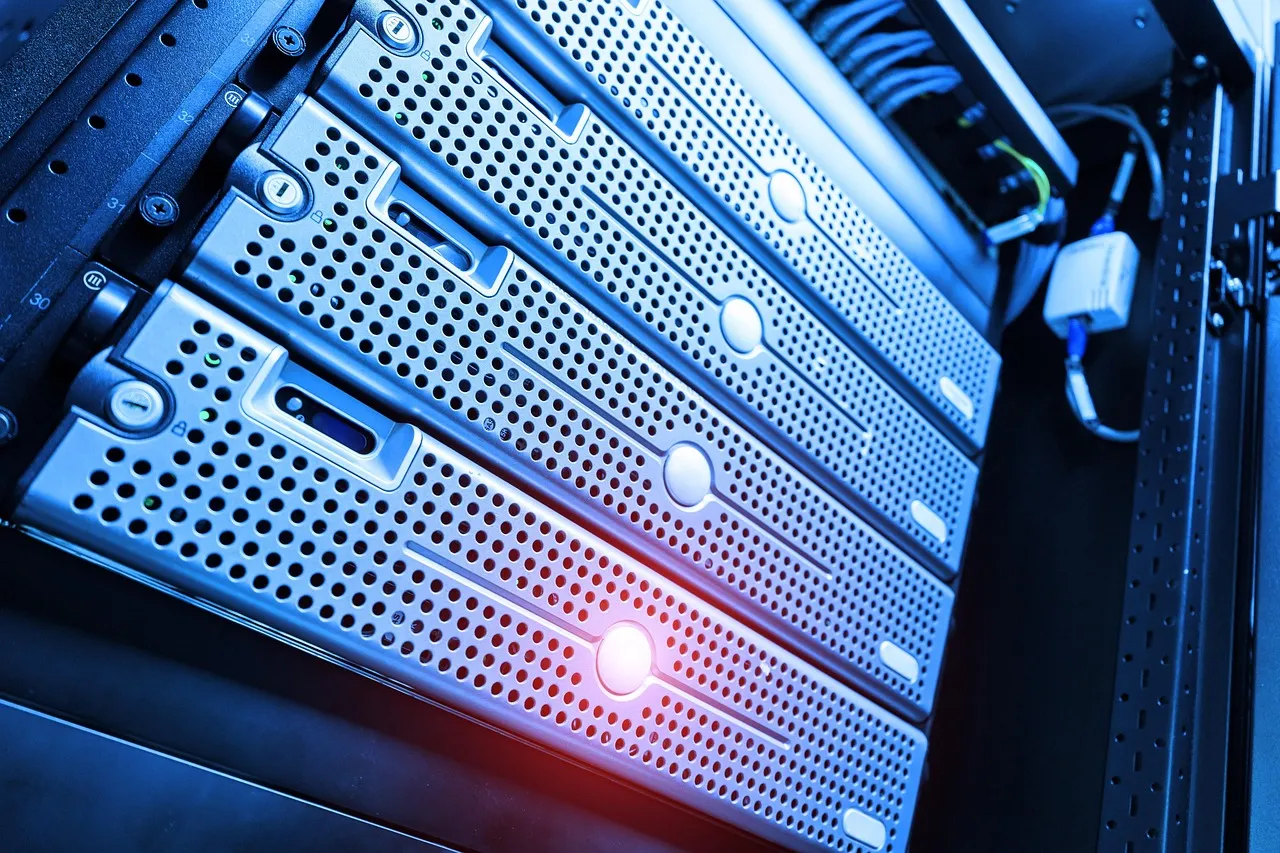
AI image generation has moved from a niche research curiosity to a production-grade creative tool used by independent artists, marketing agencies, e-commerce brands, and enterprise design teams across every industry. The tools that power this revolution — Stable Diffusion, DALL-E 3, Midjourney via API, ComfyUI, and Automatic1111 — each demand distinct infrastructure configurations that go well beyond what a standard shared hosting plan or even a basic VPS can deliver. Running AI image generation on your own server means provisioning GPUs with sufficient VRAM to hold multi-gigabyte model files in memory, configuring storage arrays that can handle thousands of safetensors checkpoints and LoRA adaptations, and managing bandwidth profiles that spike dramatically when high-resolution output galleries attract simultaneous visitors. This guide breaks down the complete hosting ai image generation infrastructure stack — from GPU selection through storage architecture to cost optimization — giving you the concrete data points you need to make an informed hosting decision in 2026 without overpaying for capacity you will never use or under-provisioning to the point where your workflow grinds to a halt.
The economics of self-hosted AI image generation have shifted substantially over the past eighteen months, driven by the same wave of GPU cloud competition that has transformed AI hosting fundamentals across every vertical. Where a capable image generation server might have cost $500 to $800 per month in early 2024, the same or better performance is now available in the $150 to $350 range thanks to the proliferation of RTX 4090 and L40S instances from specialized GPU cloud providers. Simultaneously, the open-source ecosystem around Stable Diffusion has matured to the point where tools like ComfyUI and Automatic1111 WebUI can be deployed on a cloud server in under thirty minutes with community-maintained one-click installation scripts, eliminating the multi-day setup ordeals that deterred many creators from self-hosting just a year ago. Whether you are a freelance digital artist generating hundreds of images per week, an e-commerce brand producing product visualization variants at scale, or an agency building custom image generation pipelines for clients, understanding the hosting infrastructure requirements before you commit to a provider will save you both money and creative frustration.
The AI image generation ecosystem in 2026 has consolidated around a handful of dominant tools, each of which places different demands on hosting infrastructure depending on whether it runs locally, on a dedicated GPU server, or as an API-based service. Stable Diffusion remains the undisputed king of open-source image generation, with the SDXL and SD3 Medium architectures representing the current state of the art for locally hosted deployments that offer full control over model selection, prompt engineering, and output customization. Automatic1111 WebUI has established itself as the most widely deployed graphical interface for Stable Diffusion, providing an extensible browser-based front end that supports model switching, inpainting, outpainting, textual inversion, and a plugin ecosystem of over a hundred community extensions — all of which add incremental memory and storage overhead to the hosting environment. ComfyUI has surged in popularity among power users and production pipeline builders thanks to its node-based workflow system that enables complex multi-model generation chains, batch processing, and API-driven automation that would be cumbersome or impossible to implement in Automatic1111's linear interface paradigm.
On the commercial side, DALL-E 3 continues to be available exclusively through OpenAI's API, which means you do not host it yourself — you pay per image generated and OpenAI handles the GPU infrastructure entirely. This API-only model eliminates hosting complexity but introduces per-image costs that can accumulate quickly for high-volume use cases, and it removes the ability to fine-tune the underlying model on custom datasets, a limitation that makes DALL-E 3 unsuitable for brands that need consistent character designs, product-specific style adherence, or proprietary visual languages. Midjourney, historically accessible only through a Discord bot interface, launched its official API in late 2024, opening the door to programmatic integration while still keeping the model weights and inference infrastructure firmly on Midjourney's own servers. The key hosting distinction in 2026 is between these API-based commercial tools — where you pay for generation and never touch GPU infrastructure — and the self-hosted open-source stack built around Stable Diffusion, ComfyUI, and Automatic1111, where you control every layer of the infrastructure but also bear every responsibility for provisioning, securing, and maintaining it. For teams that want the best of both worlds — API access to proprietary models for certain tasks alongside self-hosted open-source models for others — the hosting architecture needs to accommodate both integration patterns, a consideration that shapes storage design, network configuration, and cost allocation from day one.
The Stable Diffusion ecosystem in mid-2026 is substantially more sophisticated than the original SD 1.5 and SD 2.1 releases that introduced many creators to AI image generation. SDXL remains the workhorse architecture for production self-hosted deployments, offering native 1024×1024 resolution generation with significantly improved prompt adherence and compositional understanding compared to earlier versions. The SD3 Medium architecture, released in early 2025, introduced a multimodal diffusion transformer backbone that further improved text rendering, complex scene composition, and multi-subject coherence — at the cost of increased VRAM requirements that can push entry-level GPUs past their practical limits. For hosting providers and self-hosted server operators, the practical implication is that SDXL-based workflows represent the current sweet spot of quality versus resource consumption, while SD3 Medium represents the forward-looking target that your GPU infrastructure should be able to accommodate within twelve to eighteen months as the ecosystem transitions to the newer architecture.
Fine-tuning has become the standard practice for production AI image generation deployments, and the hosting infrastructure must account for the storage, memory, and compute overhead that fine-tuning introduces. LoRA (Low-Rank Adaptation) has emerged as the dominant fine-tuning technique because it produces compact adapter files — typically 10 MB to 200 MB each — that modify a base model's behavior without requiring a full model retraining or duplicating the multi-gigabyte base checkpoint. A production image generation server might host dozens or even hundreds of LoRA adapters, each trained for specific characters, product lines, art styles, or brand guidelines, and the WebUI or ComfyUI interface needs to be configured to load these adapters on demand during the generation pipeline. DreamBooth and full fine-tuning, which produce complete custom checkpoint files typically 2 GB to 7 GB each, remain relevant for use cases where LoRA adaptations prove insufficient — but they impose heavier storage requirements and longer training times that directly affect the hosting cost calculation. For a deeper look at how AI hosting infrastructure supports these kinds of production workloads, our affordable GPU hosting for startups guide covers the instance selection and cost optimization strategies that apply equally to image generation teams operating on constrained budgets.
The GPU is the single most consequential hardware decision in any AI image generation hosting deployment, and the VRAM capacity of your chosen GPU directly determines which models you can run, at what resolutions, with what batch sizes, and at what generation speed. For Stable Diffusion XL inference at 1024×1024 resolution, the minimum practical VRAM requirement is 8 GB — and even at that threshold, you will need to enable memory optimization flags like --medvram or --lowvram in Automatic1111 WebUI, which reduce VRAM consumption at the cost of 30% to 50% slower generation times. A GPU with 12 GB of VRAM, such as the NVIDIA RTX 4070 or RTX 3080, provides a comfortable margin for SDXL inference with moderate batch sizes and allows simultaneous loading of multiple LoRA adapters without triggering out-of-memory errors that crash the generation pipeline. The 16 GB to 24 GB VRAM tier — populated by GPUs like the RTX 4080, RTX 4090, RTX 3090, and the datacenter A4000 and L40S — eliminates VRAM as a practical constraint for SDXL inference entirely and opens the door to running SD3 Medium, Flux, and other newer architectures that demand larger memory allocations for their transformer-based backbones.
Flux, the image generation architecture released by Black Forest Labs in late 2024, deserves particular attention in any discussion of GPU requirements because it has rapidly gained adoption among creators who need photorealism, typography rendering, and complex multi-subject compositions that exceed SDXL's capabilities. Flux models are substantially larger than their SDXL counterparts — the full Flux.1 Pro weights occupy roughly 24 GB in FP16 precision — and running Flux inference without aggressive quantization requires a GPU with at least 24 GB of VRAM. Even with 8-bit or 4-bit quantization, Flux comfortably consumes 16 GB to 20 GB of VRAM during generation, putting it firmly in the territory of the RTX 4090, A6000, and L40S GPU tier. For hosting providers and self-hosted server operators, supporting Flux means either provisioning GPUs at the upper end of the consumer and entry-level datacenter range or accepting that Flux workloads will need to run with quantized models at reduced quality — a trade-off that should be evaluated against the specific creative requirements of your use case rather than assumed away as an acceptable compromise.
The choice between consumer GPUs like the RTX 4090 and datacenter GPUs like the NVIDIA L40S or A4000 involves trade-offs that extend beyond the raw specifications listed on a comparison chart. Consumer GPUs typically offer better price-to-performance ratios for single-GPU image generation workloads — an RTX 4090 with 24 GB of VRAM can be rented for $0.50 to $0.80 per hour on platforms like RunPod and Vast.ai, while a comparable datacenter GPU like the L40S with 48 GB of VRAM runs $0.80 to $1.20 per hour. However, datacenter GPUs include ECC (Error-Correcting Code) memory that prevents the silent bit-flip errors that can corrupt model weights during long fine-tuning runs — a reliability consideration that becomes meaningful when you are training custom LoRA adapters or DreamBooth models over multiple hours or days. Datacenter GPUs also support features like NVIDIA's Multi-Instance GPU partitioning, which allows a single physical GPU to be divided into isolated instances for multi-tenant hosting scenarios where multiple users or clients share the same physical server. For solo creators and small teams running a single image generation instance, consumer GPUs represent the pragmatic, cost-effective choice. For hosting providers building multi-tenant image generation platforms or agencies running 24/7 production pipelines, the reliability and partitioning features of datacenter GPUs justify their moderate price premium.
GPU generation speed — measured in iterations per second or images per minute — varies substantially across GPU models and directly affects the user experience of interactive image generation workflows where creators iterate rapidly on prompts and settings. An RTX 4090 can generate a 1024×1024 SDXL image in approximately 3 to 5 seconds using the standard 30-step DPM++ 2M scheduler, while an RTX 4070 might require 6 to 10 seconds for the same task. This speed differential compounds when working with batch generation, upscaling pipelines that chain multiple model passes, or ComfyUI workflows that route output through several processing nodes before delivering the final image. For production deployments where multiple users or API consumers expect sub-10-second generation times, provisioning a GPU at the RTX 4090 or L40S tier becomes a practical necessity rather than an aspirational upgrade. For hobbyist servers serving a single user or small team, the slower generation speeds of mid-range GPUs may be entirely acceptable given the corresponding reduction in hosting costs. The key principle is to benchmark your specific workflow — model, resolution, step count, and pipeline complexity — before committing to a GPU tier, because the generation speed that feels acceptable is subjective and varies dramatically across use cases.
Storage architecture for AI image generation hosting is deceptively demanding because the combination of large model checkpoint files, accumulated LoRA collections, and growing output galleries can consume hundreds of gigabytes faster than most new server operators anticipate. A single base model checkpoint — whether it is SDXL 1.0, Juggernaut XL, DreamShaper, or a custom fine-tuned variant — typically occupies 6 GB to 7 GB in safetensors format, and a well-stocked image generation server might host fifteen to thirty such checkpoints across different styles and architectures. The convenience of switching between models during a creative session is one of the primary advantages of self-hosting over API-based services, but that convenience carries a direct storage cost that must be provisioned from the start. LoRA adapter files, while individually small at 10 MB to 200 MB, accumulate quickly — active image generation communities routinely share thousands of LoRA variants, and a production server might house several hundred curated adapters totaling 20 GB to 50 GB of additional storage. Textual inversion embeddings, VAE (Variational Autoencoder) files, ControlNet models, and IP-Adapter weights each add incremental storage consumption that collectively pushes a mature image generation server's model storage beyond 100 GB within the first few months of operation.
The generated image output itself creates a separate storage challenge that scales linearly with usage volume and resolution. A single SDXL generation at 1024×1024 resolution in PNG format produces a 2 MB to 5 MB file, and a creator generating 100 to 200 images per day — a realistic volume for a professional workflow — accumulates 200 MB to 1 GB of new image data daily, or 6 GB to 30 GB monthly. When upscaling workflows are factored in, with outputs at 2048×2048 or 4096×4096 resolution, per-image file sizes can reach 15 MB to 40 MB, accelerating storage consumption further. Image generation servers that serve public galleries or provide API access to generated images need to plan for retention policies — how long to keep generated images before archiving or deletion — and those policies have direct cost implications for the storage tier of the hosting plan. SSD or NVMe storage is strongly recommended over traditional HDD storage because model loading times depend on storage read speeds: loading a 7 GB checkpoint from an HDD can take 30 to 60 seconds, while the same load from an NVMe drive completes in 3 to 5 seconds, a difference that directly impacts workflow fluidity during creative sessions where model switching is frequent. For additional context on how hosting infrastructure handles data persistence and redundancy, our VPS hosting for beginners guide explains the storage architectures that underpin both traditional and AI-focused hosting environments.
As an image generation server matures, the organizational challenge of managing hundreds of model files, thousands of LoRA adapters, and tens of thousands of generated images becomes an operational burden that directly affects creative productivity. Automatic1111 WebUI and ComfyUI both reference models from their respective directory structures, and maintaining consistent naming conventions, version tracking, and metadata tagging across these directories prevents the all-too-common scenario of rediscovering a favorite checkpoint six months after forgetting where it was stored. For teams and multi-user environments, shared network storage — whether a NAS device, an NFS mount, or a cloud object storage bucket integrated with the generation server — enables model libraries to be centrally curated and version-controlled rather than fragmented across individual user directories. Object storage services like AWS S3, Backblaze B2, and Cloudflare R2 provide cost-effective archival tiers for older model checkpoints and generated image archives that do not need to be immediately accessible, with per-GB-month pricing that is substantially lower than the block storage attached to a GPU instance. A mature storage strategy tiers data across hot storage (NVMe on the GPU server for active models and recent outputs), warm storage (network-attached SSD for less frequently accessed models), and cold storage (object storage for archives and backup), aligning storage costs with actual access patterns rather than treating all data as equally performance-sensitive.
The decision between self-hosting an AI image generation server and relying on commercial APIs like DALL-E 3, Midjourney, or Stability AI's own API is fundamentally an economic calculation that depends on your monthly generation volume, the value you place on model customization, and your tolerance for infrastructure management overhead. API-based services charge per image, with DALL-E 3 pricing running approximately $0.04 to $0.08 per standard-quality generation depending on resolution and API plan tier, Midjourney's API hovering around $0.01 to $0.03 per image for their fast generation tier, and Stability AI's API pricing for SDXL ranging from $0.002 to $0.01 per image depending on step count and resolution. At low volumes — fewer than 5,000 images per month — API-based services are unequivocally cheaper than self-hosting, because even the most affordable GPU instance at $150 per month divided across 5,000 images yields a per-image cost of $0.03, which is competitive with but not dramatically better than API pricing, and it does not require any infrastructure management effort. The economic tipping point arrives somewhere between 5,000 and 15,000 images per month, above which the fixed cost of a self-hosted GPU server is amortized across enough images to drive per-image costs well below API pricing — potentially as low as $0.001 to $0.005 per image on a fully utilized server.
The cost analysis becomes more nuanced when the value of model customization is factored in, because self-hosting is not merely a cost optimization strategy but a capability enabler that API services cannot replicate. API-based image generation services do not support custom LoRA adapters, DreamBooth fine-tuned checkpoints, or ControlNet conditioning, which means any workflow that requires consistent character designs, product-specific brand adherence, or precise compositional control is effectively impossible to implement through an API alone. For e-commerce brands that need to generate product images maintaining a consistent visual identity, for game studios that need to produce character art adhering to established design sheets, or for marketing agencies that need to generate on-brand visual assets across campaigns, the customization capability of self-hosting is not a nice-to-have but a hard requirement that renders the API-versus-self-hosted cost comparison moot. Additionally, self-hosting eliminates the usage limits, rate caps, and content policy restrictions that API providers impose — restrictions that can disrupt production workflows at critical moments and that no amount of per-image cost savings can compensate for when a deadline is at stake. For teams evaluating whether the infrastructure overhead of self-hosting is justified, our AI content detection guide explores the broader implications of hosting AI-generated content and the compliance considerations that should inform your infrastructure strategy.
API-based image generation pricing appears straightforward on the surface — a simple per-image rate — but several hidden cost factors emerge at scale that make the true total cost of API dependency higher than the sticker price suggests. API latency introduces a per-request delay of 1 to 5 seconds on top of the actual generation time, which adds up across thousands of requests and can meaningfully slow down iterative creative workflows where rapid prompt refinement is essential. API availability risk — the possibility that the provider experiences an outage, enforces rate limits during peak demand, or deprecates a model version you depend on — introduces business continuity exposure that is difficult to quantify but real, particularly for production applications where image generation is part of a revenue-generating pipeline. API data privacy considerations are increasingly relevant as regulations tighten: every image prompt you send to a third-party API is data that leaves your infrastructure and enters the provider's systems, where it may be logged, analyzed, or used for model improvement unless explicitly prohibited by your service agreement. For industries with strict data handling requirements — healthcare, legal, financial services — the compliance overhead of vetting API providers and negotiating data processing agreements can exceed the infrastructure cost of self-hosting, making self-hosting the simpler and more secure path despite its apparent operational complexity.
Selecting the right server configuration for AI image generation requires balancing GPU compute, system RAM, storage performance, and network bandwidth in proportions that differ markedly from general-purpose web hosting. A CPU-only VPS — even a high-tier plan with 8 vCPUs and 16 GB of RAM — cannot run Stable Diffusion or any other modern AI image generation model at practical speeds, because image generation inference involves the same kind of massively parallel matrix operations that make GPUs essential for AI workloads in general. The minimum viable configuration for self-hosted AI image generation pairs a dedicated GPU with at least 16 GB of system RAM, 100 GB of NVMe SSD storage, and a modern multi-core CPU that can handle the WebUI server process, image preprocessing, and file I/O without bottlenecking the GPU. The following configurations represent three tested tiers that map to different usage volumes, performance expectations, and budget ranges, based on Hosting Captain's analysis of the AI image generation hosting market in mid-2026.
The entry-level hobbyist configuration is built around an NVIDIA RTX 4060 Ti (16 GB VRAM) or RTX 4070 (12 GB VRAM) paired with 32 GB of system RAM and 200 GB of NVMe storage. This configuration handles SDXL inference comfortably at 1024×1024 resolution with moderate batch sizes of 2 to 4 images, supports 5 to 10 concurrent LoRA adapters loaded in memory, and generates images at speeds of 6 to 10 seconds per image depending on step count. Budget approximately $100 to $180 per month for a cloud instance with these specifications or $1,200 to $1,800 for a one-time hardware purchase if building a local server. The professional creator configuration centers on an NVIDIA RTX 4090 (24 GB VRAM), paired with 64 GB of system RAM and 500 GB of NVMe storage. This configuration eliminates VRAM as a constraint for SDXL workflows, handles Flux inference with 8-bit quantization, supports 30 to 50 concurrent LoRA adapters, and delivers generation speeds of 3 to 5 seconds per SDXL image at 1024×1024. Budget approximately $250 to $400 per month for a cloud GPU instance with these specifications. The production server configuration employs an NVIDIA L40S (48 GB VRAM) or A6000 (48 GB VRAM), paired with 128 GB of system RAM and 1 TB of NVMe storage, capable of running Flux at FP16 precision, supporting 100 or more concurrent LoRA adapters, and serving multiple simultaneous users through ComfyUI's API endpoints. Budget approximately $500 to $800 per month for this tier, which is appropriate for agencies, SaaS platforms, and high-volume content production pipelines.
Cloud GPU instances from providers like RunPod, Lambda Labs, or Vultr offer the fastest path to a working image generation server — you can provision an RTX 4090 instance with a pre-configured Stable Diffusion template and be generating images within fifteen minutes of signing up. The trade-off is that cloud GPU instances are ephemeral: when you stop the instance, the root disk is typically destroyed unless you have configured persistent storage separately, which adds a layer of complexity to managing model libraries and output galleries across sessions. Bare-metal GPU servers — where you rent or own the entire physical server — provide persistent local storage, dedicated network bandwidth, and the ability to install and configure the operating system and drivers exactly to your specifications without the abstraction layers of a cloud platform. For solo creators and small teams, cloud GPU instances with carefully configured persistent volumes strike the best balance of convenience and capability. For agencies and platforms that need 24/7 availability, consistent performance, and customized infrastructure configurations, bare-metal GPU servers justify their higher monthly cost through superior reliability and the elimination of the cold-start delays associated with provisioning cloud instances for each work session. Following W3C web standards in your deployment ensures that browser-based WebUI interfaces remain accessible and standards-compliant across all client devices, a consideration that becomes meaningful when serving image generation interfaces to diverse creative teams.
The GPU cloud market in 2026 has evolved to the point where even a sub-$200 monthly budget can secure genuinely capable hardware for AI image generation, provided you understand the available options and structure your usage to match the pricing models of different providers. RunPod's Community Cloud offers RTX 3090 instances with 24 GB of VRAM at rates as low as $0.20 to $0.30 per hour, which at 20 hours of weekly usage — a realistic schedule for a dedicated hobbyist — translates to roughly $65 to $100 per month. The same platform lists RTX 4090 instances in the $0.35 to $0.50 per hour range on the Community Cloud tier, bringing a 20-hour-per-week habit to approximately $115 to $160 per month. Vast.ai competes aggressively on price, with RTX 3090 instances routinely available under $0.15 per hour and RTX 4090 instances under $0.28 per hour, though availability fluctuates and the peer-to-peer nature of Vast.ai's marketplace means reliability can vary between providers. For creators willing to use spot or interruptible instances, the costs drop further — Lambda Labs offers L4 GPUs with 24 GB of VRAM on their spot market for approximately $0.20 per hour, and the L4's performance for SDXL inference is entirely adequate for solo workflows, bringing monthly costs below $100 even at 30 hours of weekly usage.
The sub-$200 budget tier requires discipline around instance management to avoid the common pitfall of leaving a GPU instance running 24/7 when you are only actively generating images for two to three hours per day. A $0.40-per-hour instance running continuously costs approximately $292 per month — above the $200 target — while the same instance running four hours per day costs roughly $48 per month. Implementing automatic start-stop scheduling, either through provider-native tools or simple cron-based scripts that terminate instances after a configurable idle period, is the single highest-leverage cost optimization practice for hobbyist image generation servers. RunPod provides built-in idle timeout settings that automatically stop instances after a specified period of inactivity, and Lambda Labs' CLI tools allow scripting instance lifecycle management from your local machine. Google Cloud's T4 GPU instances, with 16 GB of VRAM, represent another sub-$200 option through Google's sustained-use discounts and committed-use contracts, though the T4's generation speed for SDXL is approximately half that of an RTX 4090, making it more suitable for batch generation queued overnight than for interactive creative sessions. The unifying principle across all sub-$200 options is that cost control depends far more on usage patterns — how many hours per month you actually run the GPU — than on the per-hour rate of the instance you select.
Several GPU cloud providers now offer one-click deployment templates that pre-install Automatic1111 WebUI, ComfyUI, or both, along with the CUDA toolkit, Python dependencies, and common model management utilities — eliminating the setup time that historically deterred less technical creators from self-hosting. RunPod's template library includes community-maintained Stable Diffusion WebUI templates that provision a working installation within 5 to 10 minutes of instance startup, with automatic model downloading, extension installation, and reverse proxy configuration for secure HTTPS access to the WebUI interface. Vast.ai offers similar template functionality through their instance configuration interface, though template quality varies by provider. Lambda Labs provides official documentation and cloud-init scripts for automated Stable Diffusion WebUI deployment on their GPU instances, targeting a more technically inclined audience that prefers scripted provisioning over graphical template selection. For creators who prioritize creative work over infrastructure management, these pre-configured templates reduce the setup burden from hours to minutes and make self-hosted AI image generation accessible to a substantially wider audience than was possible in 2024, when manual CUDA driver installation and Python environment configuration were prerequisites for every deployment.
Deploying Stable Diffusion WebUI on a cloud GPU server follows a repeatable process that, once understood, can be executed in under thirty minutes with a standard configuration. The first step is provisioning a GPU instance through your chosen provider — RunPod, Lambda Labs, Vast.ai, or Vultr — selecting a template that includes the NVIDIA CUDA drivers pre-installed to avoid the most common source of setup complications. If your provider does not offer a Stable Diffusion-specific template, select a base Ubuntu 22.04 or 24.04 image with CUDA 12.1 or later pre-configured, then SSH into the instance to begin manual installation. The Automatic1111 WebUI repository on GitHub provides the authoritative installation script, which handles Python virtual environment creation, PyTorch installation with CUDA support, and the cloning of all necessary repositories in a sequence that has been hardened through millions of community deployments. The critical detail that first-time deployers often miss is that the WebUI requires specific versions of Python (3.10 or 3.11 recommended, not 3.12 as of mid-2026) and specific CUDA toolkit versions that match the GPU driver version installed on the instance — version mismatches at this layer are responsible for the majority of "it worked on my laptop but not on the server" scenarios.
After the base WebUI installation completes, the next steps involve downloading model checkpoint files to the appropriate directory, configuring command-line launch arguments for your specific hardware, and setting up secure remote access to the WebUI's browser interface. Model checkpoints — the safetensors files that contain the trained neural network weights — are placed in the models/Stable-diffusion directory and are typically downloaded from Hugging Face or Civitai using wget commands or the WebUI's built-in model browser extension. The launch arguments specified when starting the webui.sh or webui.bat script control memory optimization behavior (--medvram, --lowvram), network binding (--listen to accept connections from other machines, --port to specify the port), and authentication (--gradio-auth username:password for basic access control). For cloud server deployments, the --listen flag is essential because it tells the Gradio web server to bind to all network interfaces rather than just localhost, and the --share flag creates a temporary public URL through Gradio's sharing service — convenient for testing but not recommended for production use due to security and reliability concerns. Production deployments should configure a reverse proxy — Nginx or Caddy — to terminate TLS and forward requests to the WebUI's local port, providing HTTPS encryption and the ability to add authentication layers, rate limiting, and access logging.
Exposing a Stable Diffusion WebUI instance to the internet — whether for personal remote access, team collaboration, or public API serving — introduces security considerations that are frequently overlooked by creators more focused on pixel output than on infrastructure hardening. The WebUI's Gradio interface, in its default configuration, provides unauthenticated access to anyone who can reach the server's IP address and port, which means a publicly exposed instance can be discovered, accessed, and abused by automated scanners within hours of deployment. Implementing authentication — either through Gradio's built-in auth flag or through a reverse proxy with HTTP basic authentication — is the minimum viable security measure, and it should be configured before the server's firewall rules are relaxed to allow inbound connections. Setting up a firewall — UFW on Ubuntu or the cloud provider's security group configuration — to restrict inbound access to only the specific ports required for WebUI access and SSH management prevents the broader attack surface that a default-allow inbound policy creates. For production deployments serving multiple users, integrating the WebUI behind an OAuth2 proxy or an identity-aware reverse proxy that requires login through Google, GitHub, or a corporate SSO provider adds a layer of access control that is appropriate for business environments where generated content may be commercially sensitive or subject to client confidentiality requirements. The additional fifteen minutes spent on security configuration before exposing a server to the internet is one of the highest-return infrastructure investments an image generation server operator can make.
Bandwidth consumption for AI image generation servers follows a pattern that is distinct from traditional web hosting bandwidth profiles and that can surprise operators who are accustomed to the relatively predictable traffic patterns of standard websites. Each generated image — whether delivered through a gallery page, an API response, or a direct download — consumes bandwidth proportional to its file size, and the file sizes for AI-generated images at production resolutions frequently exceed those of optimized web images by a factor of 3× to 10×. A single SDXL generation at 1024×1024 in lossless PNG format ranges from 2 MB to 5 MB, and if that image is served to 1,000 viewers in a day — a realistic volume for a popular creative portfolio or a commissioned batch delivery — the bandwidth consumption for that single image reaches 2 GB to 5 GB. Multiply this across the dozens or hundreds of images a production server generates and serves daily, and monthly bandwidth consumption can easily reach 200 GB to 500 GB, entering territory where bandwidth overage charges on metered hosting plans become a material line item in the infrastructure budget.
Content delivery optimization for AI-generated image galleries employs the same techniques that power high-traffic media websites, adapted for the unique characteristics of AI-generated visual content. Converting generated images from lossless PNG to optimized WebP or AVIF formats before serving them to browsers can reduce file sizes by 50% to 80% with minimal perceptual quality loss, directly cutting bandwidth consumption by the same proportion. Implementing a CDN — Cloudflare, BunnyCDN, or AWS CloudFront — in front of the image generation server offloads static image delivery to edge nodes distributed globally, reducing origin server bandwidth consumption and improving load times for viewers regardless of their geographic location. For API-based image generation services that return generated images as base64-encoded strings within JSON responses, the bandwidth impact is even more severe — base64 encoding inflates binary data by approximately 33% — and implementing a pattern where the API returns a URL to the generated image rather than embedding the image data directly is essential for keeping API response sizes manageable and transfer costs under control. The bandwidth planning approach recommended by Hosting Captain is to estimate worst-case daily generation volume, multiply by the average output file size in your chosen format, add a 30% buffer for image upscaling and variant generation, and verify that your hosting plan's included bandwidth allocation comfortably exceeds that figure before committing to a long-term contract.
When an AI image generation server is exposed as an API — responding to programmatic requests from applications, websites, or automated pipelines — the latency characteristics of the GPU instance and the network path to API consumers become performance-critical metrics that directly affect user experience. Generation latency — the time from receiving a prompt to returning the completed image — is primarily determined by GPU speed, model size, step count, and resolution, with the server's CPU and system RAM playing supporting roles in prompt processing and image encoding. A well-configured RTX 4090 server can process an API request for a 1024×1024 SDXL image in 4 to 8 seconds end-to-end, including prompt encoding, model inference, VAE decoding, and PNG encoding. Network latency between the API consumer and the GPU server adds 10 to 100 milliseconds depending on geographic distance — typically negligible compared to generation time — but becomes meaningful when the API consumer is making hundreds or thousands of requests and the cumulative network overhead adds minutes to a batch processing job. Throughput — how many images the server can generate concurrently — is primarily constrained by VRAM: a single RTX 4090 with 24 GB of VRAM can process one generation at a time without memory contention, while an L40S with 48 GB of VRAM can handle two concurrent SDXL generations comfortably, doubling throughput for multi-user or high-volume API scenarios. For the most demanding API serving scenarios, deploying multiple GPU instances behind a load balancer with a request queue distributes generation load across instances and provides the fault tolerance and throughput scaling that production API services require.
This guide covers the practical decision points — pricing, performance, and when it makes sense for your situation — based on current 2026 data. The hosting landscape for AI image generation has matured substantially, and the most important insight for anyone evaluating their options is that the gap between self-hosting and API-based services has narrowed dramatically in both cost and complexity over the past eighteen months. The GPU required to run Stable Diffusion reliably can now be rented for well under $200 per month, and pre-configured deployment templates have eliminated the multi-hour setup ordeals that previously deterred non-technical creators from self-hosting. The decision between self-hosting and using commercial APIs should be driven by your monthly generation volume, your need for model customization through LoRAs and fine-tuned checkpoints, and your tolerance for the infrastructure management overhead that self-hosting entails. For the majority of professional creators generating more than 5,000 images per month or requiring custom model adaptations, self-hosting provides both superior economics and expanded creative capability that API-based services fundamentally cannot match with their current feature sets. The information presented across each section of this article gives you the concrete specifications, provider comparisons, and configuration guidance to evaluate these trade-offs against your specific creative and business requirements.
Pricing varies by provider and plan tier; see the cost breakdown section above for current ranges and what's actually included at each price point. As a concise reference, hobbyist-grade image generation hosting on GPUs with 12 GB to 16 GB of VRAM runs between $100 and $180 per month for part-time usage patterns involving 15 to 25 hours of active generation per week. Professional-tier hosting on RTX 4090 or equivalent GPUs with 24 GB of VRAM ranges from $250 to $400 per month for full-time creative workflows, with the exact figure depending on whether you use on-demand instances, spot pricing, or reserved instance commitments. Production server configurations built around datacenter GPUs like the L40S or A6000 with 48 GB of VRAM, capable of serving multiple simultaneous users and handling Flux-class models at full precision, start at approximately $500 per month and can exceed $800 per month for high-availability configurations with redundant storage and load-balanced inference endpoints. API-based generation costs range from $0.002 to $0.08 per image depending on the provider, model, and quality tier, making APIs the economical choice below roughly 5,000 images per month and self-hosting the superior option above that threshold. The most impactful variable in your actual monthly cost is the number of GPU-hours you consume rather than the per-hour rate of your chosen instance, and aggressive use of idle-timeout configurations and start-stop scheduling can reduce your effective monthly GPU spend by 50% to 70% compared to a 24/7 running instance.
Look closely at uptime guarantees, renewal pricing (not just the first-year discount), and how responsive support actually is — all covered in detail in this article. Beyond these factors, beginners should verify that any cloud GPU provider under consideration explicitly supports the CUDA version and PyTorch version required by the specific image generation tools they intend to use, because version incompatibilities between a provider's pre-installed driver stack and the application's dependencies are among the most common and time-consuming issues encountered during initial setup. Check whether the provider charges separately for persistent storage volumes that survive instance termination, because losing your model library and generated image archive every time you stop a GPU instance is a workflow disaster that can be avoided by confirming persistent storage pricing and configuration before provisioning. Review the provider's network egress pricing — data transferred out of the instance to the internet — because serving generated image galleries to visitors or delivering commissioned image batches to clients can generate significant outbound data transfer that some providers bill at rates that add $30 to $100 per month to what initially appears to be a competitively priced GPU instance. Test the provider's instance provisioning speed by launching a GPU instance and timing how long it takes from clicking "deploy" to receiving SSH access, because providers with limited GPU inventory can experience provisioning delays of 10 to 30 minutes during peak demand periods, which directly impacts the responsiveness of your creative workflow when you sit down to work and have to wait for your server to become available. Finally, review the provider's documentation for Stable Diffusion WebUI or ComfyUI deployment templates specifically, because a provider that has invested in AI image generation tooling and community resources will save you hours of configuration trial-and-error compared to a generic GPU provider that offers raw infrastructure without any image-generation-specific tooling or support.

Arjun Mehta is a cloud infrastructure consultant specializing in bare-metal architectures, network routing, and high-traffic database clustering.

Hosting Captain has been exceptional for my e-commerce store in Pune. The NVMe SSD speed is noticeable, and their support team responds within minutes. Highly recommended for any Indian business!
Switched from a US-based host to Hosting Captain and my website loads 3x faster for Indian visitors. The free SSL and cPanel are great, and the pricing is unbeatable. Very satisfied customer!
I've been using their VPS plan for 2 years now. 99.9% uptime is not just a claim — it's reality. My client projects run without interruption. The KVM virtualization gives me full control I need.
The support team helped me migrate my entire WordPress site at 2 AM without any downtime. This level of service is rare in Indian hosting. Worth every rupee!
As a startup, budget matters. Hosting Captain's Business plan covers everything we need — multiple websites, free SSL, daily backups — at a fraction of what international hosts charge.
Our high-traffic news portal needed a dedicated server. Hosting Captain's DS Business plan handles 100K+ daily visitors effortlessly. Their team provisioned everything within 4 hours!








From personal blogs to enterprise solutions, we've got you covered!

© 2026 Hosting Captain. All Rights Reserved by 'Apollo Hosting'.



