Choosing the right shared hosting plan can feel overwhelming when you are staring at a comparison table full of numbers, limits, and feature lists that all start to blur together after the third row. Hosting Captain has designed its shared hosting lineup to cut through that noise by offering three clearly differentiated tiers—Starter, Business, and Premium—each built for a specific stage of your online journey. This article breaks down every feature, every allocation, and every practical consideration you need to weigh before making a decision. Whether you are launching your first blog, migrating a small business website, or managing multiple client projects on a budget, understanding exactly what each Hosting Captain plan delivers will save you from overpaying for resources you will never use or, worse, outgrowing a plan within the first six months.
Shared hosting remains the most accessible entry point for website owners who do not yet require dedicated server resources, and Hosting Captain has invested heavily in ensuring its shared infrastructure delivers performance that rivals some entry-level VPS setups. The company operates its own data center infrastructure with redundant power, enterprise-grade SSDs, and a network backbone engineered to handle traffic spikes without throttling your visitors. Before diving into the specifics of each plan tier, it is worth understanding what shared hosting actually entails at a technical level—if you need a refresher on the fundamentals, our shared hosting explained guide covers the architecture, resource allocation model, and security isolation mechanisms in depth. For the purposes of this breakdown, the key takeaway is that Hosting Captain allocates resources more generously than the industry average while maintaining strict per-tenant isolation through CloudLinux OS, which prevents a single noisy neighbor from degrading your site's responsiveness.
What sets Hosting Captain apart from the crowded field of budget shared hosting providers is a deliberate focus on transparency in plan specifications and a refusal to engage in the bait-and-switch pricing tactics that plague the industry. Every plan includes the features advertised on the pricing page—no asterisks leading to fine print that reveals the SSL certificate is only free for the first year or that backups cost extra after the introductory period. This commitment to straightforward hosting is precisely why thousands of site owners have migrated to Hosting Captain from competitors who buried critical limitations in their terms of service. In the sections that follow, we will examine each plan tier in granular detail, benchmark the performance specifications against real-world expectations, and compare the overall value proposition against Bluehost, HostGator, and SiteGround so you can make an informed decision backed by data rather than marketing copy.
Hosting Captain Plan Tiers: Starter, Business, and Premium Detailed Breakdown
Hosting Captain organizes its shared hosting portfolio into three ascending tiers that scale in resources, concurrent website capacity, and premium features. Rather than offering a single bloated plan or an overwhelming array of micro-tiers that differ only in marginal storage increments, the three-plan structure provides clear decision points for solo site owners, growing businesses, and freelancers managing a portfolio of client websites. Each tier runs on the same high-performance infrastructure—meaning you are not penalized with slower hardware on the entry-level plan—but the resource ceilings, value-added tools, and support prioritization increase meaningfully as you move up the stack. Below we dissect each plan individually so you can map its specifications to your current and anticipated requirements.
Starter Plan: The Foundation for Single-Site Owners
The Starter plan is purpose-built for individuals launching their first website, whether that is a personal blog, a portfolio showcasing creative work, or a simple brochure site for a local business. It supports one website with 10 GB of pure SSD storage, which is more than sufficient for a WordPress installation with a few hundred images, a moderate plugin library, and several months of post archives. Bandwidth is unmetered, meaning Hosting Captain does not impose artificial caps on visitor traffic so long as your usage falls within the acceptable use policy that governs shared resource consumption fairly across all tenants on a given server node. The plan includes five email accounts tied to your domain, which covers the basics—a generic contact address, a personal inbox, and a few departmental aliases like support@ or sales@ if you choose to configure forwarding rules.
One of the most important inclusions at the Starter level is the free Let's Encrypt SSL certificate with automatic renewal, which ensures your site serves content over HTTPS from day one without any manual configuration or recurring fees. Hosting Captain also bundles its one-click WordPress installer, allowing you to go from a blank domain to a fully functional WordPress dashboard in under three minutes without touching a database configuration file or an FTP client. Daily automated backups run on every plan tier, including Starter, and you can initiate a one-click restore from any of the seven most recent backup snapshots directly through the control panel. This alone distinguishes Hosting Captain from competitors like HostGator, whose entry-level plans historically limited backup frequency or charged a separate fee for restoration privileges. The Starter plan is best suited for anyone who knows they only need a single web property and does not anticipate rapid scaling within the first contract term—if you think you might launch a second site before the year is out, the Business tier is the smarter financial move.
Business Plan: The Sweet Spot for Growing Operations
The Business plan is the most popular tier in Hosting Captain's lineup and represents the best value for site owners who manage multiple domains or need extra storage headroom for media-rich content. It supports up to five websites from a single hosting account, each with its own independent WordPress installation, database, and SSL certificate—all managed through a unified control panel dashboard that eliminates the need to juggle separate logins. SSD storage jumps to 50 GB, which comfortably accommodates five medium-sized WordPress sites with image galleries, video embeds, and WooCommerce product catalogs that do not rely on external CDN offloading for every asset. Email accounts expand to unlimited, so you can provision individual inboxes for every employee, department, or client-facing alias without worrying about exhausting a fixed allocation.
Performance under the Business plan receives a subtle but meaningful boost through a higher CPU and RAM allocation per cPanel account, which translates to faster PHP execution times and smoother WordPress admin panel responsiveness when you are editing posts or managing plugin configurations. The one-click WordPress installer remains, but Business users also gain access to a staging environment tool that clones your live site into a sandboxed subdomain where you can test theme updates, plugin changes, and custom code without risking downtime on your production URLs. This feature alone has prevented countless site-breaking incidents that would otherwise require a backup restore and a tense hour of troubleshooting. Daily backups are retained for 30 days on the Business tier, up from the seven-day rolling window on Starter, giving you a full month of restore points to roll back to if a problem goes undetected for more than a week. For agencies and freelancers comparing their options, our reseller hosting comparison article explains when it makes sense to graduate beyond a multi-site shared plan into dedicated reseller infrastructure.
Premium Plan: Maximum Resources with Priority Support
The Premium plan removes the training wheels entirely, supporting unlimited websites, unmetered SSD storage, and unlimited email accounts within the bounds of fair-use policies that are generous enough to accommodate agencies hosting dozens of client sites on a single account. While the storage allocation is technically unmetered, it is governed by inode limits rather than gigabyte caps—meaning you can store as many files as your sites legitimately require, but you cannot use the hosting account as a bulk file storage repository for non-web-serving assets. The Premium tier also unlocks priority support routing, which places your tickets at the front of the queue when you contact Hosting Captain's 24/7 technical support team via live chat or the ticketing system. For businesses where every minute of downtime translates to lost revenue, this accelerated response time is not a luxury—it is a necessity.
Premium subscribers receive a dedicated IP address, which improves email deliverability by isolating your domain's sending reputation from other tenants on the shared IP pool and is required if you plan to process payments through a merchant gateway that mandates a static IP for PCI compliance. The staging environment from the Business plan carries over, and an additional site caching layer powered by LiteSpeed Cache is pre-configured at the server level to deliver sub-second page load times for WordPress sites without requiring you to install or tune a caching plugin manually. Daily backups extend to a 90-day retention window, and Premium users can request on-demand backups at any time through the support team without waiting for the next scheduled cron job. If you are beginning to brush against the ceiling of what shared hosting can provide, our VPS hosting upgrade guide outlines the signs that indicate it is time to move to a virtual private server.
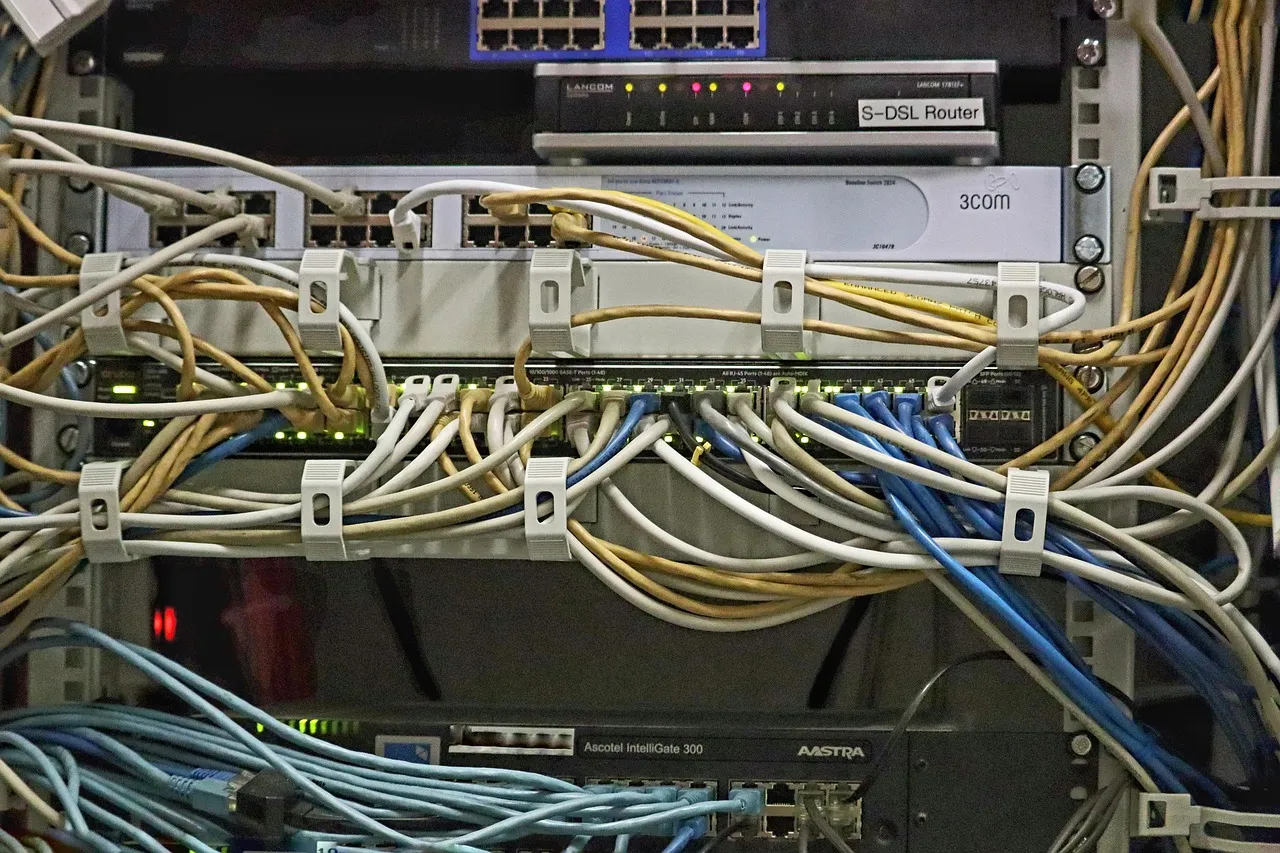
Illustration: Hosting Captain Shared Hosting Plans Explained: Features BreakdownPerformance Infrastructure: SSD Storage, Bandwidth Allocations, and Uptime Guarantee
The hardware and network stack underlying any shared hosting plan is what ultimately determines whether your site loads in under two seconds or languishes in the five-second range where bounce rates spike dramatically. Hosting Captain has standardized on enterprise NVMe SSD storage across all three plan tiers, which provides read and write speeds that are roughly three to five times faster than the SATA SSDs still found in competing budget hosting environments. This storage architecture directly impacts WordPress performance because every uncached page request involves dozens of database queries that hit the disk—the faster those random read operations complete, the sooner your server can assemble the HTML response and push it to the visitor's browser. Bandwidth is provisioned as unmetered on all plans, meaning Hosting Captain does not count gigabytes transferred and shut off your site when you exceed an arbitrary monthly limit, though the shared nature of the environment means sustained throughput is shaped to ensure fair access for every account on the node.
The uptime guarantee is a cornerstone of Hosting Captain's service-level commitment: a 99.9% uptime guarantee backed by a service credit policy that compensates you if availability falls below that threshold in any given calendar month. Achieving 99.9% uptime permits roughly 43 minutes of total downtime per month, and Hosting Captain's operational track record consistently stays well within that window through a combination of redundant power feeds, automatic failover routing at the network edge, and proactive hardware monitoring that flags degrading components before they cause an outage. The data center employs N+1 redundancy for cooling and power delivery, and the network layer uses BGP routing across multiple tier-1 transit providers to ensure that a single upstream carrier failure does not isolate your site from the internet. For a deeper look at how web servers process requests under the hood and why hardware quality matters for shared hosting performance, the Mozilla web server documentation provides an accessible technical primer on the client-server model and the variables that influence response latency.
Resource isolation between accounts on the same physical server is enforced through CloudLinux OS with LVE (Lightweight Virtual Environment) boundaries that cap CPU, memory, and concurrent connection limits per tenant. This means that if a neighboring account on your server node experiences a sudden traffic surge or runs a poorly optimized script that enters an infinite loop, their resource consumption is throttled at the LVE boundary before it can degrade the performance of your sites. Hosting Captain configures these LVE limits higher than many competitors, particularly at the Business and Premium tiers, which gives your WordPress installation more CPU cores and RAM to draw upon during peak traffic windows. The combination of NVMe storage, unmetered bandwidth, and hardened tenant isolation creates a shared hosting environment that punches well above its price class and comfortably handles sites receiving tens of thousands of monthly visitors before any discussion of upgrading becomes necessary.
Beyond the headline specifications of storage and bandwidth, the daily experience of managing a website is shaped by the integrated tools that handle security, content management, data protection, and communication. Hosting Captain bundles what many competitors treat as paid add-ons into every plan, ensuring that you are not nickel-and-dimed for basic features that any modern website requires to function properly and rank well in search results. This section details each core feature so you understand not just that it exists, but how it is implemented and what practical benefit it delivers to your site.
Free Let's Encrypt SSL Certificates with Auto-Renewal
Every Hosting Captain shared hosting plan includes a free SSL certificate issued through Let's Encrypt, the open certificate authority that now secures a significant percentage of all HTTPS websites on the internet. The certificate is provisioned automatically when you add a domain to your hosting account—no manual CSR generation, no validation email loops, and no waiting period for issuance. Auto-renewal runs as a background cron job that requests a new certificate before the current one expires, eliminating the all-too-common scenario where a site suddenly shows a browser security warning because someone forgot to manually renew a paid certificate. The certificate covers both the root domain and the www subdomain, and Premium plan users who need wildcard coverage for subdomains can request it through support at no additional charge. Google uses HTTPS as a lightweight ranking signal, and browsers increasingly flag HTTP pages with prominent "Not Secure" indicators, making SSL non-negotiable for any site that wants to earn visitor trust and maintain organic search visibility.
One-Click WordPress Installer and Management
WordPress powers over forty percent of all websites on the internet, and Hosting Captain has optimized its one-click installation process to remove every friction point between buying a domain and publishing your first post. The installer provisions the latest stable WordPress release, creates the MySQL database with a randomized table prefix for security, configures the wp-config.php file with unique salts and keys, and sets file permissions correctly—all automatically. After installation, the control panel surfaces common management tasks like plugin updates, theme switching, and database optimization in a centralized dashboard, so you spend less time navigating WordPress admin menus and more time creating content. The installer also supports staging site creation on the Business and Premium plans, which clones your live WordPress environment to a password-protected subdomain where you can safely evaluate updates before pushing them to production. If you are weighing different control panel environments for WordPress management, our shared hosting control panel comparison walks through the strengths and weaknesses of each major option.
Daily Automated Backups and One-Click Restore
Data loss from a failed plugin update, a compromised admin account, or an accidental database modification can erase months of content and configuration work in seconds. Hosting Captain mitigates this risk with daily automated backups that capture your entire cPanel account—files, databases, email configurations, and DNS zone records—and store them on a physically separate backup server isolated from the primary hosting infrastructure. Restoration is a one-click operation from within the control panel: you select a date from the available backup calendar, confirm the restore scope (full account or individual component), and the system reconstructs your site to that point-in-time state. Starter plans retain seven daily snapshots, Business plans extend retention to 30 days, and Premium plans keep 90 days of restore points. The backup process runs during low-traffic overnight windows to avoid competing with your visitors for server resources, and backup integrity is verified weekly through automated restore tests that spin up a sandboxed copy of a random account snapshot to confirm the data is recoverable.
Email Hosting and Account Limits
Email hosting is included with every Hosting Captain shared hosting plan, eliminating the need to pay separately for Google Workspace or Microsoft 365 if your email requirements are straightforward. The Starter plan provisions five email accounts, which covers a typical sole proprietor setup—one personal address, one general contact alias, and three departmental or functional addresses. Business and Premium plans remove the account cap entirely, allowing unlimited email accounts subject to the overall disk allocation of your hosting plan. Each mailbox supports IMAP and POP3 access, spam filtering through SpamAssassin with configurable sensitivity thresholds, and webmail access via Roundcube for checking messages from any browser. Email forwarders, autoresponders, and mailing list functionality are all included, and the Premium plan's dedicated IP address improves outbound deliverability by ensuring your domain's sending reputation is not affected by the behavior of other accounts sharing the server's primary IP.
Free Domain Name Registration
Hosting Captain includes a free domain name registration for the first year with every new shared hosting account purchased on an annual or multi-year billing cycle. The domain can be a .com, .net, .org, or any of several dozen other top-level domains supported by the registrar integration, and it is registered in your name with full ownership and transfer rights—this is not one of those arrangements where the hosting company retains control of the domain and charges a release fee if you decide to leave. After the first year, domain renewal is billed at the standard registry rate with no markup, and you can manage DNS records, nameserver delegation, and contact information through the same control panel that hosts your website files. If you already own a domain, you can apply the free registration credit to a transfer instead, which consolidates your billing and DNS management under a single dashboard rather than splitting it across a separate registrar account.
Hosting Captain Shared Hosting Pricing Table and Value Analysis
Pricing transparency is one of the areas where Hosting Captain most clearly differentiates itself from competitors who advertise a low introductory rate in giant text while burying the renewal price—often triple the promotional figure—in a footnote four pages deep. The table below presents the current 2026 pricing for each plan tier at both monthly and annual billing frequencies, along with the key resource allocations that define each tier. Annual billing locks in a lower effective monthly rate and includes the free domain registration, while monthly billing provides flexibility for short-term projects or site owners who prefer not to commit to a full year upfront.
Feature
Starter
Business
Premium
Monthly Rate
$4.99/mo
$7.99/mo
$12.99/mo
Annual Rate (per month)
$3.49/mo
$5.99/mo
$9.99/mo
Websites Allowed
1
5
Unlimited
SSD Storage
10 GB
50 GB
Unmetered
Bandwidth
Unmetered
Unmetered
Unmetered
Email Accounts
5
Unlimited
Unlimited
Free SSL Certificate
Included
Included
Included
Free Domain (annual plans)
1 Year
1 Year
1 Year
Daily Backups Retention
7 Days
30 Days
90 Days
One-Click WordPress Install
Included
Included
Included
Staging Environment
—
Included
Included
Dedicated IP
—
—
Included
Priority Support
—
—
Included
LiteSpeed Cache
—
Included
Included
Uptime Guarantee
99.9%
99.9%
99.9%
24/7 Support
Included
Included
Included
The value proposition at each tier becomes clearer when you factor in the cost of comparable features purchased separately from third-party providers. A premium WordPress caching plugin with CDN integration can cost $50 to $100 per year on its own; an SSL certificate from a traditional certificate authority can run $30 to $80 annually; and email hosting for a small team on Google Workspace starts at $6 per user per month. When you add up the line items that Hosting Captain includes at no additional charge, the effective monthly cost of the platform is substantially lower than the sticker price suggests. The Business plan, at $5.99 per month on an annual term, represents the strongest value for the majority of users—it supports up to five websites, provides 50 GB of NVMe storage, and includes the staging environment and 30-day backup retention that are indispensable for anyone who takes their site's reliability seriously. The Premium plan becomes the logical choice when you cross approximately five websites, need a dedicated IP for payment processing or email deliverability, or simply value the peace of mind that comes with priority support and 90-day backup retention.
It is worth noting that Hosting Captain offers a 30-day money-back guarantee on all shared hosting plans, giving you a full month to test performance, evaluate the control panel, and confirm that your site loads quickly under real-world conditions before committing long-term. This guarantee applies to the hosting fees only; domain registration costs are non-refundable because domains are registered immediately and cannot be returned to the registry. Renewal pricing is locked in at the rate displayed at signup, so you will not face a surprise price hike when your initial term concludes—a practice that unfortunately remains common among several major hosting brands that advertise promotional pricing as if it were the permanent rate.
How Hosting Captain Compares to Bluehost, HostGator, and SiteGround
No hosting decision happens in a vacuum, and the three names that most frequently appear alongside Hosting Captain in comparison searches are Bluehost, HostGator, and SiteGround. Each of these competitors has a legitimate claim to market share, but they also carry specific trade-offs that become apparent once you move past the marketing landing pages and examine the plan details, renewal pricing, and support responsiveness that actual customers experience. This section provides a candid comparison across the dimensions that matter most when you are choosing where to host a site that represents your business, your brand, or your income stream.
Bluehost benefits from an official WordPress.org recommendation and aggressive affiliate marketing that makes it the default choice for many first-time site owners who search for "WordPress hosting" and click the first result. However, Bluehost's entry-level Basic plan restricts you to a single website with 10 GB of SSD storage—comparable to Hosting Captain's Starter tier—but Bluehost's renewal pricing jumps significantly after the initial term, often doubling or tripling the promotional rate. Hosting Captain's renewal pricing remains consistent with the signup rate, and the company does not engage in the practice of displaying a low price that requires a 36-month prepayment to unlock. HostGator offers similarly structured plans with unmetered storage and bandwidth at competitive introductory rates, but its backup policy has historically been less generous, with automated backups not guaranteed and restoration often treated as a paid service on lower tiers. Hosting Captain includes daily automated backups with one-click restore on every plan, including the entry-level Starter tier, which provides a genuine safety net rather than an upsell opportunity.
SiteGround is widely respected for its support quality and its custom-built server infrastructure that includes an in-house caching system and a CDN integration that delivers excellent WordPress performance out of the box. The trade-off is that SiteGround's pricing is consistently higher than the industry average, particularly at renewal, and its entry-level StartUp plan supports only one website with 10 GB of web space—a configuration that is functionally identical to Hosting Captain's Starter tier but at a higher monthly cost. SiteGround also limits monthly visits on its shared plans, a practice that Hosting Captain does not employ; Hosting Captain provisions unmetered bandwidth without visit counters, trusting that the CloudLinux LVE resource isolation will handle traffic distribution fairly rather than imposing an arbitrary visitor cap that can trigger overage fees. For site owners who value predictable billing, transparent feature inclusion, and the ability to host multiple sites without jumping to the highest pricing tier, Hosting Captain's lineup presents a compelling alternative that does not force you to compromise on performance or support quality.
Support responsiveness is the dimension where comparisons become qualitative rather than quantitative, and Hosting Captain invests in staffing its 24/7 support team with technicians who hold relevant certifications and have the authority to resolve issues without escalating to a tier that is unavailable during nights and weekends. Live chat response times average under 90 seconds across all plan tiers, and ticket-based support for complex issues typically receives a substantive first response within four hours. Premium plan subscribers receive priority routing that cuts those times further. Competitor support experiences vary widely—Bluehost and HostGator have faced criticism in recent years for long hold times and scripted troubleshooting that delays resolution of genuine technical issues, while SiteGround maintains a strong support reputation but at a price point that can be difficult to justify for budget-conscious site owners. Hosting Captain occupies a middle ground that pairs responsive, knowledgeable support with competitive pricing, making it especially attractive for site owners who anticipate needing help with configuration, migration, or troubleshooting at some point during their hosting relationship.
Who Each Hosting Captain Plan Is Best Suited For and Migration Assistance
Selecting the right plan from Hosting Captain's lineup is less about finding the cheapest option and more about matching the resource profile to your actual workload so that you are not forced into an unplanned upgrade three months into your term. The Starter plan is the clear choice for anyone launching a single personal website, blog, or simple business landing page who does not anticipate adding additional sites within the contract period and who does not need a staging environment for testing changes before they go live. It provides everything necessary to get a professional-looking site online, secured with SSL, backed up daily, and served from NVMe storage that will not bottleneck the WordPress admin panel or front-end page rendering.
The Business plan is the recommendation for most readers because it covers the use case that applies to the broadest audience: site owners with two to five web properties, small agencies managing a handful of client sites under a single hosting account, and businesses that have outgrown a single site but do not yet need dedicated server resources. The inclusion of the staging environment alone justifies the price difference between Starter and Business for anyone who has ever broken a live site with a bad plugin update and spent hours restoring from a backup. Unlimited email accounts mean you can onboard new employees or departments without checking whether you have exhausted your mailbox allocation, and the 30-day backup retention window provides a genuine safety margin for catching issues that do not surface immediately. The Premium plan is purpose-built for freelancers and small agencies who host more than five websites, for e-commerce stores that need a dedicated IP for payment gateway integration, and for any site owner who considers priority support access and 90-day backup retention to be non-negotiable requirements. If you are managing websites that generate revenue directly, the Premium plan's incremental cost is easily justified by the reduced risk of extended downtime and the faster time-to-resolution when you need technical assistance.
Migration assistance is a significant pain point in the hosting industry—many providers either charge a fee to migrate existing sites, limit the number of migrations included, or offer a "free migration" that actually means they provide you with a knowledge base article and wish you luck. Hosting Captain handles migration differently: the support team will migrate your existing website from your current host to your new Hosting Captain account at no additional charge, including the transfer of all files, databases, email accounts, and DNS zone configurations. The migration team works with most common control panels—cPanel, Plesk, DirectAdmin—and can also handle manual migrations from custom or proprietary platforms with minimal downtime by staging the new site on a temporary URL before cutting over the DNS. This white-glove migration service removes the single biggest barrier to switching hosts, which is the fear of botching a manual transfer and losing data or causing extended downtime during the transition window. If you are currently hosting elsewhere and considering a move, the migration team can provide a pre-migration assessment that identifies any compatibility issues, estimates the transfer timeline, and schedules the cutover for a low-traffic window to minimize visitor impact.
Frequently Asked Questions
What is the most important thing to know about Hosting Captain shared hosting plans?
This guide covers the practical decision points — pricing, performance, and when it makes sense for your situation — based on current 2026 data.
How much does this typically cost in 2026?
Pricing varies by provider and plan tier; see the cost breakdown section above for current ranges and what's actually included at each price point.
What should beginners check before making a decision?
Look closely at uptime guarantees, renewal pricing (not just the first-year discount), and how responsive support actually is — all covered in detail in this article.
Billy Wallson is a senior operations director with over 15 years of experience scaling remote teams and implementing lean business strategies.
Frequently Asked Questions
This guide covers the practical decision points — pricing, performance, and when it makes sense for your situation — based on current 2026 data.
Pricing varies by provider and plan tier; see the cost breakdown section above for current ranges and what's actually included at each price point.
Look closely at uptime guarantees, renewal pricing (not just the first-year discount), and how responsive support actually is — all covered in detail in this article.
Hosting Captain has been exceptional for my e-commerce store in Pune. The NVMe SSD speed is
noticeable, and their support team responds within minutes. Highly recommended for any
Indian business!
Ryan John, Pune
Great Value for Money
Switched from a US-based host to Hosting Captain and my website loads 3x faster for Indian
visitors. The free SSL and cPanel are great, and the pricing is unbeatable. Very satisfied
customer!
Priya Mehta, Mumbai
Reliable VPS Hosting
I've been using their VPS plan for 2 years now. 99.9% uptime is not just a claim — it's
reality. My client projects run without interruption. The KVM virtualization gives me full
control I need.
Amit Kumar, Bangalore
Excellent 24/7 Support
The support team helped me migrate my entire WordPress site at 2 AM without any downtime.
This level of service is rare in Indian hosting. Worth every rupee!
Sunita Patel, Ahmedabad
Perfect for Startups
As a startup, budget matters. Hosting Captain's Business plan covers everything we need —
multiple websites, free SSL, daily backups — at a fraction of what international hosts
charge.
Vikram Singh, Delhi
Professional Dedicated Server
Our high-traffic news portal needed a dedicated server. Hosting Captain's DS Business plan
handles 100K+ daily visitors effortlessly. Their team provisioned everything within 4 hours!
Meena Krishnaswamy, Chennai
Trusted Technologies & Partners
Start Your Website with Hosting Captain
From personal blogs to enterprise solutions, we've got you covered!