The GPU hosting market in early 2026 bears an uncomfortable resemblance to the dot-com infrastructure boom of the late 1990s — enormous demand, rapid innovation, bewildering product fragmentation, and pricing models that can punish uninformed buyers with bills that exceed their monthly revenue. Beneath the headlines about trillion-parameter models and billion-dollar training clusters, a far more practical question confronts thousands of organizations every quarter: what GPU should I actually rent, from which provider, at what configuration, for what price — and how do I avoid the configuration and pricing traps that turn a promising AI project into a budget catastrophe? This buyer's guide answers that question with the specificity that the GPU hosting market demands in 2026, covering the five GPU types that dominate real-world AI workloads, the competitive landscape of providers that deliver them, the pricing structures you will actually encounter, the evaluation criteria that determine whether a provider is worth your money, and the use-case-to-configuration mapping that turns abstract GPU specifications into concrete infrastructure decisions. At HostingCaptain, we have spent the past three years analyzing GPU hosting procurement across hundreds of deployments — from solo developers running fine-tuning jobs on a single RTX 4090 to enterprise teams orchestrating distributed training across H100 clusters — and the consistent pattern is that organizations which approach GPU hosting as a structured procurement exercise rather than a reactive purchase decision achieve better performance at lower cost, while organizations that treat GPU selection as a simple spec-sheet comparison encounter expensive mismatches between their infrastructure and their workloads. This guide provides the structured framework that makes the difference.
The urgency of getting GPU hosting procurement right has intensified in 2026 for two converging reasons. First, GPU supply has expanded dramatically — NVIDIA's Blackwell architecture is shipping in volume, the H100 shortage that defined 2023–2024 has largely resolved, and a wave of specialized GPU cloud providers that built their businesses during the supply crunch are now competing aggressively on price and features rather than simply on availability. This means buyers have more options than ever before — but also more ways to choose wrong, because the feature sets, pricing models, and reliability characteristics of the major GPU hosting platforms have diverged significantly. Second, the population of organizations that genuinely need GPU hosting has grown far beyond the research labs and AI-native startups that dominated the market two years ago. Marketing agencies embedding AI chatbots into client websites, e-commerce platforms deploying recommendation models, healthcare organizations running diagnostic inference, educational technology companies building personalized tutoring systems — each of these organizations needs GPU hosting, but each has different requirements for latency, throughput, cost predictability, support quality, and compliance that make a one-size-fits-all GPU recommendation actively harmful. For foundational context on how AI workloads reshape hosting infrastructure, our comprehensive guide to AI hosting covers the architectural differences between traditional and AI-capable hosting that underpin every purchasing decision on this page. For readers specifically evaluating chatbot hosting requirements, our chatbot server requirements guide provides targeted infrastructure recommendations for conversational AI deployments.
Understanding GPU Architecture: Why GPU Type Is the Decision That Determines Everything Else
Before comparing providers and prices, you must understand what makes GPUs different from one another — and why selecting the right GPU type is the single most consequential decision in the entire GPU hosting procurement process. A GPU is not simply "a faster processor"; it is a fundamentally different compute architecture optimized for the parallel matrix multiplications that dominate neural network workloads. The differences between GPU models — in memory capacity, memory bandwidth, compute throughput, interconnect capability, power consumption, and thermal design — determine not just how fast your AI workload runs but whether it runs at all, because a model that does not fit in GPU memory simply cannot execute without quantization, tensor parallelism, or CPU offloading — all of which introduce performance penalties and engineering complexity that undermine the value proposition of GPU hosting in the first place. The GPU types covered in this section — NVIDIA H100, A100, L40S, RTX 4090, and A6000 — collectively represent the hardware that powers approximately 90% of all AI hosting workloads in 2026, and understanding their distinct characteristics is the foundation on which every subsequent provider and pricing decision rests. Standards bodies including the W3C web standards organization are documenting the infrastructure implications of AI workloads at web scale, underscoring the growing importance of GPU architecture literacy.
NVIDIA H100: The Frontier GPU for Training and High-Throughput Inference
The NVIDIA H100, built on the Hopper architecture with 80 GB of HBM3 memory delivering 3.35 TB/s of bandwidth, 16,896 CUDA cores, and 528 fourth-generation Tensor Cores, remains the premier GPU for AI workloads that demand maximum performance regardless of cost. Its defining characteristic — the capability that justifies its $2.50 to $4.50 per GPU-hour price tag — is the combination of enormous memory bandwidth and the Transformer Engine, a hardware feature that dynamically adjusts between FP8 and FP16 precision during training and inference to maximize throughput without meaningful accuracy degradation. For distributed training across multiple GPUs, the H100's NVLink and NVSwitch interconnects provide 900 GB/s of bidirectional bandwidth per GPU — bandwidth that is essential for the all-reduce gradient synchronization operations that determine multi-GPU training efficiency. A single H100 can serve inference for a 70-billion-parameter model at INT4 precision with throughput exceeding 10,000 tokens per second, and an 8-GPU H100 node connected via NVSwitch can train a 70B model from scratch in approximately 5 to 7 days — workloads that would be impractical or impossible on any other GPU architecture currently available in the hosting market. The H100 is the correct choice when your workload genuinely requires frontier-level performance: training large models from scratch, fine-tuning models above 70B parameters at full precision, or serving inference at throughput that would saturate multiple A100 or L40S GPUs. For workloads that do not demand this performance ceiling, the H100's cost premium over alternatives is difficult to justify — but for the workloads that do, no alternative delivers comparable capability.
NVIDIA A100: The Proven Workhorse for Production AI
The NVIDIA A100, built on the Ampere architecture with configurations of 40 GB or 80 GB of HBM2e memory, 6,912 CUDA cores, and 432 third-generation Tensor Cores, has been the backbone of production AI infrastructure since its introduction in 2020, and it remains a highly capable — and in many cases more cost-effective — alternative to the H100 for specific workload profiles. The A100 80 GB variant delivers 2.0 TB/s of memory bandwidth and 312 teraflops of FP16 Tensor Core performance, figures that place it firmly in the "capable of serious AI work" category by 2026 standards. The A100's enduring relevance in the GPU hosting market is driven by three factors: its pricing has declined substantially as H100 supply has expanded, with on-demand rates now typically ranging from $1.20 to $1.80 per GPU-hour — 40% to 60% less than the H100; its 80 GB memory capacity matches the H100's, meaning it can hold the same model sizes in GPU memory; and its NVLink interconnect support enables multi-GPU scaling for distributed training, albeit at lower bandwidth than the H100's NVSwitch topology. For inference serving of models up to 70B parameters at INT4 or FP8 precision, for fine-tuning workloads on moderate-size models, and for organizations that need datacenter-grade reliability (ECC memory, certified drivers, sustained thermal design) without paying the H100's premium for peak performance they will not fully utilize, the A100 remains the pragmatically correct choice. The A100 is also the most widely available GPU across hosting providers — nearly every platform that offers GPU hosting includes A100 instances in its catalog — which makes it the safest choice for organizations that value provider flexibility and the ability to migrate between platforms without changing GPU architecture.
NVIDIA L40S: The Inference-Optimized Sweet Spot
The NVIDIA L40S, built on the Ada Lovelace architecture with 48 GB of GDDR6 memory and 568 fourth-generation Tensor Cores, has emerged in 2025–2026 as the price-performance leader for AI inference workloads that do not require the memory capacity or bandwidth of the H100 or A100. The L40S delivers approximately 70% of the inference throughput of an H100 for FP8 workloads at roughly 35% to 45% of the cost, with on-demand pricing ranging from $0.80 to $1.10 per GPU-hour. Its 48 GB of memory is sufficient to hold a 70B-parameter model at INT4 precision with room for a KV cache serving concurrent requests, and its Ada Lovelace Tensor Cores include FP8 acceleration that the previous-generation A100 lacks — making the L40S meaningfully faster than the A100 for FP8 inference, which has become the standard precision for production inference serving in 2026. The L40S's limitations are real and well-defined: its 48 GB memory ceiling means it cannot hold FP16 versions of models above approximately 30B parameters, its lack of NVLink support precludes efficient multi-GPU scaling for training, and its GDDR6 memory (as opposed to HBM2e or HBM3) delivers lower bandwidth than datacenter-class accelerators, which can limit throughput for inference workloads with extremely long sequence lengths. For the inference workloads that dominate production AI hosting — serving quantized language models, running batch inference on image and video generation models, hosting embedding models for semantic search and retrieval-augmented generation — the L40S delivers the best balance of performance and cost of any GPU in the current market, and it is the GPU that HostingCaptain recommends most frequently for organizations deploying production AI inference at moderate to high scale.
NVIDIA RTX 4090: Consumer Silicon, Professional AI Workloads
The NVIDIA RTX 4090, built on the Ada Lovelace architecture with 24 GB of GDDR6X memory and 512 fourth-generation Tensor Cores, occupies a unique and strategically important position in the GPU hosting market: it delivers approximately 80% to 85% of the AI compute throughput of a datacenter-class A6000 at roughly one-third to one-half the per-hour cost, with on-demand cloud pricing ranging from $0.40 to $0.80 per GPU-hour. The RTX 4090's 24 GB of memory is its defining constraint and its defining capability — sufficient for QLoRA fine-tuning of models up to 13B to 14B parameters, for LoRA fine-tuning of models up to 7B to 8B parameters, and for inference serving of quantized models up to 30B parameters, but insufficient for full fine-tuning of models beyond approximately 3B parameters or inference serving of larger models at precisions above INT4. The RTX 4090 lacks ECC memory, which means silent data corruption during extended training runs is a statistical probability rather than a theoretical risk; it lacks NVLink interconnects, which limits multi-GPU scaling efficiency; and it is built for intermittent consumer workloads rather than 24/7 datacenter operation, which translates to higher failure rates and less consistent sustained performance than datacenter-class accelerators. Despite these limitations, the RTX 4090's price-performance ratio for small-to-moderate AI workloads is unmatched: a developer fine-tuning 7B-parameter models with QLoRA, a small team running batch inference on image generation models, or a startup prototyping AI features before committing to higher-cost infrastructure can achieve genuinely capable GPU compute at $400 to $600 per month for continuous usage — a price point that makes AI hosting accessible to organizations that would be priced out of the A100 and H100 market entirely. The key to using RTX 4090 instances successfully is understanding their limitations and matching them to workloads that fit within those constraints — a matching exercise that is straightforward when done deliberately and expensive when ignored.
NVIDIA A6000: The Professional Workhorse with ECC Reliability
The NVIDIA A6000, built on the Ampere architecture with 48 GB of GDDR6 memory and ECC protection, occupies the middle ground between consumer GPUs and datacenter accelerators — offering the memory capacity of an A100 (in its 48 GB GDDR6 configuration), the ECC reliability that consumer cards lack, and a power envelope (300W) and form factor (dual-slot, actively cooled) that make it deployable in standard server chassis without the thermal and power infrastructure upgrades that H100 and A100 deployments demand. The A6000's AI compute throughput is modest by 2026 standards — roughly 40% to 50% of an A100 for FP16 workloads — but its 48 GB of ECC-protected memory makes it the most cost-effective GPU for workloads where memory capacity and data integrity are the binding constraints rather than raw compute throughput: full fine-tuning of models up to 13B parameters, inference serving of models up to 70B parameters at INT4 precision, and workloads processing sensitive or regulated data where silent data corruption from non-ECC memory carries compliance implications. On-demand A6000 pricing ranges from $0.70 to $1.10 per GPU-hour, positioning it between the RTX 4090 and the A100 in cost. For organizations that need more memory and reliability than the RTX 4090 can provide but do not need — and cannot cost-justify — the throughput and bandwidth of the A100 or H100, the A6000 is the rational middle path. Its availability across hosting providers is more limited than the RTX 4090 or A100, and buyers should confirm A6000 availability with their target provider before designing infrastructure around it.
GPU Hosting Provider Landscape: Who Sells What in 2026
The GPU hosting provider market in 2026 is more competitive, more fragmented, and more differentiated than at any point in its history. The hyperscale clouds — AWS, Google Cloud, and Microsoft Azure — continue to offer the broadest GPU portfolios and the deepest ecosystem integration but at the highest per-GPU-hour pricing and with data egress fees that can double the effective cost for data-heavy workloads. A wave of specialized GPU-native providers — Lambda Labs, CoreWeave, RunPod, Vast.ai, Paperspace, TensorDock, Genesis Cloud, and JarvisLabs — have built substantial businesses by offering lower pricing, simpler provisioning, GPU-specific developer tooling, and zero egress fees, each optimizing for a specific segment of the buyer market. The decentralized GPU marketplace model pioneered by Vast.ai and RunPod's Community Cloud has introduced pricing dynamics where RTX 3090 compute is available at $0.12 to $0.20 per hour — prices that were unimaginable three years ago — though with reliability and support characteristics that vary significantly by host. Understanding which provider aligns with your specific combination of workload type, budget, reliability requirements, and support expectations is the second major decision in GPU hosting procurement, after GPU type selection.
The hyperscale clouds remain the default choice for organizations with substantial existing investment in a particular cloud ecosystem: if your application runs on AWS, your data lives in S3, your identity management uses IAM, and your compliance certifications are built around AWS's infrastructure, the operational simplicity of provisioning GPU instances within that same ecosystem often justifies the pricing premium. AWS's P5 instances with H100 GPUs, GCP's a3-highgpu-8g instances with H100 GPUs, and Azure's ND H100 v5 instances all deliver frontier GPU capability with the enterprise features — reserved capacity, financially backed SLAs, compliance certifications, 24/7 support — that large organizations require. The specialized GPU clouds compete on different dimensions: Lambda Labs competes on simplicity and reliability, offering instant-on access to datacenter GPUs with zero egress fees and a clean developer experience; CoreWeave competes on scale, offering Kubernetes-native H100 clusters with InfiniBand interconnect for distributed training at enterprise scale; RunPod competes on price breadth, with its Secure Cloud and Community Cloud models spanning RTX 4090 at $0.49 to H100 at pricing competitive with Lambda Labs; Vast.ai competes on absolute cost minimization through its decentralized marketplace model. The right provider is the one whose platform strengths align with your specific requirements — and the wrong provider is the one whose platform weaknesses undermine your primary evaluation criteria, regardless of how attractive its headline GPU pricing appears. For readers evaluating whether AI will reshape the broader hosting and development landscape, our analysis of AI's impact on web development and hosting demand provides the strategic context that surrounds every GPU infrastructure decision.
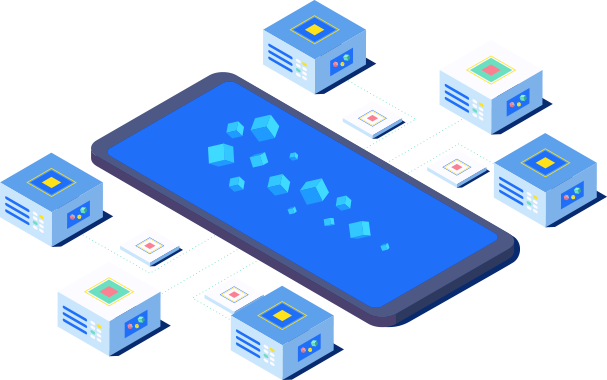
Illustration: GPU Hosting for AI Workloads: A Buyer's GuidePricing Decoded: What GPU Hosting Actually Costs in 2026
GPU hosting pricing is simultaneously the most visible and the most misleading dimension of provider comparison, because the per-GPU-hour rate that dominates provider pricing pages systematically excludes the storage, data transfer, networking, and platform service costs that frequently equal or exceed the GPU compute cost in total monthly billing. An organization that compares providers solely on per-GPU-hour pricing and selects the lowest headline rate will, with high probability, discover after the first month that their effective cost per GPU-hour — once storage, egress, and platform fees are included — is higher than it would have been on a provider with a higher headline GPU rate but lower or zero ancillary charges. Accurate GPU hosting cost modeling must account for the entire system: compute, memory, storage, data transfer, networking, and the platform engineering labor required to integrate them — and the pricing analysis below breaks down each component so that your provider comparison is grounded in total cost of ownership rather than in a single, misleading number.
On-Demand, Reserved, Spot, and Serverless: Understanding GPU Pricing Models
GPU hosting providers offer four distinct pricing models, each with different cost, flexibility, and reliability characteristics, and the model you choose can change your effective GPU cost by 60% to 90% — more than the difference between any two providers' on-demand rates for equivalent hardware. On-demand pricing charges a fixed per-GPU-hour rate with no commitment and cancellation at any time, delivering maximum flexibility at the highest per-hour cost. H100 on-demand pricing ranges from $2.50 to $4.50 per GPU-hour depending on provider; A100 from $1.20 to $1.80; L40S from $0.80 to $1.10. Reserved pricing commits to one-year or three-year terms in exchange for 30% to 55% discounts over on-demand rates, reducing H100 costs to $1,100 to $1,800 per month for continuous usage. Reserved pricing is the correct choice for production inference workloads with predictable, sustained GPU demand — but it exposes buyers to the risk that newer, more efficient GPU architectures become available during the commitment period, making the reserved hardware comparatively expensive. Spot or preemptible pricing discounts on-demand rates by 60% to 90% in exchange for the risk that the provider reclaims the instance with as little as 30 to 120 seconds of notice, making spot instances suitable for fault-tolerant training workloads with robust checkpointing but unsuitable for production inference serving with uptime requirements. Serverless GPU pricing, offered by RunPod and emerging platforms, charges per second of actual GPU execution rather than per hour of instance uptime — a model that can reduce costs by 80% or more for intermittent, bursty workloads but that can become more expensive than reserved instances for sustained, high-throughput inference.
Hidden Costs: Storage, Egress, and Networking Line Items
The ancillary costs that accompany GPU hosting — storage, data egress, and networking — are the most common source of budget overruns because they are less visible than per-GPU-hour pricing, less predictable than most buyers anticipate, and absent entirely from the headline pricing comparisons that dominate GPU hosting discussions. Persistent block storage for training datasets, model checkpoints, and environment configurations typically costs $0.08 to $0.15 per GB per month, which means a 5 TB training dataset generates $400 to $750 per month in storage costs before a single GPU hour is consumed. High-performance parallel file systems (Lustre, WEKA) required for feeding data to multi-GPU training clusters at the throughput they demand cost $0.10 to $0.50 per GB per month — potentially exceeding the GPU compute cost for data-intensive training workloads. Data egress fees — the charges cloud providers levy for moving data out of their networks — range from $0.05 to $0.12 per GB on AWS and GCP, which means a production inference endpoint serving 10 TB of model outputs per month generates a $500 to $1,200 egress bill entirely separate from GPU compute costs. Lambda Labs, RunPod, and several other specialized providers charge zero data egress fees — a structural cost advantage that, for data-heavy workloads, can make their higher per-GPU-hour rates dramatically cheaper in total cost. Inter-GPU networking for bare-metal deployments — InfiniBand switches, cables, and transceivers — costs $60,000 to $100,000 for a switch configuration that supports an 8-GPU training node, a capital expenditure line item that has no equivalent in traditional web hosting. Accurate GPU hosting budgeting must model all three of these line items for your specific workload profile; failure to do so is the single most common reason that GPU hosting budgets overshoot initial estimates. For readers building foundational knowledge of hosting infrastructure categories, our complete VPS hosting guide explains the virtualization and resource allocation concepts that apply across both traditional and GPU-accelerated environments.
Evaluation Criteria: 8 Questions to Ask Before You Buy GPU Hosting
Selecting a GPU hosting provider requires a structured evaluation framework that goes beyond pricing tables and marketing claims. The eight criteria below form a comprehensive checklist that you should apply to every provider under consideration, and each criterion addresses a dimension of the GPU hosting experience that directly affects your development velocity, monthly infrastructure bill, and operational reliability. Providers that score well on all eight criteria for your specific workload profile are rare — the market is structured such that providers optimize for different buyer segments — but understanding the trade-offs explicitly allows you to make informed decisions rather than discovering limitations after production workloads are already dependent on the chosen provider.
1. GPU Selection Breadth: Does the provider offer the specific GPU types your workload requires, in the configurations (memory capacity, interconnect type) that match your model size and training strategy? A provider with only A100 and H100 GPUs is irrelevant if your budget and workload profile call for L40S or RTX 4090 instances. 2. Pricing Transparency and Total Cost: Does the provider clearly disclose storage, egress, and platform service costs alongside GPU pricing, or are those costs buried in documentation pages that require effort to find? Providers that charge zero egress fees (Lambda Labs, RunPod) have a structural advantage for data-heavy workloads that should be weighted accordingly. 3. Instance Provisioning Speed: How quickly can you go from requesting a GPU instance to having an SSH-accessible environment with your chosen OS and CUDA configuration? Virtualized GPU instances on Lambda Labs and RunPod typically provision in under 60 seconds; bare-metal instances on TensorDock may take 10 to 15 minutes. Provisioning speed matters proportionally to how frequently you spin up and tear down instances. 4. API Maturity and Developer Tooling: Can you provision, monitor, and terminate GPU instances programmatically through a REST API, CLI tool, or Terraform provider? Programmatic infrastructure control becomes essential as GPU usage scales beyond what manual dashboard interaction can manage. 5. Storage Architecture: Does the provider offer persistent storage volumes that survive instance termination and can be reattached to new instances in minutes, or are you forced to reprovision environments and redownload datasets every time you spin up a new GPU? Persistent storage is a non-negotiable requirement for any workflow involving training jobs that span multiple sessions or inference serving that requires consistent model availability. 6. Networking Performance: For multi-GPU distributed training, does the provider offer InfiniBand or RoCE interconnects with RDMA support, and what is the inter-GPU bandwidth within a node and across nodes? Training throughput on multi-GPU configurations is determined more by interconnect bandwidth than by per-GPU compute throughput. 7. Support Quality and SLA Guarantees: What is the provider's support model — community forums with no guaranteed response, ticketed support with hours-long response times, or enterprise support with 15-minute guaranteed response for production-down issues? The appropriate support level depends on the criticality of your AI workloads and your in-house expertise for diagnosing GPU infrastructure issues. 8. Geographic Presence and Latency: For inference serving where every millisecond of latency affects user experience, are GPU instances available in regions close to your user base? A provider with competitive pricing but data centers only in North America may be unsuitable for serving users in Asia-Pacific or South America with acceptable latency.
Use-Case Recommendations: Matching GPU and Provider to Your Workload
Abstract GPU specifications and provider feature lists become actionable only when mapped to specific use cases, and the recommendations below match the most common AI workload profiles in 2026 to the GPU types and provider categories best positioned to serve them. Each recommendation includes the rationale so that you can adjust the mapping if your workload differs from the archetype in ways that change the optimal configuration. The goal is not to prescribe a single correct answer — no such answer exists — but to provide a decision framework that makes the trade-offs visible and the selection process systematic rather than intuitive.
Fine-Tuning 7B–13B Parameter Models with QLoRA or LoRA
This is the most common AI hosting workload among independent developers, small teams, and startups in 2026 — adapting an existing open-weight model (Llama, Mistral, DeepSeek, Qwen) to a domain-specific task using parameter-efficient fine-tuning methods that keep GPU memory requirements manageable. The optimal GPU configuration for this workload is a single RTX 4090 (24 GB VRAM) for QLoRA fine-tuning of models up to 13B parameters, or a single L40S (48 GB VRAM) for LoRA and full fine-tuning of models in the 7B to 13B range. RTX 4090 on-demand pricing of $0.40 to $0.80 per GPU-hour makes a typical 6-hour QLoRA fine-tuning session cost $2.40 to $4.80 — an expense that is trivial compared to the value of a domain-adapted model. The recommended provider category is GPU-native platforms with developer-friendly tooling: RunPod for its pre-built PyTorch and text-generation-inference templates and competitive RTX 4090 pricing, Lambda Labs for its instant-provision L40S instances and zero egress fees, or Paperspace for its integrated notebook-to-training-job workflow that eliminates environment setup overhead. The hyperscale clouds are overkill for this use case; their pricing premium and configuration complexity add cost and friction without delivering meaningful benefits for single-GPU fine-tuning workloads.
Production Inference Serving for 7B–70B Parameter Models
Serving language model inference at production scale — hundreds to millions of requests per day — is the workload that most directly determines the success or failure of AI-powered products, because inference latency and throughput directly affect user experience and infrastructure cost. The optimal GPU configuration depends on model size: for models up to 30B parameters at INT4 precision, the RTX 4090 and L40S both provide excellent price-performance, with the L40S's higher memory bandwidth and FP8 Tensor Core support giving it an edge for sustained high-throughput serving. For models in the 30B to 70B parameter range at INT4, the L40S (48 GB) and A100 80 GB are the appropriate choices, with the A100's higher memory bandwidth and NVLink support delivering better throughput for large-batch inference scenarios. The L40S is the price-performance leader for most inference workloads, and it is the GPU that HostingCaptain recommends most frequently for production inference deployments. For provider selection, RunPod's serverless GPU inference — which scales worker GPUs from zero based on request volume and charges per second of execution — is the most cost-efficient architecture for variable-traffic inference workloads. Lambda Labs' persistent storage and zero egress fees make it the strongest choice for sustained, high-throughput inference with predictable traffic patterns. For enterprise deployments requiring SLAs, compliance certifications, and reserved capacity guarantees, AWS and GCP remain the default choices despite their pricing premium — the premium is an insurance policy against the business cost of inference downtime.
Distributed Training of Large Models (70B+ Parameters)
Distributed training across multiple GPUs — the workload that produces the models that inference serving then deploys — demands infrastructure that is engineered for the specific requirements of gradient synchronization across GPU interconnects. This use case requires datacenter GPUs (A100 80 GB or H100 80 GB) connected via NVLink within nodes and InfiniBand or RoCE across nodes, with RDMA support to minimize the tail latency that compounds across millions of training steps into days of additional training time and tens of thousands of dollars in additional GPU cost. For this workload, CoreWeave's Kubernetes-native H100 clusters with InfiniBand interconnect and Lambda Labs' H100 clusters with NVSwitch are the specialized-provider leaders, delivering comparable or better training throughput than the hyperscale clouds at 30% to 50% lower cost. AWS P5 instances and GCP a3-highgpu-8g instances are the appropriate choices for organizations that require enterprise features — reserved capacity guarantees, SOC 2 and HIPAA compliance, 24/7 support with guaranteed response times — and are willing to pay the pricing premium for those features. The provider selection for distributed training should weight networking infrastructure (InfiniBand availability, RDMA support, inter-node bandwidth) and storage throughput (parallel file system support, object storage bandwidth to GPU nodes) at least as heavily as per-GPU-hour pricing, because training throughput on multi-GPU configurations is constrained more by data movement than by per-GPU compute in most real-world scenarios.
AI Image and Video Generation Inference
Image and video generation models — Stable Diffusion variants, Flux, Sora-style architectures — impose GPU requirements that differ from language model inference: they are typically memory-bandwidth-intensive rather than compute-intensive during the diffusion sampling process, and their memory requirements scale with image resolution and batch size rather than parameter count. For Stable Diffusion and similar image generation models, an RTX 4090 (24 GB) delivers excellent throughput for batch sizes up to 4 to 8 images at 1024×1024 resolution, with on-demand pricing of $0.40 to $0.80 per GPU-hour making it the cost-effective choice for moderate-scale image generation services. For video generation models that require substantially more GPU memory — 40 GB to 80 GB depending on frame count, resolution, and model architecture — the L40S (48 GB) and A100 80 GB are the appropriate GPU types, with the A100's higher memory bandwidth delivering faster sampling times for high-resolution video generation. RunPod's serverless GPU inference is particularly well-suited to image and video generation workloads because request volumes are typically bursty — a marketing campaign generates thousands of images in a day followed by days of low utilization — and serverless pricing eliminates the cost of idle GPUs between bursts. For developers building image generation applications, RunPod's pre-built Stable Diffusion WebUI and ComfyUI templates eliminate environment setup overhead and get GPU-accelerated generation running within minutes of account creation.
GPU Hosting for Beginners and Experimentation
Organizations and individuals at the beginning of their AI infrastructure journey — evaluating whether GPU hosting is necessary for their use case, experimenting with different models and frameworks, or building prototypes before committing to production infrastructure — should prioritize platforms with free tiers, low minimum commitments, pre-configured environments, and per-second billing that eliminates the cost of idle GPU time between experimentation sessions. JarvisLabs' free tier (M4000 and P5000 GPUs with capped monthly hours) and Paperspace's Gradient free tier (CPU instances with paid GPU upgrades at per-second rates) provide zero-cost entry points for learning and experimentation. Paperspace's notebook-to-training-job workflow and RunPod's template-based instance provisioning minimize the infrastructure overhead that beginners find most frustrating — CUDA version conflicts, framework installation, environment configuration — and allow novices to focus on model development rather than server management. For beginners, consumer GPUs (RTX 3090, RTX 4090) are almost always the appropriate choice: their per-hour cost is low enough that experimentation is affordable, their 24 GB of VRAM is sufficient for QLoRA fine-tuning of models up to 13B parameters, and they provide a learning environment that directly translates to production deployment on larger GPUs when the workload justifies the upgrade. The worst mistake a beginner can make is provisioning an H100 instance for experimentation — the $2.50 to $4.50 per hour cost will accumulate into thousands of dollars before the user has developed the expertise to utilize the GPU's capability, and the learning that occurs on H100 infrastructure provides no additional benefit over the learning that occurs on RTX 4090 infrastructure for a novice user.
GPU Hosting Cost Comparison Table: 2026 Pricing at a Glance
The table below consolidates on-demand GPU pricing across the major hosting provider categories for the five GPU types analyzed in this guide. Prices reflect per-GPU-hour rates for individual GPU instances without long-term commitments as of mid-2026, and they should be understood as reference points rather than guaranteed quotes — spot pricing, reserved discounts, promotional credits, and provider-specific pricing adjustments can reduce effective rates substantially below these figures. Storage costs and data egress fees are noted separately because, as discussed in the pricing section, they frequently represent a larger share of total cost than GPU compute itself for data-heavy workloads. All prices are in USD.
Provider Category
RTX 4090 (24 GB)
A6000 (48 GB)
L40S (48 GB)
A100 80 GB
H100 80 GB
Data Egress
GPU-Native (Lambda, RunPod SC)
$0.49–$0.79
$0.70–$0.99
$0.80–$1.10
$1.50–$1.80
$2.49–$2.99
Free
Community Cloud (Vast.ai, RunPod CC)
$0.25–$0.40
$0.40–$0.65
$0.50–$0.75
$0.70–$1.20
$1.50–$2.20
Free
Hyperscale Cloud (AWS, GCP, Azure)
N/A
N/A
N/A
$2.50–$3.50
$3.50–$5.50
$0.05–$0.12/GB
Bare-Metal (TensorDock, Genesis)
$0.50–$0.65
$0.80–$0.95
$0.59–$0.85
$1.30–$1.60
$2.20–$2.80
Free
The pricing patterns in this table reveal market dynamics that should inform your provider selection strategy. The community cloud category delivers the lowest absolute GPU pricing — RTX 4090 instances at $0.25 per hour, A100 instances below $1.00 per hour — but with reliability, support, and availability variance that make it unsuitable for production workloads with uptime requirements. The GPU-native provider category (Lambda Labs, RunPod Secure Cloud) occupies the sweet spot for most production AI workloads: pricing 30% to 50% below hyperscale cloud rates with zero egress fees, persistent storage, and developer tooling that is purpose-built for AI workflows rather than retrofitted from general-purpose cloud infrastructure. The hyperscale cloud category charges the highest per-GPU-hour rates and adds egress fees on top, but delivers enterprise features — reserved capacity guarantees, compliance certifications, global region coverage, 24/7 support SLAs — that large organizations require and that the specialized providers are still developing. The bare-metal category provides dedicated physical GPU servers with no virtualization overhead and full root access, at pricing competitive with GPU-native virtualized instances — a compelling option for performance-sensitive workloads and users who need custom kernel and driver configurations that virtualized environments cannot accommodate.
Common GPU Hosting Procurement Mistakes — and How to Avoid Them
The GPU hosting market is structured such that certain categories of mistakes recur predictably across organizations and deployment scales, and understanding these patterns before you procure GPU infrastructure is substantially cheaper than discovering them after your first monthly bill arrives or your first production inference outage occurs. The five mistakes below collectively account for the majority of GPU hosting budget overruns, performance disappointments, and operational incidents that HostingCaptain's consulting practice encounters, and each is entirely avoidable with the procurement discipline that this guide provides.
Matching GPU to Hype Rather Than to Workload: The most expensive mistake in GPU hosting procurement is selecting the most powerful GPU available — typically the H100 — under the assumption that "more powerful" translates to "better" for your specific workload. An H100 costs 3× to 5× more per hour than an RTX 4090 and 2× to 3× more than an L40S, and for workloads that fit within the memory and throughput capabilities of those less expensive GPUs, the H100 delivers zero additional value — it simply costs more. GPU selection must start with workload analysis: what model size, precision, batch size, and throughput does your workload actually require? The answer to that question determines the GPU specification you need, and procuring a GPU beyond that specification is capital waste, not future-proofing. Comparing Providers on GPU Pricing Alone: As the pricing section of this guide details, the per-GPU-hour rate is only one component of total GPU hosting cost, and storage, egress, and platform service charges frequently add 30% to 100% to the effective cost. A provider comparison that weights only GPU pricing systematically favors providers that charge higher ancillary fees, because those fees subsidize lower headline GPU rates. Total cost modeling must include all line items for your specific workload — compute hours, storage GB-months, egress GB, and platform service fees — and the provider that emerges as cheapest on that total cost basis is frequently not the provider with the lowest per-GPU-hour rate. Provisioning Capacity Without Utilization Governance: The per-hour billing model that dominates GPU hosting means that idle GPUs cost money — real money, accumulating 24 hours per day, 730 hours per month — at rates that make a forgotten GPU instance a four-figure monthly mistake. Organizations that provision GPU instances without implementing automated shutdown policies for idle instances, spending alerts at configurable thresholds, and per-project or per-team cost attribution routinely discover that 30% to 50% of their GPU hosting spend goes to instances that are provisioned but not actively utilized. GPU cost governance — implemented before the first production GPU instance is provisioned — is not optional for any organization spending more than a few hundred dollars per month on GPU hosting. Ignoring Support Quality in Provider Selection: GPU infrastructure fails in ways that CPU infrastructure does not — CUDA out-of-memory errors that require understanding of model memory allocation patterns, NCCL communication failures that require knowledge of GPU interconnect topologies, inference throughput degradation that requires benchmarking of tensor core utilization and memory bandwidth saturation. When these failures occur — and they will occur — the quality of provider support determines whether the issue is resolved in minutes or in days, and the difference between those outcomes can represent thousands of dollars in wasted GPU time and missed product deadlines. Support quality should be weighted in provider selection proportionally to the business cost of GPU infrastructure downtime for your organization. Deferring Workload Benchmarking to Post-Procurement: The GPU specification sheets and benchmark reports that inform procurement decisions provide useful reference data, but they cannot substitute for running your actual workload — your specific model, at your specific precision, with your specific batch size and sequence length — on a rented GPU instance before making a long-term commitment. A few hours of GPU rental for benchmarking costs $10 to $50 and provides ground-truth data about memory consumption, throughput, and latency that eliminates the risk of provisioning a GPU configuration that proves to be the wrong size or type. Organizations that skip this step and provision based on specification sheets alone discover the mismatch after they have already committed to reserved instances or signed contracts — a sequencing error that is expensive to correct.
The HostingCaptain GPU Hosting Procurement Framework
The procurement process that emerges from the analysis in this guide can be summarized in a five-step framework that applies regardless of your organization's size, budget, or AI workload type. This framework is the product of HostingCaptain's experience guiding hundreds of organizations through GPU hosting procurement, and it is designed to prevent the mistakes catalogued in the previous section while ensuring that procurement decisions are grounded in workload requirements rather than in marketing claims or specification-sheet comparisons.
Step 1 — Define Your Workload: Before evaluating any GPU type or provider, document your workload with specificity: what model(s) will you run, at what precision (FP16, INT8, INT4), with what maximum sequence length, at what target throughput (tokens per second for LLMs, images per second for diffusion models), and with what latency requirements? This workload definition determines the GPU memory capacity, memory bandwidth, and compute throughput that your infrastructure must deliver — and it eliminates the ambiguity that leads to over-provisioning or under-provisioning. Step 2 — Select Your GPU Type: Using the workload definition from Step 1, identify the GPU types that can accommodate your model in GPU memory (the binding constraint for most AI workloads) and that deliver the throughput your latency and volume requirements demand. The GPU type analysis in Section 1 of this guide provides the memory capacity and performance characteristics for each major GPU option. Step 3 — Benchmark on Rented Instances: Before committing to a specific GPU type or provider, rent a single GPU instance of your candidate GPU type from one or two providers (Lambda Labs and RunPod are good benchmarking platforms because of their instant provisioning and straightforward pricing) and run your actual workload for 2 to 6 hours. Measure GPU memory utilization, inference throughput, and training step time under realistic conditions. This benchmarking provides data that no specification sheet can replace and costs $10 to $50 — a rounding error compared to the cost of a provisioning mistake. Step 4 — Model Total Cost: Using the benchmarking data from Step 3, model the total monthly cost of your GPU hosting deployment: GPU compute hours × per-hour rate, plus storage GB-months × per-GB storage rate, plus egress GB × per-GB egress rate, plus any platform service fees. Perform this calculation for each provider under consideration, using each provider's actual pricing for all line items — not just GPU compute. The provider with the lowest total cost for your specific workload pattern is the economically correct choice, and it is frequently not the provider with the lowest per-GPU-hour rate. Step 5 — Implement Cost Governance Before Production Deployment: Before provisioning production GPU instances, implement automated shutdown policies for idle instances (most GPU cloud APIs support tagging instances for automatic shutdown after configurable idle periods), configure spending alerts at thresholds appropriate to your budget (weekly and monthly limits with email or Slack notifications), and establish per-project or per-team cost attribution (using provider-native tagging or a third-party cloud cost management tool). Retroactively implementing cost controls on an already-running GPU hosting environment is substantially more difficult — and politically more fraught — than building them in from the start. This five-step framework is not complex, but it requires the discipline to follow each step sequentially rather than jumping from workload definition directly to provider selection based on pricing comparisons — and that discipline is what separates GPU hosting deployments that deliver on their AI ambitions within budget from deployments that generate surprise bills and operational firefighting.
Frequently Asked Questions About GPU Hosting for AI Workloads
What is the single most important factor when choosing a GPU for AI hosting?
GPU memory capacity — the amount of VRAM available to hold model parameters, optimizer states, and batch data — is the binding constraint for most AI workloads and therefore the single most important factor in GPU selection. A model that does not fit in GPU memory cannot run at all without quantization, tensor parallelism, or CPU offloading — all of which introduce performance penalties and engineering complexity. Before evaluating compute throughput (teraflops) or memory bandwidth (GB/s), determine the GPU memory capacity your model requires at your target precision: for FP16 inference, a 70B-parameter model requires approximately 140 GB of memory (necessitating two A100 80 GB or H100 80 GB GPUs with tensor parallelism); for INT4 inference, the same model requires approximately 40 GB (fitting comfortably on a single L40S, A6000, A100, or H100). Memory capacity determines feasibility; memory bandwidth and compute throughput determine performance and cost. Start with the memory question, and the rest of the GPU specification follows from there.
Can I use consumer GPUs like the RTX 4090 for production AI workloads?
Yes, with important caveats. The RTX 4090 delivers approximately 80% to 85% of the AI compute throughput of a datacenter-class A6000 at one-third to one-half the per-hour cost, and its 24 GB of VRAM is sufficient for QLoRA fine-tuning of models up to 13B parameters and inference serving of quantized models up to approximately 30B parameters. However, the RTX 4090 lacks ECC memory — which means silent data corruption during extended training runs is a statistical probability, not a theoretical risk — and it is not designed for 24/7 datacenter operation, which translates to higher failure rates and less consistent sustained performance than datacenter-class GPUs. For production inference serving where uptime requirements are strict, datacenter GPUs (L40S, A100, H100) with ECC memory and sustained thermal design are the safer choice. For development, experimentation, fine-tuning, and batch processing where occasional hardware instability has manageable consequences, the RTX 4090's price-performance ratio makes it an entirely viable — and for many organizations, the pragmatically correct — choice.
How do I choose between the hyperscale clouds (AWS, GCP, Azure) and specialized GPU providers (Lambda Labs, RunPod, CoreWeave)?
The decision hinges on three factors: ecosystem integration requirements, cost sensitivity, and enterprise feature needs. If your application, data, identity management, and compliance certifications are already built on a specific hyperscale cloud, the operational simplicity of keeping GPU infrastructure within that ecosystem often justifies the pricing premium — the engineering cost of building and maintaining cross-cloud networking, authentication, and data pipelines can exceed the GPU cost savings of migrating to a specialized provider. If GPU compute cost is your dominant infrastructure line item and you have the engineering capacity to manage cross-provider integration, specialized GPU providers deliver 30% to 50% lower effective costs (factoring in zero egress fees and lower per-GPU-hour rates) and GPU-specific developer tooling that accelerates AI workflows. If you require enterprise features — SOC 2, HIPAA, or ISO 27001 compliance certifications; financially backed SLA guarantees with 15-minute response times; reserved capacity with guaranteed start times — the hyperscale clouds currently offer more mature enterprise feature sets than most specialized providers, though this gap is narrowing as Lambda Labs and CoreWeave invest in enterprise capabilities. The optimal strategy for many mid-to-large organizations is a hybrid approach: hyperscale cloud for the application and data layer, specialized GPU provider for the GPU compute layer, connected through private networking with latency in the single-digit millisecond range.
What is the break-even point between API-based AI services and self-hosted GPU infrastructure?
The break-even point depends on model size, request volume, and GPU utilization, but as a practical guideline for 2026: at approximately 500,000 inference requests per month for a 7B to 13B parameter model, self-hosted GPU infrastructure on a single L40S or RTX 4090 becomes cheaper than API-based services (OpenAI, Anthropic, Google) charging $2.50 to $15.00 per 1M output tokens. For larger models (70B+ parameters), the break-even point is higher — approximately 1.5 million to 2.5 million requests per month — because the GPU infrastructure cost is higher (A100 or H100 required) while API per-token pricing for large-model inference is proportionally more expensive. Below these thresholds, API services are the economically correct choice because they eliminate GPU infrastructure management entirely and charge only for actual usage. The break-even calculation should also factor in latency requirements (self-hosted typically delivers lower latency by eliminating API round-trip time), data residency requirements (self-hosted keeps data within your infrastructure), and fine-tuning needs (API providers charge 20% to 50% premiums for fine-tuned model inference, which shifts the break-even point lower). For most organizations, the optimal strategy is to start with API services, collect usage data that informs the break-even analysis, and transition to self-hosted GPU infrastructure when the economics clearly justify it — rather than preemptively provisioning GPU infrastructure for workloads that may not reach self-hosting scale.
How do I estimate how much GPU memory my model will need before I rent a GPU instance?
GPU memory consumption for inference is approximately: (number of parameters × bytes per parameter based on precision) + (KV cache memory for sequence length and batch size) + (framework overhead, typically 5% to 10%). At FP16 precision, parameters consume 2 bytes each, so a 70B model requires approximately 140 GB. At INT8, 1 byte per parameter = 70 GB. At INT4, 0.5 bytes per parameter = 35 GB. The KV cache adds memory proportional to (batch size × sequence length × number of layers × hidden dimension × 2 bytes). For a 70B model with 80 layers and 8,192 hidden dimension serving a batch size of 8 with 4,096-token sequences, the KV cache adds approximately 10 GB to 15 GB. Training memory consumption is substantially higher because it must also store optimizer states (typically 8 to 12 bytes per parameter for Adam), gradients (2 bytes per parameter at FP16), and activations (variable, depending on batch size and sequence length). A full fine-tune of a 7B model at FP16 requires approximately 56 GB to 70 GB of GPU memory — within the capability of an A100 80 GB but beyond the reach of the L40S, A6000, or RTX 4090. For a rough estimate: multiply the model parameter count by 2 for FP16 inference, by 1 for INT8 inference, by 0.5 for INT4 inference, and by 8 to 12 for full-parameter training — then add 10% to 20% for framework overhead and KV cache. This arithmetic is not perfectly precise but is accurate enough to determine which GPU types can accommodate your workload before you spend money on benchmarking.
Do I need InfiniBand networking for my GPU hosting deployment?
InfiniBand networking — delivering 400 GB/s per GPU of interconnect bandwidth with RDMA support — is essential for distributed training workloads that span multiple GPUs across multiple nodes, because the all-reduce gradient synchronization operations that occur after every training step demand sustained inter-GPU bandwidth that Ethernet (even 100 GbE or 400 GbE with RoCE) struggles to deliver at scale. For single-node training (up to 8 GPUs within one server connected via NVLink or NVSwitch), InfiniBand is not required because the intra-node interconnect provides sufficient bandwidth for gradient synchronization. For inference serving, InfiniBand is almost never required — inference requests are independent and do not require inter-GPU communication during processing. If you are not running distributed training across multiple GPU nodes, InfiniBand should not factor into your provider selection, and you should not pay the premium that InfiniBand-connected infrastructure commands. If you are running distributed training, InfiniBand availability becomes a first-order provider selection criterion, and providers that offer it (CoreWeave, Lambda Labs, AWS P5 with EFA) deliver measurably better multi-node training throughput than providers that do not.
How much should a small business budget for GPU hosting in 2026?
A small business deploying a single AI feature — a customer support chatbot, a product recommendation engine, an AI-powered search function — should budget $500 to $1,500 per month for GPU hosting in 2026, assuming continuous inference serving on a single L40S or A100 GPU instance with reserved pricing or sustained-use discounts. This budget covers the GPU compute for serving hundreds of thousands to low millions of inference requests per month, depending on model size and throughput requirements. At the lower end of this range ($500 to $800 per month using RTX 4090 or L40S spot instances with careful cost governance), a small business can serve a fine-tuned 7B to 13B parameter model for chatbot or content generation use cases. At the upper end ($1,200 to $1,500 per month using a reserved A100 80 GB instance), the same business can serve a 70B parameter model for more demanding applications. For businesses that are experimenting with AI features rather than deploying them in production, the budget should start at $50 to $200 per month — enough for intermittent GPU usage on RTX 4090 instances for fine-tuning, prototyping, and batch inference — with the understanding that production deployment will increase costs by 5× to 10×. The most common budgeting error we observe at HostingCaptain is underestimating the total cost by 40% to 60% because storage, egress, and platform service fees are not included in the initial estimate. Budgeting that starts with total cost modeling rather than GPU pricing alone avoids this error entirely.
Arjun Mehta is a cloud infrastructure consultant specializing in bare-metal architectures, network routing, and high-traffic database clustering.
Frequently Asked Questions
This guide covers the practical decision points — pricing, performance, and when it makes sense for your situation — based on current 2026 data.
Pricing varies by provider and plan tier; see the cost breakdown section above for current ranges and what's actually included at each price point.
Look closely at uptime guarantees, renewal pricing (not just the first-year discount), and how responsive support actually is — all covered in detail in this article.
Hosting Captain has been exceptional for my e-commerce store in Pune. The NVMe SSD speed is
noticeable, and their support team responds within minutes. Highly recommended for any
Indian business!
Ryan John, Pune
Great Value for Money
Switched from a US-based host to Hosting Captain and my website loads 3x faster for Indian
visitors. The free SSL and cPanel are great, and the pricing is unbeatable. Very satisfied
customer!
Priya Mehta, Mumbai
Reliable VPS Hosting
I've been using their VPS plan for 2 years now. 99.9% uptime is not just a claim — it's
reality. My client projects run without interruption. The KVM virtualization gives me full
control I need.
Amit Kumar, Bangalore
Excellent 24/7 Support
The support team helped me migrate my entire WordPress site at 2 AM without any downtime.
This level of service is rare in Indian hosting. Worth every rupee!
Sunita Patel, Ahmedabad
Perfect for Startups
As a startup, budget matters. Hosting Captain's Business plan covers everything we need —
multiple websites, free SSL, daily backups — at a fraction of what international hosts
charge.
Vikram Singh, Delhi
Professional Dedicated Server
Our high-traffic news portal needed a dedicated server. Hosting Captain's DS Business plan
handles 100K+ daily visitors effortlessly. Their team provisioned everything within 4 hours!
Meena Krishnaswamy, Chennai
Trusted Technologies & Partners
Start Your Website with Hosting Captain
From personal blogs to enterprise solutions, we've got you covered!