Arjun Mehta
Dedicated Server SpecialistArjun Mehta is a cloud infrastructure consultant specializing in bare-metal architectures, network routing, and high-traffic database clustering.

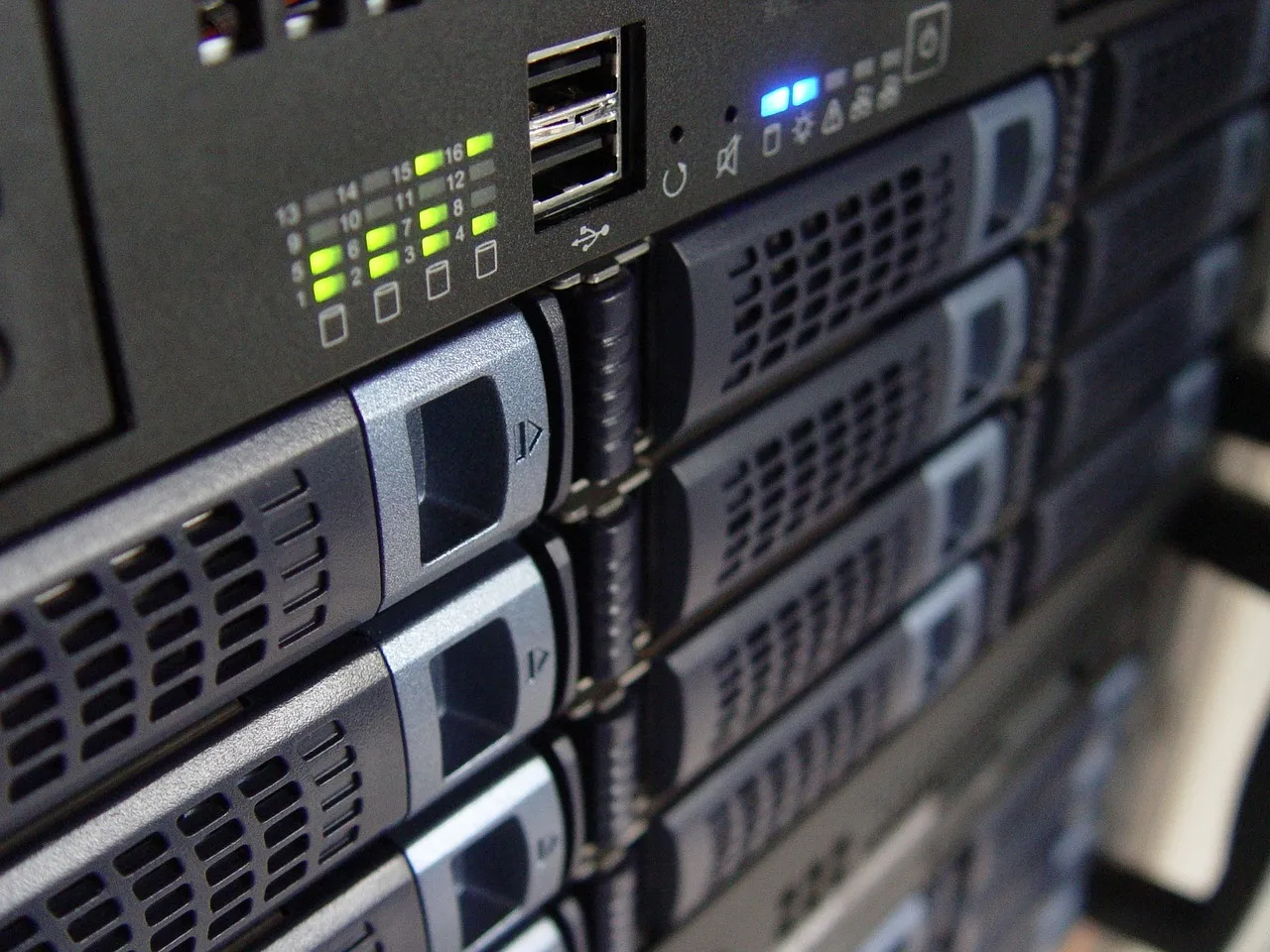
When your business outgrows shared hosting or a basic VPS, you face a genuine inflection point. Do you lease a dedicated server, ship your own hardware to a colocation facility, or build everything on cloud infrastructure? Each path serves a distinct purpose, and choosing the wrong one can cost you tens of thousands of dollars—or worse, leave you with an architecture that cannot scale when traffic spikes. At Hosting Captain, we have guided hundreds of businesses through this exact decision, and this guide distils everything our engineering team has learned into a single, actionable comparison.
We will walk through twelve evaluation criteria side by side, break down real-world costs with actual numbers, provide a decision matrix for common business scenarios, and cover hybrid and migration strategies. By the end, you will know precisely which infrastructure model fits your budget, growth plan, and technical capabilities.
If you are still building foundational knowledge, our dedicated server guide is a solid starting point. For readers who already understand the basics, let us dive straight into the three-way comparison.
Before comparing them head-to-head, we need crisp definitions. Misunderstanding what each model actually entails is the most common reason businesses make the wrong call.
A dedicated server is a physical machine you lease from a provider like Hosting Captain. The provider owns the hardware, manages the data centre, handles network connectivity, and—depending on your plan—takes care of operating system updates, monitoring, and hardware replacement. You get root access, fixed monthly pricing, and 100% of the CPU cores, RAM, and storage. There is no noisy neighbour because there is no neighbour at all.
This model suits businesses that need predictable, high, sustained performance without the capital expenditure of buying hardware. It is the default choice for e‑commerce stores, SaaS platforms, and database-heavy applications that cannot tolerate resource contention.
Colocation flips the ownership model: you buy the server hardware and ship it to a data centre. The facility provides rack space, power, cooling, physical security, and an internet uplink. Everything above the hardware layer—OS installation, patching, hardware replacement, firmware upgrades—is your responsibility.
Colocation appeals to organisations that already own enterprise-grade hardware, have an in-house IT team, or operate under compliance regimes that require full-stack control from the bare metal up. The upfront cost is high, but the long-term economics can be compelling if you have the operational maturity to self-manage.
Cloud hosting abstracts hardware entirely. Instead of renting a physical machine, you provision virtual servers (instances) on demand from hyperscale providers like AWS, Google Cloud, or Microsoft Azure—or from managed cloud platforms. You pay for what you use, scale resources up or down in minutes, and never touch a physical server.
The cloud model dominates for startups, variable-traffic applications, and teams that value speed of experimentation over raw hardware performance. However, as we will explore, the billing model can become punitive at scale if not actively managed. For a broader primer, Cloudflare's what is the cloud? guide is an excellent external resource.
Below we evaluate dedicated hosting, colocation, and cloud across twelve dimensions that matter in procurement decisions. No single winner exists across all criteria; the right answer depends on which dimensions carry the most weight for your specific workload.
Dedicated server: Fixed monthly or annual fee. A mid‑range dedicated server with an AMD EPYC or Intel Xeon processor, 64 GB RAM, and 2 TB NVMe storage typically runs $150–$400/month from a quality provider. There are no surprise charges; bandwidth is usually included within a generous allowance.
Colocation: The colo facility fee for a 1U–2U server ranges from $50–$200/month for a single cabinet unit with power and basic bandwidth. However, you must amortise the hardware purchase—a comparable server costs $3,000–$8,000 upfront—and factor in the salary of the person who will drive to the data centre when a drive fails.
Cloud: An equivalent cloud instance (e.g., AWS m6i.2xlarge or Azure D8s v5) with 8 vCPUs and 64 GB RAM costs approximately $550–$700/month on‑demand, or $350–$450/month with a one‑year reserved instance. Data egress fees, which can run $0.05–$0.12 per GB, often produce the most painful billing surprises.
Verdict: Dedicated hosting wins on predictable mid‑scale cost. Colocation wins at very large scale if you have existing hardware. Cloud wins only when workloads are ephemeral or highly variable.
Dedicated server: Raw, bare‑metal performance with zero hypervisor overhead. All CPU cycles, cache, and I/O bandwidth belong to you. Disk throughput on a local NVMe array routinely exceeds 3 GB/s sequential read—something cloud instances with network‑attached block storage rarely match at similar price points.
Colocation: Identical to dedicated in performance, because the hardware is physically the same. The variable is the quality of hardware you choose to purchase.
Cloud: Performance is consistent but capped by the virtualisation layer and the quality of the underlying instance type. CPU steal time—when the hypervisor borrows cycles from your vCPU—can introduce latency jitter, particularly on burstable instance families.
Verdict: Dedicated and colocation tie for raw performance. Cloud trails on single‑instance throughput but closes the gap when you distribute workloads across many instances with load balancing.
Dedicated server: Vertical scaling requires a hardware upgrade—adding RAM or swapping drives—which means scheduled downtime. Horizontal scaling requires ordering additional servers, which takes hours to days for provisioning.
Colocation: The worst model for rapid scaling. You must purchase, assemble, and ship hardware, then have someone rack and cable it. Realistic lead time: one to four weeks.
Cloud: The undisputed leader. Spin up a hundred instances in under five minutes. Auto‑scaling groups react to traffic spikes without human intervention. For businesses with unpredictable or seasonal traffic, this capability alone justifies the cloud premium.
Verdict: Cloud wins by a wide margin. If your business scales 10× month‑over‑month, start with cloud.
Dedicated server: With a managed dedicated plan from Hosting Captain, the provider handles OS patching, firewall configuration, monitoring, and hardware replacement. You focus on your application. Unmanaged plans shift OS‑level tasks to you but still remove hardware concerns.
Colocation: Maximum management burden. You are responsible for everything from BIOS updates to failed RAM sticks. This demands on‑staff expertise and 24/7 on‑call availability—or a costly third‑party remote‑hands service.
Cloud: Managed services (RDS, Cloud SQL, Elastic Kubernetes Service) can reduce operational load, but the cloud control plane itself requires deep expertise to secure and optimise. The average organisation runs hundreds of cloud resources across multiple accounts, and governance becomes a full‑time job.
Verdict: Managed dedicated hosting offers the lowest operational burden for single‑tenant workloads. Cloud reduces hardware management but introduces significant DevOps complexity.
Dedicated server: Single‑tenant architecture eliminates the risk of side‑channel attacks that can theoretically affect multi‑tenant cloud environments. Physical isolation is inherent. Your provider handles data centre physical security, biometric access, and CCTV.
Colocation: Maximum security control—you decide the encryption standard, the firewall appliance, the intrusion detection system. However, you are solely accountable for any gaps. This is a double‑edged sword that compliance‑heavy industries (defence, healthcare, finance) often prefer.
Cloud: The shared responsibility model means AWS, Azure, and GCP secure the physical infrastructure, but you are responsible for securing everything in the cloud. Misconfigured S3 buckets and security groups remain the leading cause of cloud data breaches globally.
Verdict: All three can be secured to enterprise standards. Dedicated and colocation offer simpler security boundaries by default; cloud demands rigorous IAM and network hygiene.
Dedicated server: Quality providers offer 99.9% to 99.99% uptime SLAs. The single point of failure is the server itself. Redundant power, RAID storage, and power redundancy configurations mitigate much of this risk, but a motherboard failure still means downtime unless you have a hot standby.
Colocation: Same hardware failure risk as dedicated, compounded by the fact that you—not a provider with spare parts on hand—must respond to hardware failures. The data centre guarantees power and network uptime but not server uptime.
Cloud: Multi‑AZ architectures, live migration, and instance health checks allow cloud workloads to survive hardware failures transparently. It is common to achieve "four nines" (99.99%) when properly architected across availability zones.
Verdict: Cloud wins on achievable uptime when properly architected. Dedicated comes second with a strong SLA from a reputable provider.
Dedicated server: Providers like Hosting Captain operate in certified data centres that meet SOC 2, ISO 27001, and PCI DSS standards. Because you are the sole tenant, audit scoping is straightforward—there is no shared infrastructure to evaluate.
Colocation: Offers the deepest level of compliance customisation because you control the full stack. Organisations subject to ITAR, CJIS, or strict national data sovereignty laws often choose colocation for this reason.
Cloud: Major clouds hold dozens of compliance certifications, but the complexity of cloud environments can make audits longer and more expensive. Every service you use expands the scope of assessment.
Verdict: Colocation wins for maximum compliance control, followed by dedicated hosting for strong assurance with less effort.
Dedicated server: Most providers provision a standard configuration in 4 to 24 hours. Custom builds with specific RAM, storage, or GPU configurations may take 24 to 72 hours.
Colocation: The slowest by far. Procurement, build, burn‑in testing, shipping, and racking typically consume two to six weeks, sometimes longer for custom hardware orders.
Cloud: Instances provision in under 60 seconds. A complete multi‑tier environment with load balancers, databases, and object storage can be deployed in under 30 minutes using infrastructure‑as‑code tools like Terraform.
Verdict: Cloud leads dramatically. Dedicated is acceptable for planned deployments. Colocation is unsuitable when time‑to‑market is critical.
Dedicated server: Pure operational expenditure (OpEx). You pay a predictable monthly fee and preserve cash for other investments. This is ideal for businesses that prefer subscription‑based cost models and want to avoid capital depreciation on hardware.
Colocation: Heavily capital‑expenditure (CapEx) driven. You purchase hardware upfront, capitalise the asset, and depreciate it over three to five years. The colocation facility fee is OpEx, but the initial outlay is substantial—$5,000 to $20,000 per server is common.
Cloud: Pure OpEx with variable monthly billing. While this provides flexibility, it also creates budget unpredictability. Many finance teams struggle with cloud bills that fluctuate 30–50% month‑over‑month.
Verdict: Dedicated hosting delivers the best OpEx predictability. Cloud provides OpEx flexibility but with volatility. Colocation requires CapEx that may be impossible for cash‑constrained businesses.
Dedicated server: Providers operate in a defined set of data centre locations. You can choose a location close to your users or in a specific jurisdiction, but you cannot spin up a server in a new region on demand.
Colocation: You are limited to the facilities you have a physical presence in. Expanding to a new region means shipping hardware to a new data centre—a multi‑week project.
Cloud: The hyperscale providers operate 30–40+ geographic regions globally, with multiple availability zones in each. Deploying an application in Singapore, Frankfurt, and Virginia takes minutes. For latency‑sensitive global applications, this is unmatched.
Verdict: Cloud wins overwhelmingly. Dedicated and colocation are viable only when your user base is concentrated in one or two regions.
Dedicated server: You can select CPU family, RAM capacity, storage type and configuration, and sometimes GPU accelerators—but you are limited to what the provider offers in their catalogue. You cannot bring your own hardware.
Colocation: Absolute freedom. Choose any server vendor, any component, any networking gear. If your workload requires FPGA cards, specialised cryptographic processors, or high‑frequency trading NICs, colocation is your only option.
Cloud: Limited to the instance families the provider offers. You cannot request a specific CPU stepping, a particular SSD model, or a custom NUMA topology. For most workloads this is irrelevant, but for performance‑sensitive or exotic workloads it can be a deal‑breaker.
Verdict: Colocation is the only model offering unrestricted hardware control. Dedicated hosting offers reasonable choice within a curated catalogue.
Dedicated server: Managed plans include 24/7 technical support that covers the entire stack—hardware replacement, network troubleshooting, OS issues, and often application‑level guidance. At Hosting Captain, our support engineers average over eight years of data centre experience.
Colocation: The data centre provides "remote hands" for physical tasks (cabling, drive swaps, hard resets), typically billed per incident at $50–$150. All technical support is your own responsibility.
Cloud: Providers offer tiered support plans ranging from basic (included) to enterprise ($15,000+/month for AWS). Even at the highest tiers, the provider assists with their platform—not your application. You still need in‑house cloud expertise.
Verdict: Managed dedicated hosting provides the broadest support coverage. Colocation provides the least.
Abstract comparisons are useful, but procurement decisions are made in spreadsheets. Below is a three‑year total cost of ownership (TCO) comparison for a workload requiring 16 vCPUs, 64 GB RAM, and 2 TB of usable NVMe storage with 10 TB monthly data transfer. All figures are in USD and based on 2025 market pricing.
| Cost Component | Dedicated Server (Managed) | Colocation (Self-Managed) | Cloud (On-Demand) | Cloud (1-Year Reserved) |
|---|---|---|---|---|
| Hardware / Instance | $350/month | $6,500 upfront (amortised at $181/month over 36 months) | $692/month (m6i.2xlarge equivalent) | $432/month (reserved) |
| Facility / Rack Space | Included | $150/month | N/A | N/A |
| Bandwidth (10 TB) | Included | Included (within allotment) | $0.09/GB egress × 10 TB = $900/month | $900/month |
| Block Storage (2 TB NVMe) | Included | Included in hardware | $0.08/GB × 2,000 GB = $160/month | $160/month |
| Management / Labour | Included | $1,500/month (partial FTE) | $0 (self-managed) to $3,000+ (managed services) | $0 to $3,000+ |
| Backup & Snapshots | Included (basic) | $50/month (off-site) | $75/month | $75/month |
| Monthly Total | $350 | $1,881 | $1,827 | $1,567 |
| 3-Year TCO | $12,600 | $67,716 | $65,772 | $56,412 |
Note: The colocation and cloud self-managed figures exclude the cost of an experienced systems administrator (fully loaded cost often $80,000–$120,000/year in North America). When you add a full-time admin, colocation TCO exceeds $300,000 over three years. The managed dedicated server, by contrast, bundles that expertise into the monthly price.
This analysis explains why managed dedicated hosting is the economic sweet spot for many mid‑market workloads: you get bare‑metal performance, a predictable invoice, and an expert support team—all for less than a quarter of the fully loaded colocation or cloud cost.
Use the table below to match your business profile to the most suitable infrastructure model. If you fit multiple profiles, read the hybrid approaches section that follows.
| Scenario | Best Fit | Why |
|---|---|---|
| Early‑stage startup, uncertain traffic | Cloud | Zero upfront cost, scale on demand, pay‑per‑use matches runway constraints |
| SaaS platform with steady 5,000–50,000 MAU | Dedicated Server | Predictable cost at scale, consistent performance, no noisy neighbours |
| E‑commerce store doing $2M+ annual revenue | Dedicated Server | Performance and uptime directly impact revenue; fixed cost aids margin planning |
| Enterprise with existing hardware fleet | Colocation | Maximises ROI on sunk hardware investment; deep internal IT capability exists |
| AI/ML training with GPU clusters | Colocation or Dedicated | Cloud GPU instances are 3–5× more expensive than owning equivalent silicon over 18+ months; see our AI hosting guide |
| HIPAA‑compliant healthcare application | Dedicated Server | Simplified compliance scope with BAA from provider; auditable single‑tenant boundary |
| Global gaming platform needing sub‑50ms latency | Cloud (multi‑region) | Only cloud deploys to 10+ edge locations in under an hour |
| High‑frequency trading firm | Colocation | Specific NICs, FPGA cards, exact server placement—cloud and dedicated cannot match hardware customisation |
| Digital agency hosting 30+ client websites | Dedicated Server | Single predictable cost across clients; easy to partition with cPanel or Plesk |
| Media streaming platform with 500 TB/month egress | Colocation or Dedicated | Cloud egress fees at this volume exceed $45,000/month; colo or dedicated bandwidth is bundled or cheap |
A purely binary choice between dedicated, colocation, and cloud is rarely necessary. The most sophisticated architectures blend two or even all three models to optimise for cost, performance, and resilience simultaneously.
Run your baseline workload—the traffic you always have—on a dedicated server where the unit economics are favourable. When traffic spikes beyond the server's capacity, burst overflow traffic to cloud instances behind a global load balancer. This pattern keeps your fixed cost low while preserving the cloud's elasticity for peak periods. A media company we work with at Hosting Captain reduced their monthly infrastructure bill by 62% using this model versus a cloud‑only deployment.
Start with managed dedicated servers for speed and simplicity. As your team matures and you begin purchasing your own hardware for specialised workloads, move those specific machines into colocation while keeping the managed dedicated layer for everything else. This is common in the AI space, where teams lease general‑purpose dedicated servers for web serving and databases but colocate their own GPU rigs for training.
Use cloud for compute and colocation for high‑volume storage. When your data set exceeds 50 TB, cloud object storage costs can become prohibitive. Keep the data in colocated storage arrays and run cloud compute instances that access it over a direct‑connect link. This is advanced infrastructure but can save mid‑six figures annually for data‑heavy enterprises.
Some organisations run all three: dedicated servers for production workloads, colocation for compliance‑bound or GPU‑heavy systems, and cloud for development, staging, and disaster recovery. This architecture demands strong networking—often a software‑defined WAN or direct interconnects—but delivers maximum flexibility for large, diverse organisations.
Your initial choice is not permanent. Migrating between models is a well‑trodden path, though the difficulty varies significantly by direction.
Increasingly common as businesses mature and cloud bills spiral. The migration involves provisioning a dedicated server, replicating your application stack, syncing data, testing, and cutting over DNS. Typical timeline: two to four weeks. The hardest part is often untangling cloud‑native services (managed databases, queues, object storage) and replacing them with self‑managed equivalents. The payoff: a 50–70% reduction in monthly infrastructure cost is not unusual for workloads that were originally cloud‑native but have grown past the point of cloud efficiency.
Migrating from a dedicated server to the cloud is straightforward technically—it is essentially a re‑hosting exercise—but economically dangerous if you do not re‑architect. Simply replicating a 64 GB RAM dedicated server as an equivalent cloud instance will likely increase your costs, not decrease them. The migration only makes financial sense if you simultaneously refactor the application to leverage cloud‑native auto‑scaling, serverless functions, and managed databases that better match variable demand.
This is the hardest migration because it requires building internal operational capability. You must procure hardware, establish monitoring, hire or train staff, and set up physical logistics. This migration path typically takes three to six months and only makes sense when the financial analysis shows a clear ROI from owning hardware over three to five years—or when compliance requirements leave no other option.
Migrating away from colocation is usually driven by a desire to reduce operational burden. Moving to managed dedicated hosting is the simplest path; the provider handles the transition and can often image your existing configurations onto their hardware. Moving to cloud requires the same lift‑and‑shift considerations discussed above.
After years of advising clients at Hosting Captain, here are our distilled rules of thumb:
No. Dedicated hosting is cheaper for sustained, predictable workloads at mid‑scale. Cloud is cheaper for intermittent, small‑scale, or highly variable workloads. The crossover point depends on your specific resource profile, but generally, once your baseline compute costs exceed $300–$400/month, dedicated hosting begins to pull ahead economically.
Yes, but the path is different. Cloud security relies on correct configuration of identity and access management (IAM), security groups, encryption, and network segmentation. A dedicated server provides physical isolation by default, which simplifies certain security properties. Both can achieve enterprise‑grade security; cloud simply requires more deliberate configuration effort.
Your team is responsible for replacement. Most colocation facilities offer remote‑hands services to swap drives or power‑cycle stuck servers, but they will not diagnose hardware faults or order replacement components. This is why colocation only makes sense for organisations with dedicated IT staff or a third‑party maintenance contract.
Yes. Many businesses start with managed dedicated servers and later transition to colocation as their internal capabilities and hardware fleet grow. The migration involves purchasing your own hardware, replicating configurations, and coordinating a cutover. Hosting Captain advises clients through this transition when it becomes the right economic decision.
A software load balancer (HAProxy, NGINX, or Traefik) or a hardware appliance can distribute traffic across a mix of dedicated and cloud backends. The dedicated servers handle the baseline, and cloud instances are added or removed based on real‑time traffic metrics. Our load balancing guide covers this architecture in depth.
For a typical mid‑range workload (16 vCPUs, 64 GB RAM, 2 TB storage, 10 TB transfer/month), a managed dedicated server costs approximately $21,000 over five years. Cloud (on‑demand) exceeds $109,000. Colocation ranges from $30,000 (if you already own hardware and manage everything in‑house) to $400,000+ (if you need to hire a full‑time administrator). The dedicated server's bundled management is the economic differentiator.
Not always, but it is often the most cost‑effective path. Cloud GPU instances are convenient for experimentation but become prohibitively expensive for sustained training or inference workloads. Dedicated GPU servers and colocated GPU clusters offer far better long‑term economics. Our AI hosting overview explores the hardware requirements in more detail.
The choice between dedicated servers, colocation, and cloud hosting is not a question of which is objectively best—it is a question of which aligns with your specific budget, growth trajectory, technical capability, and compliance obligations. The organisations that get this right treat infrastructure not as a one‑time decision but as a portfolio that evolves with the business.
At Hosting Captain, we have seen every permutation of this decision: the startup that stayed on cloud too long and repatriated to dedicated servers, saving $60,000 annually; the enterprise that prematurely moved to colocation without the operational maturity to sustain it; the media company that built a hybrid dedicated‑and‑cloud architecture that handled a 40× traffic spike during a product launch without a single second of downtime.
The common thread in every success story is honesty about internal capabilities and a clear‑eyed financial analysis. If you would like a customised TCO comparison for your specific workload—or if you simply want to talk through the options with an engineer who has designed infrastructure for hundreds of businesses—reach out to the Hosting Captain team. We do not believe in one‑size‑fits‑all answers, and we will not sell you a solution that does not fit.
Whether you choose a managed dedicated server, colocate your own hardware, or build on cloud, the most expensive mistake is not making a deliberate choice at all. Pick the model that matches your reality, build with care, and evolve as your needs change.

Arjun Mehta is a cloud infrastructure consultant specializing in bare-metal architectures, network routing, and high-traffic database clustering.

Hosting Captain has been exceptional for my e-commerce store in Pune. The NVMe SSD speed is noticeable, and their support team responds within minutes. Highly recommended for any Indian business!
Switched from a US-based host to Hosting Captain and my website loads 3x faster for Indian visitors. The free SSL and cPanel are great, and the pricing is unbeatable. Very satisfied customer!
I've been using their VPS plan for 2 years now. 99.9% uptime is not just a claim — it's reality. My client projects run without interruption. The KVM virtualization gives me full control I need.
The support team helped me migrate my entire WordPress site at 2 AM without any downtime. This level of service is rare in Indian hosting. Worth every rupee!
As a startup, budget matters. Hosting Captain's Business plan covers everything we need — multiple websites, free SSL, daily backups — at a fraction of what international hosts charge.
Our high-traffic news portal needed a dedicated server. Hosting Captain's DS Business plan handles 100K+ daily visitors effortlessly. Their team provisioned everything within 4 hours!








From personal blogs to enterprise solutions, we've got you covered!

© 2026 Hosting Captain. All Rights Reserved by 'Apollo Hosting'.



