Arjun Mehta
Dedicated Server SpecialistArjun Mehta is a cloud infrastructure consultant specializing in bare-metal architectures, network routing, and high-traffic database clustering.

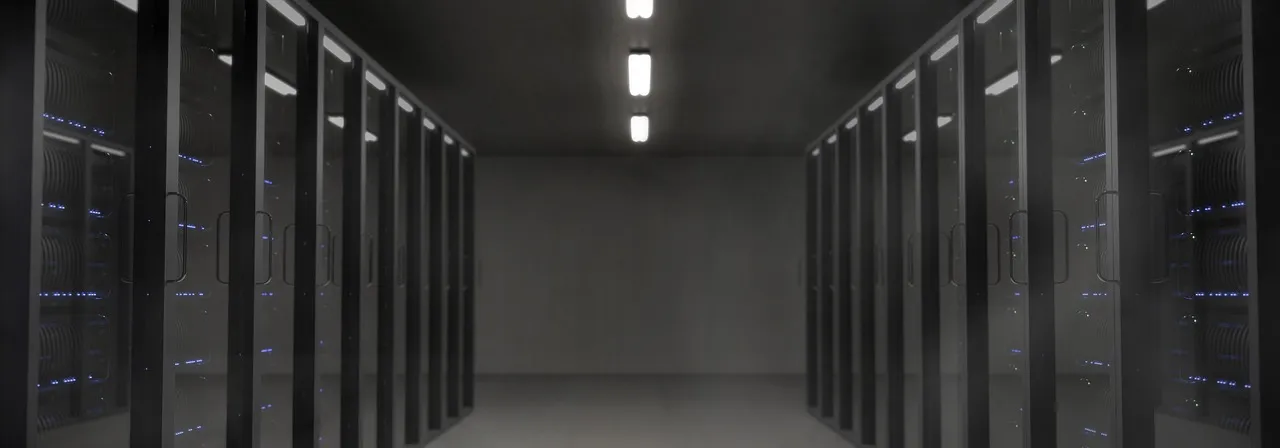
Dedicated server raid configuration is not a single technology but a family of techniques for combining multiple physical disk drives into a single logical storage unit that delivers benefits—redundancy against drive failure, increased read or write performance, or a combination of both—that no single drive can provide alone. The acronym RAID originally stood for Redundant Array of Inexpensive Disks, coined by researchers at UC Berkeley in 1987, and while the "inexpensive" descriptor has aged poorly in an era where enterprise NVMe SSDs cost as much as a mid-range laptop, the core concept has proven to be one of the most durable innovations in computing infrastructure: when you spread data across multiple drives with intelligent parity or mirroring, the failure of any single drive does not cause data loss, and in many configurations the server continues operating without interruption while the failed drive is replaced. For anyone renting or colocating a dedicated server, understanding RAID is not optional—it is the foundational storage decision that determines whether a $2 hard drive failure becomes a $50 hot-swap event resolved in minutes or a catastrophic data loss incident that destroys business operations.
The relevance of dedicated server raid configuration to modern hosting extends beyond the mechanical hard drives that originally motivated RAID's invention. Solid-state drives fail differently than spinning disks—they have no moving parts to seize, they do not develop bad sectors in the traditional sense, and their failure mode is typically a gradual write endurance exhaustion rather than a sudden mechanical death—but they do fail, and when they do, the failure is often silent and complete: the drive simply disappears from the bus without the clicking sounds, SMART warning attributes, or progressive read errors that characterize hard drive decay. NVMe SSDs, which connect directly to the PCIe bus and bypass the SATA/SAS controller layer entirely, add their own failure characteristics: thermal throttling under sustained write loads, firmware bugs that brick the device, and the terrifying phenomenon of a drive that reports successful writes to the operating system but corrupts the data in its internal buffers before committing to flash. RAID is not obsolete in the SSD era—it is more necessary than ever, because SSD failure modes are harder to predict, harder to detect early, and more catastrophic when they occur without warning than the gradual degradation patterns that made hard drive failures relatively easy to anticipate. For a comprehensive understanding of the dedicated server hardware landscape beyond storage, our complete guide to dedicated servers covers CPU, RAM, and network considerations alongside storage architecture.
When you rent a dedicated server from a hosting provider, the RAID configuration is typically pre-determined by the provider's hardware standardization choices—the server arrives with a specific RAID controller, a specific number of drives, and a specific RAID level pre-configured—but understanding those choices allows you to verify that the configuration matches your workload requirements rather than blindly trusting that the provider's default is appropriate. A hosting provider may ship every dedicated server in a particular product line with RAID 1 (mirroring) because it is the safest default for customers who range from hosting novices to enterprise architects, but that default may be suboptimal for a database server that needs the write performance of RAID 10 or the capacity efficiency of RAID 5 with a hot spare. Understanding dedicated server raid configuration empowers you to request the right configuration during provisioning rather than discovering during a production incident that the default RAID level was a mismatch for your workload's performance or redundancy requirements.
The RAID controller hardware itself is a decision that hosting providers make on your behalf but that directly impacts your server's capabilities. Hardware RAID controllers—dedicated PCIe cards with their own processor, battery-backed or flash-backed write cache, and firmware that manages the RAID array independently of the host operating system—provide the best performance and the most comprehensive failure-handling capabilities, including automatic rebuild initiation when a replacement drive is inserted, background patrol reads that detect and correct silent data corruption, and email or SNMP alerting for array degradation events. Software RAID—implemented through the Linux kernel's mdadm subsystem or Windows Storage Spaces—eliminates the RAID controller as a single point of failure and a hardware dependency (a failed hardware RAID controller may require an identical replacement to recover the array), but it consumes host CPU cycles for parity calculations and lacks the battery-backed write cache that protects against data loss during power failures. Hosting providers like HostingCaptain that specialize in managed dedicated server hosting select RAID configurations and controllers based on workload analysis rather than applying a one-size-fits-all default, and they communicate the rationale to customers so that the storage architecture is a conscious decision rather than an inherited assumption.
RAID 0 distributes data in stripes across two or more drives, writing a portion of each file to each drive in parallel. The benefit is performance: with two drives, read and write speeds can approach double the speed of a single drive because the controller can read from or write to both drives simultaneously. The cost is complete vulnerability: if any single drive in a RAID 0 array fails, every byte of data on every drive in the array is lost because the stripes are interleaved—half a database table on drive one and half on drive two is the equivalent of zero database tables when either drive dies. For dedicated servers, RAID 0 is appropriate for exactly one scenario: ephemeral data that can be regenerated from a source of truth, such as a build cache, a CI/CD workspace, a render farm's scratch storage, or a read replica of a database where the primary copy lives on a redundant array. For any data that cannot be reconstructed from another source, RAID 0 is not a storage strategy—it is a data-loss strategy with a performance marketing team. HostingCaptain never provisions production dedicated servers with RAID 0 as the sole storage configuration because the risk profile is incompatible with business hosting requirements; any performance benefit is achievable through RAID 10 at the cost of additional drives without sacrificing redundancy.
RAID 1 writes identical copies of all data to two drives simultaneously, maintaining a real-time mirror. If either drive fails, the server continues operating from the surviving drive without interruption, and replacing the failed drive triggers a rebuild process that copies data from the survivor to the replacement. The capacity cost is exactly 50%—two 2 TB drives in RAID 1 provide 2 TB of usable storage, not 4 TB—and the performance characteristics are straightforward: read performance can approach double the single-drive speed because the controller can read different data from each drive simultaneously, while write performance is limited to the speed of the slower of the two drives because every write must be committed to both. RAID 1 on a modern dedicated server with NVMe SSDs and a competent hardware RAID controller delivers write speeds of 1,500 MB/s to 2,500 MB/s and read speeds approaching 3,000 MB/s to 5,000 MB/s—figures that exceed the requirements of all but the most I/O-intensive database workloads.
RAID 1 is the most commonly deployed dedicated server raid configuration for operating system drives and for servers that need moderate storage capacity with bulletproof redundancy, because its simplicity is a genuine operational advantage. There is no parity calculation to configure, no stripe size to tune, no write hole vulnerability to protect against, and no minimum drive count beyond two. When a RAID 1 array degrades—meaning one drive has failed but the array is still operational—the recovery procedure is the simplest of any RAID level: hot-swap the failed drive, insert the replacement, and the controller rebuilds automatically. For a business-critical dedicated server where the operator values simplicity and predictable recovery procedures above all other storage attributes, RAID 1 is almost always the correct choice for the boot volume. Our analysis of managed dedicated server costs explores how the RAID configuration choice intersects with the managed vs. unmanaged hosting decision, since providers offering managed services handle drive replacement and array rebuild without customer intervention.
RAID 5 distributes data and parity information across three or more drives, using the capacity of one drive for parity data that enables the array to survive the failure of any single drive without data loss. The usable capacity is the total capacity of all drives minus one drive's worth: three 2 TB drives in RAID 5 provide 4 TB usable; four 2 TB drives provide 6 TB usable. The parity calculation overhead means that write performance is lower than RAID 0 or RAID 1—each write requires reading the existing data and parity, calculating the new parity, and writing both the new data and the new parity—but read performance approaches RAID 0 levels because data is striped across multiple drives. RAID 6 extends this concept by distributing two independent parity calculations across four or more drives, enabling the array to survive the simultaneous failure of any two drives. The usable capacity is total capacity minus two drives, and the write performance penalty is greater than RAID 5 because two parity blocks must be calculated and written for each data write.
The critical consideration for RAID 5 and RAID 6 on modern dedicated servers is the rebuild time and the risk of a second drive failure during rebuild. When a 2 TB hard drive in a RAID 5 array fails, the rebuild process reads every sector of every surviving drive to reconstruct the data that was on the failed drive—a process that for spinning disks can take 8 to 24 hours depending on drive speed, array size, and controller performance. During that rebuild window, every surviving drive is being read at maximum throughput, and if a second drive fails—either due to the stress of the rebuild or due to an undetected latent defect that becomes critical under sustained load—the entire array is lost. This "RAID 5 rebuild vulnerability" is the reason that many storage professionals now recommend RAID 6 or RAID 10 for arrays using large-capacity hard drives: the rebuild window is long enough that the probability of a second failure during rebuild is not negligible, and RAID 6's dual-parity protection or RAID 10's mirroring provides defense against that scenario. For SSD-based arrays, rebuild times are measured in minutes rather than hours, significantly reducing the rebuild vulnerability window, but the underlying principle—more redundancy is better when rebuilds take time—remains valid regardless of drive technology. For specialized hosting scenarios where storage performance interacts with application requirements in unusual ways, our guide to dedicated server gaming hosting covers storage configuration for latency-sensitive and persistent-world workloads.
RAID 10 combines mirroring and striping: drives are paired into mirrors (RAID 1), and then data is striped across the mirror pairs (RAID 0). A four-drive RAID 10 array consists of two mirror pairs, with data striped across both pairs, providing the read performance of striping, the redundancy of mirroring, and the ability to survive the failure of at least one drive from each mirror pair—and potentially two drives if the failed drives are in different pairs. The capacity cost is 50% (four 2 TB drives provide 4 TB usable), and the performance profile is essentially ideal: read speeds scale with the number of drives, write speeds scale with the number of mirror pairs (each write goes to two drives in a pair, and writes to different pairs can proceed in parallel), and rebuild performance when a drive fails is excellent because only the single surviving drive in the affected pair needs to be read to reconstruct the data onto the replacement drive—a process that is much faster than the full-array read required for RAID 5 or RAID 6 rebuilds.
RAID 10 has become the default recommendation for dedicated server raid configuration for any workload where performance and reliability are both priorities, which describes virtually every production hosting workload. Database servers benefit from RAID 10's high random read and write IOPS; virtualization hosts benefit from the combination of performance for multiple VM disk images and the ability to survive drive failures without VM interruption; high-traffic web servers benefit from the fast read speeds for serving cached content; and email servers, file servers, and application servers all benefit from the balanced read/write performance and predictable failure behavior. The primary objection to RAID 10—the 50% capacity overhead—has diminished in relevance as drive capacities have grown: a four-drive RAID 10 array of 4 TB NVMe SSDs provides 8 TB of usable storage, which is sufficient for the vast majority of dedicated server workloads, and the additional drive cost to achieve that capacity ($800 to $1,200 for four enterprise NVMe drives at current pricing) is a modest fraction of the total dedicated server cost over its deployment lifetime. For additional context on how cloud and dedicated hosting architectures handle data redundancy at scale, the Cloudflare explanation of cloud computing infrastructure provides a networking perspective on data distribution and redundancy that complements the server-level RAID discussion.
A hardware RAID controller is a specialized PCIe card containing a dedicated processor (typically an ARM or PowerPC core), dedicated RAM used as a write cache, and firmware that implements the RAID algorithms independently of the host server's CPU. When the host operating system issues a write command to a hardware RAID array, the controller's processor receives the command, stores the data in its write cache, acknowledges the write to the operating system as completed (allowing the OS to continue processing without waiting for the physical drives), and then destages the data from cache to the physical drives at the drives' maximum write speed. The write cache is protected by a battery backup unit (BBU) or a flash-backed cache module (FBWC) that preserves cached data through power failures: if the server loses power before the cache contents have been written to disk, the BBU or FBWC retains the data, and when power is restored, the controller completes the pending writes before the array is brought online. This protection is the feature that makes hardware RAID the default choice for production dedicated server raid configuration—without a battery-backed write cache, a power failure during a write operation can leave the array in an inconsistent state where some drives have been updated and others have not, potentially corrupting filesystems and databases in ways that are difficult or impossible to repair.
Beyond write caching, hardware RAID controllers provide background maintenance features that detect and correct problems before they become failures. Patrol reads scan every sector of every drive in the array on a scheduled basis, reading data and verifying it against parity information, correcting any inconsistencies found, and logging the event. This process detects "bit rot"—the gradual corruption of stored data due to cosmic radiation, media degradation, or controller errors—and corrects it before the corrupt data is served to an application or included in a backup. Consistency checks perform a full verification that parity data matches the corresponding data blocks across the array, identifying and resolving any parity inconsistencies that could cause data loss during a subsequent drive failure and rebuild. Drive failure prediction through Self-Monitoring, Analysis, and Reporting Technology (SMART) attribute monitoring—monitoring reallocated sector counts, spin-up time trends, and write error rates—enables proactive drive replacement before a drive reaches the failure threshold that would degrade the array. For assistance evaluating whether the additional cost of a fully managed dedicated server with enterprise-grade RAID hardware is justified, our managed dedicated server value analysis breaks down the hardware, support, and operational components of managed hosting pricing.
Linux software RAID, implemented through the md (multiple device) driver in the kernel and managed through the mdadm utility, provides RAID functionality without dedicated hardware. The host CPU performs parity calculations for RAID 5 and RAID 6, manages read and write distribution across member drives, and handles rebuild operations, all within the kernel's block I/O layer. The advantages of software RAID are independence from specific hardware, zero additional hardware cost, the ability to create arrays from any combination of drives connected to any combination of controllers, and the portability of arrays between systems—an mdadm array can be moved to any Linux system that has enough drive ports, without requiring a compatible RAID controller. The disadvantages are CPU consumption for parity calculations (negligible for modern multi-core server processors handling typical web hosting workloads, but potentially significant for high-throughput database servers), lack of a battery-backed write cache (though this can be mitigated with a UPS and proper shutdown scripting), and reliance on the operating system for array management and monitoring.
For dedicated servers running Linux, software RAID with mdadm is a production-viable option for RAID 0, RAID 1, and RAID 10 configurations where parity calculations are not required. mdadm's RAID 10 implementation is particularly well-regarded because it supports the "far" and "offset" layout options that can improve read performance beyond what a typical hardware RAID 10 controller achieves by placing data at different offsets on different drives. The decision between hardware and software RAID for a dedicated server raid configuration should consider the server's role: if the server is a database host where write performance and power-failure data integrity are critical, hardware RAID with a battery-backed cache is worth the cost. If the server is a web host, application server, or development environment where the CPU overhead is negligible and the workload can tolerate the small risk of write-cache data loss, software RAID provides equivalent redundancy at zero additional cost. HostingCaptain provisions dedicated servers with either hardware or software RAID based on the customer's workload requirements and budget, with clear communication about the trade-offs of each approach rather than applying a blanket hardware RAID recommendation that may not be appropriate for every use case.
Database servers impose the most demanding storage requirements of any common dedicated server workload, and the dedicated server raid configuration for a database host should be designed around three parameters: random read IOPS (for index lookups and queries that cannot be served from memory), random write IOPS (for transaction commit logs and data page flushes), and write endurance (because databases write continuously, and an SSD that exhausts its write endurance fails silently and completely). RAID 10 on NVMe SSDs is the consensus best practice for production database servers because it provides high random IOPS for both reads and writes, fast rebuild times when a drive fails, and the ability to survive multiple drive failures as long as the failed drives are in different mirror pairs. The stripe size—the amount of data written to each drive before moving to the next—should be aligned with the database's I/O pattern: smaller stripe sizes (64 KB to 128 KB) for random-access workloads where queries touch small amounts of data scattered across tables and indexes; larger stripe sizes (256 KB to 512 KB) for sequential-access workloads like reporting queries, data warehouse scans, and backup operations. Modern hardware RAID controllers allow stripe size configuration, and aligning the filesystem's block size and the database's page size with the RAID stripe size eliminates the read-modify-write penalties that occur when an I/O operation spans multiple stripes.
The write cache configuration on the RAID controller is a database-specific decision with significant performance implications. Enabling write-back caching—where the controller acknowledges writes as complete as soon as the data is in the cache, before it reaches the physical drives—dramatically improves write performance for the bursty, small-write workload pattern characteristic of databases. However, write-back caching requires a functional battery backup unit or flash-backed cache module to be safe; if the BBU fails or is depleted, the controller typically switches to write-through mode automatically, which degrades write performance but protects data integrity. Database administrators should monitor the BBU status and cache mode as part of routine server health checks—a RAID controller that has silently switched to write-through mode due to a failed BBU is the root cause of many "the database suddenly got slow" investigations. For detailed guidance on ensuring that your hosting infrastructure can survive component failures without data loss, our disaster recovery planning guide covers backup strategies, off-site replication, and recovery testing that complement RAID redundancy at the server level.
Web servers and application servers have more forgiving storage requirements than database servers because the workload is read-heavy (serving cached HTML, CSS, JavaScript, and images), write operations are typically limited to log files and session storage, and the performance bottleneck is usually CPU or network bandwidth rather than disk I/O. For these workloads, dedicated server raid configuration should prioritize redundancy and simplicity over maximum performance: RAID 1 with two enterprise SSDs provides fast read performance for cached content serving, complete redundancy against single-drive failure, and the simplest possible recovery procedure, all at the lowest drive count. If the web server needs more storage capacity than a two-drive mirror can provide—for hosting large media files, user uploads, or extensive log retention—RAID 10 with four drives increases usable capacity while maintaining the performance and redundancy characteristics of mirroring. RAID 5 is generally not recommended for production web servers because the write performance penalty affects log writes, session storage, and CMS operations (WordPress post saves, plugin updates, media uploads), and the rebuild vulnerability window for large drives introduces an unnecessary data-loss risk for a workload category that does not need RAID 5's capacity efficiency.
Application servers that run containerized workloads—Docker hosts, Kubernetes worker nodes, or LXC container servers—have a storage consideration beyond the RAID level: the filesystem choice and its interaction with the RAID array. Container runtimes benefit from copy-on-write filesystems like overlay2 that minimize the storage footprint of container images and enable fast container startup, and these filesystems generate a high volume of small, random write operations as containers create, modify, and delete ephemeral filesystem layers. The RAID stripe size for container hosts should be on the smaller end of the spectrum (64 KB) to match the small I/O size of container filesystem operations, and the RAID controller's write cache should be sized generously—1 GB to 2 GB of cache for a dedicated application server—to absorb write bursts from multiple containers starting, stopping, and updating simultaneously. For exploration of hosting configurations that combine performance with operational simplicity, our guide to AI and next-generation hosting discusses how evolving server architectures are changing storage requirements across workload types.
A properly configured dedicated server raid configuration requires ongoing monitoring because a degraded array—one in which a drive has failed but the array is still operational—is a ticking clock counting down to the potential failure of a second drive that would cause data loss. The monitoring baseline includes daily verification that all arrays are in an "optimal" or "clean" state, that no arrays are in a "degraded," "rebuilding," or "failed" state, that all member drives are present and online, that the RAID controller's battery backup or flash-backed cache is functional and charged, and that no predictive failure alerts have been generated by SMART monitoring. On dedicated servers running Linux with hardware RAID, the monitoring is typically performed through the RAID controller's command-line utility—MegaCLI or StorCLI for LSI/Broadcom controllers, hpssacli or ssacli for HPE Smart Array controllers, and perccli for Dell PERC controllers—with the output parsed by monitoring systems like Nagios, Zabbix, or Prometheus node exporters that generate alerts on any deviation from optimal status.
Weekly checks should include a review of the RAID controller's event log for any anomalies that did not trigger an alert—transient drive communication errors, unexpected SMART attribute changes, cache battery discharge cycles, and patrol read results—since these events often precede drive failures by days or weeks and provide an opportunity for proactive replacement. Monthly checks should include verification that the automated patrol read and consistency check schedules are running as configured and completing without errors, because a patrol read that has been accidentally disabled or is failing to complete due to a busy I/O schedule means the array is not being actively verified for data integrity. For managed dedicated server customers, HostingCaptain's infrastructure team performs these checks as standard operating procedure, with automated alerting and a 24/7 operations center that can initiate drive replacement within minutes of detecting a degraded array—often before the customer is aware that a drive has failed. For unmanaged dedicated server customers, HostingCaptain provides a monitoring setup guide and pre-configured alerting scripts as part of the server provisioning process.
When a drive in a RAID array fails, the recovery sequence determines whether the incident is a minor operational event or a business disruption. For servers with hot-swap drive bays—the standard on any production dedicated server—the physical replacement process is: identify the failed drive by its slot number (indicated by the RAID controller's event log and typically by an amber LED on the drive carrier), remove the failed drive from its bay without powering down the server, insert the replacement drive into the same bay, and verify that the RAID controller recognizes the new drive and begins automatic rebuild. For hardware RAID controllers with hot-spare drives configured—a dedicated standby drive already installed in the server that the controller automatically activates when a member drive fails—the rebuild begins automatically without any physical intervention, reducing the array's degraded-state window from hours or days to the rebuild time of the hot spare, typically 15 to 60 minutes for SSD-based arrays. The administrator's task is then to replace the failed drive so that it becomes the new hot spare, restoring the server's ability to survive another drive failure automatically.
The rebuild process reads every sector from the surviving drives, reconstructs the data that was on the failed drive using the array's redundancy mechanism (mirror data for RAID 1 and RAID 10; parity data for RAID 5 and RAID 6), and writes the reconstructed data to the replacement drive. During this process, the array is in a vulnerable state: a RAID 5 array has zero redundancy during rebuild because the parity drive is being used to reconstruct the failed drive and cannot simultaneously protect against another failure; a RAID 6 array during single-drive rebuild drops to single-parity protection; a RAID 10 array remains protected as long as the surviving mirror partner does not fail. Servers should never be rebooted during an active rebuild unless absolutely necessary, because a reboot interrupts the rebuild process and may require it to restart from the beginning, extending the vulnerable window. The rebuild priority setting on hardware RAID controllers—typically configurable from 0% (lowest priority, minimal performance impact) to 100% (highest priority, maximum rebuild speed at the cost of application I/O performance)—should be set based on the server's tolerance for degraded performance during the rebuild window. A database server during peak business hours might set rebuild priority low to preserve query performance; the same server during overnight hours might increase priority to complete the rebuild faster. Understanding these operational dynamics transforms a dedicated server raid configuration from a specification on a data sheet into a living component of the server's reliability architecture.
The most dangerous misunderstanding in dedicated server storage is the conflation of RAID redundancy with backup protection. RAID protects against exactly one category of data-loss event: the physical failure of one or more disk drives within the array, up to the redundancy limit of the configured RAID level. RAID does not protect against: accidental file deletion by a user or administrator (the deleted file is removed from all mirrors simultaneously because the deletion is a filesystem operation, not a disk failure); filesystem corruption due to software bugs, kernel panics, or improper shutdowns (the corrupted filesystem is mirrored identically across all drives); ransomware encryption (the encrypted files overwrite the originals on all array members); catastrophic server events like fire, flood, or power surge that damage all drives simultaneously; theft of the physical server; or application-level data corruption where a buggy software update writes incorrect data to the database that is then committed identically across the array. For each of these scenarios, the only protection is a backup stored on separate physical media, in a separate physical location, ideally with versioning that enables restoration to a point in time before the corruption event occurred.
The relationship between RAID and backup is complementary, not alternative. RAID provides high availability—the server continues operating through a drive failure, and users experience no interruption—while backup provides disaster recovery—the ability to restore data after an event that RAID cannot protect against. A production dedicated server raid configuration should include both: RAID 10 or RAID 1 for the server's internal storage, combined with automated backups to an external destination (a separate backup server, network-attached storage in a different rack or data center, or cloud object storage) on a schedule that matches the business's recovery point objective. For databases, the backup strategy should include both logical backups (mysqldump, pg_dump) for portability and point-in-time recovery through binary log or WAL archiving for minimal data loss. HostingCaptain's managed dedicated server plans include automated backup with configurable retention as a standard feature, implemented on backup infrastructure that is physically separate from the primary server infrastructure, ensuring that the backup destination is not vulnerable to the same physical incident that might compromise the primary server.
A backup that has never been restored is not a backup—it is a hope. The operational discipline that separates reliable hosting operations from aspirational ones is the regular, scheduled testing of restore procedures from actual backup media to a staging environment, verifying that the backup is complete, consistent, and restorable within the time window that the business's recovery time objective requires. A dedicated server raid configuration with automated backups running flawlessly for two years can still result in catastrophic data loss if the backup process has been silently omitting a critical database, writing corrupted archives, or failing authentication to the backup destination without generating an alert. The only way to detect these failure modes is to perform a test restore—quarterly at minimum, monthly for business-critical systems—and verify that the restored data is application-consistent and usable. For database servers, the test restore should include verifying that the restored database passes integrity checks, that application connections succeed against the restored instance, and that recent transactions are present in the restored data up to the expected recovery point. For dedicated server customers who prefer not to manage this testing cadence themselves, our managed dedicated server hosting analysis evaluates the operational value of having restore testing performed and documented by the hosting provider's operations team as part of the managed service.
For a single-website or single-application dedicated server, RAID 1 with two enterprise SSDs is the optimal configuration for the operating system and application data. It provides complete redundancy against single-drive failure, the simplest possible recovery procedure, and read performance that exceeds the requirements of all but the most I/O-intensive web applications. The 50% capacity overhead is easily justified by the operational simplicity—when a drive fails, the server continues running, and the rebuild process is straightforward with no parity calculations to slow it down. For servers that need more storage capacity than a two-drive mirror provides, RAID 10 with four drives is the next logical step, maintaining the same redundancy and recovery simplicity while doubling the usable capacity and improving read performance through striping.
This depends on the RAID controller and the RAID level. Many hardware RAID controllers support Online Capacity Expansion (OCE), which allows adding drives to an existing array and expanding the logical volume without data loss or server downtime. The process is array-wide—the controller redistributes existing data across the new drive configuration—and can take hours to days depending on array size and drive speed. RAID levels vary in their support: RAID 1 typically cannot be expanded beyond two drives; RAID 5 and RAID 6 can be expanded by adding drives one at a time; RAID 10 can be expanded by adding drives in pairs. Software RAID with mdadm supports reshaping arrays to add drives, change RAID levels, or both, though the reshape process is I/O-intensive and should be scheduled during low-traffic periods.
Rebuild time depends on drive size, drive speed, RAID level, and rebuild priority configuration. A 2 TB enterprise NVMe SSD in a RAID 1 array typically rebuilds in 10 to 30 minutes. A 2 TB SATA SSD in a RAID 5 array of four drives might take 1 to 3 hours. A 4 TB spinning hard drive in a RAID 6 array of eight drives can take 12 to 36 hours. During rebuild, application I/O performance is reduced because the drives are simultaneously serving application requests and performing rebuild reads/writes. The performance impact can be tuned through the rebuild priority setting on hardware RAID controllers—lower priority preserves more application performance but extends rebuild time. For most web hosting and application workloads on SSD-based arrays, the performance impact of a rebuild at moderate priority is barely noticeable to end users.
A hot-spare drive is strongly recommended for any production dedicated server because it eliminates the window between drive failure and rebuild initiation—a window during which a second drive failure causes data loss. Without a hot spare, the array remains degraded until a technician physically visits the data center, identifies the failed drive, and inserts a replacement—a process that can take minutes with on-site staff or hours with remote-hands service. For servers in data centers without 24/7 on-site technical staff, a hot spare reduces the vulnerability window from the response time of the remote-hands service (often 2 to 4 hours) to the rebuild time of the hot spare (often 15 to 60 minutes for SSDs). The cost of a hot-spare drive is modest compared to the cost of recovering from a double-drive failure that could have been prevented by automatic failover.
Dedicated server raid configuration is not a single technology but a family of techniques for combining multiple physical disk drives into a single logical storage unit that delivers benefits—redundancy against drive failure, increased read or write performance, or a combination of both—that no single drive can provide alone. The acronym RAID originally stood for Redundant Array of Inexpensive Disks, coined by researchers at UC Berkeley in 1987, and while the "inexpensive" descriptor has aged poorly in an era where enterprise NVMe SSDs cost as much as a mid-range laptop, the core concept has proven to be one of the most durable innovations in computing infrastructure: when you spread data across multiple drives with intelligent parity or mirroring, the failure of any single drive does not cause data loss, and in many configurations the server continues operating without interruption while the failed drive is replaced. For anyone renting or colocating a dedicated server, understanding RAID is not optional—it is the foundational storage decision that determines whether a $2 hard drive failure becomes a $50 hot-swap event resolved in minutes or a catastrophic data loss incident that destroys business operations.
The relevance of dedicated server raid configuration to modern hosting extends beyond the mechanical hard drives that originally motivated RAID's invention. Solid-state drives fail differently than spinning disks—they have no moving parts to seize, they do not develop bad sectors in the traditional sense, and their failure mode is typically a gradual write endurance exhaustion rather than a sudden mechanical death—but they do fail, and when they do, the failure is often silent and complete: the drive simply disappears from the bus without the clicking sounds, SMART warning attributes, or progressive read errors that characterize hard drive decay. NVMe SSDs, which connect directly to the PCIe bus and bypass the SATA/SAS controller layer entirely, add their own failure characteristics: thermal throttling under sustained write loads, firmware bugs that brick the device, and the terrifying phenomenon of a drive that reports successful writes to the operating system but corrupts the data in its internal buffers before committing to flash. RAID is not obsolete in the SSD era—it is more necessary than ever, because SSD failure modes are harder to predict, harder to detect early, and more catastrophic when they occur without warning than the gradual degradation patterns that made hard drive failures relatively easy to anticipate. For a comprehensive understanding of the dedicated server hardware landscape beyond storage, our complete guide to dedicated servers covers CPU, RAM, and network considerations alongside storage architecture.
When you rent a dedicated server from a hosting provider, the RAID configuration is typically pre-determined by the provider's hardware standardization choices—the server arrives with a specific RAID controller, a specific number of drives, and a specific RAID level pre-configured—but understanding those choices allows you to verify that the configuration matches your workload requirements rather than blindly trusting that the provider's default is appropriate. A hosting provider may ship every dedicated server in a particular product line with RAID 1 (mirroring) because it is the safest default for customers who range from hosting novices to enterprise architects, but that default may be suboptimal for a database server that needs the write performance of RAID 10 or the capacity efficiency of RAID 5 with a hot spare. Understanding dedicated server raid configuration empowers you to request the right configuration during provisioning rather than discovering during a production incident that the default RAID level was a mismatch for your workload's performance or redundancy requirements.
The RAID controller hardware itself is a decision that hosting providers make on your behalf but that directly impacts your server's capabilities. Hardware RAID controllers—dedicated PCIe cards with their own processor, battery-backed or flash-backed write cache, and firmware that manages the RAID array independently of the host operating system—provide the best performance and the most comprehensive failure-handling capabilities, including automatic rebuild initiation when a replacement drive is inserted, background patrol reads that detect and correct silent data corruption, and email or SNMP alerting for array degradation events. Software RAID—implemented through the Linux kernel's mdadm subsystem or Windows Storage Spaces—eliminates the RAID controller as a single point of failure and a hardware dependency (a failed hardware RAID controller may require an identical replacement to recover the array), but it consumes host CPU cycles for parity calculations and lacks the battery-backed write cache that protects against data loss during power failures. Hosting providers like HostingCaptain that specialize in managed dedicated server hosting select RAID configurations and controllers based on workload analysis rather than applying a one-size-fits-all default, and they communicate the rationale to customers so that the storage architecture is a conscious decision rather than an inherited assumption.
RAID 0 distributes data in stripes across two or more drives, writing a portion of each file to each drive in parallel. The benefit is performance: with two drives, read and write speeds can approach double the speed of a single drive because the controller can read from or write to both drives simultaneously. The cost is complete vulnerability: if any single drive in a RAID 0 array fails, every byte of data on every drive in the array is lost because the stripes are interleaved—half a database table on drive one and half on drive two is the equivalent of zero database tables when either drive dies. For dedicated servers, RAID 0 is appropriate for exactly one scenario: ephemeral data that can be regenerated from a source of truth, such as a build cache, a CI/CD workspace, a render farm's scratch storage, or a read replica of a database where the primary copy lives on a redundant array. For any data that cannot be reconstructed from another source, RAID 0 is not a storage strategy—it is a data-loss strategy with a performance marketing team. HostingCaptain never provisions production dedicated servers with RAID 0 as the sole storage configuration because the risk profile is incompatible with business hosting requirements; any performance benefit is achievable through RAID 10 at the cost of additional drives without sacrificing redundancy.
RAID 1 writes identical copies of all data to two drives simultaneously, maintaining a real-time mirror. If either drive fails, the server continues operating from the surviving drive without interruption, and replacing the failed drive triggers a rebuild process that copies data from the survivor to the replacement. The capacity cost is exactly 50%—two 2 TB drives in RAID 1 provide 2 TB of usable storage, not 4 TB—and the performance characteristics are straightforward: read performance can approach double the single-drive speed because the controller can read different data from each drive simultaneously, while write performance is limited to the speed of the slower of the two drives because every write must be committed to both. RAID 1 on a modern dedicated server with NVMe SSDs and a competent hardware RAID controller delivers write speeds of 1,500 MB/s to 2,500 MB/s and read speeds approaching 3,000 MB/s to 5,000 MB/s—figures that exceed the requirements of all but the most I/O-intensive database workloads.
RAID 1 is the most commonly deployed dedicated server raid configuration for operating system drives and for servers that need moderate storage capacity with bulletproof redundancy, because its simplicity is a genuine operational advantage. There is no parity calculation to configure, no stripe size to tune, no write hole vulnerability to protect against, and no minimum drive count beyond two. When a RAID 1 array degrades—meaning one drive has failed but the array is still operational—the recovery procedure is the simplest of any RAID level: hot-swap the failed drive, insert the replacement, and the controller rebuilds automatically. For a business-critical dedicated server where the operator values simplicity and predictable recovery procedures above all other storage attributes, RAID 1 is almost always the correct choice for the boot volume. Our analysis of managed dedicated server costs explores how the RAID configuration choice intersects with the managed vs. unmanaged hosting decision, since providers offering managed services handle drive replacement and array rebuild without customer intervention.
RAID 5 distributes data and parity information across three or more drives, using the capacity of one drive for parity data that enables the array to survive the failure of any single drive without data loss. The usable capacity is the total capacity of all drives minus one drive's worth: three 2 TB drives in RAID 5 provide 4 TB usable; four 2 TB drives provide 6 TB usable. The parity calculation overhead means that write performance is lower than RAID 0 or RAID 1—each write requires reading the existing data and parity, calculating the new parity, and writing both the new data and the new parity—but read performance approaches RAID 0 levels because data is striped across multiple drives. RAID 6 extends this concept by distributing two independent parity calculations across four or more drives, enabling the array to survive the simultaneous failure of any two drives. The usable capacity is total capacity minus two drives, and the write performance penalty is greater than RAID 5 because two parity blocks must be calculated and written for each data write.
The critical consideration for RAID 5 and RAID 6 on modern dedicated servers is the rebuild time and the risk of a second drive failure during rebuild. When a 2 TB hard drive in a RAID 5 array fails, the rebuild process reads every sector of every surviving drive to reconstruct the data that was on the failed drive—a process that for spinning disks can take 8 to 24 hours depending on drive speed, array size, and controller performance. During that rebuild window, every surviving drive is being read at maximum throughput, and if a second drive fails—either due to the stress of the rebuild or due to an undetected latent defect that becomes critical under sustained load—the entire array is lost. This "RAID 5 rebuild vulnerability" is the reason that many storage professionals now recommend RAID 6 or RAID 10 for arrays using large-capacity hard drives: the rebuild window is long enough that the probability of a second failure during rebuild is not negligible, and RAID 6's dual-parity protection or RAID 10's mirroring provides defense against that scenario. For SSD-based arrays, rebuild times are measured in minutes rather than hours, significantly reducing the rebuild vulnerability window, but the underlying principle—more redundancy is better when rebuilds take time—remains valid regardless of drive technology. For specialized hosting scenarios where storage performance interacts with application requirements in unusual ways, our guide to dedicated server gaming hosting covers storage configuration for latency-sensitive and persistent-world workloads.
RAID 10 combines mirroring and striping: drives are paired into mirrors (RAID 1), and then data is striped across the mirror pairs (RAID 0). A four-drive RAID 10 array consists of two mirror pairs, with data striped across both pairs, providing the read performance of striping, the redundancy of mirroring, and the ability to survive the failure of at least one drive from each mirror pair—and potentially two drives if the failed drives are in different pairs. The capacity cost is 50% (four 2 TB drives provide 4 TB usable), and the performance profile is essentially ideal: read speeds scale with the number of drives, write speeds scale with the number of mirror pairs (each write goes to two drives in a pair, and writes to different pairs can proceed in parallel), and rebuild performance when a drive fails is excellent because only the single surviving drive in the affected pair needs to be read to reconstruct the data onto the replacement drive—a process that is much faster than the full-array read required for RAID 5 or RAID 6 rebuilds.
RAID 10 has become the default recommendation for dedicated server raid configuration for any workload where performance and reliability are both priorities, which describes virtually every production hosting workload. Database servers benefit from RAID 10's high random read and write IOPS; virtualization hosts benefit from the combination of performance for multiple VM disk images and the ability to survive drive failures without VM interruption; high-traffic web servers benefit from the fast read speeds for serving cached content; and email servers, file servers, and application servers all benefit from the balanced read/write performance and predictable failure behavior. The primary objection to RAID 10—the 50% capacity overhead—has diminished in relevance as drive capacities have grown: a four-drive RAID 10 array of 4 TB NVMe SSDs provides 8 TB of usable storage, which is sufficient for the vast majority of dedicated server workloads, and the additional drive cost to achieve that capacity ($800 to $1,200 for four enterprise NVMe drives at current pricing) is a modest fraction of the total dedicated server cost over its deployment lifetime. For additional context on how cloud and dedicated hosting architectures handle data redundancy at scale, the Cloudflare explanation of cloud computing infrastructure provides a networking perspective on data distribution and redundancy that complements the server-level RAID discussion.
A hardware RAID controller is a specialized PCIe card containing a dedicated processor (typically an ARM or PowerPC core), dedicated RAM used as a write cache, and firmware that implements the RAID algorithms independently of the host server's CPU. When the host operating system issues a write command to a hardware RAID array, the controller's processor receives the command, stores the data in its write cache, acknowledges the write to the operating system as completed (allowing the OS to continue processing without waiting for the physical drives), and then destages the data from cache to the physical drives at the drives' maximum write speed. The write cache is protected by a battery backup unit (BBU) or a flash-backed cache module (FBWC) that preserves cached data through power failures: if the server loses power before the cache contents have been written to disk, the BBU or FBWC retains the data, and when power is restored, the controller completes the pending writes before the array is brought online. This protection is the feature that makes hardware RAID the default choice for production dedicated server raid configuration—without a battery-backed write cache, a power failure during a write operation can leave the array in an inconsistent state where some drives have been updated and others have not, potentially corrupting filesystems and databases in ways that are difficult or impossible to repair.
Beyond write caching, hardware RAID controllers provide background maintenance features that detect and correct problems before they become failures. Patrol reads scan every sector of every drive in the array on a scheduled basis, reading data and verifying it against parity information, correcting any inconsistencies found, and logging the event. This process detects "bit rot"—the gradual corruption of stored data due to cosmic radiation, media degradation, or controller errors—and corrects it before the corrupt data is served to an application or included in a backup. Consistency checks perform a full verification that parity data matches the corresponding data blocks across the array, identifying and resolving any parity inconsistencies that could cause data loss during a subsequent drive failure and rebuild. Drive failure prediction through Self-Monitoring, Analysis, and Reporting Technology (SMART) attribute monitoring—monitoring reallocated sector counts, spin-up time trends, and write error rates—enables proactive drive replacement before a drive reaches the failure threshold that would degrade the array. For assistance evaluating whether the additional cost of a fully managed dedicated server with enterprise-grade RAID hardware is justified, our managed dedicated server value analysis breaks down the hardware, support, and operational components of managed hosting pricing.
Linux software RAID, implemented through the md (multiple device) driver in the kernel and managed through the mdadm utility, provides RAID functionality without dedicated hardware. The host CPU performs parity calculations for RAID 5 and RAID 6, manages read and write distribution across member drives, and handles rebuild operations, all within the kernel's block I/O layer. The advantages of software RAID are independence from specific hardware, zero additional hardware cost, the ability to create arrays from any combination of drives connected to any combination of controllers, and the portability of arrays between systems—an mdadm array can be moved to any Linux system that has enough drive ports, without requiring a compatible RAID controller. The disadvantages are CPU consumption for parity calculations (negligible for modern multi-core server processors handling typical web hosting workloads, but potentially significant for high-throughput database servers), lack of a battery-backed write cache (though this can be mitigated with a UPS and proper shutdown scripting), and reliance on the operating system for array management and monitoring.
For dedicated servers running Linux, software RAID with mdadm is a production-viable option for RAID 0, RAID 1, and RAID 10 configurations where parity calculations are not required. mdadm's RAID 10 implementation is particularly well-regarded because it supports the "far" and "offset" layout options that can improve read performance beyond what a typical hardware RAID 10 controller achieves by placing data at different offsets on different drives. The decision between hardware and software RAID for a dedicated server raid configuration should consider the server's role: if the server is a database host where write performance and power-failure data integrity are critical, hardware RAID with a battery-backed cache is worth the cost. If the server is a web host, application server, or development environment where the CPU overhead is negligible and the workload can tolerate the small risk of write-cache data loss, software RAID provides equivalent redundancy at zero additional cost. HostingCaptain provisions dedicated servers with either hardware or software RAID based on the customer's workload requirements and budget, with clear communication about the trade-offs of each approach rather than applying a blanket hardware RAID recommendation that may not be appropriate for every use case.
Database servers impose the most demanding storage requirements of any common dedicated server workload, and the dedicated server raid configuration for a database host should be designed around three parameters: random read IOPS (for index lookups and queries that cannot be served from memory), random write IOPS (for transaction commit logs and data page flushes), and write endurance (because databases write continuously, and an SSD that exhausts its write endurance fails silently and completely). RAID 10 on NVMe SSDs is the consensus best practice for production database servers because it provides high random IOPS for both reads and writes, fast rebuild times when a drive fails, and the ability to survive multiple drive failures as long as the failed drives are in different mirror pairs. The stripe size—the amount of data written to each drive before moving to the next—should be aligned with the database's I/O pattern: smaller stripe sizes (64 KB to 128 KB) for random-access workloads where queries touch small amounts of data scattered across tables and indexes; larger stripe sizes (256 KB to 512 KB) for sequential-access workloads like reporting queries, data warehouse scans, and backup operations. Modern hardware RAID controllers allow stripe size configuration, and aligning the filesystem's block size and the database's page size with the RAID stripe size eliminates the read-modify-write penalties that occur when an I/O operation spans multiple stripes.
The write cache configuration on the RAID controller is a database-specific decision with significant performance implications. Enabling write-back caching—where the controller acknowledges writes as complete as soon as the data is in the cache, before it reaches the physical drives—dramatically improves write performance for the bursty, small-write workload pattern characteristic of databases. However, write-back caching requires a functional battery backup unit or flash-backed cache module to be safe; if the BBU fails or is depleted, the controller typically switches to write-through mode automatically, which degrades write performance but protects data integrity. Database administrators should monitor the BBU status and cache mode as part of routine server health checks—a RAID controller that has silently switched to write-through mode due to a failed BBU is the root cause of many "the database suddenly got slow" investigations. For detailed guidance on ensuring that your hosting infrastructure can survive component failures without data loss, our disaster recovery planning guide covers backup strategies, off-site replication, and recovery testing that complement RAID redundancy at the server level.
Web servers and application servers have more forgiving storage requirements than database servers because the workload is read-heavy (serving cached HTML, CSS, JavaScript, and images), write operations are typically limited to log files and session storage, and the performance bottleneck is usually CPU or network bandwidth rather than disk I/O. For these workloads, dedicated server raid configuration should prioritize redundancy and simplicity over maximum performance: RAID 1 with two enterprise SSDs provides fast read performance for cached content serving, complete redundancy against single-drive failure, and the simplest possible recovery procedure, all at the lowest drive count. If the web server needs more storage capacity than a two-drive mirror can provide—for hosting large media files, user uploads, or extensive log retention—RAID 10 with four drives increases usable capacity while maintaining the performance and redundancy characteristics of mirroring. RAID 5 is generally not recommended for production web servers because the write performance penalty affects log writes, session storage, and CMS operations (WordPress post saves, plugin updates, media uploads), and the rebuild vulnerability window for large drives introduces an unnecessary data-loss risk for a workload category that does not need RAID 5's capacity efficiency.
Application servers that run containerized workloads—Docker hosts, Kubernetes worker nodes, or LXC container servers—have a storage consideration beyond the RAID level: the filesystem choice and its interaction with the RAID array. Container runtimes benefit from copy-on-write filesystems like overlay2 that minimize the storage footprint of container images and enable fast container startup, and these filesystems generate a high volume of small, random write operations as containers create, modify, and delete ephemeral filesystem layers. The RAID stripe size for container hosts should be on the smaller end of the spectrum (64 KB) to match the small I/O size of container filesystem operations, and the RAID controller's write cache should be sized generously—1 GB to 2 GB of cache for a dedicated application server—to absorb write bursts from multiple containers starting, stopping, and updating simultaneously. For exploration of hosting configurations that combine performance with operational simplicity, our guide to AI and next-generation hosting discusses how evolving server architectures are changing storage requirements across workload types.
A properly configured dedicated server raid configuration requires ongoing monitoring because a degraded array—one in which a drive has failed but the array is still operational—is a ticking clock counting down to the potential failure of a second drive that would cause data loss. The monitoring baseline includes daily verification that all arrays are in an "optimal" or "clean" state, that no arrays are in a "degraded," "rebuilding," or "failed" state, that all member drives are present and online, that the RAID controller's battery backup or flash-backed cache is functional and charged, and that no predictive failure alerts have been generated by SMART monitoring. On dedicated servers running Linux with hardware RAID, the monitoring is typically performed through the RAID controller's command-line utility—MegaCLI or StorCLI for LSI/Broadcom controllers, hpssacli or ssacli for HPE Smart Array controllers, and perccli for Dell PERC controllers—with the output parsed by monitoring systems like Nagios, Zabbix, or Prometheus node exporters that generate alerts on any deviation from optimal status.
Weekly checks should include a review of the RAID controller's event log for any anomalies that did not trigger an alert—transient drive communication errors, unexpected SMART attribute changes, cache battery discharge cycles, and patrol read results—since these events often precede drive failures by days or weeks and provide an opportunity for proactive replacement. Monthly checks should include verification that the automated patrol read and consistency check schedules are running as configured and completing without errors, because a patrol read that has been accidentally disabled or is failing to complete due to a busy I/O schedule means the array is not being actively verified for data integrity. For managed dedicated server customers, HostingCaptain's infrastructure team performs these checks as standard operating procedure, with automated alerting and a 24/7 operations center that can initiate drive replacement within minutes of detecting a degraded array—often before the customer is aware that a drive has failed. For unmanaged dedicated server customers, HostingCaptain provides a monitoring setup guide and pre-configured alerting scripts as part of the server provisioning process.
When a drive in a RAID array fails, the recovery sequence determines whether the incident is a minor operational event or a business disruption. For servers with hot-swap drive bays—the standard on any production dedicated server—the physical replacement process is: identify the failed drive by its slot number (indicated by the RAID controller's event log and typically by an amber LED on the drive carrier), remove the failed drive from its bay without powering down the server, insert the replacement drive into the same bay, and verify that the RAID controller recognizes the new drive and begins automatic rebuild. For hardware RAID controllers with hot-spare drives configured—a dedicated standby drive already installed in the server that the controller automatically activates when a member drive fails—the rebuild begins automatically without any physical intervention, reducing the array's degraded-state window from hours or days to the rebuild time of the hot spare, typically 15 to 60 minutes for SSD-based arrays. The administrator's task is then to replace the failed drive so that it becomes the new hot spare, restoring the server's ability to survive another drive failure automatically.
The rebuild process reads every sector from the surviving drives, reconstructs the data that was on the failed drive using the array's redundancy mechanism (mirror data for RAID 1 and RAID 10; parity data for RAID 5 and RAID 6), and writes the reconstructed data to the replacement drive. During this process, the array is in a vulnerable state: a RAID 5 array has zero redundancy during rebuild because the parity drive is being used to reconstruct the failed drive and cannot simultaneously protect against another failure; a RAID 6 array during single-drive rebuild drops to single-parity protection; a RAID 10 array remains protected as long as the surviving mirror partner does not fail. Servers should never be rebooted during an active rebuild unless absolutely necessary, because a reboot interrupts the rebuild process and may require it to restart from the beginning, extending the vulnerable window. The rebuild priority setting on hardware RAID controllers—typically configurable from 0% (lowest priority, minimal performance impact) to 100% (highest priority, maximum rebuild speed at the cost of application I/O performance)—should be set based on the server's tolerance for degraded performance during the rebuild window. A database server during peak business hours might set rebuild priority low to preserve query performance; the same server during overnight hours might increase priority to complete the rebuild faster. Understanding these operational dynamics transforms a dedicated server raid configuration from a specification on a data sheet into a living component of the server's reliability architecture.
The most dangerous misunderstanding in dedicated server storage is the conflation of RAID redundancy with backup protection. RAID protects against exactly one category of data-loss event: the physical failure of one or more disk drives within the array, up to the redundancy limit of the configured RAID level. RAID does not protect against: accidental file deletion by a user or administrator (the deleted file is removed from all mirrors simultaneously because the deletion is a filesystem operation, not a disk failure); filesystem corruption due to software bugs, kernel panics, or improper shutdowns (the corrupted filesystem is mirrored identically across all drives); ransomware encryption (the encrypted files overwrite the originals on all array members); catastrophic server events like fire, flood, or power surge that damage all drives simultaneously; theft of the physical server; or application-level data corruption where a buggy software update writes incorrect data to the database that is then committed identically across the array. For each of these scenarios, the only protection is a backup stored on separate physical media, in a separate physical location, ideally with versioning that enables restoration to a point in time before the corruption event occurred.
The relationship between RAID and backup is complementary, not alternative. RAID provides high availability—the server continues operating through a drive failure, and users experience no interruption—while backup provides disaster recovery—the ability to restore data after an event that RAID cannot protect against. A production dedicated server raid configuration should include both: RAID 10 or RAID 1 for the server's internal storage, combined with automated backups to an external destination (a separate backup server, network-attached storage in a different rack or data center, or cloud object storage) on a schedule that matches the business's recovery point objective. For databases, the backup strategy should include both logical backups (mysqldump, pg_dump) for portability and point-in-time recovery through binary log or WAL archiving for minimal data loss. HostingCaptain's managed dedicated server plans include automated backup with configurable retention as a standard feature, implemented on backup infrastructure that is physically separate from the primary server infrastructure, ensuring that the backup destination is not vulnerable to the same physical incident that might compromise the primary server.
A backup that has never been restored is not a backup—it is a hope. The operational discipline that separates reliable hosting operations from aspirational ones is the regular, scheduled testing of restore procedures from actual backup media to a staging environment, verifying that the backup is complete, consistent, and restorable within the time window that the business's recovery time objective requires. A dedicated server raid configuration with automated backups running flawlessly for two years can still result in catastrophic data loss if the backup process has been silently omitting a critical database, writing corrupted archives, or failing authentication to the backup destination without generating an alert. The only way to detect these failure modes is to perform a test restore—quarterly at minimum, monthly for business-critical systems—and verify that the restored data is application-consistent and usable. For database servers, the test restore should include verifying that the restored database passes integrity checks, that application connections succeed against the restored instance, and that recent transactions are present in the restored data up to the expected recovery point. For dedicated server customers who prefer not to manage this testing cadence themselves, our managed dedicated server hosting analysis evaluates the operational value of having restore testing performed and documented by the hosting provider's operations team as part of the managed service.
For a single-website or single-application dedicated server, RAID 1 with two enterprise SSDs is the optimal configuration for the operating system and application data. It provides complete redundancy against single-drive failure, the simplest possible recovery procedure, and read performance that exceeds the requirements of all but the most I/O-intensive web applications. The 50% capacity overhead is easily justified by the operational simplicity—when a drive fails, the server continues running, and the rebuild process is straightforward with no parity calculations to slow it down. For servers that need more storage capacity than a two-drive mirror provides, RAID 10 with four drives is the next logical step, maintaining the same redundancy and recovery simplicity while doubling the usable capacity and improving read performance through striping.
This depends on the RAID controller and the RAID level. Many hardware RAID controllers support Online Capacity Expansion (OCE), which allows adding drives to an existing array and expanding the logical volume without data loss or server downtime. The process is array-wide—the controller redistributes existing data across the new drive configuration—and can take hours to days depending on array size and drive speed. RAID levels vary in their support: RAID 1 typically cannot be expanded beyond two drives; RAID 5 and RAID 6 can be expanded by adding drives one at a time; RAID 10 can be expanded by adding drives in pairs. Software RAID with mdadm supports reshaping arrays to add drives, change RAID levels, or both, though the reshape process is I/O-intensive and should be scheduled during low-traffic periods.
Rebuild time depends on drive size, drive speed, RAID level, and rebuild priority configuration. A 2 TB enterprise NVMe SSD in a RAID 1 array typically rebuilds in 10 to 30 minutes. A 2 TB SATA SSD in a RAID 5 array of four drives might take 1 to 3 hours. A 4 TB spinning hard drive in a RAID 6 array of eight drives can take 12 to 36 hours. During rebuild, application I/O performance is reduced because the drives are simultaneously serving application requests and performing rebuild reads/writes. The performance impact can be tuned through the rebuild priority setting on hardware RAID controllers—lower priority preserves more application performance but extends rebuild time. For most web hosting and application workloads on SSD-based arrays, the performance impact of a rebuild at moderate priority is barely noticeable to end users.
A hot-spare drive is strongly recommended for any production dedicated server because it eliminates the window between drive failure and rebuild initiation—a window during which a second drive failure causes data loss. Without a hot spare, the array remains degraded until a technician physically visits the data center, identifies the failed drive, and inserts a replacement—a process that can take minutes with on-site staff or hours with remote-hands service. For servers in data centers without 24/7 on-site technical staff, a hot spare reduces the vulnerability window from the response time of the remote-hands service (often 2 to 4 hours) to the rebuild time of the hot spare (often 15 to 60 minutes for SSDs). The cost of a hot-spare drive is modest compared to the cost of recovering from a double-drive failure that could have been prevented by automatic failover.
A RAID controller failure is a serious event because the array metadata—the information about which drives belong to which array, the stripe size, and the RAID level—is stored on both the controller and the drives. If the controller fails, the drives contain enough metadata for a replacement controller of the same model and firmware revision to import the array configuration and resume operation without data loss. This is why hardware RAID controller choice has a vendor lock-in dimension: an LSI MegaRAID controller cannot import an array created on an HPE Smart Array controller, and vice versa. For disaster recovery planning, having a spare RAID controller of the same model or ensuring that the hosting provider stocks compatible replacements is as important as having spare drives. HostingCaptain maintains a stocked inventory of RAID controllers matching every server model in our fleet, enabling controller replacement within the same service window as drive replacement.

Arjun Mehta is a cloud infrastructure consultant specializing in bare-metal architectures, network routing, and high-traffic database clustering.

Hosting Captain has been exceptional for my e-commerce store in Pune. The NVMe SSD speed is noticeable, and their support team responds within minutes. Highly recommended for any Indian business!
Switched from a US-based host to Hosting Captain and my website loads 3x faster for Indian visitors. The free SSL and cPanel are great, and the pricing is unbeatable. Very satisfied customer!
I've been using their VPS plan for 2 years now. 99.9% uptime is not just a claim — it's reality. My client projects run without interruption. The KVM virtualization gives me full control I need.
The support team helped me migrate my entire WordPress site at 2 AM without any downtime. This level of service is rare in Indian hosting. Worth every rupee!
As a startup, budget matters. Hosting Captain's Business plan covers everything we need — multiple websites, free SSL, daily backups — at a fraction of what international hosts charge.
Our high-traffic news portal needed a dedicated server. Hosting Captain's DS Business plan handles 100K+ daily visitors effortlessly. Their team provisioned everything within 4 hours!








From personal blogs to enterprise solutions, we've got you covered!

© 2026 Hosting Captain. All Rights Reserved by 'Apollo Hosting'.



