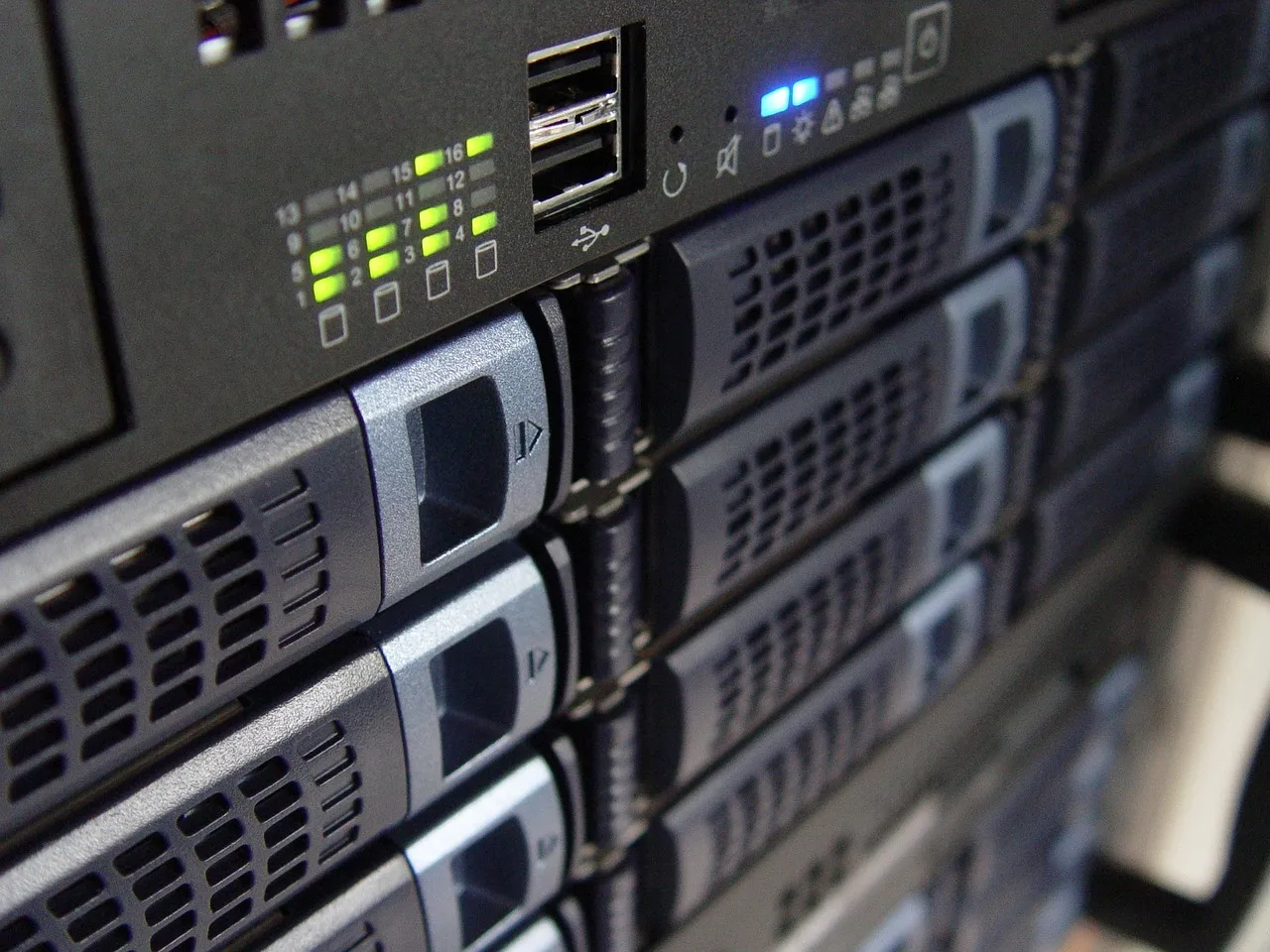
Why Big Data Workloads Demand Dedicated Server Infrastructure
Big data and analytics platforms impose demands on server infrastructure that shared hosting, VPS, and even many cloud configurations cannot consistently satisfy. These workloads are characterized by sustained, high-throughput I/O operations — continuous writes from ingestion pipelines, concurrent reads from distributed query engines, and shuffle operations that saturate both disk and network bandwidth for minutes or hours at a time. The "noisy neighbor" problem that is merely an annoyance for a standard web server becomes an existential performance threat for a dedicated server big data deployment, because a single co-tenant saturating a shared storage backplane or consuming excessive CPU cache can increase Spark job completion times by 200% to 500% and introduce variance that makes query latency unpredictable enough to break real-time dashboards and monitoring systems. Dedicated servers eliminate this problem at the hardware level by guaranteeing that every CPU cycle, every gigabyte of memory bandwidth, every NVMe I/O operation, and every bit of network throughput belongs exclusively to your analytics workloads — no hypervisor tax, no credit-based throttling, and no hidden contention from tenants you will never meet.
The memory architecture of dedicated servers is particularly critical for big data platforms because these frameworks are designed around the assumption that data fits in RAM. Apache Spark thrives when shuffle partitions, broadcast variables, and cached DataFrames can reside entirely in memory without spilling to disk; the moment spill kicks in — when the working set exceeds the available RAM allocation — job performance degrades by an order of magnitude as the JVM frantically serializes and deserializes data to and from storage. Dedicated servers provide direct, unmediated access to large pools of ECC RAM (128 GB to 1 TB or more) with predictable memory bandwidth and no balloon-driver interference from a hypervisor layer, ensuring that the Spark executors, Kafka page cache, and ClickHouse columnar indexes get the memory they require under all load conditions. For readers new to the dedicated hosting model, our dedicated server guide provides the foundational context on hardware specifications, management responsibilities, and the operational tradeoffs that inform every decision discussed in this article.
Beyond compute and memory, big data platforms generate storage I/O patterns that are qualitatively different from those of conventional web applications. A busy Kafka broker writes sequentially to dozens of partition logs simultaneously while serving catch-up reads to consumer groups that may be seconds, minutes, or hours behind — a mixed read-write workload that punishes shared storage arrays with cache thrashing and unpredictable latency spikes. An Elasticsearch cluster in the middle of a segment merge operation can generate sustained write throughput exceeding 1 GB/s while simultaneously fielding hundreds of search queries per second from Kibana dashboards. These workloads need storage that delivers consistent latency under sustained, mixed-I/O pressure — exactly the capability that dedicated NVMe drives deliver and that shared cloud block storage, with its network traversal, replication overhead, and noisy neighbor variability, cannot reliably provide. The storage discussion receives deeper treatment in our dedicated vs cloud comparison, which includes quantitative benchmarks measuring the I/O consistency gap between bare-metal NVMe and the major cloud block storage services under analytics workloads.
GPU acceleration adds yet another dimension to the dedicated server advantage for analytics. While not every big data workload requires GPUs, the subset that does — distributed model training on data lake contents, GPU-accelerated SQL engines like HeavyDB (formerly OmniSci) and BlazingSQL, real-time feature engineering for machine learning pipelines, and vector search over billion-scale embedding datasets — benefits enormously from having GPUs directly attached to the same server that holds the data. Transferring terabytes of training data from a dedicated storage server to a separate GPU cloud instance over the network adds hours of data movement overhead and thousands of dollars in egress charges; co-locating the GPU compute and the storage on the same dedicated chassis, connected via PCIe 4.0 or 5.0 with 32 to 64 GB/s of throughput, eliminates this bottleneck entirely. For organizations exploring the intersection of GPU compute and analytics infrastructure, our AI hosting guide provides additional context on server configurations that span both traditional analytics and machine learning requirements.
Hardware Requirements for Common Big Data Stacks
Each major big data technology imposes a distinct hardware resource profile, and provisioning a dedicated server for analytics without understanding these profiles is the most common cause of underperforming deployments. The hardware that runs a PostgreSQL analytics instance beautifully may choke on a Kafka broker workload, and the server that handles a moderate Spark cluster may be grotesquely over-provisioned for an Elasticsearch deployment. The subsections below map six widely deployed big data technologies to their specific CPU, memory, storage, and networking requirements, providing concrete specification ranges that HostingCaptain has validated through production deployments and benchmark testing. These mappings assume Linux-based deployments (Ubuntu 22.04 LTS or Rocky Linux 9, which together account for over 90% of production analytics server deployments as of 2025), with filesystems tuned for the workload (XFS for general-purpose data directories, ext4 with specific mount options for Kafka, and ZFS with compression for archival and backup volumes).
Apache Hadoop HDFS and YARN Deployments
Hadoop clusters are the original big data workload and remain widely deployed across enterprises for petabyte-scale batch processing, though their relative prominence has declined as Spark and cloud-native alternatives have matured. A dedicated server functioning as a Hadoop data node and YARN NodeManager needs balanced resources across CPU, memory, and storage, with an emphasis on raw storage capacity and sequential throughput over random I/O performance. Each data node should provide 12 to 24 physical cores (Xeon Gold 6xxx or EPYC 7xxx series processors at 2.4 GHz or higher base clock), 128 to 256 GB of DDR4 or DDR5 ECC RAM (the rule of thumb is 1 GB of RAM per TB of raw disk capacity for basic deployments, rising to 2 GB per TB when YARN containers run MapReduce or Tez tasks on the same node), and 8 to 12 large-capacity SATA or NL-SAS hard drives (8 TB to 16 TB each) configured in JBOD (Just a Bunch of Disks) rather than RAID, because HDFS handles redundancy at the software layer through block replication across nodes.
The networking requirement for Hadoop nodes is modest by modern big data standards — a 10 Gbps Ethernet interface (SFP+ or 10GBASE-T) provides sufficient throughput for data rebalancing, block replication during node failures, and the shuffle phase of MapReduce jobs on clusters of up to 50 nodes. Above 50 nodes, or for clusters running Spark on YARN where shuffle traffic is substantially heavier, dual 25 Gbps interfaces with LACP bonding become necessary to prevent the network from bottlenecking job completion times. The CPU architecture preference leans toward higher core counts over higher clock speeds because Hadoop workloads are embarrassingly parallel — each HDFS block is processed independently, and the number of simultaneous map tasks a node can handle is directly proportional to its core count. A single-socket EPYC 7763 with 64 cores, for example, can run 64 concurrent map tasks on a single node, dramatically reducing the physical node count required for a given processing throughput and the associated power, cooling, and rack-space costs.
Apache Spark
Apache Spark's hardware requirements differ fundamentally from Hadoop's because Spark is designed for in-memory computation and punishes storage I/O far more aggressively when memory is insufficient. The primary resource Spark demands is RAM — and lots of it. Each Spark executor JVM requires a heap allocation (typically 4 to 8 GB per executor, with 4 to 8 executors per physical node depending on core count), plus off-heap memory for shuffle operations, broadcast variables, and the Unified Memory Manager's storage region that caches RDDs and DataFrames. A well-provisioned Spark worker node should have 256 to 512 GB of RAM to keep shuffle data resident and avoid the catastrophic performance degradation that occurs when the shuffle spill-to-disk threshold is crossed. The CPU requirement is 16 to 32 physical cores per node at high clock speeds (3.0 GHz or higher base), because Spark's parallel execution model distributes partitions across cores and faster single-threaded performance directly translates to faster partition processing and shorter job completion times.
Storage for Spark nodes is deliberately minimal in the "disaggregated compute and storage" architecture — a pair of 1 TB to 2 TB NVMe drives in RAID 1 for the operating system, logs, and the local shuffle spill directory, with all persistent data residing on a separate storage layer (HDFS, S3-compatible object storage, or a distributed filesystem like MinIO or Ceph). The NVMe drives' low latency is critical for the shuffle spill path: when a Spark job's shuffle data exceeds memory, the executor writes intermediate data to local disk and reads it back during the reduce phase, and the difference between NVMe (500,000+ random read IOPS, <100 µs latency) and SATA SSD (80,000 IOPS, <500 µs latency) on this code path can determine whether a large shuffle operation completes in minutes or hours. Networking for Spark worker nodes requires 25 Gbps as a minimum, with 40 Gbps or 100 Gbps recommended for clusters exceeding 20 nodes where the all-to-all communication pattern of a wide shuffle generates quadratic growth in cross-node traffic. The network must also support the specific congestion control and RDMA (RoCE v2 or InfiniBand) capabilities that Spark's shuffle manager can leverage to reduce CPU overhead during data transfers — a capability that dedicated servers with user-configurable network adapters provide and that cloud instances with abstracted virtual network interfaces often do not expose to the guest OS.
Apache Kafka
Kafka's hardware profile is uniquely storage- and network-intensive while being relatively undemanding on CPU and RAM compared to compute frameworks like Spark. The defining characteristic of a Kafka broker's storage workload is sustained sequential write throughput at very high volumes — a single broker in a production deployment might ingest 500 MB/s to 2 GB/s of append-only writes distributed across hundreds or thousands of topic partitions, while simultaneously serving catch-up reads to consumer groups that trigger random-read patterns across the partition log segments. This mixed workload demands drives with both high sequential write throughput (for ingestion) and high random read IOPS (for consumer fetches at varying offsets), making enterprise NVMe drives (Samsung PM9A3, Intel P5520, or Kioxia CD8) the only viable storage choice for production Kafka deployments. SATA SSDs lack the combined throughput and IOPS to handle this pattern at scale, and mechanical hard drives — while capable of high sequential throughput in isolation — collapse under the concurrent random-read load from multiple consumer groups.
The page cache is Kafka's most important performance mechanism and the reason that RAM sizing for Kafka requires a different mental model than for other big data systems. Kafka does not allocate heap memory for message storage — it relies entirely on the Linux kernel's page cache to keep the most recently written and most frequently read partition segments in memory, serving consumer fetch requests directly from RAM without touching the storage subsystem. This design means that Kafka benefits enormously from large RAM allocations not because the JVM needs it but because the operating system needs it for the page cache. A production Kafka broker should have 64 to 128 GB of RAM, with only 6 to 8 GB allocated to the Kafka JVM heap (Kafka's heap requirements are modest — it stores messages in the page cache, not on the Java heap) and the remaining memory available for OS-level caching of partition data. The CPU requirement is 8 to 16 physical cores with strong single-threaded performance (high base clock, large per-core L2 cache), because Kafka's network thread model processes one request per thread and partition leadership elections and ISR (in-sync replica) management are latency-sensitive operations that benefit from fast cores rather than many cores. Networking is the final critical dimension: a production Kafka broker should have dual 25 Gbps interfaces (bonded for throughput and redundancy), because a broker simultaneously ingesting from hundreds of producers and serving data to dozens of consumer groups can easily sustain 10 to 20 Gbps of aggregate throughput during peak periods. Dedicated servers with user-controlled NIC configuration, kernel bypass capabilities via DPDK or XDP for extreme-performance deployments, and consistent line-rate throughput without cloud-style network variance are the standard infrastructure choice for Kafka at any scale beyond development and testing.
Elasticsearch and OpenSearch
Elasticsearch and its open-source fork OpenSearch occupy a hardware resource profile that combines the memory hunger of Spark with the storage I/O intensity of Kafka, making them among the most demanding workloads to provision correctly. Each Elasticsearch node runs an in-memory data structure (the Lucene index segments, field data caches, and query caches) that benefits directly from large RAM allocations — the general guideline is to allocate 50% of the node's physical RAM to the Elasticsearch heap (capped at 32 GB due to JVM compressed ordinary object pointer limitations on heaps below approximately 32 GB, though G1GC tuning and Java 17+ can push this higher for specific workloads) and reserve the remaining memory for the OS page cache, which Lucene uses aggressively for index segment reading. A dedicated server configured as an Elasticsearch data node should have 128 to 256 GB of RAM: 31 GB for the heap, and the remaining 97 to 225 GB available for the page cache to keep hot index segments resident and avoid the devastating latency penalty of reading index data from disk during query execution.
Storage for Elasticsearch is where dedicated NVMe becomes non-negotiable for production deployments. Lucene's segment merge operation — where multiple small index segments are combined into a single larger segment to optimize search performance — is an I/O-intensive process that simultaneously reads multiple segment files, writes a new merged segment, and updates index metadata, generating sustained throughput of 500 MB/s to 2 GB/s of mixed read-write I/O on a busy index. During a merge, search queries continue to arrive and must be served from the index segments that are actively being rewritten, creating a concurrency pattern that punishes storage media with high latency variance. Enterprise NVMe drives with power-loss-protection capacitors and consistent 4K random-write latency below 200 µs are the minimum viable storage for Elasticsearch clusters handling more than a few hundred indexing operations per second. CPU requirements are 16 to 32 physical cores with high clock speeds (base 2.8 GHz or higher): the search thread pool processes one query per thread, and the indexing thread pool handles document parsing, analysis, and Lucene index updates across multiple threads, making both core count and per-core performance directly impactful on cluster throughput. Network requirements are 10 to 25 Gbps, with the higher end necessary when cross-cluster replication sends index updates to a disaster recovery cluster or when Kibana dashboards generate dozens of simultaneous aggregation queries against a multi-node cluster during business hours.
ClickHouse and Columnar OLAP Engines
ClickHouse, along with similar column-oriented analytical databases like Apache Druid and StarRocks, presents a hardware profile that is simultaneously easier and harder to provision than the row-oriented systems discussed above — easier because its compressed columnar storage format reduces the raw storage footprint by 5x to 20x compared to row-based storage, and harder because its vectorized query execution engine can saturate every hardware resource on a server simultaneously when a complex analytical query runs. A single ClickHouse query scanning a billion-row table with multiple aggregations, window functions, and JOINs will consume 100% of every available CPU core, generate read throughput equal to the storage subsystem's maximum bandwidth, and consume memory proportional to the cardinality of the aggregation keys — all on a single query. When dozens of such queries arrive concurrently from dashboards, scheduled reports, and ad-hoc analysts, the server must have enough headroom across all resource dimensions to prevent queries from queuing behind saturated resources.
The recommended dedicated server configuration for a ClickHouse node serving concurrent analytical workloads starts with 32 to 64 physical cores at maximum single-threaded performance — EPYC 9xx4 "Genoa" or Xeon Sapphire Rapids processors with base clocks above 3.0 GHz — because ClickHouse's vectorized execution model compiles queries to SIMD-optimized machine code that runs more instructions per clock cycle on wider, faster cores. RAM requirements scale with the cardinality of aggregation operations: 128 to 256 GB is sufficient for most deployments, but organizations running high-cardinality GROUP BY queries (aggregating by user ID across billions of events, for example) may need 512 GB to 1 TB to keep aggregation hash tables in memory. Storage for ClickHouse should be NVMe exclusively — the columnar storage format's compression reduces I/O volume, but the random-access pattern of reading individual columns from separate files within a table's data part directory generates random-read I/O patterns that SATA drives cannot service quickly enough to prevent the query execution engine from stalling. Dual or quad 3.2 TB to 7.68 TB enterprise NVMe drives in a striped (RAID 0) or software-RAID configuration provide both the throughput to sustain multiple concurrent scans and the capacity to store large time-series datasets locally without requiring network-attached storage that introduces latency. Network requirements are 25 Gbps minimum, with 40 Gbps or 100 Gbps recommended for clusters where the distributed query engine performs cross-node data shuffles during JOIN operations between tables sharded across multiple ClickHouse nodes — a pattern common in deployments where data is partitioned by time across nodes and cross-time-range queries require reading from every node in the cluster.
PostgreSQL with Large Analytical Datasets
PostgreSQL configured for analytical workloads — running on datasets measuring tens or hundreds of gigabytes, with complex multi-table JOINs, window functions, CTEs (Common Table Expressions), and materialized view refreshes — demands a hardware profile that diverges significantly from the OLTP-focused PostgreSQL configurations prevalent in the web application hosting world. The primary bottleneck in analytical PostgreSQL is not transaction throughput (which OLTP configurations optimize for) but rather the speed at which the query executor can scan large tables, perform hash joins and aggregations in memory, and write results back to disk for materialized views or temporary table storage. The dedicated server's shared_buffers setting — the PostgreSQL parameter that controls how much memory is used for caching table and index data — should be set to 25% to 40% of system RAM on an analytics server (versus the 15% to 25% typical for OLTP workloads), with the remaining memory available to the OS page cache for double-buffering hot data and to the work_mem allocation per query operation (hash tables, sorts, and bitmap index scans each consume up to work_mem of memory per operation per query).
A dedicated server configured for 500 GB to 2 TB analytical PostgreSQL datasets should provide 128 to 512 GB of RAM, with 32 to 64 GB allocated to shared_buffers, 256 MB to 2 GB to work_mem (depending on maximum concurrent query count — higher work_mem enables more in-memory hash joins and sorts but limits the number of concurrent queries that can run without swapping), and the remaining hundreds of gigabytes available for page cache to keep frequently scanned tables resident in memory. Storage must be NVMe-based, with the PostgreSQL data directory on a dedicated pair of high-endurance enterprise NVMe drives (3.2 TB to 7.68 TB, 3 DWPD or higher endurance rating) in RAID 1 or RAID 10 for redundancy, and the WAL (Write-Ahead Log) directory on a separate, lower-capacity but extremely low-latency NVMe device (800 GB to 1.6 TB Optane or Z-NAND) to eliminate the commit-latency bottleneck that affects COPY and INSERT-heavy ETL workloads. CPU requirements favor high core counts (24 to 64 physical cores) because PostgreSQL's parallel query execution, introduced in version 9.6 and substantially improved through versions 14, 15, and 16, can distribute sequential scans, hash joins, and aggregation operations across multiple worker processes — a 48-core server running PostgreSQL 16 with parallel query enabled can scan and aggregate a 500 GB table approximately 12 to 16 times faster than an 8-core server on the same storage hardware, making core count the dominant CPU specification for analytical PostgreSQL rather than clock speed. The broader architectural choice between dedicated and cloud infrastructure for database workloads receives detailed treatment in our dedicated vs cloud comparison, which includes specific TCO models for large PostgreSQL deployments across both infrastructure types.
Illustration: Dedicated Server Hosting for Big Data and Analytics PlatformsRAM and Storage Sizing Guidelines for Analytics Platforms
RAM and storage configuration errors are the most frequent cause of big data platform performance failures, and the root cause is almost always the same: sizing memory and storage based on the dataset's total size rather than the workload's working set and I/O throughput requirements. A 50 TB Hadoop cluster with 128 GB of RAM per node may have a 400:1 disk-to-RAM ratio that is perfectly appropriate for batch MapReduce jobs that scan data once and terminate. That same ratio applied to an Elasticsearch cluster would be catastrophic — search performance degrades exponentially once the hot index segments exceed the page cache, because every query must read from disk instead of memory, and Lucene's segment structure means a single query may need to read from dozens of small files scattered across the storage device. The guidelines below provide sizing frameworks for the three resource dimensions that most directly determine analytics platform performance, based on HostingCaptain's deployment experience across the big data stacks profiled in the previous section.
For RAM sizing, the fundamental question is not "how much data do you have" but "how much data is actively queried, aggregated, or shuffled during your busiest analytical window." For batch processing systems (Hadoop MapReduce, Spark ETL jobs that run nightly and terminate), the RAM requirement is driven by the concurrency of task execution — each map or Spark executor task requires memory for its heap, and the total RAM is the product of concurrent tasks times per-task memory allocation, not the dataset size. For interactive analytical systems (ClickHouse, Elasticsearch, Druid, analytical PostgreSQL), the RAM requirement is driven by the working set — the subset of data that must be resident in memory to deliver query latencies that users find acceptable (typically under 2 seconds for dashboard queries and under 30 seconds for ad-hoc analytical queries). The working set for a clickstream analytics platform might be the most recent 30 days of data (even if five years of history exist on disk), because 95% of user queries target recent time ranges. Sizing RAM to hold 30 days of data rather than five years reduces the memory requirement by 60x while delivering an indistinguishable user experience for the vast majority of queries. The remaining historical data resides on NVMe storage, where queries complete more slowly but are rare enough that the performance difference is acceptable.
Storage sizing for big data analytics must account for three layers of data residency: raw ingested data (the original format as received from sources), processed and indexed data (the query-optimized format stored in the analytics database or search engine), and replication overhead (the additional copies maintained for fault tolerance). Raw data typically consumes 1x to 1.2x of the original data volume when stored in compressed columnar formats (Parquet on HDFS, ClickHouse MergeTree with ZSTD compression, or Elasticsearch indexes with best_compression codec). Processed data — indexes, materialized views, aggregation tables, and derived datasets — typically adds 0.5x to 2.0x overhead on top of raw storage depending on the indexing strategy: a heavily indexed Elasticsearch deployment with multiple replica shards might consume 3x to 4x the raw data volume when all copies are counted, while a ClickHouse deployment with ZSTD compression and a single replica might consume only 0.3x to 0.5x of the raw data volume. Replication for fault tolerance adds 1x overhead per additional replica (the industry standard is three replicas for production data, yielding a 3x total storage multiplier). A practical storage sizing formula that HostingCaptain uses with clients is: provisioned storage = (raw data volume × compression ratio × index overhead) × replication factor × 1.5 (headroom for growth and maintenance operations like segment merges and compaction). For a 10 TB raw dataset stored in ClickHouse with 5x ZSTD compression, minimal indexing overhead (1.2x), three replicas, and 50% headroom, the calculation yields: 10 TB ÷ 5 × 1.2 × 3 × 1.5 = 10.8 TB of provisioned NVMe storage — a fraction of what the same dataset would require in less storage-efficient systems.
Storage media selection — NVMe versus SATA SSD versus mechanical HDD — is the single most impactful hardware decision for analytics platform performance and the one where cheaping out inflicts the most damage. NVMe drives, particularly enterprise models with PLP (Power Loss Protection) capacitors and consistent latency profiles, deliver 500,000 to 1,000,000 random read IOPS and 3,000 to 7,000 MB/s of sequential throughput at queue depths that keep analytics query engines saturated. SATA SSDs, by comparison, deliver 80,000 to 100,000 random read IOPS and 500 to 550 MB/s of sequential throughput — a 5x to 10x reduction that directly translates to analytics queries taking 5 to 10 times longer to complete. Mechanical hard drives deliver 150 to 200 random read IOPS and 200 to 250 MB/s of sequential throughput — a 1,000x to 5,000x reduction in random I/O performance that makes interactive analytics entirely non-viable. The cost differential between these tiers has narrowed substantially between 2020 and 2025: enterprise NVMe drives now cost approximately $0.15 to $0.25 per GB (down from $0.50+ in 2020), SATA SSDs cost $0.08 to $0.12 per GB, and mechanical HDDs cost $0.01 to $0.02 per GB. At these prices, the incremental cost of NVMe over SATA SSD for a 10 TB deployment is approximately $700 to $1,300 — a one-time hardware cost that is dwarfed by the value of the engineering time saved by queries that complete in seconds rather than minutes. For dedicated server big data deployments where query performance directly affects business decisions, revenue-generating dashboards, or customer-facing analytics features, NVMe is no longer a premium option — it is the baseline requirement for acceptable performance, and SATA SSDs should be reserved for cold storage tiers, backup volumes, and archival data that is queried infrequently enough that multi-minute latency is tolerable.
Recommended Dedicated Server Configurations by Workload
Translating the hardware requirements and sizing guidelines from the previous sections into specific dedicated server configurations requires balancing three variables that interact in ways that are not obvious from specification sheets alone: the generational performance improvements of newer processors versus the cost savings of previous-generation hardware, the single-socket versus dual-socket tradeoff for analytics workloads where memory bandwidth per core matters more than total core count, and the storage topology that delivers the right balance of throughput, capacity, and redundancy for each workload class. The configurations below represent the reference architectures that HostingCaptain recommends based on production deployment data, benchmark results, and cost-performance analysis at 2025 hardware pricing. These configurations assume self-managed or provider-managed dedicated servers running Linux (Ubuntu 22.04 LTS or Rocky Linux 9), with the analytics software installed and configured by the customer or by HostingCaptain's managed services team depending on the support tier selected.
Entry-Level Analytics Server — Single-Node Deployments and Development Clusters
The entry-level analytics configuration targets teams that are building proof-of-concept analytics platforms, running development and staging clusters, or operating small production deployments where dataset sizes are under 5 TB and query concurrency is under 10 simultaneous users. The recommended specification is a single-socket AMD EPYC 7443P (24 cores, 48 threads, 2.85 GHz base, 4.0 GHz boost, 128 MB L3 cache) or Intel Xeon Gold 5416S (16 cores, 32 threads, 2.0 GHz base, 4.0 GHz boost, 30 MB L3 cache), paired with 128 GB of DDR4-3200 ECC RAM (expandable to 256 GB), dual 3.2 TB enterprise NVMe drives (Samsung PM9A3 or equivalent) in software RAID 1 for the analytics data directory, a separate 480 GB NVMe boot drive for the OS and analytics software binaries, and a single 10 Gbps network interface. This configuration, available from providers like Hetzner, OVH, and ReliableSite at $150 to $250 per month, can run a single-node ClickHouse instance serving 10 to 20 concurrent dashboard users, a 3-node Elasticsearch cluster's data node (with two additional nodes of the same specification), a Spark standalone cluster's master and worker co-located on the same node for development workloads, or a PostgreSQL analytics instance with 1 to 3 TB of actively queried data.
The single-socket design of this configuration is deliberate: for entry-level analytics workloads, the per-core memory bandwidth of a single socket (204.8 GB/s on EPYC Milan, approximately 8.5 GB/s per core) exceeds what a dual-socket configuration would provide at this core count because dual-socket EPYC systems split memory bandwidth across two memory controllers and introduce NUMA (Non-Uniform Memory Access) latency between cores on different sockets accessing memory attached to the other socket. A single-socket 24-core EPYC server delivers its full memory bandwidth to every core without NUMA penalties, which benefits the single-threaded aggregation and JOIN operations that dominate entry-level analytical queries where full parallelism across 48 cores is rarely achieved. The NVMe RAID 1 configuration provides fault tolerance at the storage level without the write-amplification penalty of RAID 5 or RAID 6, ensuring that the mixed read-write I/O patterns of analytical workloads (segment merges, index compactions, materialized view refreshes) are not bottlenecked by parity calculations. Teams that outgrow this configuration typically add additional nodes of the same specification to form a distributed cluster rather than upgrading to a larger single node, because analytical platforms like ClickHouse and Elasticsearch scale horizontally by design and gain more from additional nodes (more aggregate memory, more aggregate I/O throughput, and query parallelism across nodes) than from a single larger node.
Mid-Range Production Analytics Server — Multi-Node Cluster Building Block
The mid-range configuration is the workhorse of production analytics deployments — the node specification that organizations purchase in multiples of 3, 5, or 10 to build distributed clusters serving 50 to 500 concurrent users across dashboards, scheduled reports, and ad-hoc analytical queries. The recommended specification is a single-socket AMD EPYC 9554 (64 cores, 128 threads, 3.1 GHz base, 3.75 GHz boost, 256 MB L3 cache, Zen 4 architecture) or dual-socket Intel Xeon Gold 6448Y (32 cores per socket, 64 cores total, 128 threads, 2.1 GHz base, 4.1 GHz boost, 60 MB L3 cache per socket), paired with 512 GB of DDR5-4800 ECC RAM (8 × 64 GB DIMMs across 8 or 12 memory channels), quad 3.2 TB to 7.68 TB enterprise NVMe drives in a striped-mirror (RAID 10 equivalent) configuration via Linux MD RAID or ZFS for the analytics data directory, a separate pair of 480 GB NVMe drives in RAID 1 for the OS, dual 25 Gbps SFP28 network interfaces bonded for 50 Gbps aggregate throughput, and redundant hot-swappable power supplies. This configuration, priced between $500 and $800 per month depending on the provider and support tier, delivers sufficient throughput to serve as a ClickHouse shard handling 20 to 50 TB of compressed data, an Elasticsearch data node indexing 5,000 to 15,000 events per second while serving 100+ concurrent search queries, or a Spark worker node capable of running 32 to 48 concurrent executor tasks with 10 GB of memory per executor.
The EPYC 9554 versus Xeon Gold 6448Y choice in this tier comes down to a nuanced performance characteristic that matters enormously for analytical workloads: the EPYC processor's massive 256 MB of L3 cache (versus 120 MB total across two Xeon sockets) dramatically reduces cache-miss penalties during aggregation queries that iterate over large hash tables — the hash table for a high-cardinality GROUP BY operation that spills out of L2 cache but fits within L3 will execute 3x to 5x faster on the EPYC than on the Xeon due to the 4x larger L3 and the reduced DRAM traffic. For ClickHouse and analytical PostgreSQL deployments where aggregation performance dominates query profiles, the EPYC's cache advantage is decisive. For Elasticsearch and Spark workloads where the processing pattern is more diverse — mixing full-text search scoring, document parsing, and shuffle operations that are less cache-sensitive — either processor platform delivers comparable performance, and the choice can be driven by provider availability, pricing, and compatibility with existing infrastructure management tooling. For teams evaluating the long-term cost implications of dedicated server clusters versus cloud deployments, the dedicated vs cloud comparison includes multi-year TCO models that reveal how the economics of a 5-node mid-range cluster shift between dedicated and cloud infrastructure across one-year, three-year, and five-year horizons.
High-Performance Analytics Server — GPU-Accelerated and Extreme Throughput
The high-performance tier addresses analytics workloads that exceed the capabilities of CPU-only architectures: GPU-accelerated SQL engines processing billion-row tables at interactive speeds, vector search over billion-scale embedding datasets using FAISS or Milvus, batch inference pipelines that score millions of records per hour using trained machine learning models, and mixed workloads that combine traditional SQL analytics with on-the-fly model inference within the same query execution path. The recommended specification builds on the mid-range configuration by adding GPU accelerators: a dual-socket AMD EPYC 9654 (96 cores per socket, 192 cores total, 384 threads, 2.4 GHz base, 3.7 GHz boost, 384 MB L3 cache per socket) paired with 1 TB of DDR5-4800 ECC RAM (16 × 64 GB DIMMs), quad 7.68 TB enterprise NVMe drives in RAID 10, dual or quad NVIDIA L40S GPUs (48 GB GDDR6 each) or dual NVIDIA H100 GPUs (80 GB HBM3 each) connected via PCIe 5.0 x16 slots providing 64 GB/s of bandwidth per GPU, dual 100 Gbps QSFP28 network interfaces bonded for 200 Gbps aggregate throughput, and redundant hot-swappable 2,400W+ power supplies capable of supporting the combined 400W-700W per GPU plus 350W-400W per CPU power draw. This configuration, priced between $2,500 and $5,000 per month (heavily dependent on GPU count and type, with H100 availability commanding significant premiums), occupies the intersection of traditional analytics and AI infrastructure that our AI hosting guide explores in the context of the broader server technology evolution.
The justification for this tier is not throughput volume — a CPU-only mid-range cluster can handle petabyte-scale batch processing — but rather latency reduction for specific high-value workloads where query response time directly translates to revenue, user satisfaction, or competitive advantage. A financial services firm running real-time fraud detection models that must score every transaction within 50 milliseconds cannot tolerate the multi-second query latencies of a CPU-only ClickHouse cluster, but a GPU-accelerated engine like HeavyDB can complete the same fraud-detection query (scanning billions of rows with multiple JOINs and model inference) in under 30 milliseconds. Similarly, an e-commerce platform performing vector similarity search across a 100-million-item product catalog for real-time personalized recommendations — a workload that involves computing cosine similarity between a user embedding vector and millions of product embedding vectors — completes in under 10 milliseconds on an L40S GPU using FAISS GPU indices but requires 500 to 2,000 milliseconds on a 64-core CPU server using CPU-optimized approximate nearest-neighbor algorithms. These latency differences are not incremental improvements; they are category-enabling performance thresholds that determine whether certain analytics features are technically feasible at all within user-acceptable response times. The GPU-accelerated analytics server represents the frontier of dedicated server big data infrastructure, and while the number of organizations that can justify this tier today is limited, the trajectory of data volumes, model complexity, and user expectations suggests that GPU-accelerated analytics will be a mainstream requirement within the three-year hardware lifecycle of servers provisioned in 2025.
Bare Metal vs Virtualized for Analytics Performance
The virtualization overhead debate takes on heightened significance in the context of big data analytics because the performance penalties that are negligible for web servers — a few percent of CPU overhead, an extra 50 to 200 microseconds of storage latency — compound dramatically when multiplied across the billions of I/O operations, trillions of CPU instructions, and petabytes of network traffic that characterize production analytics workloads. A hypervisor that consumes 5% of CPU cycles introduces 5% more wall-clock time to every Spark job, every Elasticsearch segment merge, and every ClickHouse aggregation query — and across a cluster of 20 servers running 24/7 analytical workloads, that 5% overhead translates to the equivalent of one entire server's compute capacity consumed by virtualization rather than analytics. More critically, the storage I/O path through a hypervisor's virtualized block device stack introduces latency variance — the standard deviation of I/O completion times — that the hypervisor cannot completely eliminate because it must multiplex physical storage controller access across multiple virtual machines. Analytics databases like ClickHouse and Elasticsearch are exquisitely sensitive to I/O latency variance because their query execution engines are designed around the assumption of consistent storage performance; a query that expects 200 µs reads and suddenly encounters a 2 ms outlier (perfectly normal in a virtualized environment where the hypervisor is servicing another VM's I/O burst) can cause query latencies to spike by 10x to 50x as the execution pipeline stalls waiting for data.
The memory subsystem is another domain where bare metal demonstrates measurable advantages for analytics. Hypervisors implement memory overcommit techniques — balloon drivers that reclaim unused guest memory, transparent page sharing that deduplicates identical memory pages across VMs, and swapping to host-level swap devices when physical memory is exhausted — that improve server consolidation ratios at the expense of individual VM memory performance predictability. For a web server, a balloon driver requesting the guest to release 2 GB of memory might cause a brief GC pause that users don't notice. For a Spark executor whose shuffle data is exactly sized to fit within its allocated memory, having 2 GB reclaimed by the balloon driver triggers catastrophic spill-to-disk behavior that can increase job completion time by 300%. Dedicated servers eliminate this entire class of failure modes because the operating system has exclusive, unmediated access to every byte of physical RAM — no balloon driver, no transparent page sharing, no hypervisor swapping — and the only memory pressure the analytics platform experiences is the memory pressure it creates for itself through its own data structures and allocation patterns.
That said, the bare-metal-versus-virtualized decision is not a binary choice where bare metal is always superior. Modern hypervisors, particularly KVM with virtio-blk and vhost-user storage backends using SPDK (Storage Performance Development Kit) to bypass the kernel block layer, and VMware ESXi with PCIe passthrough for NVMe drives, have narrowed the performance gap to single-digit percentages for many workloads. The practical distinction in 2025 is less about raw performance ceilings and more about performance consistency and resource isolation guarantees. A dedicated server provides hard guarantees: your CPU cores are not shared, your NVMe drives are not shared, your network interface is not shared, and your memory is not shared — and these guarantees are enforced by the laws of physics (a physical core can only execute one instruction stream at a time) rather than by software scheduler policies that can be tuned but not perfected. A virtualized environment, even a well-configured one with CPU pinning, NUMA affinity, and dedicated storage volumes, provides statistical guarantees: your performance will be within X% of bare metal Y% of the time, but the tail latency — the P99 and P99.9 response times that determine whether user-facing dashboards feel responsive or sluggish — will exhibit greater variance than bare metal equivalents. For batch analytics workloads where individual query latency doesn't matter and only total job completion time matters, this variance is acceptable. For interactive analytics serving dashboards and real-time applications, the tail latency penalty of virtualization can be the difference between a dashboard that feels instantaneous and one that users complain about. This distinction receives quantitative treatment in the dedicated vs cloud performance benchmarks that HostingCaptain publishes and maintains, which include P50, P95, and P99 latency distributions for identical analytics workloads run on dedicated hardware versus the major cloud providers' premium instance types.
Data Center Considerations for Big Data Infrastructure
The physical data center that houses your dedicated analytics servers is not an interchangeable commodity — its power infrastructure, cooling capacity, network topology, and carrier interconnect density directly determine whether your big data hardware can actually deliver its rated performance consistently. A server configured with dual EPYC 9654 processors and quad H100 GPUs that draws 3,500 watts at full load is useless in a data center whose per-rack power allocation is 5 kW (limiting the rack to a single such server plus networking equipment) but thrives in a facility with 15 kW to 20 kW per rack that can host three or four such servers with room to spare. Power density has become the binding constraint on analytics server deployment as CPU core counts and GPU accelerator counts have grown faster than per-component power efficiency improvements — a top-spec analytics server in 2025 consumes more power than three equivalent servers from 2018 while delivering approximately 5x the computational throughput, which is favorable in compute-per-watt terms but challenging in watts-per-square-foot-of-data-center-floor-space terms.
Cooling infrastructure is inextricably linked to power density because every watt of electricity consumed by a server becomes a watt of heat that must be removed from the data center environment. Traditional air-cooled data centers using hot-aisle/cold-aisle containment with raised-floor air distribution can typically handle 5 kW to 10 kW per rack before temperature hotspots develop that threaten hardware reliability. Above 10 kW per rack, which is the territory that multi-GPU analytics servers and dense NVMe storage arrays occupy, the data center must implement supplemental cooling technologies — rear-door heat exchangers that capture server exhaust heat at the rack level, direct-to-chip liquid cooling that circulates coolant through cold plates attached to CPUs and GPUs, or immersion cooling that submerges entire servers in dielectric fluid. These cooling technologies add cost and complexity but enable rack densities of 30 kW to 100 kW+, making them essential infrastructure for large-scale analytics deployments in 2025 and beyond. Organizations procuring dedicated servers for big data workloads should verify that their chosen provider's data center has the power and cooling capacity to support their planned hardware configuration at full utilization, because a provider that provisions a high-power server but cannot cool it adequately will silently throttle CPU and GPU clock speeds when thermal thresholds are exceeded — effectively charging you for performance that the hardware cannot deliver under sustained load.
Network architecture at the data center level determines whether your analytics cluster can communicate at the speeds its hardware interfaces are rated for, and the gap between rated interface speed and actual achievable throughput across the data center fabric is wider than most organizations anticipate. A dedicated server with dual 100 Gbps network interfaces can theoretically push 200 Gbps of aggregate traffic, but if the data center's top-of-rack switch only has 40 Gbps of uplink capacity to the spine layer, and that spine layer's inter-switch links are themselves oversubscribed at a 3:1 or 4:1 ratio, the actual cross-rack throughput available to a distributed analytics query spanning nodes in different racks may be limited to 10 Gbps to 20 Gbps — a 10x reduction from the interface speed. For analytics workloads where shuffle and data redistribution operations generate all-to-all communication patterns across the entire cluster, the data center's oversubscription ratio — the ratio of total server-facing port bandwidth to total uplink bandwidth — directly determines whether jobs complete in minutes or hours. Data centers designed for analytics and HPC workloads, including those operated by providers like Equinix (with their HPC-focused IBX facilities), Hetzner (whose newer Finnish data centers feature non-blocking 100 Gbps fabrics), and select OVH facilities, advertise oversubscription ratios of 1:1 to 2:1, meaning that server-to-server traffic within the facility rarely encounters congestion even during sustained all-to-all shuffle operations. General-purpose data centers, by contrast, often operate at 4:1 to 10:1 oversubscription because their tenant mix is dominated by web hosting and enterprise applications where server-to-server traffic is modest. The distinction between these two classes of data center is invisible on a provider's marketing website but is the single largest determinant of distributed analytics cluster performance, and it is the reason that HostingCaptain's provider evaluation process includes explicit network architecture questions that most buyers never think to ask.
Geographic placement of analytics infrastructure introduces latency constraints that interact with data gravity — the principle that large datasets are difficult and expensive to move, so computation should be co-located with data rather than the reverse. An analytics cluster in Frankfurt serving dashboards accessed by users in Mumbai will experience 120 to 150 milliseconds of round-trip latency per query, which adds 120 to 150 ms to every user interaction regardless of how fast the server processes the actual query. For batch analytics jobs, this latency is irrelevant — the job runs for 30 minutes and an extra 150 ms is noise. For interactive dashboards where users expect sub-second response to filter changes, drill-downs, and time-range adjustments, 150 ms of network latency on top of 200 to 500 ms of server processing time pushes the total user-perceived latency into the 350 to 650 ms range — above the threshold where users perceive interactions as "instant" (typically 200 ms or below). Organizations serving analytics to a geographically concentrated user base should provision dedicated servers in data centers within 50 ms of network latency from their users; organizations serving a globally distributed user base should consider deploying analytics clusters in multiple geographic regions or layering a query-routing tier that directs users' analytical queries to the nearest cluster replica. The Cloudflare cloud overview provides a useful reference on how modern network architectures address the geographic distribution challenge, and our best cloud providers for SMBs analysis evaluates which hosting companies offer multi-region infrastructure suitable for analytics workloads with global user bases.
Cost Comparison: Dedicated vs Cloud for Big Data at Scale
The cost dynamics between dedicated servers and cloud infrastructure for big data workloads diverge more dramatically than for any other workload category because big data amplifies the two cloud cost drivers that most organizations underestimate: data egress charges and storage I/O fees. A mid-sized analytics deployment — say, a 10-node ClickHouse cluster with each node ingesting 5 TB of data per month from Kafka and serving 200 concurrent dashboard users — will generate data egress traffic that includes: raw event data replicated from Kafka brokers to ClickHouse nodes (ingest path, 50 TB/month), query results returned to dashboard applications and ad-hoc query tools (typically 5% to 15% of scanned data volume, 25 to 75 TB/month depending on query patterns and dashboard refresh rates), cross-AZ replication traffic for high availability (full ingest volume duplicated, 50 TB/month), and backup snapshots exported to object storage for disaster recovery (compressed, approximately 10 to 20 TB/month). Cloud providers charge data egress at rates ranging from $0.05 to $0.12 per GB depending on the provider and volume tier; at 100 TB of monthly egress (a conservative estimate for this 10-node deployment), the bandwidth charges alone add $5,000 to $12,000 per month to the cloud bill — before any compute, storage, or support charges are included.
The dedicated server cost model for the same deployment eliminates egress charges entirely. A 10-node cluster of mid-range analytics servers (EPYC 9554, 512 GB RAM, quad NVMe RAID 10, dual 25 Gbps networking) from a provider like Hetzner, OVH, or ReliableSite costs $4,000 to $8,000 per month total, with bandwidth included — typically 20 TB to 50 TB per server per month on a 1 Gbps port or unmetered on a guaranteed port speed. The dedicated server total monthly cost of $4,000 to $8,000 covers compute, storage, memory, network, and bandwidth for the entire cluster. The cloud deployment's bandwidth charges alone exceed the dedicated server's all-in cost in many scenarios, before adding the cost of compute instances ($1.50 to $3.50 per hour for memory-optimized instances with 512 GB RAM, or approximately $1,100 to $2,550 per instance per month), provisioned IOPS storage ($0.08 to $0.15 per GB-month for high-throughput volumes, or $2,560 to $11,520 per month for 32 TB across 10 nodes), load balancers, NAT gateways, managed service premiums (Amazon MSK for Kafka, Amazon OpenSearch Service for Elasticsearch), and technical support plans. The cloud total for this 10-node deployment typically lands between $25,000 and $55,000 per month — a 3x to 10x premium over dedicated server costs for equivalent compute, memory, and storage capacity.
The counterargument to this cost comparison is that the cloud deployment includes capabilities that the dedicated server deployment does not: automated failover across availability zones, one-click cluster resizing, managed software services that eliminate administrator labor, and the ability to scale capacity up and down on demand. These capabilities have genuine economic value, and for organizations whose analytics workloads are highly variable, the dedicated server's fixed-capacity model represents a different kind of cost — the cost of provisioning for peak demand and paying for idle capacity during off-peak periods. However, big data workloads are fundamentally different from web application workloads in their capacity variability. A web application's traffic might spike 10x during a marketing campaign and drop back to baseline the next day; an analytics platform's workload is driven by data volume (which grows monotonically, not spike-driven), query concurrency (which follows business hours but rarely spikes more than 3x from trough to peak), and scheduled jobs (which are, by definition, predictable). The capacity variability of analytics workloads is low enough that the dedicated server's fixed-capacity model rarely results in significant idle resource waste, and the cloud's elasticity premium — the price you pay for the ability to scale up and down on demand — buys a capability that analytics deployments rarely exercise. The result is a cost landscape where dedicated servers are strongly favored for analytics workloads at any scale beyond small proof-of-concept deployments, with the crossover point occurring at roughly $2,000 to $3,000 in monthly cloud spend. Below that threshold, the operational simplicity of cloud services may justify the premium; above it, the dedicated server cost advantage is decisive and grows with scale. For the full TCO framework, including staffing costs and multi-year reserved-instance comparisons, refer to the dedicated vs cloud cost breakdown.
Top Dedicated Server Providers for Analytics Workloads
Selecting a dedicated server provider for analytics workloads requires evaluating criteria that general-purpose hosting reviews often overlook: the provider's network architecture for distributed cluster communication, the availability of the specific processor and GPU SKUs that analytics frameworks perform best on, the storage configuration flexibility (RAID level support, filesystem options, and the ability to configure multiple storage tiers on the same server), the data center's power density capabilities to support high-TDP processors and GPUs, and the support team's familiarity with Linux performance tuning parameters that matter for analytics — huge pages configuration, I/O scheduler selection, kernel bypass networking, and filesystem mount options for XFS and ext4 on NVMe. The providers below are those that HostingCaptain has evaluated and deployed analytics workloads on, and they represent the current best options at different price, support, and geographic tiers.
Hetzner — Best Price-Performance for European Analytics Infrastructure
Hetzner's dedicated server lineup, particularly the AX and EX series built on AMD EPYC processors, delivers the most aggressive price-performance ratio in the dedicated server market for analytics workloads. The AX102 (EPYC 9554, 64 cores, 512 GB DDR5 ECC RAM, 2 × 3.84 TB NVMe) at approximately €350 to €450 per month provides the mid-range analytics specification profiled in Section 4 at roughly 50% to 70% of the cost of equivalent hardware from US-based providers. Hetzner's Finnish data center (Helsinki region) features a modern, low-oversubscription network fabric that has delivered consistent cross-server throughput in HostingCaptain's distributed analytics cluster testing, and the inclusion of 20 TB to 30 TB of traffic per server (with additional traffic available at reasonable rates) eliminates the bandwidth-cost anxiety that clouds IaaS analytics deployments. The tradeoffs are Hetzner's self-service support model (hardware replacement is fast; software-level assistance is not included), European data center locations that introduce 90 to 130 ms latency for users in India and Southeast Asia, and limited GPU availability — Hetzner offers GPU servers but inventory is constrained and the selection is narrower than what specialized GPU providers offer. For European-headquartered organizations and those serving primarily European user bases, Hetzner is the default recommendation for dedicated analytics infrastructure. Readers can complement this provider assessment with our broader best cloud providers for SMBs evaluation to understand when a hybrid dedicated-plus-cloud architecture might better serve geographically distributed analytics users.
OVHcloud — Broad Configuration Range and Global Footprint
OVHcloud's dedicated server range spans the full spectrum from the budget-oriented Kimsufi brand to the enterprise-focused Hosted Private Cloud line, giving analytics teams the flexibility to provision cluster nodes at the appropriate tier for each role — low-cost, high-storage-density nodes for Hadoop HDFS data nodes; mid-range compute nodes for Spark workers; and high-performance infrastructure for the ClickHouse or Elasticsearch query-serving tier. OVH's ADVANCE and SCALE server lines, featuring EPYC 4th-generation processors and configurable NVMe storage (up to 12 × 3.84 TB NVMe per server in the high-density storage configurations), address the specific I/O throughput and capacity requirements of analytics workloads more flexibly than providers that offer fixed, non-configurable storage layouts. OVH's global data center footprint — including facilities in France, Germany, the UK, Poland, Canada (Beauharnois, Quebec), the US (Virginia and Oregon), Singapore, and Sydney — enables analytics cluster deployment close to user populations across North America, Europe, and Asia-Pacific, a geographic reach that Hetzner cannot match.
OVH's anti-DDoS infrastructure (the VAC system, powered by Arbor Networks technology and deployed at the network edge before traffic reaches customer servers) provides volumetric DDoS mitigation at no additional charge, an important consideration for analytics platforms that expose dashboards, APIs, or data visualization endpoints to the internet. The support experience at OVH is tiered: the premium dedicated server lines include 24/7 technical support with defined response times and proactive hardware monitoring, while the budget tiers (Kimsufi, SoYouStart) operate on a self-service model similar to Hetzner's. For production analytics deployments where unplanned downtime translates to missed SLAs and business impact, HostingCaptain recommends the ADVANCE or SCALE lines with their included support SLAs rather than the budget tiers, even though the budget hardware specifications may appear similar on paper — the difference in hardware replacement speed, network incident response, and proactive monitoring justifies the premium for production workloads. The broader server rental landscape and the contractual considerations that apply to all dedicated server providers receive detailed coverage in our dedicated server guide, which includes a dedicated section on evaluating provider SLAs and support commitments for business-critical deployments.
Equinix Metal — Enterprise Bare Metal with Global Interconnect
Equinix Metal occupies a distinct position in the dedicated server market: it combines the API-driven, on-demand provisioning model of the cloud with the bare-metal hardware isolation of dedicated servers, deployed across Equinix's global footprint of 240+ data centers in 70+ metros. For analytics teams that want the performance guarantees of dedicated hardware — no hypervisor, no noisy neighbors, direct NVMe and GPU access — but also want the infrastructure-as-code provisioning, automated OS installation, and programmatic cluster lifecycle management that cloud-native teams expect, Equinix Metal is the leading option. Server configurations include the m3.large.x86 (EPYC 7443P, 24 cores, 256 GB RAM, 2 × 3.8 TB NVMe) for entry-level analytics nodes, the n3.xlarge.x86 (dual EPYC 9654, 192 cores, 1.5 TB RAM, 4 × 3.8 TB NVMe) for high-performance analytics and GPU acceleration, and GPU configurations with NVIDIA A100 and H100 accelerators for GPU-accelerated analytics and vector search workloads.
The premium for Equinix Metal over traditional dedicated server providers is substantial — the m3.large.x86 costs approximately $1,200 to $1,800 per month versus $250 to $400 for equivalent hardware from Hetzner or OVH — but the premium buys three capabilities that traditional dedicated server providers do not offer. First, Equinix Fabric provides direct, private, high-bandwidth interconnects to every major cloud provider (AWS Direct Connect, Azure ExpressRoute, Google Cloud Interconnect) and to thousands of networks, SaaS platforms, and data partners within Equinix's ecosystem, enabling hybrid analytics architectures where dedicated servers handle the heavy query processing and cloud services handle orchestration, identity, and presentation layers. Second, Equinix Metal's global footprint means you can deploy dedicated analytics clusters in any of 25+ metros worldwide with consistent hardware specifications, APIs, and management tooling — a capability that is essential for organizations serving analytics to users in South America, Africa, the Middle East, and other regions where traditional dedicated server providers have limited or no presence. Third, the on-demand billing model means you can spin up a 10-node analytics cluster for a two-week data processing sprint and release the hardware when the project completes, avoiding the monthly commitment that traditional dedicated server providers require. For organizations that can afford the premium and whose analytics infrastructure strategy includes cloud integration, geographic distribution, or variable-capacity projects, Equinix Metal is the right choice; for organizations optimizing for cost at scale with predictable capacity requirements, the traditional providers deliver better unit economics.
Getting Started: Dedicated Server Big Data Deployment Checklist
Provisioning dedicated servers for big data analytics is a multi-step process that involves hardware selection, operating system configuration, software installation, and performance validation — and skipping any of these steps introduces risks that compound as the cluster scales. The checklist below provides a structured deployment sequence drawn from HostingCaptain's experience provisioning and tuning analytics clusters for clients across e-commerce, financial services, ad-tech, and SaaS organizations. Each step is order-dependent: configuring Linux kernel parameters before installing the analytics software ensures the software inherits the optimized environment, and validating storage performance before loading production data catches configuration errors before they affect live operations. The checklist assumes dedicated servers running Ubuntu 22.04 LTS or Rocky Linux 9, provisioned with root access and out-of-band management (IPMI, iDRAC, or iLO) for remote console access during installation.
Step 1 — Validate Hardware Against Ordered Specification. Before installing any software, verify that the physical hardware matches what you ordered. Run lscpu to confirm the processor model, core count, and clock speeds; dmidecode -t memory to confirm RAM type, speed, and capacity across all DIMM slots; nvme list to enumerate NVMe drives and verify their model numbers and capacities; and lspci | grep -i net to confirm network interface models and link speeds. A dedicated server that was misprovisioned — wrong processor generation, fewer DIMMs than ordered, slower network interface — will underperform from day one, and catching the discrepancy before data is loaded eliminates a painful re-provisioning process later. Run a 24-hour memory test (memtester or stress-ng memory stressor) and a 4-hour CPU stress test (stress-ng with all cores at 100%) to identify infant-mortality hardware failures before the server enters production.
Step 2 — Configure BIOS and Firmware Settings for Analytics. Server BIOS settings have a substantial impact on analytics performance, and the default "energy-efficient" or "balanced" profiles that most providers ship servers with are optimized for power consumption, not throughput. Change the power profile to "performance" or "maximum performance" to disable C-state CPU power saving and ensure consistent clock speeds under load. Enable NUMA (Non-Uniform Memory Access) awareness in the BIOS if the server has dual sockets, and ensure the memory configuration is balanced across sockets so each CPU has equal access to its local memory banks — an imbalanced configuration where all DIMMs are on one socket forces the second socket's cores to access memory through the first socket's memory controller, adding 50 to 100 ns of latency to every memory access. Disable unused peripherals (serial ports, legacy USB controllers, onboard audio) to free up PCIe lanes and interrupt vectors for the storage and network controllers. Enable SR-IOV and IOMMU (VT-d on Intel, AMD-Vi on AMD) if the analytics software stack uses DPDK, SPDK, or other kernel-bypass technologies for network or storage access — these BIOS settings are prerequisites for the kernel-level configuration in Step 3.
Step 3 — Tune Linux Kernel Parameters for Analytics. The default Linux kernel configuration is a compromise optimized for general-purpose server workloads, and analytics platforms benefit from specific tuning that most general-purpose hosting guides do not cover. Set the I/O scheduler for NVMe devices to none (no-op) — NVMe drives have internal queue management that renders kernel-level I/O scheduling counterproductive, and the none scheduler eliminates the CPU overhead of the kernel's block layer reordering I/O requests that the NVMe drive will reorder internally anyway. Configure Transparent Huge Pages (THP) to madvise mode — analytics platforms that use large memory allocations (JVM heaps, ClickHouse column buffers, Elasticsearch heap) benefit from huge pages for reduced TLB (Translation Lookaside Buffer) miss rates, but the default always mode can cause latency spikes during page compaction. Set vm.swappiness to 1 (or 0 on newer kernels) to minimize the kernel's tendency to swap out analytics process memory in favor of page cache — analytics workloads should almost never swap, and swapping an Elasticsearch or Spark heap page to disk is a performance catastrophe. Increase the maximum number of open file descriptors (fs.file-max and per-process limits via /etc/security/limits.conf) to 1,000,000 or higher to accommodate the thousands of concurrent connections and open file handles that analytics platforms maintain (Kafka topic partitions, Elasticsearch Lucene segment files, Spark shuffle files, and ClickHouse data part files). Configure network kernel parameters — increase net.core.rmem_max and net.core.wmem_max to 16 MB or higher, enable TCP BBR congestion control (net.ipv4.tcp_congestion_control=bbr), and increase the backlog queue sizes for high-throughput analytics cluster communication.
Step 4 — Configure Storage Layout and Filesystems. Partition the NVMe drives with specific mount options that align with the analytics platform's I/O patterns. For the data directory where the analytics database or search engine stores its primary data files (ClickHouse data parts, Elasticsearch index segments, PostgreSQL PGDATA), use XFS formatted with -m crc=1,reflink=1 and mounted with noatime,nodiratime,logbufs=8,allocsize=64k options — the large allocation size aligns with the multi-megabyte I/O operations that analytics scanners generate, and the disabled access-time updates eliminate metadata writes on every read operation. For Kafka's log directories, use XFS with mount options noatime,nodiratime and ensure the filesystem block size matches the storage device's physical block size (4K for most NVMe drives). For the WAL (Write-Ahead Log) directory on PostgreSQL servers, use a dedicated NVMe device formatted with ext4 (data=ordered,noatime) — ext4's lower metadata overhead per write operation compared to XFS benefits the small, frequent, synchronous writes that WAL generates. If software RAID is used (mdadm RAID 1 or RAID 10 for data directories), ensure the RAID chunk size matches the analytics platform's I/O size — 64 KB or 128 KB for ClickHouse and Elasticsearch, 256 KB for Hadoop HDFS.
Step 5 — Validate Storage and Network Performance Before Loading Data. Run storage benchmarks that replicate the I/O patterns of your specific analytics platform rather than relying on generic benchmarks like dd sequential writes that tell you nothing about random read performance under mixed I/O. Use fio with job configurations that match your platform: for ClickHouse, benchmark 64 KB random reads at queue depth 32 across multiple parallel jobs; for Elasticsearch, benchmark 4 KB random reads and 64 KB sequential writes running simultaneously to simulate segment merging under query load; for Kafka, benchmark 1 MB sequential writes (simulating producer appends) and 4 KB random reads (simulating consumer fetches) running simultaneously. Validate network throughput between every pair of servers in the cluster using iperf3 with multiple parallel streams, and validate that the throughput approaches the rated interface speed (within 90% for 25 Gbps interfaces). Measure network latency between all node pairs using ping with flood mode (-f) — the inter-node latency within the same rack should be under 0.2 ms, and latency spikes or packet loss indicate a switch configuration, cabling, or NIC firmware issue that must be resolved before the cluster enters production. Storage and network validation should run for at least 4 hours to capture thermal-throttling effects that may not manifest during short benchmark runs — an NVMe drive that performs at full speed for 5 minutes but throttles to 50% throughput after 30 minutes of sustained load due to inadequate data center cooling is a production outage waiting to happen.
Step 6 — Install and Configure the Analytics Software Stack. With the hardware validated and the operating system tuned, install the analytics platform using the official package repositories or tarball distributions rather than distribution-provided packages, which often lag behind upstream releases by versions that contain critical performance and stability fixes. For Java-based platforms (Spark, Kafka, Elasticsearch, Hadoop), install the latest Long-Term Support (LTS) JDK 17 or JDK 21 release directly from Adoptium or the platform vendor, and configure JVM flags specific to analytics workloads: -Xmx and -Xms set to the same value to prevent heap resizing overhead, -XX:+UseG1GC with -XX:MaxGCPauseMillis=200 for latency-sensitive platforms like Elasticsearch (accept slightly lower throughput for more consistent GC pauses), and -XX:+UseParallelGC for throughput-oriented platforms like Spark and Hadoop (accept occasional long GC pauses for higher overall throughput). For C++ based platforms (ClickHouse), install from the official RPM or DEB repository and apply the recommended production configuration from the platform documentation, paying particular attention to max_server_memory_usage (set to 80% to 90% of system RAM), max_concurrent_queries (set based on core count and expected query complexity), and the storage configuration for the MergeTree engine family's data paths, which should point to the properly mounted XFS volumes from Step 4.
Step 7 — Implement Monitoring, Alerting, and Backup Before Production Traffic Arrives. Monitoring is not an afterthought to be added once users complain about slow queries — it is a prerequisite for production operations and must be configured before the first byte of production data is loaded. Deploy node-level monitoring (Prometheus Node Exporter or the provider's included monitoring agent) to track CPU utilization, memory usage, disk I/O latency and throughput, network throughput and error rates, and storage device temperatures and wear indicators. Deploy platform-level monitoring through each analytics system's Prometheus-compatible metrics endpoints: the Spark metrics sink, the Kafka broker JMX exporter, the Elasticsearch monitoring API with the Prometheus exporter plugin, and ClickHouse's built-in Prometheus endpoint on port 9363. Configure alerting thresholds for the conditions that precede analytics platform failures: disk space below 20% free (segment merges and compaction operations require temporary space), CPU utilization above 90% sustained for more than 15 minutes (indicating query load exceeding capacity), memory utilization above 95% (indicating imminent OOM kills and query failures), and storage latency P99 exceeding 5 ms (indicating storage subsystem degradation). Implement automated backups of analytics data and configuration using the platform's native backup mechanism — ClickHouse's BACKUP command to S3-compatible storage, Elasticsearch's snapshot API to a snapshot repository, PostgreSQL's pg_basebackup with WAL archiving — and test the restore procedure before declaring the system production-ready. The backup destination should be a separate dedicated server or a cloud object storage bucket, never the same physical server that hosts the production data.
Step 8 — Load a Representative Data Sample and Validate Query Performance. The final checklist step is a performance validation using a representative sample of your actual data and your actual query patterns — not a synthetic benchmark, not a vendor-provided demo dataset, but a subset of your production data (typically 10% to 20% of full scale) loaded into the analytics platform and queried using the same dashboards, reports, and ad-hoc queries that users will run in production. Measure query latency at the 50th, 95th, and 99th percentiles and compare against your service-level objectives. Identify queries that exceed latency targets and profile their execution: is the bottleneck CPU (queries with complex aggregations or JOINs that saturate cores), storage I/O (queries scanning data that exceeds the page cache, generating disk reads), memory (aggregation hash tables exceeding available RAM and spilling to disk), or network (distributed queries where data shuffle across nodes dominates execution time)? Use the profiling results to adjust the hardware configuration, the platform's internal parameters, or the data model before scaling to full production volume. Performance problems that are caught and resolved at 10% data scale cost hours to fix; the same problems discovered at 100% production scale cost days or weeks and erode user trust in the analytics platform. This validation step is the single highest-return investment of time in the entire deployment checklist, and skipping it because "the hardware specs should be sufficient" is the most common cause of analytics platform launch failures that HostingCaptain encounters in post-mortem engagements.
Frequently Asked Questions
What is the minimum dedicated server specification for running Apache Spark in production?
A single Spark worker node for production use should have at minimum 16 physical cores (32 threads with hyper-threading), 128 GB of ECC RAM, and dual 1 TB NVMe drives for the shuffle spill directory and OS. This configuration can run 8 executors with 12 GB of heap each, plus off-heap memory for shuffle operations, and is sufficient for Spark ETL workloads processing 10 to 50 GB datasets. For multi-terabyte datasets or concurrent job execution, scale to 32 cores, 256 to 512 GB RAM, and quad NVMe storage to prevent shuffle spill-to-disk from becoming the dominant bottleneck. Spark's in-memory design means that RAM under-provisioning is punished far more severely than CPU under-provisioning — a Spark job with insufficient memory can take 50× longer than the same job with adequate memory, while a job with insufficient CPU typically takes proportionally longer.
Can I run production big data analytics on a VPS instead of a dedicated server?
You can run development, staging, and small-scale analytics on a VPS, but production analytics workloads at meaningful scale will almost certainly encounter performance limitations on virtualized infrastructure that dedicated servers do not impose. The three primary limitations are storage I/O consistency (shared storage backplanes cause latency variance that analytics databases handle poorly), memory allocation guarantees (balloon drivers and transparent page sharing can reclaim memory that analytics platforms assume is exclusively theirs), and network throughput predictability (virtual network interfaces exhibit bandwidth variance under neighbor load). A VPS with 16 vCPUs, 64 GB RAM, and SSD storage can run a small Elasticsearch or ClickHouse instance for a team of 5 to 10 users querying datasets under 500 GB. Beyond that scale, the performance variance and resource contention of virtualized environments will cause query latency spikes and job failures that dedicated servers eliminate by design. For a detailed breakdown of when virtualization overhead matters and when it doesn't, consult the dedicated vs cloud comparison.
How do I size storage for a Kafka cluster on dedicated servers?
Kafka storage sizing follows a straightforward formula: total provisioned storage = (average daily ingest rate × retention period in days) × replication factor × 1.3 (headroom for index files, consumer offset tracking, and compaction overhead). For example, a deployment ingesting 500 GB per day with 7-day retention and 3-way replication requires: 500 GB × 7 × 3 × 1.3 = 13.65 TB of provisioned storage across the cluster (distributed across all brokers). The storage type must be enterprise NVMe with PLP (Power Loss Protection) — Kafka relies on fsync behavior for durability guarantees, and NVMe drives without PLP may acknowledge writes before data is physically committed to NAND, creating data loss risk during power failures. Each broker's storage should be evenly divided across multiple physical NVMe drives (not partitions on a single drive) so that the I/O load of multiple partition log segments is distributed across independent storage controllers. For Kafka clusters handling more than 100 MB/s of aggregate ingest, SATA SSDs and mechanical HDDs are categorically unsuitable — the mix of sustained sequential writes (producers) and random reads (consumers) will saturate SATA interfaces and mechanical drive actuators far below the ingest rate that the network and CPU can sustain.
Should I use single-socket or dual-socket dedicated servers for analytics?
Single-socket servers with high-core-count processors (AMD EPYC 9004 series with 64 to 96 cores, or Intel Xeon Sapphire Rapids with 32 to 56 cores) are the preferred configuration for most analytics workloads in 2025. Single-socket servers eliminate NUMA (Non-Uniform Memory Access) latency between sockets — every core accesses the same memory controller with uniform latency, which benefits the hash-table-heavy aggregation operations that dominate analytical queries. Single-socket servers also consume less power (one fewer processor, one fewer set of memory channels to power), cost less (only one processor license for per-socket-licensed software), and simplify performance tuning (no need to pin processes to specific NUMA nodes to avoid cross-socket memory access penalties). Dual-socket servers remain appropriate for three specific scenarios: when per-socket core counts are insufficient for the required total core count (e.g., you need 128 cores and the available single-socket maximum is 96), when per-socket memory capacity limits constrain total RAM (dual-socket servers double the number of memory channels and DIMM slots), and when the analytics software is licensed per physical server rather than per socket, making dual-socket a more economical way to maximize compute per license. For the 80% case — analytics clusters running ClickHouse, Elasticsearch, or Spark — a fleet of single-socket EPYC 9554 or 9654 servers delivers better price-performance and simpler operations than a smaller fleet of dual-socket servers.
How does data center location affect analytics query performance for users in India?
Data center location has a first-order impact on interactive analytics query latency for users in India due to the physics of network latency from major global data center hubs. Servers in Mumbai or Chennai data centers deliver 5 to 30 ms round-trip latency to Indian users, enabling dashboard interactions that feel instantaneous (under 100 ms total including server processing). Servers in Singapore deliver 40 to 80 ms, which is acceptable for most analytics use cases. Servers in Frankfurt or London deliver 120 to 180 ms, which pushes total query latency above the threshold where dashboards feel responsive. Servers in US East Coast locations deliver 200 to 280 ms, making interactive analytics unpleasant for Indian users. For batch analytics jobs, data center location is irrelevant — a 30-minute Spark job doesn't care about 200 ms of network latency. For interactive dashboards and real-time analytics serving Indian users, provision dedicated servers in Mumbai, Chennai, or Singapore data centers. HostingCaptain's provider evaluations include geographic latency data for India-based user populations, and the providers OVH (Singapore) and Equinix Metal (multiple Asia-Pacific metros) offer dedicated server options that deliver acceptable latency to Indian users. Organizations serving both Indian and global user bases should consider a multi-region analytics architecture with query routing that directs Indian users to a Mumbai- or Singapore-based cluster and other users to their nearest regional cluster.
What are the most common big data performance problems that dedicated servers prevent?
The most common performance problems that dedicated servers prevent — and that virtualized and shared infrastructure consistently introduce — are, in order of frequency: storage I/O latency variance causing query timeout spikes (the "noisy neighbor" effect on shared SAN or cloud block storage), memory pressure from hypervisor balloon drivers triggering JVM garbage collection cascades and Spark shuffle spill-to-disk, network bandwidth variance causing distributed query shuffle operations to stall, CPU cache pollution from co-tenant processes evicting analytics platform data from L2/L3 caches, and thermal throttling from shared rack power budgets being exceeded by multiple high-utilization tenants simultaneously. Each of these problems manifests intermittently — the cluster works fine 95% of the time, then collapses during the 5% of time when neighbor load coincides with your peak analytics usage — which makes them difficult to diagnose and frustrating to troubleshoot because they disappear by the time an administrator investigates. Dedicated servers eliminate these problems at the hardware level by guaranteeing exclusive access to every server resource, converting intermittent, environment-dependent failures into deterministic behavior that can be characterized, monitored, and managed. For analytics platforms where query reliability and latency predictability directly affect business decisions, the hardware isolation of dedicated servers is not a luxury — it is a prerequisite for meeting SLAs that users and stakeholders depend on.
How does HostingCaptain help businesses select and deploy dedicated analytics infrastructure?
HostingCaptain provides a structured evaluation and deployment service for organizations procuring dedicated server big data infrastructure. Our process begins with a workload characterization phase where we profile your analytics platform's specific CPU, memory, storage, and network requirements — not generic assumptions, but measurements from your existing development or staging environment. We then map those requirements to dedicated server configurations and providers that deliver the required hardware specifications, data center locations, support SLAs, and pricing models that align with your operational and budgetary constraints. Our deployment support includes the full Linux tuning, storage layout, and platform configuration checklist detailed in Section 9, executed by engineers with production analytics operations experience across the major big data platforms. For organizations that prefer to focus on analytics and data science rather than infrastructure operations, our managed dedicated server service handles ongoing OS patching, hardware monitoring, performance tuning, backup management, and 24/7 incident response — providing the operational support layer that turns a self-managed dedicated server into a production-ready analytics platform. Browse our dedicated server guide for the foundational infrastructure context, or contact the HostingCaptain team directly for a workload-specific consultation that includes provider recommendations, configuration specifications, and a detailed total-cost-of-ownership comparison that accounts for your specific data volumes, query patterns, and growth projections.
Arjun Mehta is a cloud infrastructure consultant specializing in bare-metal architectures, network routing, and high-traffic database clustering.
Frequently Asked Questions
This guide covers the practical decision points — pricing, performance, and when it makes sense for your situation — based on current 2026 data.
Pricing varies by provider and plan tier; see the cost breakdown section above for current ranges and what's actually included at each price point.
Look closely at uptime guarantees, renewal pricing (not just the first-year discount), and how responsive support actually is — all covered in detail in this article.
Hosting Captain has been exceptional for my e-commerce store in Pune. The NVMe SSD speed is
noticeable, and their support team responds within minutes. Highly recommended for any
Indian business!
Ryan John, Pune
Great Value for Money
Switched from a US-based host to Hosting Captain and my website loads 3x faster for Indian
visitors. The free SSL and cPanel are great, and the pricing is unbeatable. Very satisfied
customer!
Priya Mehta, Mumbai
Reliable VPS Hosting
I've been using their VPS plan for 2 years now. 99.9% uptime is not just a claim — it's
reality. My client projects run without interruption. The KVM virtualization gives me full
control I need.
Amit Kumar, Bangalore
Excellent 24/7 Support
The support team helped me migrate my entire WordPress site at 2 AM without any downtime.
This level of service is rare in Indian hosting. Worth every rupee!
Sunita Patel, Ahmedabad
Perfect for Startups
As a startup, budget matters. Hosting Captain's Business plan covers everything we need —
multiple websites, free SSL, daily backups — at a fraction of what international hosts
charge.
Vikram Singh, Delhi
Professional Dedicated Server
Our high-traffic news portal needed a dedicated server. Hosting Captain's DS Business plan
handles 100K+ daily visitors effortlessly. Their team provisioned everything within 4 hours!
Meena Krishnaswamy, Chennai
Trusted Technologies & Partners
Start Your Website with Hosting Captain
From personal blogs to enterprise solutions, we've got you covered!